1. پیژندنه
Thank you for choosing the Airdog X3D Black Air Purifier. This manual provides essential information for the safe and efficient operation, maintenance, and troubleshooting of your device. Please read this manual thoroughly before use and retain it for future reference.

شکل 1: مخکی view of the Airdog X3D Black Air Purifier.
2. د خوندیتوب معلومات
To reduce the risk of electric shock, fire, or injury, always follow basic safety precautions when operating electrical appliances. This device is for indoor use only.
- یونټ په اوبو یا نورو مایعونو کې مه ډوب کوئ.
- د بریښنا تار د ګرمو سطحو څخه لرې وساتئ.
- واحد د خراب شوي تار یا پلګ سره مه چلوئ.
- ډاډ ترلاسه کړئ چې د هوا داخلې او وتلو لارې بندې نه وي.
- د پاکولو یا هر ډول ساتنې ترسره کولو دمخه یونټ خلاص کړئ.
- د ماشومانو او څارویو د لاسرسي څخه لرې وساتئ.
3. د بسته محتويات
ډاډ ترلاسه کړئ چې ټول توکي په کڅوړه کې شتون لري:
- Airdog X3D Black Air Purifier Unit
- د بریښنا اډاپټر
- ریموټ کنټرول
- د کارونکي لارښود (دا لاسوند)
4. محصول ختم شوview
The Airdog X3D features a compact design with advanced air purification technology, including a TPA filter system, light sensor, human sensor, and a 3-way wide-angle exhaust system for efficient air circulation.
4.1. Main Unit Components
- د کنټرول پینل/ښکاره کول: Shows air quality index (AQI) and operational status.
- د هوا داخله: Located on the sides and back of the unit.
- د هوا له لارې: Top of the unit, designed for 3-way wide-angle exhaust.
- TPA Filter System: Internal, washable filter components.
- سینسرونه: Integrated light and human presence sensors.
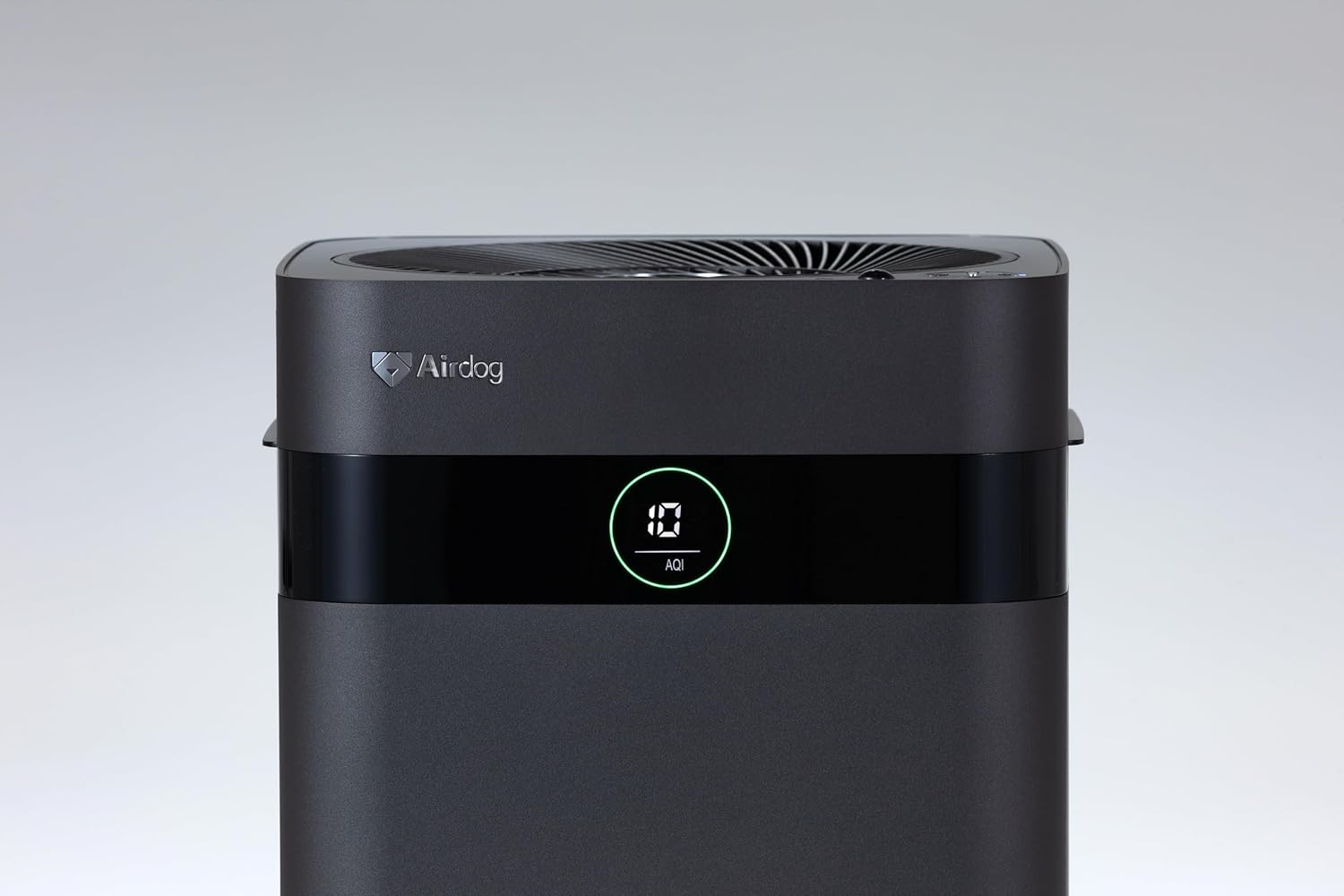
Figure 2: Close-up of the control panel and AQI display.

شکل 3: پورته view illustrating the air outlet design.

Figure 4: The bottom light indicator provides visual feedback on air quality.
5. ترتیب کول
5.1. خلاصول
- د هوا پاکونکی په احتیاط سره د هغې له بسته بندۍ څخه لرې کړئ.
- Remove all protective films and packaging materials from the unit.
- ډاډ ترلاسه کړئ چې په دویمه برخه کې لیست شوي ټول اجزا شتون لري.
5.2. ځای پرځای کول
Place the air purifier on a flat, stable surface. For optimal performance, ensure there is adequate space around the unit for air circulation. Avoid placing it directly against walls or furniture that might obstruct the air inlets or the 3-way wide-angle exhaust.

شکل 5: مثالample placement in a kitchen area.

شکل 6: مثالample placement in a living room.
5.3. د بریښنا پیوستون
Connect the power adapter to the power input port on the back of the unit, then plug the adapter into a suitable electrical outlet.
6. عملیاتي لارښوونې
6.1. بریښنا فعال/بند
Press the power button on the control panel or the remote control to turn the unit on or off. The display will illuminate when the unit is active.
6.2. حالت انتخاب
The Airdog X3D offers various operating modes:
- د موټرو حالت: The unit automatically adjusts fan speed based on detected air quality (AQI).
- لاسي حالت: تاسو ته اجازه درکوي چې په لاسي ډول د مطلوب فین سرعت غوره کړئ.
- د خوب حالت: Operates at the lowest fan speed with reduced display brightness for quiet operation.
Use the mode button on the control panel or remote control to cycle through the available modes.
6.3. Sensor Functions
- د رڼا سینسر: Automatically adjusts display brightness based on ambient light conditions.
- د انسان سینسر: Detects human presence to optimize operation, potentially saving energy when the room is unoccupied.
6.4. ریموټ کنټرول
The included remote control allows for convenient operation from a distance. Point the remote control directly at the unit's sensor. Note that the effective range of the remote control may be limited (approximately 1 meter).
7. ساتنه
Regular maintenance ensures the longevity and optimal performance of your Airdog X3D air purifier.
7.1. TPA Filter Cleaning
The TPA filter system is washable and reusable. Refer to the detailed instructions in the full user manual for specific cleaning procedures. Generally, the collector plates should be cleaned regularly to maintain purification efficiency.
- Turn off and unplug the unit before opening the filter compartment.
- Remove the collector plates and wash them with water and mild detergent.
- Ensure all filter components are completely dry before reinserting them into the unit.
7.2. بهرنۍ پاکول
د یونټ بهرنۍ برخه په نرمۍ سره مسح کړئamp ټوکر د کثافاتو پاکوونکي یا محلول مه کاروئ.
8. ستونزه حل کول
If you encounter issues with your Airdog X3D, please refer to the following common problems and solutions:
| ستونزه | احتمالي لامل | د حل لاره |
|---|---|---|
| واحد فعال نه دی. | برېښنا نشته، اړیکه پرې شوې ده. | د بریښنا تار او دیوال آوټ لیټ وګورئ. |
| د هوا د پاکولو ضعیف فعالیت. | Dirty TPA filter, obstructed air inlets/outlets. | Clean TPA filter components. Ensure clear airflow paths. |
| ریموټ کنټرول ځواب نه ورکوي. | Low battery, out of range, obstruction. | Replace remote battery. Ensure direct line of sight within 1 meter. |
| غیر معمولي شور. | Foreign object, improper filter installation. | Check for obstructions. Reinstall filter components correctly. |
که چیرې د دې حل لارو هڅه کولو وروسته هم ستونزه دوام ومومي، مهرباني وکړئ د پیرودونکو ملاتړ سره اړیکه ونیسئ.
9. مشخصات
| فیچر | تفصیل |
|---|---|
| برانډ | Airdog |
| د ماډل شمیره | AIR-X3-AMB310 |
| رنګ | مټ تور |
| د محصول ابعاد | ۲۷.۹ سانتي متره (D) x ۳۳ سانتي متره (W) x ۴۵.۷ سانتي متره (H) |
| د بسته وزن | 7.5 کیلو ګرامه |
| د بیټرۍ کارول | هو (د ریموټ کنټرول لپاره) |
| بیټرۍ پکې شامله ده | نه |
| د تولید کال | 2024 |
| ځانګړي ځانګړتیاوې | Light & Human Sensor, 3-way Wide-Angle Exhaust System, TPA Filter |
10. تضمین او ملاتړ
The Airdog X3D Black Air Purifier comes with a manufacturer's warranty. Please refer to the warranty card included with your product for specific terms and conditions. For technical support, service, or warranty claims, please contact Airdog customer service through their official webسایټ یا ستاسو د محصول اسنادو کې چمتو شوي د اړیکو معلومات.


