1. محصول ختم شوview
د سي زيview 3K 5MP Indoor Security Camera is a versatile device designed for home surveillance, pet monitoring, and baby monitoring. It offers crystal-clear 3K 5MP resolution, dual-band 2.4/5GHz Wi-Fi connectivity, and advanced features such as remote pan, tilt, and zoom capabilities. The camera includes night vision for low-light conditions, motion detection with auto-tracking, and two-way audio communication. It is also compatible with Alexa for convenient voice control.


۲. په بکس کې څه دي؟
مهرباني وکړئ د بسته بندۍ محتويات وګورئ ترڅو ډاډ ترلاسه کړئ چې ټول توکي شتون لري:
- 2x CZEview پین / ټیلټ کیمره
- د بریښنا اډاپټر
- د چټک پیل لارښود
- د نصبولو سکرو
- د نصبولو پلیټ
3. د تنظیم کولو لارښود
3.1 ابتدايي ترتیب
- د بریښنا پیوستون: Connect the camera to the power adapter using the provided micro-USB cable and plug it into a power outlet. The camera will power on and initiate its startup sequence.
- اپلیکیشن ډاونلوډ: Download the designated mobile application (e.g., 'Elemage Cam' or as specified in the Quick Start Guide) from your device's app store (compatible with Android and iOS).
- د حساب ثبتول: اپلیکیشن پرانیزئ او د سکرین لارښوونې تعقیب کړئ ترڅو یو نوی حساب راجستر کړئ یا که تاسو دمخه یو حساب لرئ نو ننوځئ.
- وسیله اضافه کړئ: Within the app, select the option to add a new device. Follow the prompts to scan the QR code on the camera or manually select your camera model.
3.2 د وای فای اتصال
د سي زيview camera supports both 2.4GHz and 5GHz Wi-Fi networks, offering flexibility and improved performance.

- د شبکې انتخاب: Ensure your smartphone is connected to the Wi-Fi network you intend to connect the camera to.
- د پټنوم داخلول: Enter your Wi-Fi password accurately into the app when prompted. Double-check for typos.
- د پیوستون پروسه: The app will guide you through the connection process, which may involve displaying a QR code on your phone screen for the camera to scan, or emitting an audible tone.
- تایید: Once connected, the camera will typically indicate a successful connection (e.g., a voice prompt or LED indicator change), and the app will confirm the device is online.
3.3 د کیمرې پورته کول
The camera is designed for indoor use and can be ceiling-mounted for optimal coverage.
- ځای: هغه ځای غوره کړئ چې مطلوب چمتو کوي viewد اننګ زاویه او ستاسو د وای فای شبکې په حد کې دی.
- لګول: Use the provided mounting plate and screws to secure the camera to a ceiling or wall. If mounting into wood, pre-drilling pilot holes is recommended.
4. عملیاتي لارښوونې
۴.۲ پین، ټیلټ، او زوم (PTZ)
The camera offers a 355° horizontal rotation and 100° vertical rotation, allowing for comprehensive coverage of your indoor space. It also features 4x digital zoom.
- کنټرول: Use the directional controls within the mobile app to remotely adjust the camera's viewزاویه.
- زوم: Pinch-to-zoom on the live feed within the app to digitally zoom in on specific areas.

4.2 د شپې لید
Equipped with infrared LEDs, the camera provides clear video footagحتی په کم رڼا یا بشپړ تیاره کې.
- اتوماتیک فعالیت: Night vision activates automatically when ambient light levels are low.
- وضاحت: The 3K 5MP resolution ensures details are visible in night vision mode.
۴.۴ د حرکت کشف او اتومات تعقیب
The camera can detect motion and sound, sending instant notifications to your phone. It also features auto-tracking to follow detected movement.
- خبرتیاوې: Enable motion and sound alerts in the app settings to receive real-time notifications.
- د ګاډو تعقیب: When enabled, the camera will automatically pan and tilt to keep a moving subject within its field of view.

۴.۴ دوه اړخیزه خبرې اترې
Communicate with family members or pets through the camera using the two-way talk feature.
- فعالول: په ژوندۍ بڼه کې د مایکروفون آیکون باندې کلیک وکړئ view interface of the app to speak through the camera's speaker.
- اوریدل: د کیمرې جوړ شوی مایکروفون تاسو ته اجازه درکوي چې د کیمرې له موقعیت څخه غږ واورئ.

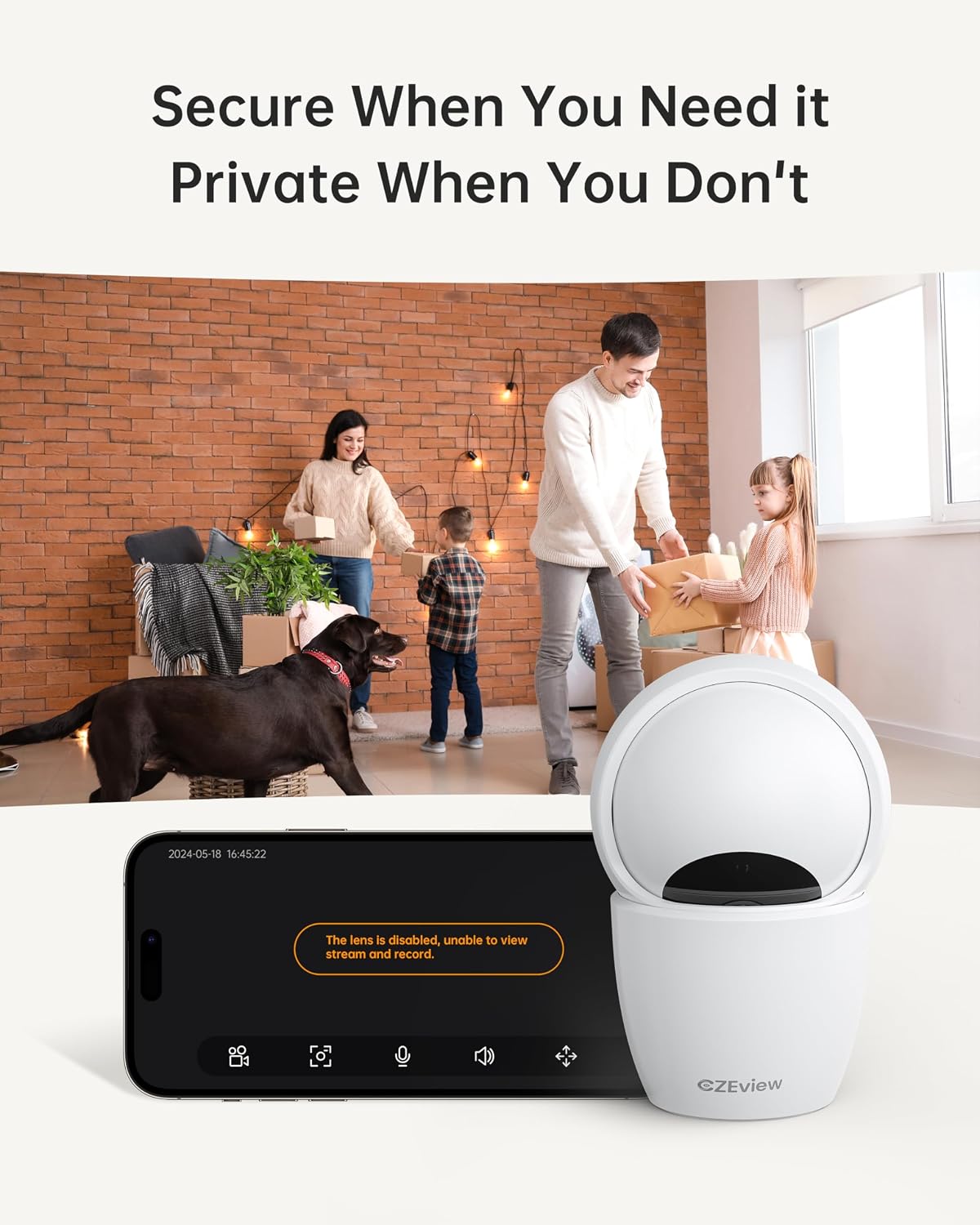
4.5 د محرمیت حالت
To ensure privacy, the camera can be deactivated with a single click in the app, physically turning the lens away.
- فعالول: Locate the privacy mode option in the app settings or live view screen. Activating it will disable video streaming and recording.
- مهالویش: Some app versions may allow scheduling privacy mode for specific times.

۵.۳ ثبت او ذخیره کول
The camera supports local storage via a Micro SD card (up to 128GB, not included) and offers optional cloud storage plans for continuous 24/7 recording.
- د مایکرو SD کارت: Insert the Micro SD card into the slot. To locate the slot and reset button, gently tilt the camera's 'eyeball' (lens housing) upward.
- د بادل ذخیره کول: Refer to the app for details on available cloud storage plans and subscription options.
۵.۶ د الیکسا ادغام
The camera works with Alexa, allowing for voice-activated control and viewing.
- Linking Account: Follow the instructions in the Alexa app to enable the CZEview skill and link your camera account.
- غږیز حکمونه: Use commands such as "Alexa, show me the [camera name]" to view the live feed on compatible Alexa devices with screens.
5. ساتنه
- پاکول: د کیمرې لینز او بدن پاکولو لپاره نرم، وچ ټوکر وکاروئ. د کثافاتو پاکوونکو یا محلولونو څخه ډډه وکړئ.
- د سافټویر تازه معلومات: Regularly check the mobile app for firmware updates to ensure optimal performance and security. Follow the in-app instructions for updating.
- ځای په ځای کول: Ensure the camera is placed in a stable, dry indoor environment, away from direct sunlight, extreme temperatures, and sources of vibration.
6. ستونزه حل کول
| ستونزه | احتمالي لامل | د حل لاره |
|---|---|---|
| کیمره به وای فای سره ونښلول شي | Incorrect Wi-Fi password; Camera too far from router; Router band incompatibility; Network congestion. | Double-check Wi-Fi password. Move camera closer to router. Ensure router supports 2.4GHz or 5GHz (whichever you are connecting to). Try restarting your router and camera. |
| د عکس ضعیف کیفیت | چټل لینزونه؛ ناکافي رڼا؛ د شبکې بینډ ویت ستونزې. | Clean the camera lens with a soft cloth. Ensure adequate lighting or verify night vision is active in low light. Check your internet speed. |
| د حرکت کشف خبرتیا نشته | Motion detection disabled in app; Sensitivity too low; App notifications blocked. | Enable motion detection in the app settings. Adjust sensitivity level. Check your phone's notification settings for the app. |
| Two-way talk audio issues | Microphone/speaker muted in app; Network delay; Obstruction. | Ensure microphone and speaker are enabled in the app. Check network connection stability. Ensure no physical obstructions are blocking the microphone or speaker. |
| Camera is unresponsive / needs reset | Software glitch; Configuration error. | Unplug the camera, wait 10 seconds, then plug it back in. If issues persist, locate the reset button (by tilting the lens upward) and press it for 5-10 seconds until the camera resets. You may need to re-add the camera to the app after a factory reset. |
7. مشخصات
| فیچر | تفصیل |
|---|---|
| د ماډل نوم | ZY-D4 |
| د کور دننه / بهر کارول | دننه |
| اغیزمن لاهم حل | ۴ میګاپکسله (۲.۵ کیلوبایټ) |
| د ویډیو نیول حل | 1920p |
| د ارتباط پروتوکول | Wi-Fi (2.4/5Ghz Dual Band) |
| د بریښنا سرچینه | د بریښنا تار شوی |
| د کنټرولر ډول | Elemage Cam App |
| د نصب کولو ډول | د چت غره |
| د پین / خښتو سلسله | 355° افقی، 100° عمودی |
| ډیجیټل زوم | 4x |
| د ذخیره کولو اختیارونه | مایکرو ایس ډي کارت (تر ۱۲۸ جي بي پورې، شامل نه دی)، کلاوډ ذخیره (اختیاري) |
| ځانګړي ځانګړتیاوې | Night Vision, Motion Sensor, Dual Band Wi-Fi, Auto Tracking, Two-Way Talk, Privacy Mode, Alexa Compatible |
| د محصول ابعاد | 3 x 3 x 5 انچه |
| د توکي وزن | ۲.۴۵ پونډه |
8. تضمین او ملاتړ
For warranty information and technical support, please refer to the Quick Start Guide included in your product packaging or visit the official CZEview website. Contact details for customer service are typically provided on the manufacturer's webسایټ


