1. پیژندنه
This manual provides detailed instructions for the installation, operation, and maintenance of your Dioche Keyless Electronic Deadbolt Door Lock. Please read this manual thoroughly before installation and use to ensure proper function and safety. This electronic deadbolt offers enhanced security and convenient access control for various applications.
2. محصول ختم شوview او اجزا
The Dioche Keyless Electronic Deadbolt Door Lock is a high-security access control system designed for residential and commercial use. It features multiple unlocking methods including card, key, and remote control.
2.1 د بسته محتويات
ډاډ ترلاسه کړئ چې لاندې لیست شوي ټول اجزا ستاسو په کڅوړه کې شتون لري:
- 1 x Electric Control Lock Unit
- 1 x Lock Ear (Strike Plate)
- ۱ x د قلف سلنډر
- 3 x میخانیکي کیلي
- 10 x ID Keychains (RFID Tags)
- 1 x Lock Card (RFID Card)
- 1 x ID Card Reader
- 2 x ریموټ کنټرولونه
- Various Screws and Mounting Hardware (2 x Screws, 1 x Square Plate, 1 x Round Plate, 8 x Screws)

Image: All components included in the Dioche Keyless Electronic Deadbolt Door Lock package.
2.2 د محصول ځانګړتیاوې
- د لاسرسي څو طریقې: Unlock using RFID cards, mechanical keys, or remote controllers.
- لوړ امنیت: Robust deadbolt mechanism designed to resist tampد.
- د بیټرۍ په اسانۍ بدلول: Simple, tool-free battery access for continuous operation.
- ساده نصب کول: Designed for straightforward setup without professional assistance.
- دوامدار ساختمان: د اوږد عمر لپاره د سټینلیس سټیل څخه جوړ شوی.

انځور: مخکینۍ برخه view of the electronic deadbolt lock unit.
3. مشخصات
| فیچر | مشخصات |
|---|---|
| برانډ | دیوچی |
| د ماډل شمیره | Diocheb1pn3yrti8 |
| مواد | سټینلیس سټیل |
| د خلاصولو طریقه | Card, Key, Remote Control |
| د بریښنا رسولو بندول | ۲ x ۱.۵V AA بیټرۍ (شامل نه دي) |
| د ریموټ کنټرول بریښنا رسول | 1 x 27A 12V 30mAH Dry Battery (built-in per remote) |
| د نصبولو طریقه | کلیک وکړئ |
| د توکي وزن | 1.39 کیلو ګرامه |
| د پارسل ابعاد | 18 x 12 x 9 سانتي متره |
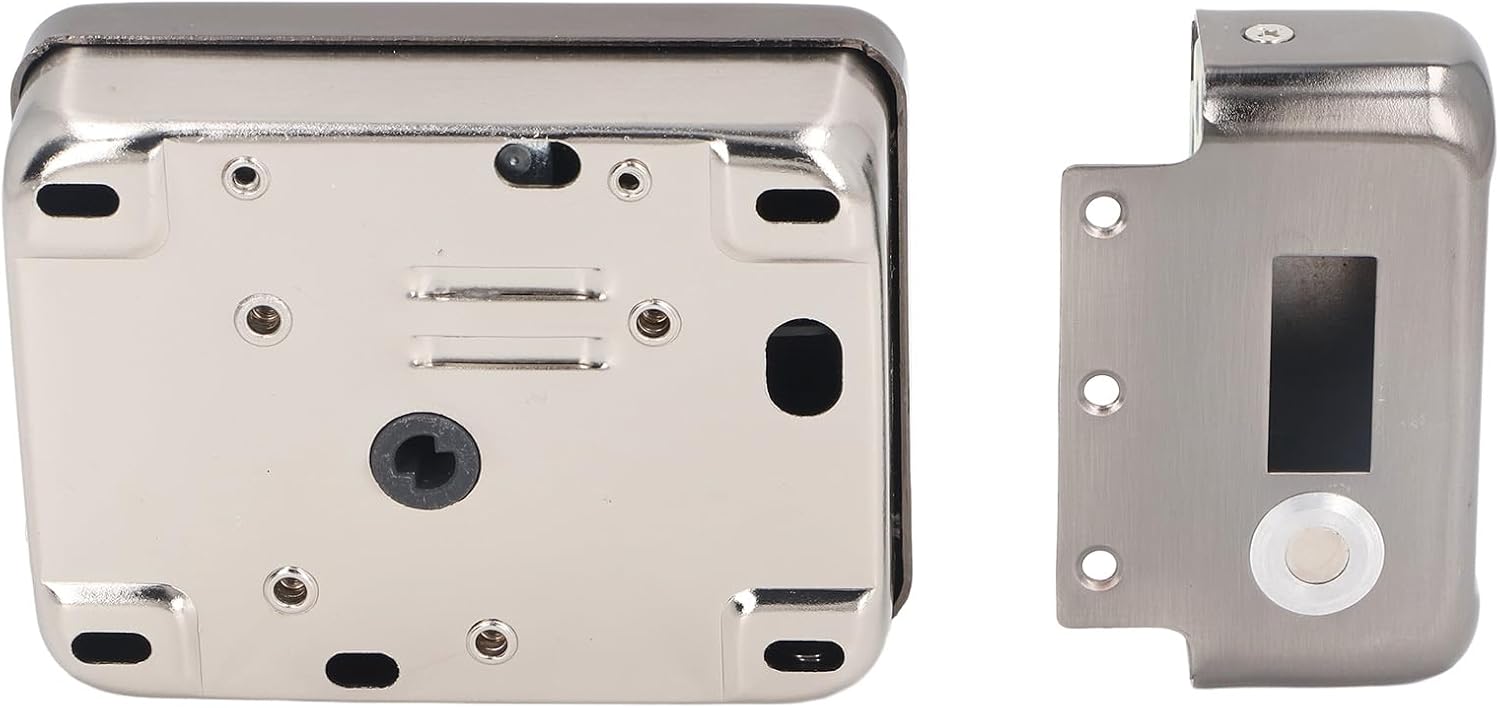
Image: Product dimensions of the electronic deadbolt lock.
4. ترتیب او نصب کول
The Dioche Keyless Electronic Deadbolt Door Lock is designed for simple installation. Follow these steps carefully:
4.1 Prepare the Door
- Ensure your door is compatible with a standard deadbolt installation.
- Measure the backset (distance from the door edge to the center of the bore hole) and door thickness to ensure proper fit.
4.2 Install the Lock Cylinder
- Insert the lock cylinder into the door bore hole from the outside.
- Secure it in place according to the provided hardware.
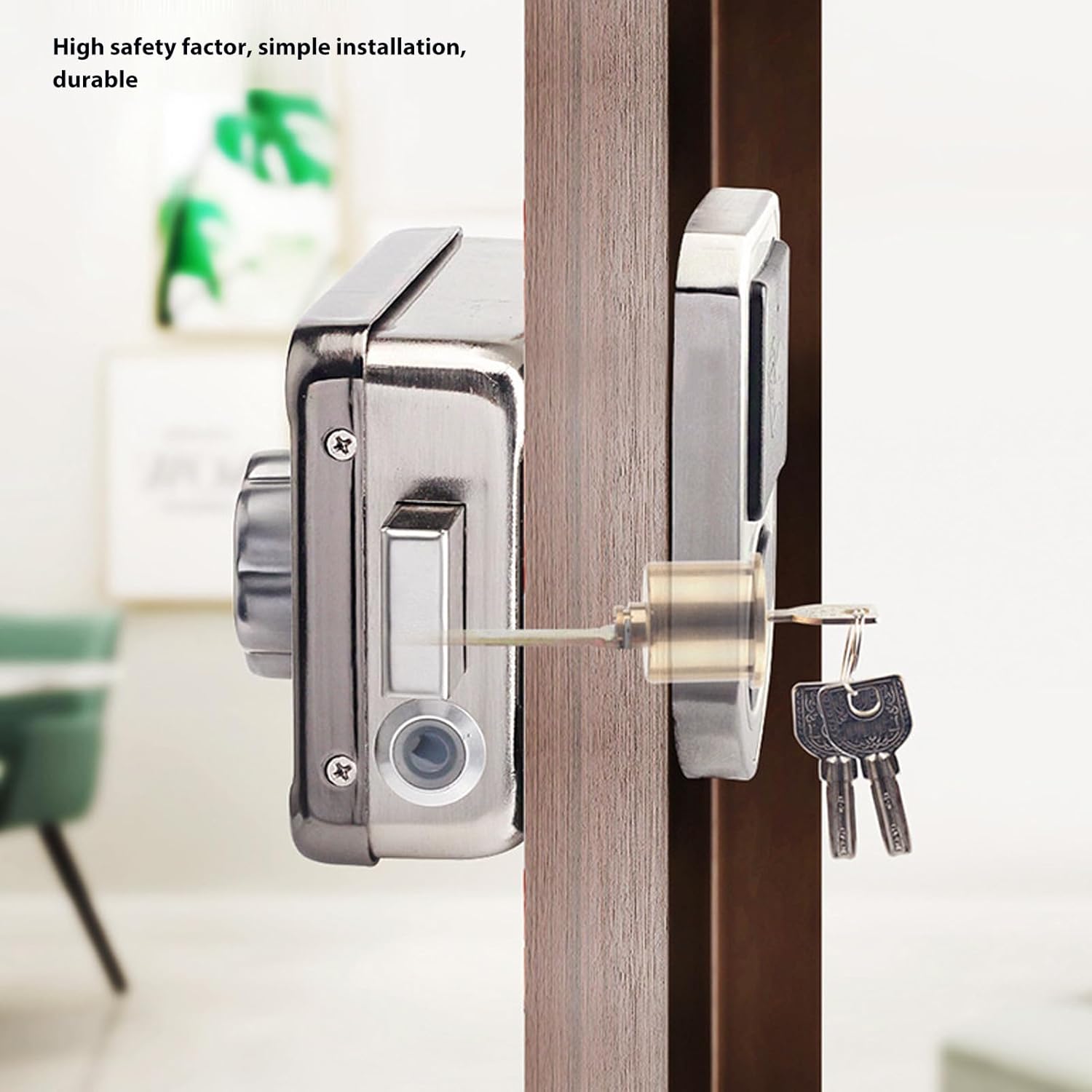
Image: Electronic deadbolt lock installed on a door, showing key access.
4.3 Mount the Main Lock Unit
- Align the main electric control lock unit with the lock cylinder and the door edge.
- Secure the unit to the door using the provided screws. Ensure the wiring (if any) is properly connected and tucked away.
- Install the lock ear (strike plate) on the door frame, aligning it with the deadbolt.

Image: Assembly diagram of the electronic deadbolt components.
4.4 بیټرۍ ولګوه
- Open the battery compartment on the main lock unit.
- د 2 x 1.5V AA بیټرۍ دننه کړئ، د سم قطبیت ډاډ ترلاسه کړئ.
- د بیټرۍ کڅوړه په خوندي ډول وتړئ.
۶ د فعالیت ازموینه
- Test the mechanical keys to ensure the deadbolt extends and retracts smoothly.
- Test the remote controls and RFID cards/keychains to ensure they unlock the door.
5. عملیاتي لارښوونې
Your Dioche Keyless Electronic Deadbolt Door Lock offers several convenient ways to secure and access your property.
5.1 Unlocking with RFID Card/Keychain
- Present an authorized RFID card or keychain to the 'swipe smart card' reader on the lock unit.
- The lock will emit a confirmation sound, and the deadbolt will retract, allowing the door to be opened.
5.2 Unlocking with Remote Control
- Press the unlock button on one of the remote controllers.
- The lock will retract the deadbolt, enabling door access.
۴.۳ د میخانیکي کیلي سره خلاصول
- Insert one of the provided mechanical keys into the external lock cylinder.
- Turn the key to retract the deadbolt and open the door.
د دروازې قفل کول
- From the inside, turn the manual knob on the lock unit to extend the deadbolt.
- From the outside, the deadbolt will automatically extend after the door is closed, or can be manually extended using a key or remote if applicable to your specific setup.

Image: Manual turn knob for locking/unlocking from the inside.
6. ساتنه
Regular maintenance ensures the longevity and optimal performance of your electronic deadbolt.
6.1 د بیټرۍ بدلول
The lock unit is powered by 2 x 1.5V AA batteries. When the batteries are low, the lock may provide an audible or visual indicator. Replace batteries promptly to avoid interruption of service.
- Locate the battery compartment on the main lock unit.
- Open the compartment cover (usually a slide or snap-on cover).
- زاړه AA بیټرۍ لرې کړئ.
- Insert two new 1.5V AA batteries, observing the correct polarity (+/-).
- د بیټرۍ کمپارټ پوښ په خوندي ډول وتړئ.
Remote controls use 1 x 27A 12V 30mAH dry battery each. Refer to the remote control's specific instructions for battery replacement if needed.
6.2 پاکول
د قلف بهرنۍ برخه د نرم، دamp ټوکر. د کثافاتو پاکوونکو یا محلولونو کارولو څخه ډډه وکړئ، ځکه چې دا کولی شي پای یا بریښنایی اجزاو ته زیان ورسوي.
6.3 غوړول
Periodically apply a small amount of graphite lubricant to the mechanical keyway and deadbolt mechanism to ensure smooth operation. Do not use oil-based lubricants.
7. ستونزه حل کول
If you encounter issues with your Dioche Keyless Electronic Deadbolt Door Lock, refer to the following common problems and solutions:
- Lock not responding to RFID card/keychain or remote control:
- Check if the batteries in the main lock unit are depleted. Replace them if necessary.
- Ensure the RFID card/keychain or remote control is properly registered with the lock. Refer to programming instructions (not covered in this general manual).
- Verify that the remote control battery is not depleted.
- Deadbolt does not extend or retract smoothly:
- د دروازې په چوکاټ یا سټرایک پلیټ کې د کوم خنډ لپاره وګورئ.
- Ensure the lock is properly aligned with the strike plate. Adjust if needed.
- Lubricate the deadbolt mechanism and keyway with graphite.
- Lock makes unusual noises:
- This could indicate a mechanical issue or low batteries. Check battery levels first.
- که ستونزه دوام ومومي، د پیرودونکي ملاتړ سره اړیکه ونیسئ.
For issues not covered here, please contact Dioche customer support.
8. تضمین او ملاتړ
For warranty information and customer support, please refer to the documentation provided at the time of purchase or visit the official Dioche webسایټ. د تضمین ادعاوو لپاره د پیرود ثبوت په توګه د پیرود رسید وساتئ.