1. پیژندنه
Welcome to the user manual for your new SENTRY BT Pro Sq Headset with Active Noise Canceling. This manual provides essential information on setting up, operating, maintaining, and troubleshooting your headset to ensure optimal performance and longevity. Please read this manual thoroughly before using the product.
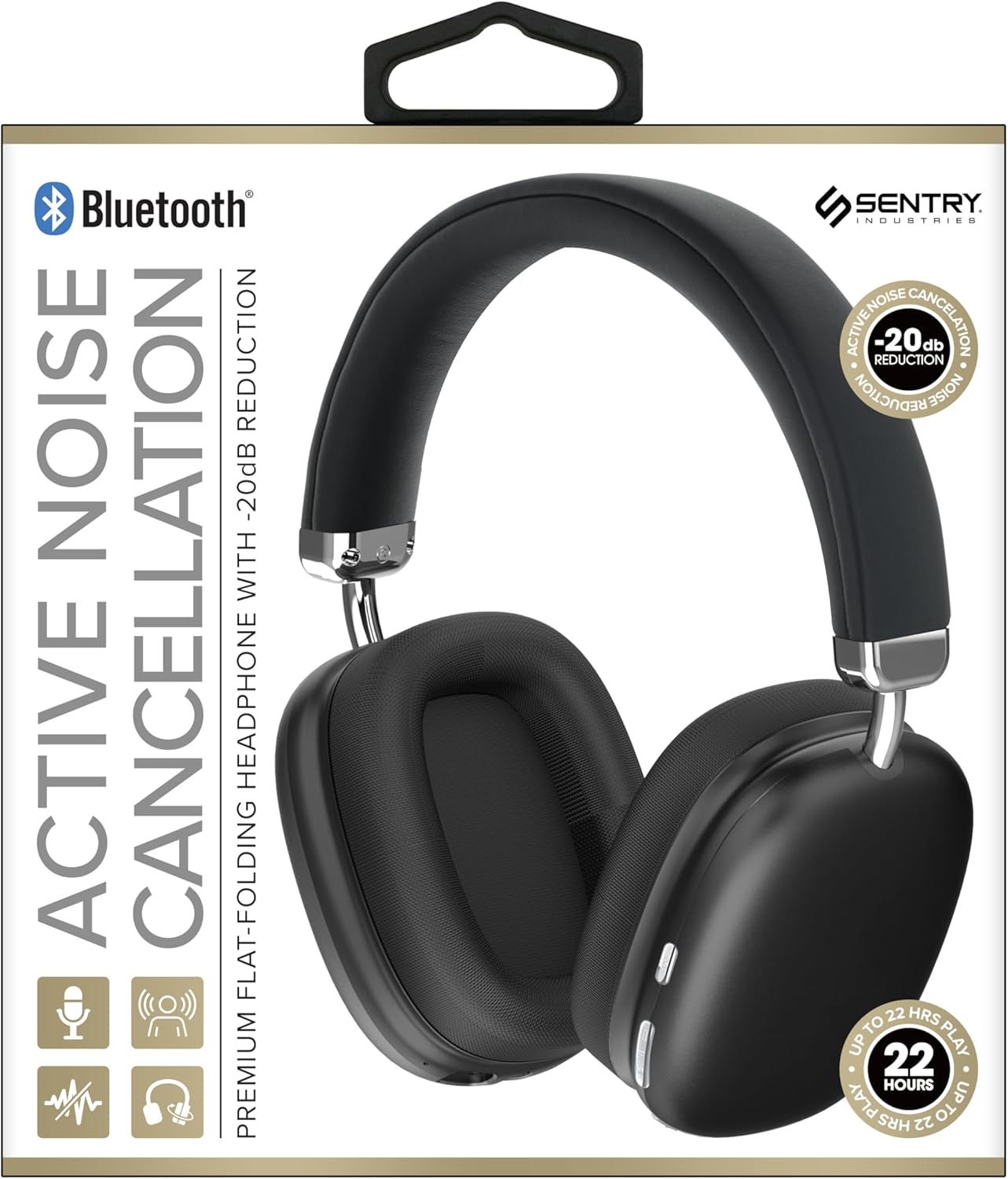
This image displays the SENTRY BT Pro Sq Headset in black, highlighting its over-ear design, adjustable headband, and the control buttons located on the earcups. The packaging indicates features such as Bluetooth connectivity, Active Noise Cancellation with -20dB reduction, and up to 22 hours of play time.
۱.۱. د خوندیتوب مهم معلومات
د خوندي او سم عملیات ډاډمن کولو لپاره، مهرباني وکړئ لاندې لارښوونې په پام کې ونیسئ:
- هیډسیټ د سختې تودوخې، رطوبت، یا زنګ وهونکو موادو سره مه مخ کوئ.
- د هیډسیټ د غورځولو یا قوي اغیزو سره مخ کیدو څخه ډډه وکړئ.
- هیډسیټ مه جلا کوئ یا یې پخپله ترمیم مه کوئ. دا به تضمین باطل کړي.
- Clean the headset with a soft, dry cloth only. Do not use liquid cleaners.
- په لوړ غږ کې د اوږدې مودې لپاره اوریدل کولی شي د اوریدلو زیان ورسوي. غږ خوندي کچې ته تنظیم کړئ.
- Do not use the headset in situations where inability to hear ambient sounds could be dangerous (e.g., driving, cycling, walking in traffic).
3. د بسته محتويات
مهرباني وکړئ د لاندې توکو لپاره په بسته کې وګورئ:
- SENTRY BT Pro Sq Headset
- د USB چارج کیبل
- د کارن لارښود
4. محصول ختم شوview
The SENTRY BT Pro Sq Headset features an over-ear design with soft ear pads for comfort and noise isolation. It includes an adjustable folding headband for portability. Key components include:
- غوږونه: House the audio drivers and provide passive noise isolation.
- سر بنده: Adjustable for a comfortable fit, designed to fold for compact storage.
- د کنټرول تڼۍ: Located on the earcups for power, volume, track control, and Active Noise Cancellation (ANC).
- مایکروفون: د لاسونو څخه پاک زنګونو لپاره جوړ شوی.
- د چارج کولو بندر: د USB چارج کولو کیبل د نښلولو لپاره.
Refer to the product image in the Introduction section for visual identification of these components.
5. ترتیب کول
۶.۲ د هیډسیټ چارج کول
- د USB چارج کولو کیبل کوچنۍ پای د هیډسیټ چارج کولو پورټ سره وصل کړئ.
- د USB چارج کولو کیبل لویه پای د USB بریښنا اډاپټر (شامل نه دی) یا د کمپیوټر USB پورټ سره وصل کړئ.
- The LED indicator on the headset will illuminate to show charging status. It will change color or turn off when fully charged.
- بشپړ چارج معمولا شاوخوا ۲-۳ ساعته وخت نیسي.
۳.۳ د بلوتوث وسیلو سره جوړه کول
Before using the headset wirelessly, you must pair it with your Bluetooth-enabled device (smartphone, laptop, tablet, smart speaker, gaming console).
- ډاډ ترلاسه کړئ چې هیډسیټ په بشپړ ډول چارج شوی.
- With the headset powered off, press and hold the Power button for approximately 5-7 seconds until the LED indicator flashes rapidly, indicating pairing mode.
- په خپل بلوتوث وسیله کې، بلوتوث فعال کړئ او د نویو وسایلو لټون وکړئ.
- Select "SENTRY BT Pro Sq" (or similar name) from the list of available devices.
- Once paired, the LED indicator on the headset will stop flashing and may turn solid blue or off, depending on the model.
- هیډسیټ به په اتوماتيک ډول هڅه وکړي چې د وروستي جوړه شوي وسیلې سره بیا وصل شي کله چې بریښنا فعاله شي.
6. عملیاتي لارښوونې
۸ پاور آن/بند
- پاور آن: Press and hold the Power button for 2-3 seconds. The LED indicator will light up.
- بندول: Press and hold the Power button for 3-4 seconds. The LED indicator will turn off.
6.2 د فعال شور لغوه کول (ANC)
دا هیډسیټ د چاپېریال شور کمولو لپاره د فعال شور لغوه کولو ځانګړتیا لري.
- ANC فعالول: Locate the ANC button (if separate) or press the designated control. The ANC indicator light will turn on.
- ANC غیر فعال کړئ: د ANC تڼۍ بیا فشار ورکړئ. د ANC شاخص څراغ به بند شي.
6.3 Media Control (Touch Control)
Control your audio playback directly from the headset:
- پلی کول / ودرول: د څو-فعاله تڼۍ یو ځل کلیک وکړئ.
- حجم پورته کول: د حجم پورته کولو تڼۍ کېکاږئ.
- کموالی: د غږ کمولو تڼۍ کېکاږئ.
- بله لار: Double tap the multi-function button.
- مخکینی لار Triple tap the multi-function button.
۶.۳ د زنګ وهلو مدیریت
Manage phone calls with the built-in microphone:
- زنګ ووهئ: Single tap the multi-function button when a call comes in.
- ټلیفون پای: د زنګ وهلو په جریان کې د څو فعالیت تڼۍ یو ځل کلیک وکړئ.
- زنګ رد کړئ: کله چې زنګ راشي نو د څو ثانیو لپاره د څو فعالیت تڼۍ فشار ورکړئ او ونیسئ.
7. ساتنه او پالنه
- پاکول: هیډسیټ د نرم، وچ، لینټ نه پاک ټوکر سره پاک کړئ. د کثافاتو پاکونکو، الکولو، یا کیمیاوي محلولونو څخه کار مه اخلئ.
- ذخیره کول: When not in use, store the headset in a cool, dry place, away from direct sunlight and extreme temperatures. Utilize the folding headband feature for compact storage.
- د بیټرۍ پاملرنه: To preserve battery life, charge the headset regularly, even if not used for extended periods. Avoid fully discharging the battery frequently.
- د اوبو څخه ډډه کول: The headset is not waterproof. Keep it away from water and moisture.
8. ستونزه حل کول
If you encounter issues with your headset, please refer to the following common problems and solutions:
| ستونزه | احتمالي حل |
|---|---|
| هیډسیټ نه چالانیږي. | Ensure the headset is fully charged. Connect to a power source and allow it to charge for at least 30 minutes before attempting to power on again. |
| د بلوتوت آلې سره جوړه نشي. | Ensure the headset is in pairing mode (LED flashing rapidly). Make sure Bluetooth is enabled on your device and it is within range (10 meters). Try restarting both the headset and your device. |
| د هیډسیټ څخه هیڅ غږ نشته. | Check the volume level on both the headset and your connected device. Ensure the headset is properly paired and connected. Try playing audio from a different application or device. |
| د فعال شور لغوه کول (ANC) اغیزمن نه دی. | Ensure ANC is activated. Make sure the earcups are properly sealed around your ears. ANC is most effective against low-frequency, constant noise. |
| مایکروفون کار نه کوي. | Ensure the headset is connected and selected as the input device on your computer or smartphone. Check privacy settings on your device that might restrict microphone access. |
9. مشخصات
| فیچر | تفصیل |
|---|---|
| د ماډل نوم | د HPXBTA1000 معرفي کول |
| د ارتباط ټیکنالوژي | بې سیم (بلوتوث) |
| د شور کنټرول | د فعال شور لغوه کول |
| د غوږ ځای پرځای کول | په غوږ کې |
| د فارم فکتور | په غوږ کې |
| د کنټرول ډول | د رسنیو کنټرول، لمس |
| د فریکونسی رینج | له 20 Hz څخه تر 20,000 Hz پورې |
| د آډیو ډرایور ډول | متحرک چلوونکی |
| مطابقت لرونکې وسیلې | Smartphones, Laptops, Tablets, Smart Speakers, Gaming Consoles |
| رنګ | تور |
| د توکي وزن | ۲.۴۵ پونډه |
| UPC | 080068501503 |
| جوړونکی | سنټري |
10. تضمین او ملاتړ
SENTRY products are designed and manufactured to the highest quality standards. For information regarding warranty coverage, technical support, or service inquiries, please refer to the warranty card included with your product or visit the official SENTRY webسایټ. مهرباني وکړئ د تضمین ادعاوو لپاره د پیرود ثبوت وساتئ.


