1. پیژندنه
This manual provides detailed instructions for the setup, operation, maintenance, and troubleshooting of your 8BitDo Retro Mechanical Keyboard, C64 Edition. This keyboard is designed for compatibility with Windows 10 (1903) or above and Android 9.0 or above, offering versatile connectivity options and customizable features.
Key features include 87 keys, a top-mount design with Kailh Box White Switches, double-shot ABS keycaps with SA profile, and a hot-swappable PCB. It also features programmable keys, Dual Super Buttons, and a Super Stick with an independent control panel, all supported by 8BitDo Ultimate Software V2 for custom mapping.

Image 1.1: The 8BitDo Retro Mechanical Keyboard C64 Edition, including the main keyboard unit, Dual Super Buttons, and Super Stick.
2. ترتیب کول
2.1 د بسته محتويات
ډاډ ترلاسه کړئ چې ټول توکي په کڅوړه کې شتون لري:
- 8BitDo Retro Mechanical Keyboard (C64 Edition)
- 2.4G بې سیم اډاپټر
- Dual Super Buttons
- Super Stick
- USB-C کیبل
- د لارښوونې لارښود

Image 2.1: The 8BitDo Retro Mechanical Keyboard C64 Edition shown in its product box, indicating included accessories.
2.2 ابتدايي چارج کول
Before first use, connect the keyboard to a power source using the provided USB-C cable. The keyboard contains a Lithium Polymer battery. A full charge ensures optimal wireless performance.
۳.۱ د ارتباط اختیارونه
The keyboard supports three connection modes: Bluetooth, 2.4G Wireless, and USB-C Wired.
- بلوتوث پیوستون
- Toggle the connection switch on the keyboard to 'BT'.
- On your device (Windows PC or Android), navigate to Bluetooth settings.
- Select '8BitDo Retro Mechanical Keyboard' from the list of available devices to pair.
- 2.4G بې سیم اتصال:
- Insert the 2.4G wireless adapter into an available USB port on your device.
- Toggle the connection switch on the keyboard to '2.4G'.
- The keyboard should automatically connect to the adapter.
- د USB-C وائرډ اتصال:
- Connect the USB-C cable to the keyboard's USB-C port and the other end to your device.
- کیبورډ به د تار لرونکي وسیلې په توګه کار وکړي او په ورته وخت کې چارج شي.

Image 2.2: The rear of the keyboard, highlighting the USB-C port for wired connection and charging, and the connection mode switch.
3. عملیاتي لارښوونې
۳.۱ د کیبورډ اساسي دندې
The 87-key layout provides standard alphanumeric and function keys. The keyboard supports N-key rollover, ensuring all key presses are registered accurately, even during rapid input.
3.2 Independent Control Panel
The keyboard features an independent control panel with dedicated knobs and buttons for quick adjustments.
- د حجم نوب: د سیسټم حجم تنظیموي.
- د پیوستون حالت بدلول: Toggles between Bluetooth, 2.4G, and Off.
- د پروګرام وړ بټنونه: Dedicated buttons (e.g., star icon, Wi-Fi icon) can be customized via software.

انځور ۸: یو مفصل view of the keyboard's independent control panel, showing the volume knob and other function buttons.
3.3 Dual Super Buttons and Super Stick
The included Dual Super Buttons and Super Stick provide additional programmable input options, enhancing gaming and productivity. Connect these accessories to the dedicated ports on the rear of the keyboard.

Image 3.2: A user's hands interacting with the Dual Super Buttons and Super Stick, demonstrating their use alongside the keyboard.
۴.۳ ۸ بټ ډو الټیمیټ سافټویر V۲
Customize your keyboard experience using the 8BitDo Ultimate Software V2 (available for PC). This software allows you to:
- کلیدي نقشه کول: Reassign functions to any key, including the programmable buttons and Super Buttons.
- د میکرو جوړول: Record and assign complex sequences of key presses to a single button.
- پروfile مدیریت: Create and switch between multiple custom profileد مختلفو غوښتنلیکونو یا لوبو لپاره.
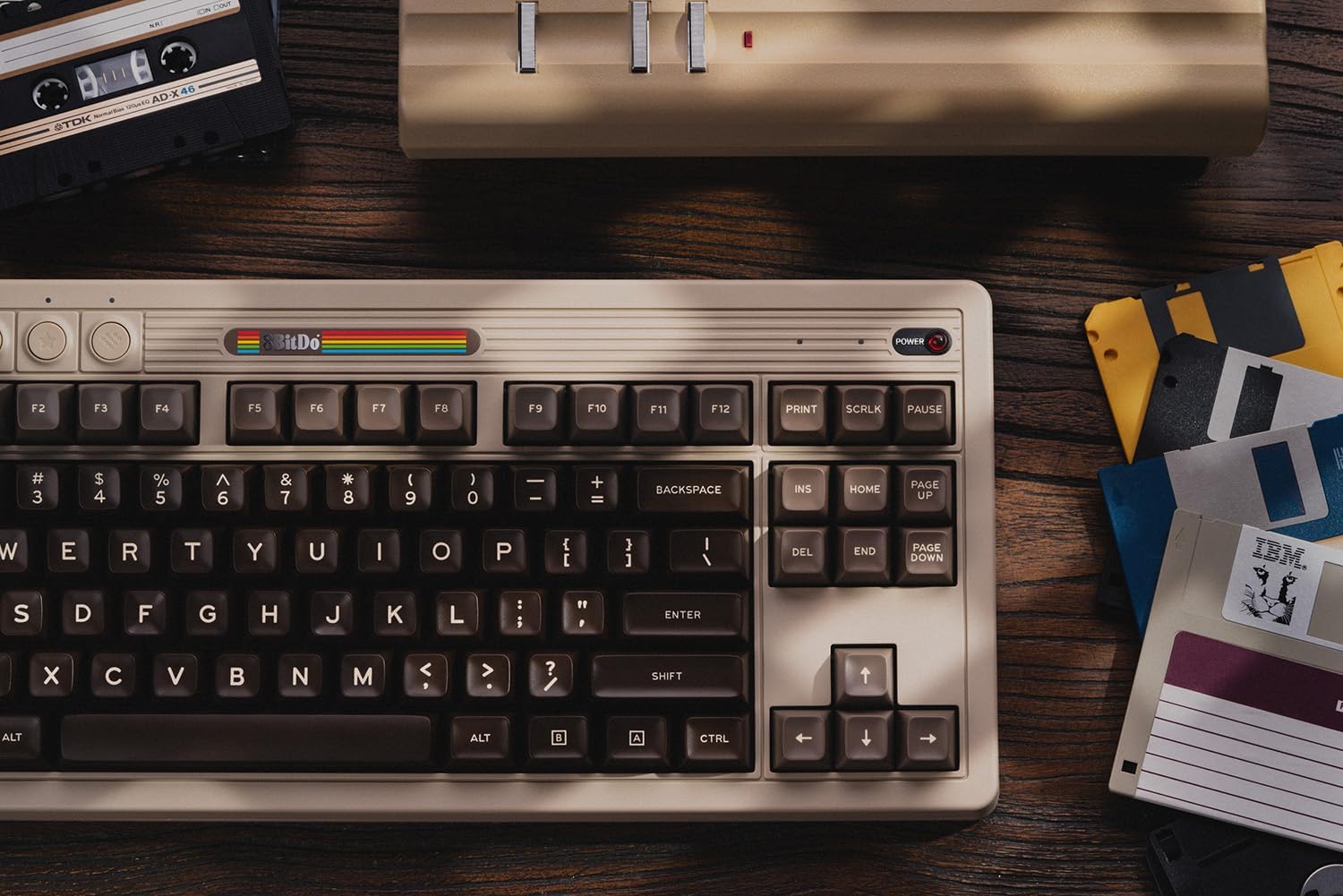
Image 3.3: A visual representation of the 8BitDo Ultimate Software V2, showing options for key mapping and macro recording.
4. ساتنه
4.1 پاکول
To clean the keyboard, use a soft, dry cloth. For stubborn dirt, a slightly damp cloth with mild soap can be used, ensuring no liquid enters the keyboard. Avoid abrasive cleaners or solvents.
۶.۲ د کیلي کیپ او سویچ بدلول
The keyboard features a hot-swappable PCB, allowing for easy replacement of switches without soldering. Use a keycap puller to remove keycaps and a switch puller to remove switches. Ensure replacement switches are compatible with the PCB.

انځور ۸: یو مفصل view illustrating the hot-swappable PCB feature, the magnetic compartment for the 2.4G adapter, and the classic power status LED.
4.3 د بیټرۍ پاملرنه
To prolong battery life, avoid exposing the keyboard to extreme temperatures. If storing for an extended period, charge the battery to approximately 50% and store in a cool, dry place.
5. ستونزه حل کول
- کیبورډ ځواب نه ورکوي:
Ensure the keyboard is charged and the connection mode switch is set correctly (BT, 2.4G, or wired). For wireless connections, verify the adapter is properly inserted or Bluetooth is paired.
- هغه کیلي چې راجستر نه کیږي:
Check for debris under the keycaps. If a specific key is not working, the switch may need to be replaced due to the hot-swappable design.
- Connectivity issues (lag/disconnections):
Ensure the keyboard is within range of the receiver/device. Minimize interference from other wireless devices. For 2.4G, try a different USB port. For Bluetooth, try re-pairing the device.
- سافټویر کیبورډ نه کشفوي:
Ensure the keyboard is connected via USB-C or 2.4G wireless. Bluetooth connection may not be fully supported by the software for all features. Update the software to the latest version.
For further assistance, please refer to the official 8BitDo support webسایټ یا د پیرودونکي خدمت سره اړیکه ونیسئ.
6. مشخصات
| فیچر | تفصیل |
|---|---|
| برانډ | 8BitThu |
| د ماډل شمیره | 6922621505266 |
| د ارتباط ټیکنالوژي | بلوتوث، ۲.۴ جي بېسیم، USB-C وایرډ |
| د کیبورډ توضیحات | میخانیکي |
| د کلیدونو شمیر | 87 |
| سویچونه | Kailh Box White Switches (Hot-swappable) |
| کیکیپس | Double-Shot ABS with SA profile |
| مطابقت | Windows 10 (1903) or above, Android 9.0 or above |
| ځانګړي ځانګړتیاوې | Hot-Swappable, Programmable Keys, Rechargeable, Dual Super Buttons, Super Stick |
| د بریښنا سرچینه | د بیټرۍ چلول (1 لیتیم پولیمر بیټرۍ شامله ده) |
| د توکي وزن | ۲.۴۵ پونډه |
| مواد | اکریلونیتریل بوټایډین سټرینه |
| شاملې برخې | Keyboard, 2.4G Adapter, Dual Super Buttons, Super Stick, USB Cable |
7. تضمین او ملاتړ
8BitDo products are covered by a manufacturer's warranty. For specific warranty terms and conditions, please refer to the warranty card included with your product or visit the official 8BitDo webسایټ
For technical support, frequently asked questions, and software downloads, please visit the official 8BitDo support page: www.8bitdo.com/support/. You may also contact customer service directly through the webد نورو مرستو لپاره سایټ.


