1. پیژندنه
د پیرودلو لپاره مننهasing the LogiLink SP0063 Bluetooth 5.1 TWS Speaker. This compact yet powerful speaker delivers clear and robust sound, offering stable and fast connectivity via Bluetooth 5.1. It supports True Wireless Stereo (TWS) for an enhanced audio experience with two speakers simultaneously. The integrated hands-free function allows you to answer calls without needing to pick up your smartphone. This manual provides essential information for setting up, operating, and maintaining your speaker.
2. د خوندیتوب لارښوونې
- سپیکر د سختې تودوخې، مستقیم لمر وړانګو، یا لوړ رطوبت سره مه مخ کوئ.
- د سپیکر قوي تاثیراتو ته د غورځولو یا تابع کولو څخه ډډه وکړئ.
- Do not disassemble, repair, or modify the device yourself. Contact qualified service personnel for any repairs.
- سپیکر د اوبو او نورو مایعاتو څخه لرې وساتئ. دا محصول د اوبو ضد نه دی.
- یوازې چمتو شوی چارجینګ کیبل یا تصدیق شوی معادل وکاروئ.
- د ماشومانو د لاسرسي څخه لرې وساتئ.
3. د بسته محتويات
مهرباني وکړئ د لاندې توکو لپاره په بسته کې وګورئ:
- 1 x LogiLink SP0063 Bluetooth Speaker
- 1 x Micro USB Charging Cable (30 cm)
- 1 د مړوند پټه
- 1 x د کارونکي لارښود

Image: Micro USB Charging Cable for charging the speaker.

Image: The included wrist strap for easy portability.
4. محصول ختم شوview
The LogiLink SP0063 is a compact and portable Bluetooth speaker designed for convenience and quality audio. It features intuitive controls and a durable design.
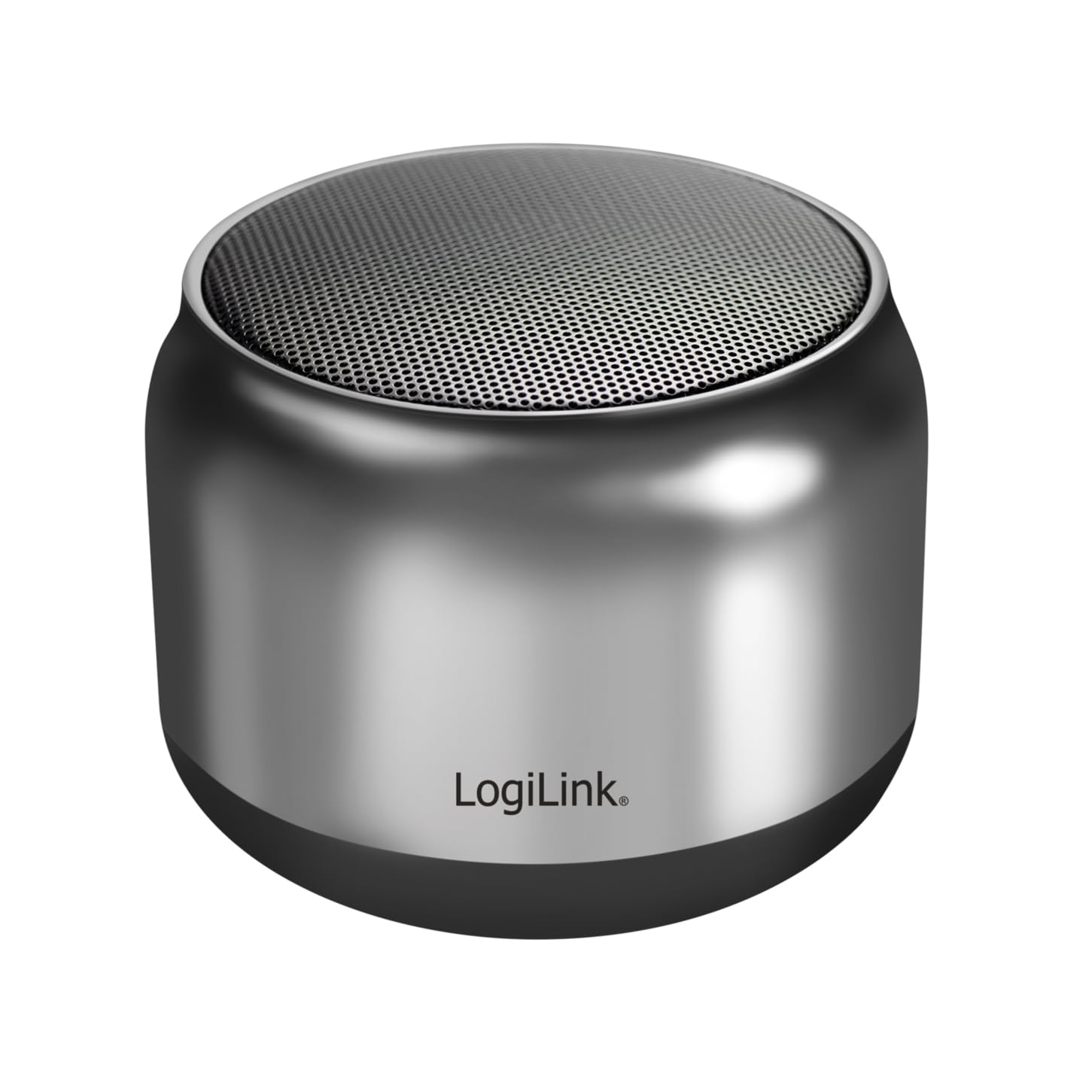
Image: The LogiLink SP0063 Bluetooth speaker on a table, emitting sound waves.
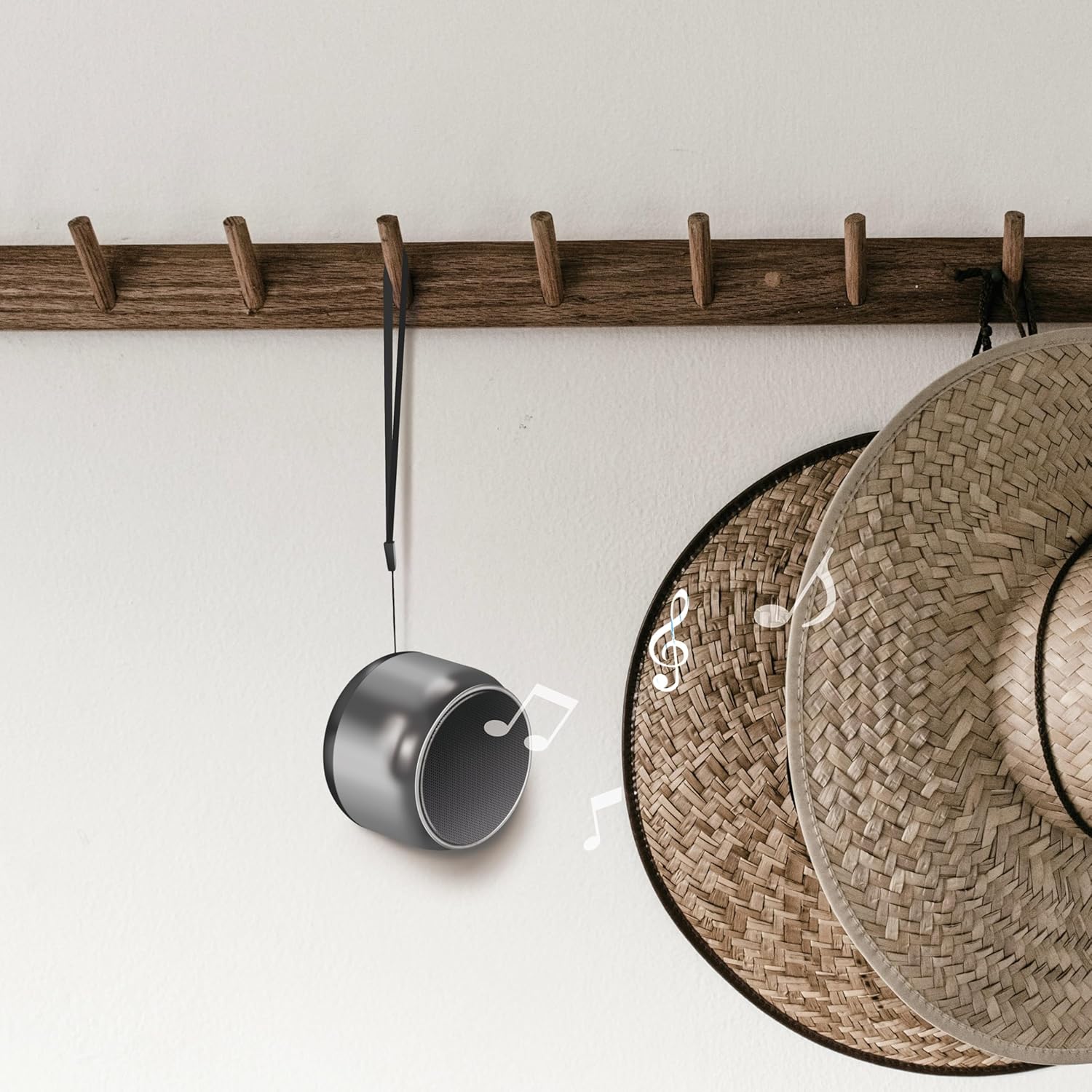
Image: The speaker hanging by its wrist strap, demonstrating its portability.
۵. کنټرولونه او بندرونه

انځور: پورته view of the speaker showing the control buttons. These buttons allow you to manage power, playback, and calls.
- د بریښنا تڼۍ: د سپیکر د فعالولو یا بندولو لپاره فشار ورکړئ او ونیسئ.
- د پلی کولو/پاز بټن: د میوزیک غږولو یا بندولو لپاره فشار ورکړئ.
- حجم پورته/بل ټریک: د حجم لوړولو لپاره لنډ فشار، د راتلونکي ټریک لپاره اوږد فشار.
- حجم ښکته/مخکینی لار: د حجم کمولو لپاره لنډ فشار، د پخوانۍ ټریک لپاره اوږد فشار.
- د تلیفون تڼۍ: د زنګونو ځوابولو/پای ته رسولو لپاره فشار ورکړئ.
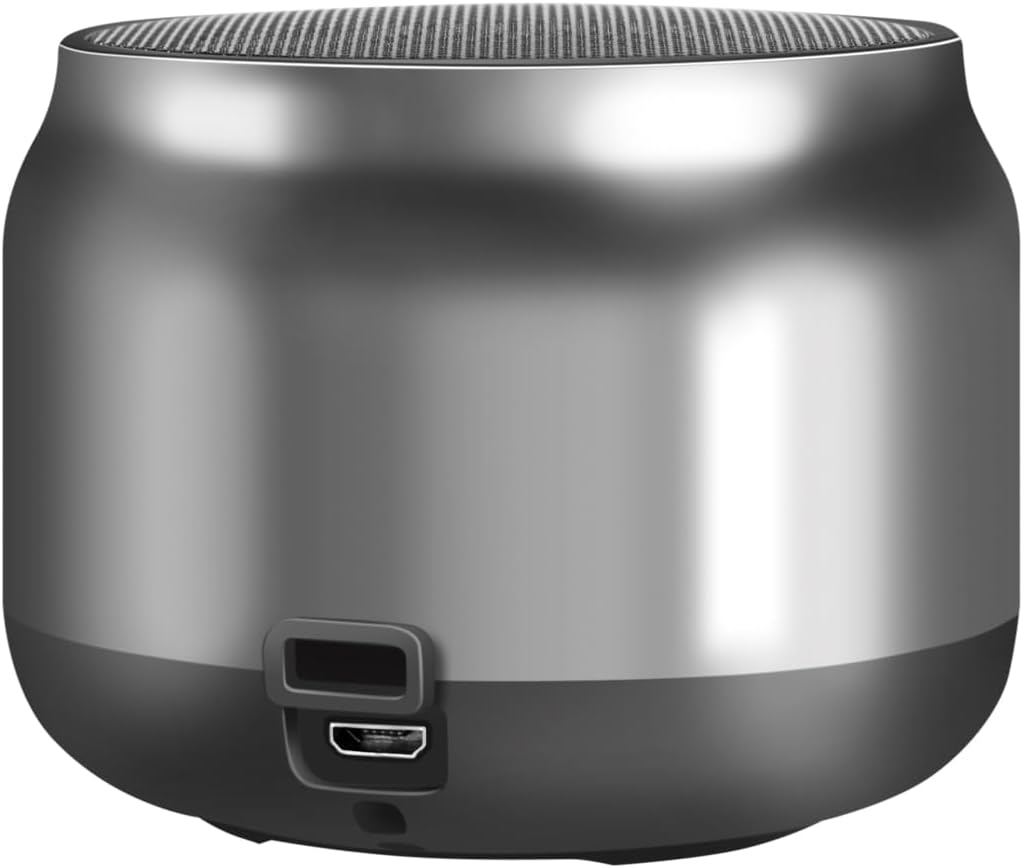
انځور: شاته view of the speaker, highlighting the Micro USB charging port.
- د مایکرو USB پورټ: د سپیکر چارج کولو لپاره کارول کیږي.
- د LED شاخص: Shows charging status and Bluetooth connection status.
5. ترتیب کول
5.1. د سپیکر چارج کول
- د مایکرو USB چارج کولو کیبل د سپیکر مایکرو USB پورټ سره وصل کړئ.
- Connect the other end of the USB cable to a 5V/0.5A (2.5W) USB power adapter or a computer's USB port.
- The LED indicator will illuminate during charging. Once fully charged, the LED indicator may change color or turn off (refer to specific LED behavior in your product's quick start guide if available).
- بشپړ چارج تر لسو ساعتونو پورې د پلې بیک وخت چمتو کوي.
5.2. بریښنا فعال/بند
- د فعالولو لپاره: Press and hold the Power button for approximately 3 seconds until you hear an audible prompt or the LED indicator flashes.
- د بریښنا بندولو لپاره: Press and hold the Power button for approximately 3 seconds until you hear an audible prompt or the LED indicator turns off.
5.3. د بلوتوث جوړه کول
د خپل سپیکر د بلوتوث فعال شوي وسیلې سره د نښلولو لپاره:
- Ensure the speaker is charged and powered on. The LED indicator will flash, indicating it's in pairing mode.
- په خپل وسیله (سمارټ فون، ټابلیټ، کمپیوټر) کې، بلوتوټ فعال کړئ او د شته وسایلو لټون وکړئ.
- Select "SP0063" from the list of found devices.
- Once connected, the speaker will emit an audible confirmation, and the LED indicator will stop flashing and remain solid.
- The speaker has a wireless range of up to 10 meters in open air.
5.4. ریښتیني بې سیم سټیریو (TWS) جوړه کول
To pair two LogiLink SP0063 speakers for a stereo sound experience:

Image: Two LogiLink SP0063 speakers connected via True Wireless Stereo (TWS) for a richer audio experience.
- Ensure both SP0063 speakers are powered off.
- Turn on both speakers simultaneously. They will automatically attempt to pair with each other.
- کله چې په بریالیتوب سره جوړه شي، یو سپیکر به د ماسټر (کیڼ چینل) او بل به د غلام (ښي چینل) په توګه عمل وکړي. تاسو به د اوریدلو وړ تایید واورئ.
- Now, connect your Bluetooth device to the master speaker (the one whose LED is flashing for pairing).
- Both speakers will now play audio in stereo.
۵. د سپیکر چلول
6.1. د میوزیک غږول
After successfully pairing with your device, you can control music playback using the speaker's buttons:
- پلی کول / ودرول: د اوسني ټریک د پلی کولو یا بندولو لپاره یو ځل د پلی/پاز تڼۍ فشار ورکړئ.
- بله لار: Long press the Volume Up button to skip to the next track.
- مخکینی لار Long press the Volume Down button to go to the previous track.
- د حجم سمون: Short press the Volume Up or Volume Down buttons to adjust the volume.

Image: The LogiLink SP0063 speaker actively playing music, indicated by sound waves.
6.2. د لاسونو څخه وړیا تلیفون کول
The built-in microphone allows you to make and receive calls directly through the speaker when connected to your smartphone.

Image: Illustration of the built-in microphone function, showing icons for answering and hanging up calls.
- زنګ ووهئ: When a call comes in, press the Call button once to answer.
- ټلیفون پای: During a call, press the Call button once to end the conversation.
- زنګ رد کړئ: During an incoming call, press and hold the Call button for 2 seconds to reject the call.
- وروستنۍ شمیره بیا ولیکئ: Double-press the Call button to redial the last number.
7. ساتنه
- پاکول: د سپیکر پاکولو لپاره نرم، وچ ټوکر وکاروئ. د کثافاتو پاکوونکي یا محلول مه کاروئ.
- ذخیره کول: کله چې د اوږدې مودې لپاره نه کارول کیږي، سپیکر په یخ او وچ ځای کې وساتئ.
- د بیټرۍ پاملرنه: د بیټرۍ د ژوند اوږدولو لپاره، سپیکر په منظم ډول چارج کړئ، حتی که په مکرر ډول نه وي. د اوږدې مودې لپاره د بیټرۍ په بشپړ ډول چارج کولو څخه ډډه وکړئ.
8. ستونزه حل کول
If you encounter issues with your LogiLink SP0063 speaker, please refer to the following common solutions:
| ستونزه | احتمالي لامل | د حل لاره |
|---|---|---|
| سپیکر نه چالانېږي. | ټیټ بیټرۍ. | د ورکړل شوي USB کیبل په کارولو سره سپیکر په بشپړ ډول چارج کړئ. |
| د بلوتوت آلې سره جوړه نشي. | سپیکر د جوړې کولو په حالت کې نه دی؛ په وسیله کې بلوتوټ غیر فعال شوی دی؛ وسیله ډیره لرې ده. | Ensure speaker is on and LED is flashing. Enable Bluetooth on your device. Move device closer to speaker (within 10m). Forget previous pairings on your device and try again. |
| غږ نشته یا ټیټ غږ. | په سپیکر یا وسیله کې غږ ډیر ټیټ دی؛ سپیکر وصل شوی نه دی. | په سپیکر او ستاسو وصل شوي وسیله دواړو کې حجم زیات کړئ. ډاډ ترلاسه کړئ چې سپیکر په سمه توګه جوړه شوی دی. |
| د TWS جوړه ناکامه شوه. | Speakers not reset; incorrect pairing sequence. | Ensure both speakers are powered off before attempting TWS pairing. Power them on simultaneously and allow them to connect to each other first, then connect your device to the master speaker. |
| د غږ تحریف. | حجم ډېر لوړ دی؛ وسیله ډېره لرې ده؛ مداخله. | Reduce volume. Move device closer to speaker. Avoid obstacles between speaker and device. |
9. مشخصات
Here are the technical specifications for the LogiLink SP0063 Bluetooth Speaker:
- ماډل: SP0063
- د بلوتوت نسخه: 5.1
- د بې سیم لړۍ: تر ۸۰ مترو پورې (خلاصه هوا)
- د سپیکر واحد: 52 mm diameter, 5 W
- د سپیکر حساسیت: 88 ± 3 dB
- خنډ: 4 اوهم
- بیټرۍ: Integrated 1200 mAh Lithium-ion battery
- د بیټرۍ ژوند: تر 10.5 ساعتونو پورې
- د چارج کولو بندر: مایکرو USB
- د چارج داخلول: ۵ وولټ / ۳ الف (۱۵ واټ)
- ملاتړ شوي آډیو فارمیټونه: MP3، WAV
- ابعاد (D x W x H): 7.6 x 7.6 x 6 سانتي متره
- د توکي وزن: 212 ګرامه
- رنګ: تور خړ
- ځانګړي ځانګړتیاوې: True Wireless Stereo (TWS) connection, Lightweight, Integrated Microphone, Portable
- د آډیو محصول حالت: سټیریو
- د بریښنا سرچینه: د بیټرۍ چلول
- جوړونکی: 2 مستقیم GmbH
- د اصلي هیواد: چین
10. تضمین او ملاتړ
LogiLink products are manufactured with quality and reliability in mind. For warranty information, technical support, or service inquiries, please refer to the warranty card included with your purchase or visit the official LogiLink webد تماس جزیاتو لپاره سایټ.


