پیژندنه
This manual provides detailed instructions for the setup, operation, maintenance, and troubleshooting of your HXSJ T26 Dual-Mode Wireless Mouse. Please read this manual carefully before using the product to ensure optimal performance and longevity.
The HXSJ T26 is a versatile wireless mouse featuring dual connectivity modes (Bluetooth 5.1 and 2.4GHz USB wireless), vibrant RGB backlighting, and a high-precision 4800 DPI optical sensor. It includes a built-in 650mAh rechargeable battery for extended use.
د بسته محتويات
- HXSJ T26 Dual-Mode Wireless Mouse
- USB Receiver (2.4GHz)
- د USB-C چارج کیبل
- د کارونکي لارښود (دا لاسوند)
چمتو کول
1. د موږک چارج کول
Before first use, it is recommended to fully charge the mouse. Connect the provided USB-C charging cable to the mouse's charging port and the other end to a USB power source (e.g., computer USB port, USB wall adapter).

Image: The HXSJ T26 mouse being charged via its USB-C port, illustrating its built-in 650mAh rechargeable battery.
The RGB lighting may indicate charging status. A full charge provides approximately 50 hours of usage.
2. موږک سره نښلول
The HXSJ T26 mouse supports two wireless connection modes: 2.4GHz USB wireless and Bluetooth 5.1. The mode switch is located on the bottom of the mouse.
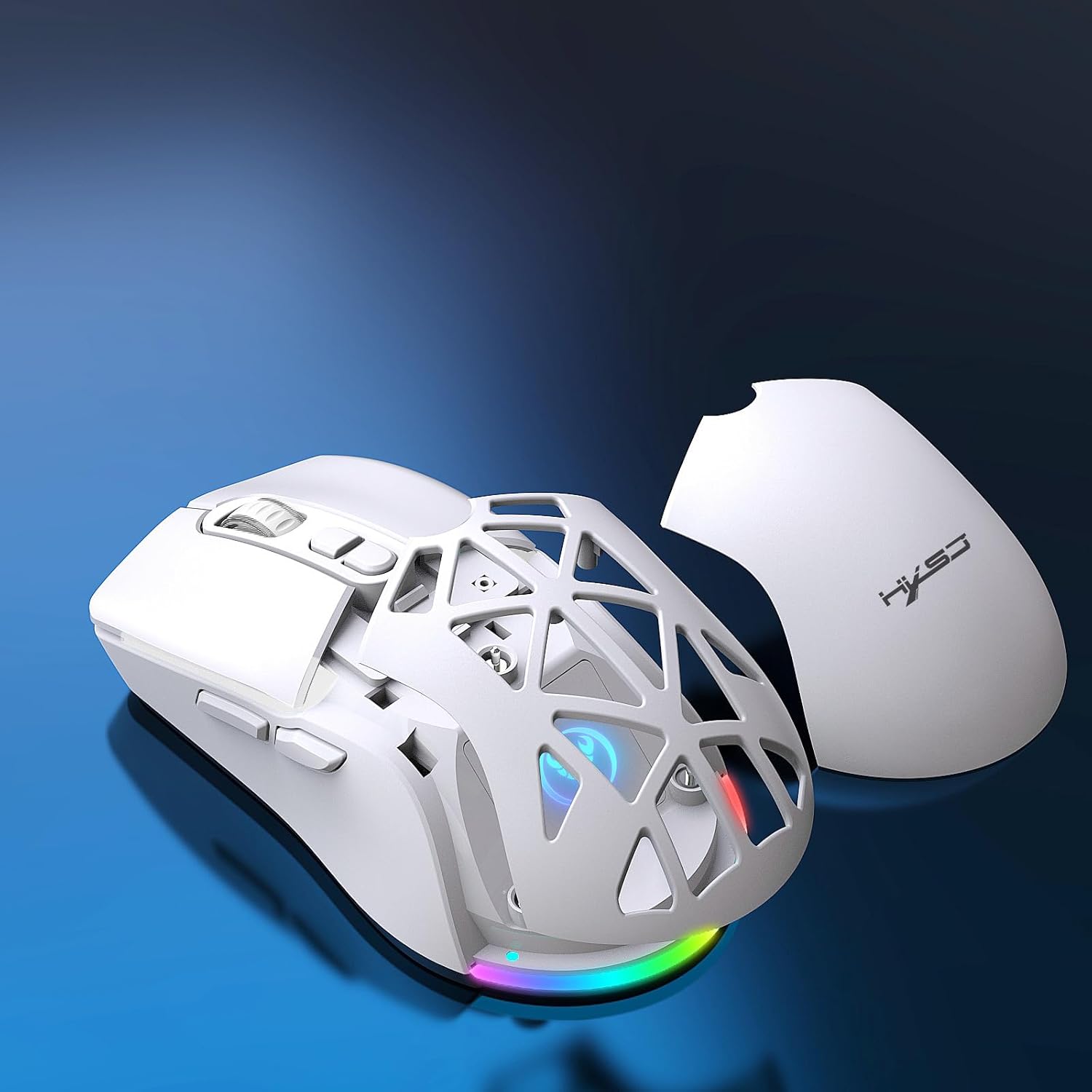
Image: The underside of the HXSJ T26 mouse, indicating the power switch and the dual-mode selector for 2.4GHz and Bluetooth connectivity.
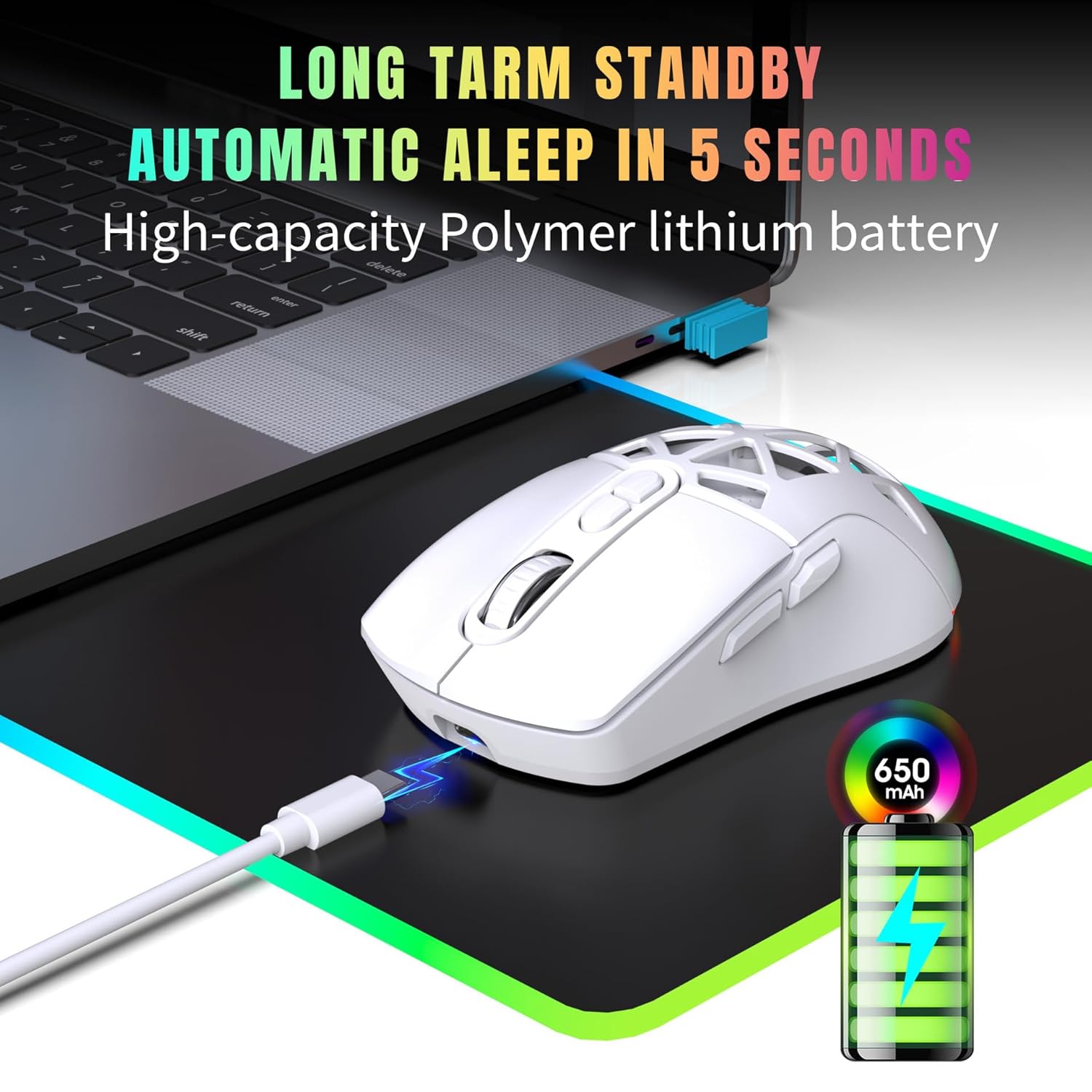
Image: Illustration of the mouse's dual connectivity options (2.4GHz and Bluetooth 5.1) and its ability to switch between two devices, demonstrating a 10-meter working range.
2.1. 2.4GHz USB Wireless Connection
- د USB ریسیور ومومئ، چې معمولا د موږک په ښکته برخه کې په یوه کڅوړه کې ساتل کیږي.
- د USB ریسیور په خپل کمپیوټر کې موجود USB پورټ کې ولګوئ.
- Ensure the mode switch on the bottom of the mouse is set to the 2.4GHz icon.
- موږک باید په اتوماتيک ډول ستاسو کمپیوټر سره وصل شي.
۳. د بلوتوث ۵.۳ اتصال
- Ensure the mode switch on the bottom of the mouse is set to the Bluetooth icon.
- په خپل کمپیوټر یا وسیله کې، د بلوتوث ترتیباتو ته لاړ شئ.
- لټون new devices and select "HXSJ T26" (or similar) from the list to pair.
- د جوړه کولو پروسې بشپړولو لپاره هر ډول د پردې پرامپټس تعقیب کړئ.
The mouse can easily switch between 2.4GHz and Bluetooth modes using the selector switch on the bottom, allowing connection to two different devices.
عملیاتي لارښوونې
د موږک تڼۍ او دندې

Image: The HXSJ T26 mouse highlighting its ergonomic design and button layout.
- د کیڼ کلیک تڼۍ: د معیاري لومړني کلیک فعالیت.
- د ښي کلیک تڼۍ: د معیاري ثانوي کلیک فعالیت.
- سکرول ویل: Scrolls up and down. Can also be pressed for middle-click functionality.
- د DPI تنظیم کولو تڼۍ: Located behind the scroll wheel. Press to cycle through DPI settings.
- د غاړې تڼۍ: Typically function as 'Forward' and 'Backward' in web براوزرونه او file سپړونکي
د DPI تعدیل
The HXSJ T26 mouse offers 4 adjustable DPI levels for precise control and sensitivity customization, suitable for both office work and gaming.

Image: Visual representation of the mouse's 4 DPI settings (800, 1200, 2400, 4800) and how to adjust them.
Press the DPI button (located behind the scroll wheel) to cycle through the available DPI settings: 800, 1200, 2400, and 4800 DPI. The current DPI level may be indicated by the RGB lighting color or a brief flash.
د RGB بیکلاینټینګ
The mouse features vibrant RGB backlighting with 16.8 million customizable colors and lighting effects. Specific controls for lighting effects may be available through dedicated software (if provided by the manufacturer) or onboard controls (e.g., combination of buttons).
د بریښنا خوندي کولو حالت
To conserve battery life, the mouse is designed to automatically enter sleep mode after 5 seconds of inactivity. It will wake up instantly with any mouse movement or button press.
ساتنه
- پاکول: د موږک د پاکولو لپاره نرم، وچ ټوکر وکاروئ. د سختې خاورې لپاره، یو څه damp cloth can be used, ensuring no moisture enters the internal components. Avoid harsh chemicals or abrasive cleaners.
- د بیټرۍ پاملرنه: The mouse has a built-in rechargeable lithium-ion battery. To prolong battery life, avoid fully discharging the battery frequently. Charge the mouse when the battery indicator is low.
- ذخیره کول: کله چې د اوږدې مودې لپاره نه کارول کیږي، موږک په یخ او وچ ځای کې وساتئ.
- د USB ترلاسه کوونکی: Keep the USB receiver in a safe place when not in use, preferably in its designated storage slot on the mouse.
د ستونزو حل کول
موږک ځواب نه ورکوي
- ځواک چیک کړئ: Ensure the mouse is turned on and has sufficient battery charge. Recharge if necessary.
- Check Connection (2.4GHz):
- ډاډ ترلاسه کړئ چې د USB ریسیور په خوندي ډول په یو کاري USB پورټ کې پلګ شوی دی.
- هڅه وکړئ چې ریسیور په بل USB پورټ کې ولګوئ.
- Ensure the mouse is in 2.4GHz mode (check the switch on the bottom).
- Check Connection (Bluetooth):
- ډاډ ترلاسه کړئ چې ستاسو په وسیله بلوتوټ فعال شوی.
- Ensure the mouse is in Bluetooth mode (check the switch on the bottom).
- Try re-pairing the mouse in your device's Bluetooth settings.
- لاسوهنه: Move the mouse closer to the receiver/device. Avoid using the mouse near other wireless devices that might cause interference.
Lag or Intermittent Connection
- د بیټرۍ کچه: A low battery can affect wireless performance. Charge the mouse.
- واټن: Ensure the mouse is within the effective operating range (up to 10 meters).
- لاسوهنه: Reduce potential interference from other wireless devices.
- سطحه: ډاډ ترلاسه کړئ چې تاسو موږک په مناسب سطحه کاروئ. ډیر انعکاس کونکي یا شفاف سطحې ممکن په تعقیب اغیزه وکړي.
د RGB رڼا کار نه کوي
- د بیټرۍ کچه: Ensure the mouse has sufficient charge.
- Software/Onboard Controls: Check if the lighting has been turned off or set to a very dim setting via software or onboard controls.
مشخصات
| فیچر | تفصیل |
|---|---|
| ماډل | T26 |
| برانډ | HXSJ |
| د ارتباط ټیکنالوژي | 2.4GHz Wireless (USB Receiver), Bluetooth 5.1 |
| د DPI کچه | ۱۰۰۰، ۱۶۰۰، ۲۰۰۰، ۴۰۰۰ DPI (د تعدیل وړ) |
| د حرکت کشف ټیکنالوژي | Laser (Optical Sensor) |
| د بیټرۍ ډول | Built-in 650mAh Rechargeable Lithium-ion |
| د بیټرۍ ژوند (اوسط) | تر ۹ ساعتونو پورې (په هر چارج) |
| د چارج کولو بندر | USB-C |
| شاته څراغ | RGB (16.8M colors) |
| د عملیاتي سیسټم مطابقت | وینډوز، ماک، لینوکس |
| مطابقت لرونکې وسیلې | شخصي کمپیوټر، لیپ ټاپ |
| د محصول ابعاد | 16 x 10 x 0.1 سانتي متره |
| د توکي وزن | 170 ګرامه |
د تضمین معلومات
Specific warranty details for the HXSJ T26 Dual-Mode Wireless Mouse are typically provided at the point of purchase or on the manufacturer's official webسایټ. مهرباني وکړئ د تضمین ادعاوو لپاره د پیرود ثبوت وساتئ.
The warranty generally covers manufacturing defects under normal use. It does not cover damage caused by misuse, accidents, unauthorized modifications, or normal wear and tear.
د پیرودونکي ملاتړ
For technical assistance, troubleshooting beyond this manual, or warranty inquiries, please contact HXSJ customer support through their official webسایټ یا د اړیکې معلومات ستاسو د پیرود سره چمتو شوي.
Please have your product model (T26) and proof of purchase ready when contacting support.


