1. پیژندنه
This manual provides detailed instructions for the setup, operation, and maintenance of your DANFI AUDIO DF TE-103 Vinyl Record Player. This versatile audio system features a 3-speed turntable, Bluetooth input, USB/SD card playback and recording, FM radio, and auxiliary input/output options. Please read this manual thoroughly before use to ensure proper function and longevity of your device.
2. د خوندیتوب معلومات
- واحد باران یا رطوبت ته مه ښکاره کوئ.
- د وینټیلیشن هیڅ خلاصون مه بندوئ.
- ډاډ ترلاسه کړئ چې د بریښنا کنډک نه پینچ شوی یا روان دی.
- د برښنا د طوفان په وخت کې یا کله چې د اوږدې مودې لپاره نه کارول کیږي یونټ خلاص کړئ.
- ټول خدمتونه وړ خدمت پرسونل ته راجع کړئ.
- واحد د مستقیم لمر وړانګو، د تودوخې سرچینو او قوي مقناطیسي ساحو څخه لرې وساتئ.
3. د بسته محتويات
ډاډ ترلاسه کړئ چې لاندې ټول توکي ستاسو په بسته کې شامل دي:
- DANFI AUDIO DF TE-103 Vinyl Record Player
- د بریښنا واحد
- 45 RPM اډاپټر
- سلیپمیټ
- Backup Needle
4. محصول ختم شوview
د خپل ریکارډ پلیر اصلي برخو او کنټرولونو سره ځان آشنا کړئ.

شکل 4.1: مخکی view of the DANFI AUDIO DF TE-103 Vinyl Record Player.
4.1 د فرنټ پینل کنټرولونه او ارتباطات

شکل 4.2: مفصل view of the front panel with USB, AUX IN, LED Display, and Mode Switch key.
- د LED ښودنه: اوسنی حالت، د ټریک معلومات، یا د FM فریکونسي ښیې.
- د موډ سویچ کیلي: Toggles between Turntable, Bluetooth, USB/SD, FM Radio, and AUX modes.
- USB پورټ: For USB flash drives for playback and recording.
- په اکس کې: د بهرني آډیو وسیلو د نښلولو لپاره 3.5 ملي میتر ان پټ.
- د حجم کنټرول: د محصول حجم تنظیموي.
- د EQ تtonۍ: Selects sound equalizer presets (Jazz, Pop, Classical, Rock, Vocal).
4.2 د شا پینل پیوستون

Figure 4.3: Rear panel with RCA Line Out connections.
- د RCA کرښه له بهرني سره وصل کیږي ampلیفیرز یا ځواک لرونکي سپیکرې.
- د بریښنا ننوتل: د ورکړل شوي بریښنا اډاپټر سره وصل کیږي.
5. ترتیب کول
- بسته بندي کول: Carefully remove the record player and all accessories from the packaging. Retain packaging for future transport or storage.
- ځای په ځای کول: واحد په یوه مستحکم، هواره سطحه کې د مستقیم لمر وړانګو، تودوخې سرچینو او ډیرې دوړو څخه لرې ځای په ځای کړئ.
- د دوړو پوښ: د دوړو پوښ د واحد په شا کې د قبضې سره وصل کړئ.
- د بریښنا پیوستون: Connect the power unit to the DC input on the rear of the record player, then plug the power adapter into a wall outlet.
- ابتدايي بریښنا فعاله: Press the power button to turn on the unit. The LED display will illuminate.
6. عملیاتي لارښوونې
۶.۱ د وینیل ریکارډونو غږول

Figure 6.1: The turntable supports 3 speeds for various record types.
- ډاډ ترلاسه کړئ چې واحد فعال دی.
- د دوړو پوښ پورته کړئ.
- Place a vinyl record on the platter. If playing a 45 RPM single, use the included 45 RPM adaptor.
- د سرعت انتخابونکي سویچ په کارولو سره مناسب سرعت (۳۳، ۴۵، یا ۷۸ RPM) غوره کړئ.
- Gently move the tonearm to the desired position on the record. The platter will begin to spin automatically.
- حجم ستاسو د خوښې سره تنظیم کړئ.
- The AUTO STOP function will automatically stop the turntable when the record finishes playing.
6.2 Bluetooth Connection (Input Only)
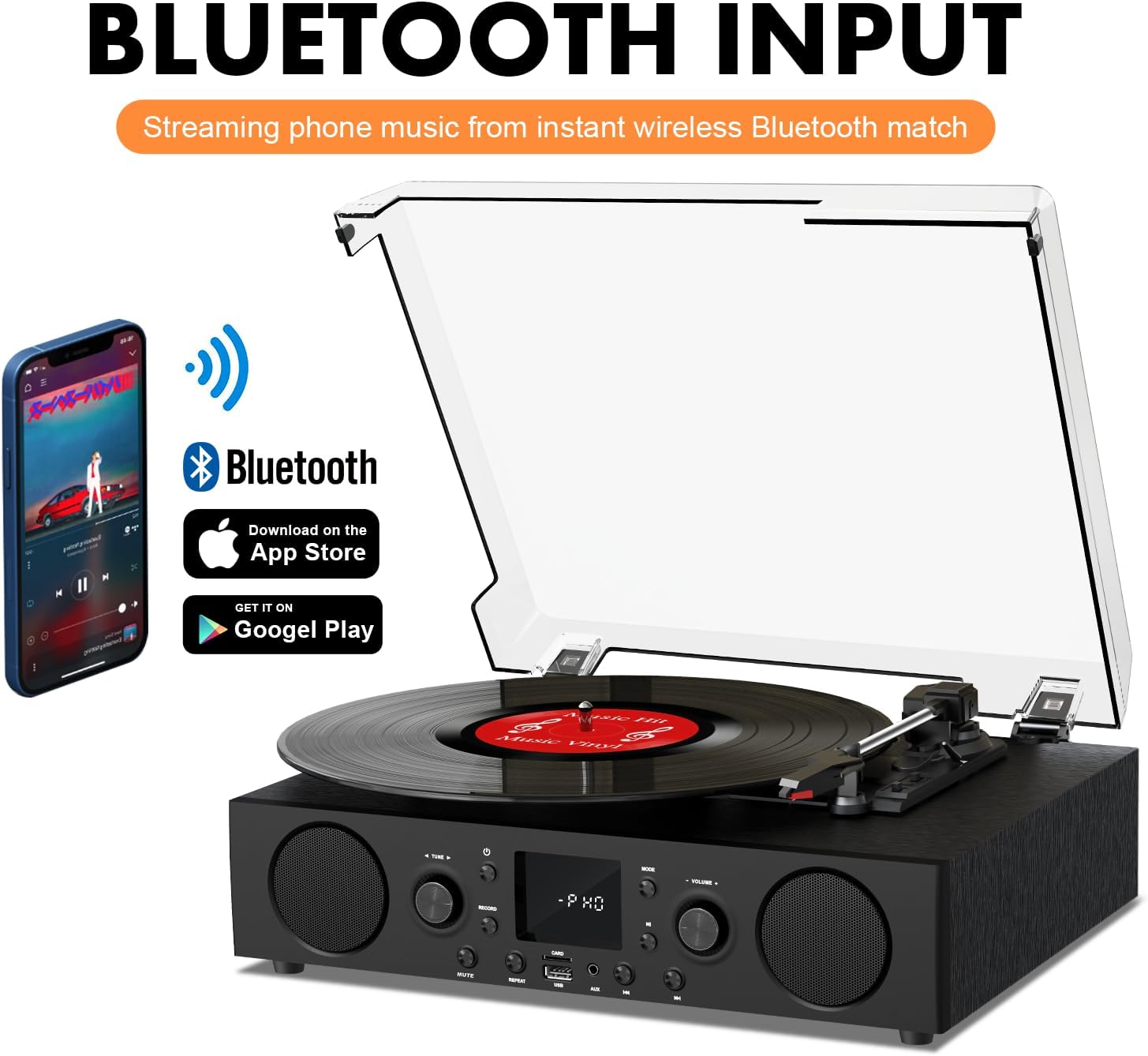
Figure 6.2: Connecting a smartphone via Bluetooth to the turntable.
- فشار ورکړئ موډ button until "Bluetooth" or a similar indicator appears on the LED display. The unit will enter pairing mode.
- په خپل سمارټ فون، ټابلیټ یا کمپیوټر کې، بلوتوث فعال کړئ او د شته وسایلو لټون وکړئ.
- Select "DANFI AUDIO DF TE-103" (or similar name) from the list of devices to pair.
- Once paired, you can stream audio wirelessly from your device to the record player.
- یادونه: This turntable supports Bluetooth input only and cannot transmit audio to Bluetooth headphones or speakers.
6.3 USB/SD Input and MP3 Encoding

Figure 6.3: Vinyl to MP3 encoding process using a USB flash drive.
- USB/SD پلې بیک: Insert a USB flash drive or SD card into the respective port. Press the موډ button to select USB/SD mode. The unit will automatically play compatible audio files.
- Vinyl to MP3 Encoding:
- Insert a USB flash drive or SD card into the port.
- Start playing a vinyl record.
- فشار ورکړئ ریکارډ button. The LED display will indicate recording is in progress.
- فشار ورکړئ ریکارډ button again to stop recording. The recorded audio will be saved as an MP3/WAV file on the USB drive/SD card.
6.4 ایف ایم راډیو
- فشار ورکړئ موډ button to select FM Radio mode. The current frequency will appear on the LED display.
- Use the tuning controls (often the Skip/Search buttons) to scan for radio stations.
- The unit can store approximately 20 stations.
6.5 RCA Line Out and AUX Input

Figure 6.4: Connecting to external speakers using RCA Line Out.
- د RCA کرښه Connect RCA cables from the rear of the record player to the audio input of an external amplifier or powered speakers. This allows for boosted volume and playback through a larger sound system. The turntable's internal speakers will not be muted automatically when using RCA output.
- AUX داخلول: Connect an external audio source (e.g., MP3 player, smartphone) to the 3.5mm AUX IN port on the front panel using an audio cable. Press the موډ د وصل شوي وسیلې څخه د آډیو غږولو لپاره د AUX حالت غوره کولو لپاره تڼۍ.
6.6 برابرونکی (EQ)

Figure 6.5: Available equalizer presets for audio customization.
فشار ورکړئ EQ button to cycle through the available sound equalizer presets: Jazz, Pop, Classical, Rock, and Vocal. Select the preset that best suits your audio preference.
7. ساتنه
- پاکول: د واحد بهرنۍ برخه پاکولو لپاره نرم، وچ ټوکر وکاروئ. د دوړو پوښ لپاره، یو څه d وکاروئamp ټوکر کړئ او بیا په ښه توګه وچ کړئ. د کثافاتو پاکوونکو څخه ډډه وکړئ.
- د سټایلس پاملرنه: Periodically check the stylus (needle) for wear or damage. A worn stylus can damage records and degrade sound quality. Replace the stylus with a compatible backup needle when necessary.
- د ریکارډ پاملرنه: Keep your vinyl records clean and stored vertically in their sleeves to prevent dust accumulation and warping.
8. ستونزه حل کول
| ستونزه | احتمالي لامل | د حل لاره |
|---|---|---|
| هیڅ ځواک نشته | د برېښنا تار نه دی تړل شوی؛ د برېښنا رسۍ فعاله نه ده | ډاډ ترلاسه کړئ چې د بریښنا تار په خوندي ډول ولګول شوی دی؛ د بل وسیلې سره آوټ لیټ ازموینه وکړئ |
| غږ نشته | Volume too low; Incorrect mode selected; External speakers not connected/powered | Increase volume; Press Mode button to select correct source; Check RCA connections and external speaker power |
| د ګرځیدو وړ نه ګرځی | Unit not powered on; Tonearm not moved over record | Ensure power is on; Gently move tonearm over the record to activate platter |
| بلوتوث نه نښلي | Not in Bluetooth mode; Device too far; Already paired with another device | Select Bluetooth mode; Move device closer; Disconnect from other devices and try pairing again |
| Poor sound quality from vinyl | Dirty record; Worn stylus; Incorrect speed selected | Clean record; Replace stylus; Select correct RPM speed |
9. مشخصات
| فیچر | تفصیل |
|---|---|
| د ماډل نوم | ټیک-ایکسومکس |
| برانډ | دانفي آډیو DF |
| د محصول ابعاد | 14.37 x 10.82 x 5.28 انچه |
| د توکي وزن | ۲.۴۵ پونډه |
| مواد | اکریلیک، انجینر شوی لرګی |
| د ګرځیدو وړ سرعت | 33 1/3، 45، 78 RPM |
| شاملې برخې | Power unit, 45 rpm adaptor, Slipmat, Backup needle |
| ځانګړي ځانګړتیاوې | Equalizer (EQ), FM Radio, USB Input, USB/SD Card Recording, Bluetooth Input |
| ارتباط | Bluetooth (Input only), USB, SD Card, AUX Input, RCA Line Out |
| مطابقت لرونکې وسیلې | Headphones, MP3 Players, Personal Computers, Smartphones, Speakers, Tablets |
| د بریښنا مصرف (په حالت کې) | ۴۵ واټه |
10. تضمین او ملاتړ
For warranty information or technical support, please refer to the documentation provided with your purchase or contact DANFI AUDIO DF customer service through their official channels. Keep your purchase receipt as proof of purchase for warranty claims.


