پیژندنه
This manual provides instructions for the MoKo AZERTY Foldable Bluetooth Keyboard, a portable wireless input device designed for use with various operating systems. It features a 2-in-1 design combining a touchpad and a numeric keypad, multi-device connectivity, and a rechargeable battery, offering convenience for mobile computing.

Image: The MoKo AZERTY Foldable Bluetooth Keyboard unfolded, shown with a smartphone on a stand, illustrating its compact and portable design.
د بسته محتويات
مهرباني وکړئ تصدیق کړئ چې ټول توکي په کڅوړه کې شتون لري:
- 1 x بې سیم فولډ ایبل کیبورډ
- 1 x Stand (for phones or tablets up to 12.9 inches)
- 1 x د USB ډول-C چارج کیبل
- 1 x د کارونکي لارښود
چمتو کول
د کیبورډ چارج کول
The keyboard features a built-in 140mAh rechargeable lithium battery. To charge, connect the included USB Type-C cable to the keyboard's charging port and a standard USB power source (e.g., computer USB port, wall adapter). A full charge takes approximately 1.5 to 2 hours and provides up to 60 hours of working time.

Image: Close-up of the MoKo Foldable Bluetooth Keyboard showing the USB-C charging port and a charging cable connected, indicating the charging process.
د بلوتوث جوړې کول
- ډاډ ترلاسه کړئ چې کیبورډ چارج شوی او چالان شوی دی. د بریښنا سویچ معمولا د کیبورډ په اړخ یا شا کې موقعیت لري.
- په خپل وسیله (سمارټ فون، ټابلیټ، کمپیوټر) کې بلوتوث فعال کړئ.
- لټون available Bluetooth devices. The keyboard should appear as 'MoKo Keyboard' or a similar identifier.
- Select the keyboard from the list to initiate pairing. Follow any on-screen prompts to complete the connection.
د څو وسیلو اتصال
This keyboard supports simultaneous connection with up to three devices, allowing for seamless switching:
- Pair your first device using the Bluetooth pairing steps above, then press ایف این + بي ټي ۱.
- Pair your second device, then press ایف این + بي ټي ۱.
- Pair your third device, then press ایف این + بي ټي ۱.
- د جوړه شویو وسیلو ترمنځ د بدلولو لپاره، په ساده ډول فشار ورکړئ ایف این + بي ټي ۱, ایف این + بي ټي ۱، یا ایف این + بي ټي ۱. The wireless range is approximately 15 meters (49 feet).

Image: The MoKo Foldable Bluetooth Keyboard wirelessly connected to a laptop, a tablet, and a smartphone, demonstrating its multi-device pairing capability.
عملیاتي لارښوونې
Touchpad and Numpad Functionality
The keyboard integrates a 2-in-1 design that combines a touchpad and a numeric keypad. In touchpad mode, it supports standard left and right mouse button functions, along with various gesture controls for navigation. To switch between touchpad mode, numeric keypad mode, and arrow key mode, press the Fn key simultaneously with the dedicated toggle key (indicated by a numpad icon on the keyboard).

Image: The MoKo Foldable Bluetooth Keyboard highlighting the touchpad area and illustrating how to switch between touchpad mode and numeric keypad mode using the Fn key combination.
د کیبورډ ترتیب او کیليګانې
This keyboard features an AZERTY FR layout. The scissor-switch key mechanism provides a quiet, smooth, and stable typing experience, similar to a laptop keyboard, enhancing typing comfort and precision.

انځور: نږدې انځور view of the MoKo keyboard keys, demonstrating the scissor-switch mechanism beneath the keycaps, which contributes to quiet and fluid typing.
د خوب خوب حالت
To conserve battery power, the keyboard automatically enters an auto-sleep mode after 10 minutes of inactivity. To wake the keyboard, simply press any key.
مطابقت
The MoKo Foldable Bluetooth Keyboard is compatible with a wide range of operating systems, including Windows, Mac OS, iOS, HarmonyOS, and Android devices. This allows for versatile use with PCs, tablets, smartphones, and laptops.

Image: The MoKo Foldable Bluetooth Keyboard displayed alongside a desktop computer, a tablet, and a smartphone, illustrating its broad compatibility with macOS, Windows, iOS, and Android operating systems.
ساتنه
د خپل کیبورډ د اوږد عمر او غوره فعالیت ډاډمن کولو لپاره، د ساتنې دا لارښوونې تعقیب کړئ:
- پاکول: د کیبورډ سطحې پاکولو لپاره نرم، وچ، له لینټ څخه پاک ټوکر وکاروئ. د سختې خاورې لپاره، یو څه کمampen the cloth with water or a mild, non-abrasive cleaner. Avoid spraying liquids directly onto the keyboard or using harsh chemicals.
- ذخیره کول: When not in use, fold the keyboard to protect the keys and store it in a dry environment, away from direct sunlight, extreme temperatures, and excessive humidity.
- سمبالول: Avoid dropping the keyboard or subjecting it to strong impacts, as this can damage internal components or the folding mechanism.
د ستونزو حل کول
If you encounter issues with your MoKo Foldable Bluetooth Keyboard, refer to the following common solutions:
- کیبورډ د بلوتوث له لارې نه نښلي:
- ډاډ ترلاسه کړئ چې کیبورډ فعال دی او په بشپړ ډول چارج شوی دی.
- تایید کړئ چې ستاسو په وسیله کې بلوتوټ فعال شوی او د موندلو وړ دی.
- د خپل وسیلې د بلوتوث ترتیباتو څخه د کیبورډ جلا کولو او بیا جوړه کولو هڅه وکړئ.
- کیبورډ او خپل وسیله دواړه بیا پیل کړئ.
- Ensure the keyboard is within the 15-meter (49 feet) wireless range.
- هغه کیلي چې ځواب نه ورکوي یا په غلط ډول ټایپ کوي:
- د بیټرۍ کچه وګورئ او د اړتیا په صورت کې چارج کړئ.
- Ensure the correct operating system mode is selected (if applicable, though this model auto-detects).
- د غیر ځواب ویونکي کیلي شاوخوا پاک کړئ ترڅو هر ډول کثافات لرې کړئ.
- Touchpad or Numpad not working:
- Verify that you are in the correct mode (touchpad, numpad, or arrow keys) by pressing Fn + [Numpad/Touchpad Toggle Key].
- Ensure the touchpad is not accidentally disabled in your device's settings.
- Keyboard frequently disconnects:
- د کیبورډ او خپل وسیله ترمنځ واټن کم کړئ.
- د نورو بېسیم وسیلو مداخله کمه کړئ.
- ډاډ ترلاسه کړئ چې کیبورډ په بشپړ ډول چارج شوی دی.
مشخصات
| فیچر | تفصیل |
|---|---|
| برانډ | MoKo |
| د ماډل شمیره | P840401438404 |
| رنګ | خړ |
| د ارتباط ټیکنالوژي | بلوتوث |
| ځانګړي ځانګړتیاوې | Rechargeable, Foldable, Integrated Touchpad & Numpad |
| مطابقت لرونکې وسیلې | PC, Tablet, Smartphone, Laptop (Windows, Mac OS, iOS, HarmonyOS, Android) |
| د بیټرۍ ظرفیت | 140 mAh |
| د کار وخت | تر 60 ساعتونو پورې |
| د چارج کولو وخت | له 1.5 څخه تر 2 ساعتونو پورې |
| د عملیاتو Voltage | 3.7 وی |
| مواد | پلاستیک (ABS) |
| فولډ شوي ابعاد | 15.2 x 9.81 x 1.98 سانتي متره (5.98 x 3.86 x 0.78 انچه) |
| ښکاره شوي ابعاد | 30.43 x 9.81 x 0.99 سانتي متره (11.98 x 3.86 x 0.39 انچه) |
| وزن | 203 ګرامه (7.16 اوز) |
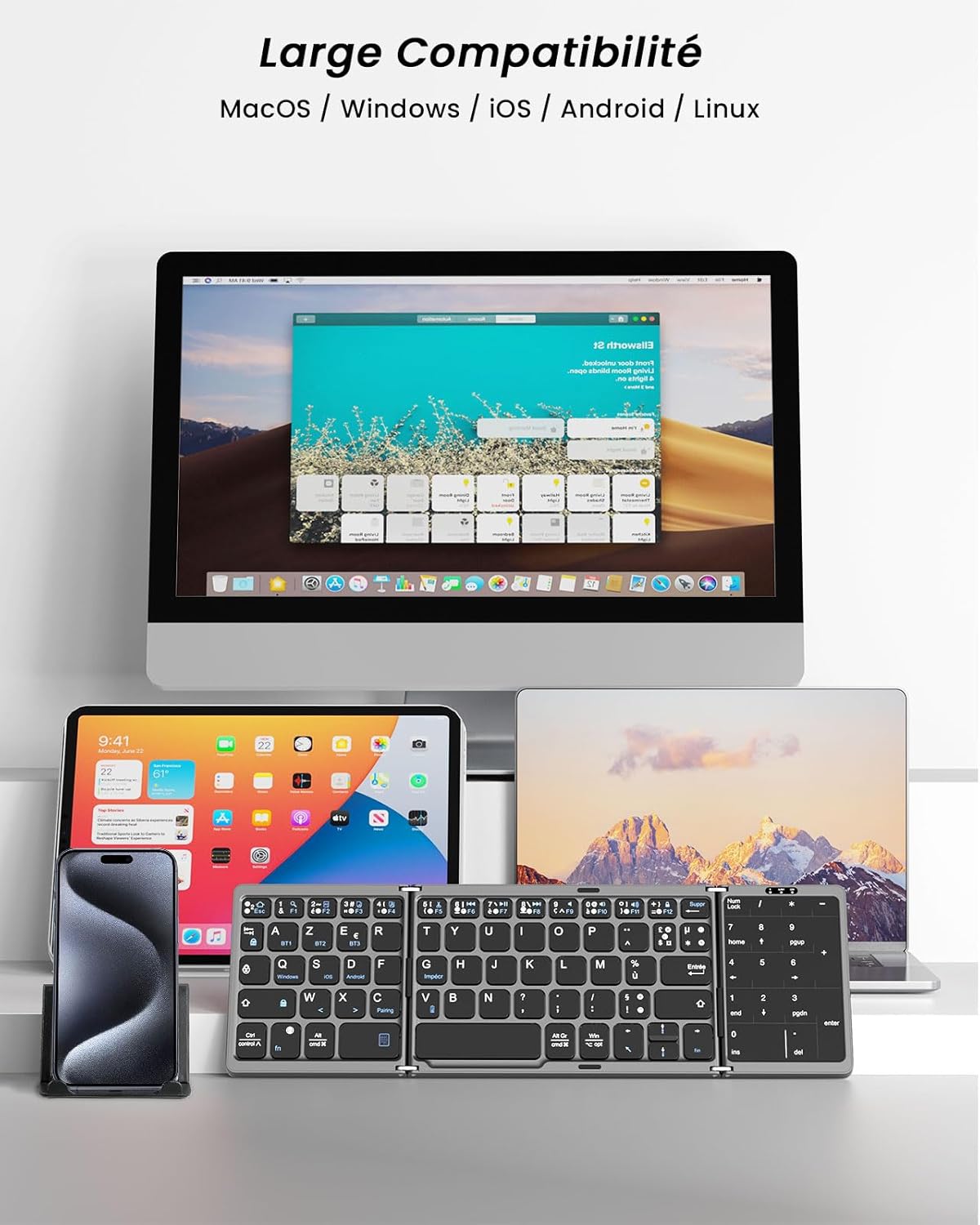
Image: The MoKo Foldable Bluetooth Keyboard shown with its folded and unfolded dimensions in both centimeters and inches, providing a clear visual reference for its compact size.
تضمین او ملاتړ
MoKo is committed to providing high-quality products and customer service. While specific warranty periods may vary by region, MoKo offers professional after-sales support for this product. If you encounter any issues or have questions regarding your MoKo AZERTY Foldable Bluetooth Keyboard, please do not hesitate to contact MoKo customer support. They aim to respond to inquiries within 24 hours and provide a satisfactory solution.


