1. پیژندنه
Thank you for choosing the KIDYWOLF KIDYMICPARENT Bluetooth Microphone. This all-in-one microphone features a built-in speaker, light effects, and Bluetooth connectivity, designed to provide an engaging music experience. This manual provides essential information for the safe and effective use of your device. Please read it thoroughly before use and retain it for future reference.
2. د خوندیتوب معلومات
- Keep the microphone away from water and moisture.
- وسیله د خورا تودوخې یا مستقیم لمر وړانګو ته مه ښکاره کوئ.
- د مایکروفون د غورځولو یا قوي تاثیراتو سره مخ کیدو څخه ډډه وکړئ.
- د وسیلې د جلا کولو یا ترمیم کولو هڅه مه کوئ. د وړ خدماتو پرسونل سره اړیکه ونیسئ.
- یوازې چمتو شوی USB-C چارج کیبل یا تصدیق شوی معادل وکاروئ.
- This product contains a rechargeable battery. Do not dispose of it in fire.
- Ensure children use the microphone under adult supervision.
3. د بسته محتويات
مهرباني وکړئ د لاندې توکو لپاره په بسته کې وګورئ:
- 1 x KIDYWOLF KIDYMICPARENT Bluetooth Microphone
- 1 X USB-C چارج کیبل
4. محصول ختم شوview
The KIDYWOLF KIDYMICPARENT is a versatile microphone designed for entertainment. It integrates a 5W speaker, dynamic light effects, and various voice modulation features.
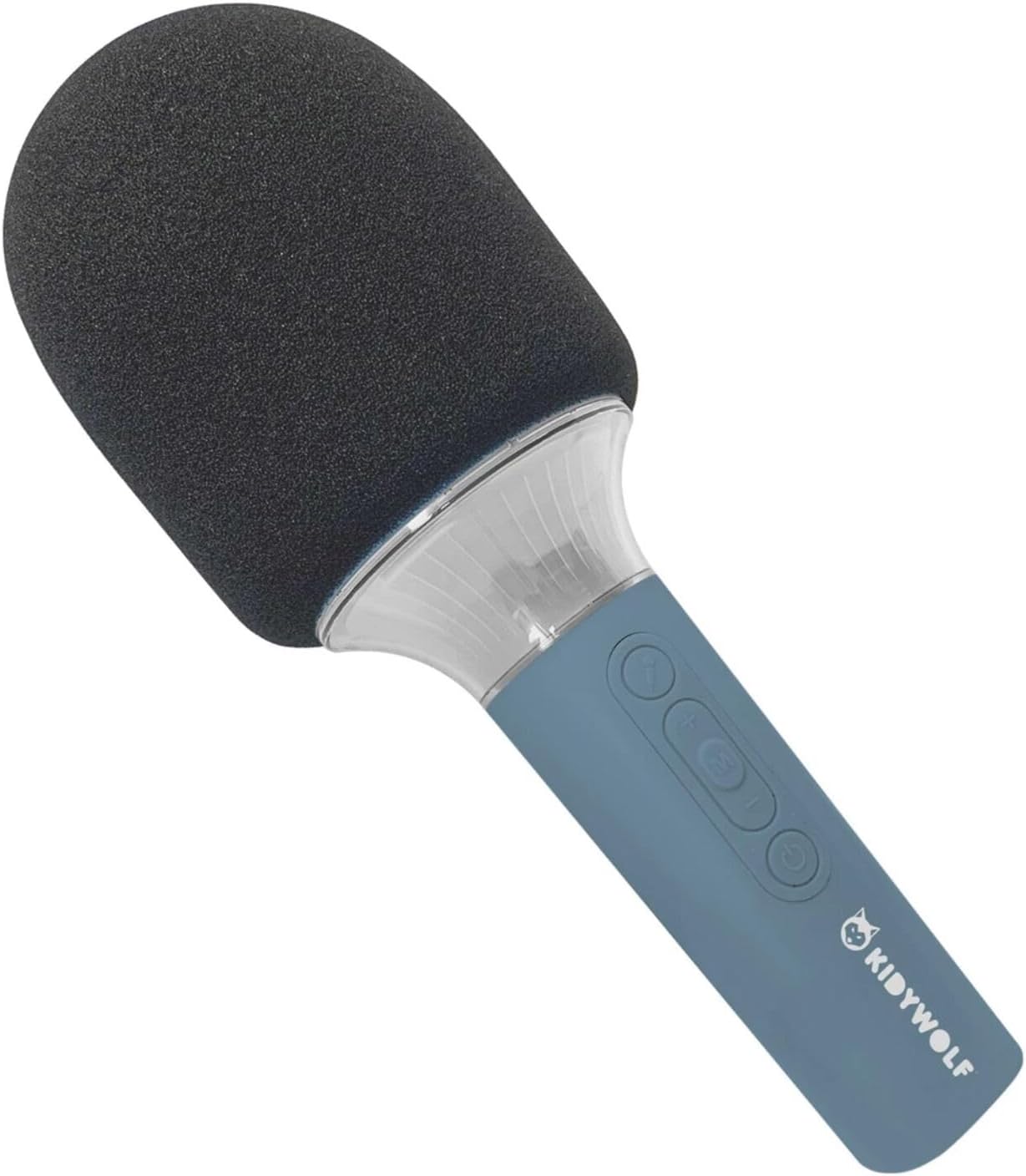
شکل 4.1: مخکی view of the KIDYWOLF KIDYMICPARENT Bluetooth Microphone. This image shows the microphone head with its foam cover and the main body with control buttons.
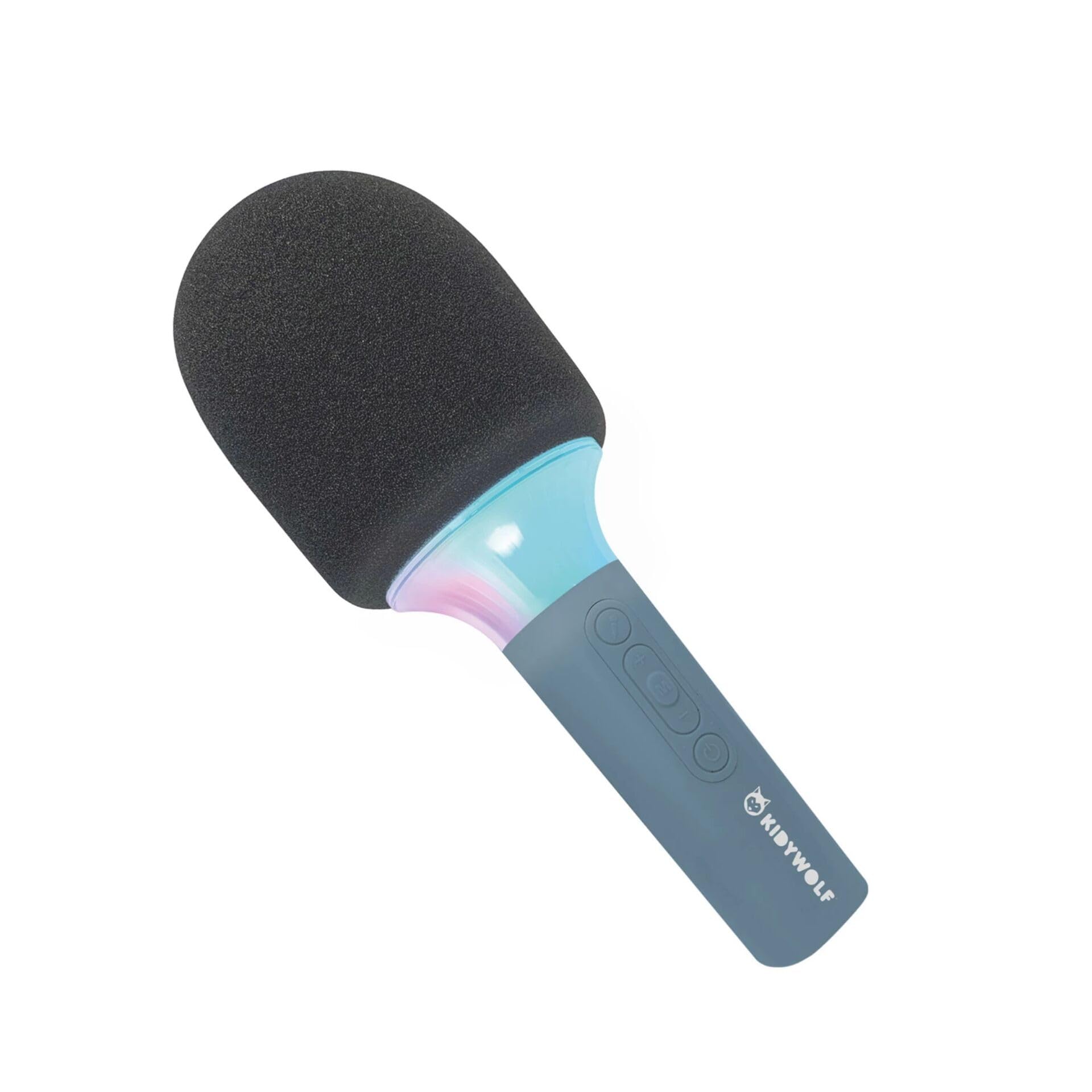
شکل 4.2: زاویه view of the KIDYWOLF KIDYMICPARENT Bluetooth Microphone. This perspective highlights the ergonomic design of the handle and the placement of the control buttons.

شکل 4.3: The KIDYWOLF KIDYMICPARENT Bluetooth Microphone with its integrated light effects active, showcasing the illuminated section below the microphone head.
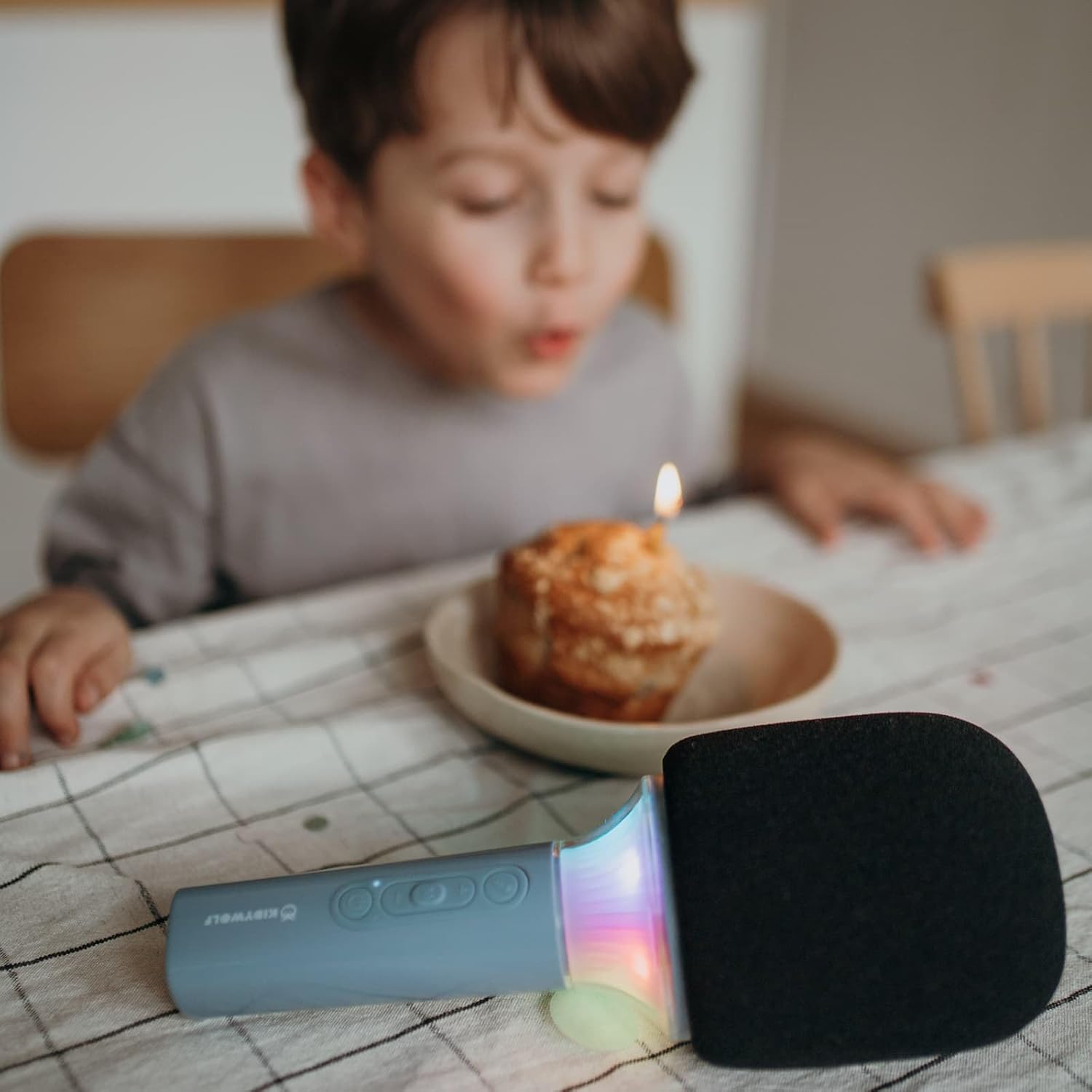
شکل 4.4: A child using the KIDYWOLF KIDYMICPARENT Bluetooth Microphone, demonstrating its intended use for entertainment.
5. ترتیب کول
۴.۱.۲ د مایکروفون چارج کول
- Locate the USB-C charging port on the microphone.
- Connect the provided USB-C cable to the microphone's charging port.
- د USB-C کیبل بل پای د یو مناسب USB بریښنا اډاپټر (شامل نه دی) یا د کمپیوټر USB پورټ سره وصل کړئ.
- د چارج کولو شاخص څراغ به د چارج کولو پرمهال روښانه شي او کله چې په بشپړ ډول چارج شي نو بند شي یا رنګ بدل کړي.
- بشپړ چارج معمولا شاوخوا ۲-۳ ساعته وخت نیسي.
5.2 د بلوتوټ جوړه کول
- پاور آن: Press and hold the Power button (usually marked with a power symbol) on the microphone until the indicator light turns on and you hear an audible prompt.
- بلوتوث فعال کړئ: The microphone will automatically enter Bluetooth pairing mode, indicated by a flashing light or an audible prompt.
- په خپل وسیله کې بلوتوث فعال کړئ: په خپل سمارټ فون، ټابلیټ، یا بل بلوتوث فعال شوي وسیله کې، د بلوتوث ترتیباتو ته لاړ شئ او ډاډ ترلاسه کړئ چې بلوتوث فعال دی.
- وسیله غوره کړئ: Look for "KIDYMICPARENT" or a similar name in the list of available Bluetooth devices and select it to pair.
- تایید: Once successfully paired, you will hear a confirmation sound from the microphone, and the indicator light will stop flashing and remain solid.
یادونه: If pairing fails, turn off the microphone and your device's Bluetooth, then repeat the steps. The microphone will automatically attempt to reconnect to the last paired device when powered on.
6. عملیاتي لارښوونې
۸ پاور آن/بند
- د فعالولو لپاره: د بریښنا تڼۍ د نږدې 3 ثانیو لپاره فشار ورکړئ او ونیسئ.
- د بریښنا بندولو لپاره: د بریښنا تڼۍ د نږدې 3 ثانیو لپاره فشار ورکړئ او ونیسئ.
6.2 د حجم کنټرول
- د کارولو '+' button to increase the microphone and speaker volume.
- د کارولو '-' button to decrease the microphone and speaker volume.
6.3 د میوزیک غږ
Once paired via Bluetooth, you can play music from your connected device. The microphone's built-in speaker will output the audio. Use your connected device to control music playback (play, pause, skip tracks).
6.4 د رڼا اغیزې
The microphone features integrated light effects. Refer to the specific button (if available, often marked with a light bulb symbol or integrated with another function) to cycle through different light modes or turn them on/off. If no dedicated button is present, the lights may activate automatically with sound or be controlled via a multi-function button.
۳. د غږ اغیزې
The KIDYWOLF KIDYMICPARENT microphone offers 6 different voice settings to enhance your singing experience. To change voice effects:
- Locate the dedicated voice effect button (often marked with a microphone icon or "FX").
- Press the button repeatedly to cycle through the available voice effects.
- Listen to the audio output to select your desired voice effect.
8. ساتنه
8.1 پاکول
- Wipe the microphone's exterior with a soft, dry, or slightly damp ټوکر
- سخت کیمیاوي مواد، د کثافاتو پاکوونکي، یا محلولونه مه کاروئ.
- Ensure no liquid enters the microphone's openings.
8.2 ذخیره کول
- Store the microphone in a cool, dry place away from direct sunlight.
- Keep it away from dust and extreme temperatures.
9. ستونزه حل کول
| ستونزه | احتمالي لامل | د حل لاره |
|---|---|---|
| مایکروفون نه چالانېږي. | بیټرۍ ختمه شوې. | د USB-C کیبل په کارولو سره مایکروفون چارج کړئ. |
| د بلوتوث له لارې نشي وصل کېدای. | Bluetooth is off on the device; microphone is not in pairing mode; device is too far. | Ensure Bluetooth is enabled on your device. Put the microphone into pairing mode. Move the device closer to the microphone (within 10 meters). |
| د سپیکر څخه هیڅ غږ نشته. | Volume is too low; microphone is muted; device is not playing audio. | Increase volume using the '+' button. Check if the microphone is muted. Ensure audio is playing on the connected device. |
| Voice effects are not changing. | Incorrect button pressed; feature not active. | Ensure you are pressing the correct voice effect button. |
10. مشخصات
| د ماډل نوم | KIDYMICPARENT |
| برانډ | د ماشومتوب |
| د فارم فکتور | لاسي |
| ابعاد (LxWxH) | 24 x 9 x 9 سانتي متره |
| وزن | 414 ګرامه |
| د بریښنا سرچینه | د چارج وړ بیټرۍ |
| مواد | پلاستیک |
| د چینلونو شمیر | 1 |
| د ارتباط ټیکنالوژي | بلوتوث |
| د پیوستون ډول | د USB ډول-C |
| ځانګړي ځانګړتیاوې | Volume Control, Light Effects, Voice Modulation (6 settings) |
| شاملې برخې | Microphone, USB-C Charging Cable |
| وړاندیز شوی کارول | کراوکی |
11. تضمین او ملاتړ
For warranty information and customer support, please refer to the documentation provided at the time of purchase or contact your retailer. You may also visit the official KIDYWOLF webد وروستي ملاتړ سرچینو او اړیکو توضیحاتو لپاره سایټ.


