1. پیژندنه
Welcome to the user manual for your new XGODY S200 Flip Phone. This device is designed for ease of use, featuring large buttons, a clear display, and essential functions for reliable communication. Please read this manual carefully to understand how to operate your phone safely and efficiently.
2. د بسته محتويات
مهرباني وکړئ د لاندې توکو لپاره بکس وګورئ:
- XGODY S200 Flip Phone
- د چارج وړ بیټرۍ
- د USB ډول - سي چارج کیبل
- د بریښنا اډاپټر
- د کارن لارښود
3. وسیله ختمه شوهview
Familiarize yourself with the key components of your XGODY S200 Flip Phone.

شکل 3.1: مخکی view of the XGODY S200 flip phone in its open position, displaying the screen and large keypad.

Figure 3.2: Detail of the XGODY S200's side, showing the USB Type-C charging port, 3.5mm headphone jack, and a flashlight.
3.1. Keypad Layout
- د نیویګیشن کیلي: Up, Down, Left, Right, and OK/Confirm button in the center.
- د تلیفون کلید: Green button to make or answer calls.
- د پای/بریښنا کیلي: Red button to end calls or power the phone on/off.
- د SOS کلید: Dedicated button for emergency calls (often on the back or side).
- عددي کیپډ: Large, easy-to-read buttons for dialing numbers and text input.
4. ترتیب کول
4.1. د بیټرۍ نصب کول
- د تلیفون شاته پوښ په نرمۍ سره د نوچ څخه په ایستلو سره خلاص کړئ.
- د بیټرۍ اړیکې د تلیفون دننه ټرمینلونو سره سم کړئ.
- Press the battery down firmly until it is securely in place.
- د شا پوښ بدل کړئ، ډاډ ترلاسه کړئ چې دا په موقعیت کې کلیک کوي.
۴.۱. د سیم کارتونو نصب کول
The XGODY S200 supports dual SIM cards.
- د بیټرۍ لرې کولو سره، د سیم کارت سلاټ (ونه) ومومئ.
- Insert your SIM card(s) into the slot(s) with the gold contacts facing down and the cut corner aligned as indicated.
- Ensure the SIM card(s) are fully inserted.
- بیټرۍ او د شا پوښ بیا نصب کړئ.
4.3. د تلیفون چارج کول
- Connect the USB Type-C cable to the charging port on the side of the phone.
- Plug the other end of the cable into the power adapter, then plug the adapter into a wall outlet.
- په سکرین کې د بیټرۍ عکس به د چارج حالت په ګوته کړي.
- Charge the phone fully before first use (approximately 2-3 hours).
۶. ستاسو د تلیفون چلول
5.1. بریښنا فعال/بند
- د فعالولو لپاره: Press and hold the Red End/Power Key until the screen lights up.
- د بریښنا بندولو لپاره: Press and hold the Red End/Power Key until the power-off options appear, then select 'Power Off'.
5.2. تلیفونونه کول او ترلاسه کول
- تلیفون کول: Enter the phone number using the keypad and press the Green Call Key.
- د زنګ په ځواب کې: When the phone rings, press the Green Call Key.
- د زنګ وهلو پای: Press the Red End/Power Key.
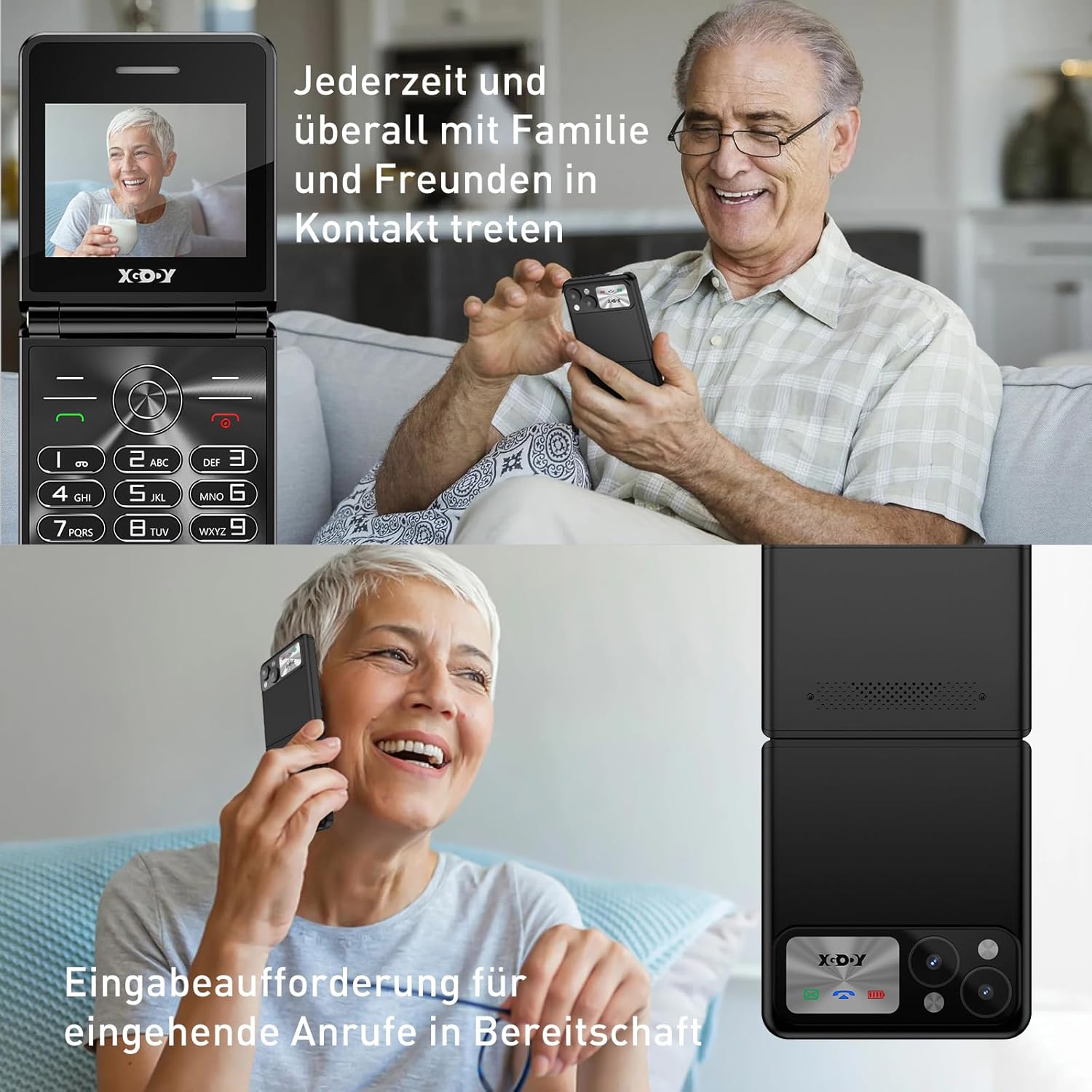
Figure 5.1: The XGODY S200 features loud and clear call volume, beneficial for users with hearing impairments.
5.3. Contacts (Phonebook)
- From the main screen, navigate to 'Contacts' or 'Phonebook' using the navigation keys and press the OK key.
- Select 'Add New Contact' to save a number.
- Enter the name and phone number, then save.
۶.۳. د SOS بیړني فعالیت
د SOS فعالیت تاسو ته اجازه درکوي چې ژر تر ژره له مخکې ټاکل شوي بیړني شمیرو سره اړیکه ونیسئ.

Figure 5.2: Illustration of the SOS emergency call feature, allowing users to quickly contact up to five pre-set family members or emergency services.
- د SOS شمېرو تنظیم کول: Go to 'Settings' > 'SOS Settings' and add up to 5 emergency contacts.
- د SOS فعالول: Press and hold the dedicated SOS button (usually on the back or side of the phone) for a few seconds. The phone will automatically dial the pre-set numbers in sequence until one is answered. It may also send an emergency SMS.
5.5. ایف ایم راډیو
To use the FM Radio, you may need to connect headphones (not always included) as they often act as an antenna.
- د اصلي مینو څخه 'ایف ایم راډیو' ته لاړ شئ.
- Use the navigation keys to scan for stations or manually tune.
5.6. فلش لائټ
په تلیفون کې د اسانتیا لپاره یو جوړ شوی فلش لائټ شامل دی.

Figure 5.3: An image demonstrating the built-in flashlight feature of the XGODY S200, activated by a long press, providing convenience in low-light conditions.
- د فعال/بندولو لپاره: Press and hold the dedicated flashlight button (if available) or a specific key combination as indicated in the phone's quick guide.
6. ساتنه
- پاکول: د تلیفون سکرین او بدن پاکولو لپاره نرم، وچ ټوکر وکاروئ. د مایع پاکوونکو څخه ډډه وکړئ.
- د بیټرۍ پاملرنه: Do not expose the battery to extreme temperatures. If the phone will not be used for an extended period, charge it partially before storing.
- ذخیره کول: تلیفون په یخ او وچ ځای کې د مستقیم لمر وړانګو او رطوبت څخه لرې وساتئ.
7. ستونزه حل کول
| ستونزه | احتمالي حل |
|---|---|
| تلیفون نه چالانیږي | Ensure the battery is correctly installed and fully charged. Try charging the phone for at least 30 minutes. |
| زنګونه نشي وهلی یا ترلاسه کولی نشي | وګورئ چې سیم کارت په سمه توګه داخل شوی دی. ډاډ ترلاسه کړئ چې تاسو د شبکې سیګنال لرئ. که ستونزه دوام ومومي نو د خپل خدمت چمتو کونکي سره اړیکه ونیسئ. |
| د تلیفون کیفیت خراب دی | Move to an area with better network reception. Ensure the microphone and speaker are not obstructed. |
| بیټرۍ په چټکۍ سره وچیږي | Reduce screen brightness. Close unused applications. If the battery is old, consider replacing it. |
| د SOS فعالیت کار نه کوي | Verify that emergency numbers are correctly set in the SOS settings. Ensure the phone has network signal. |
8. مشخصات
| فیچر | تفصیل |
|---|---|
| برانډ | Xgody |
| د ماډل نوم | S200 |
| عملیاتي سیسټم | اساسي چليز غونډال |
| د سکرین اندازه | ۷۸۷ انچه |
| قرارداد | 240 x 320 |
| د RAM اندازه | 32 MB |
| د حافظې د ذخیره کولو ظرفیت | 32 MB |
| بې سیم کیریر | All carriers (unlocked) |
| سیلولر ټیکنالوژي | 2G |
| د ارتباط ټیکنالوژي | 2G (GSM) |
| بیټرۍ | ۱ لیتیم پولیمر (شامل دی) |
| د چارج کولو بندر | د USB ډول-C |
9. تضمین او ملاتړ
Specific warranty details for the XGODY S200 Flip Phone are not provided within this manual. For warranty information, technical support, or service inquiries, please refer to the documentation included with your purchase or visit the official XGODY webسایټ. د هر ډول تضمین ادعا لپاره د پیرود ثبوت وساتئ.


