1. پیژندنه
Thank you for choosing the BOTSLAB HK30 Car Dash Cam. This manual provides detailed instructions for the installation, operation, and maintenance of your new dash camera system. Please read this manual thoroughly before using the product to ensure proper function and safety. Keep this manual for future reference.
2. د خوندیتوب معلومات
- Do not operate the dash cam or access its settings while driving. Always pull over safely before making any adjustments.
- ډاډ ترلاسه کړئ چې ډشبورډ کیم په خوندي ډول نصب شوی او د موټر چلوونکي د موټر چلولو خنډ نه ګرځي view یا د ایربګ ځای پرځای کولو کې مداخله وکړي.
- Use only the original power adapter and cables provided with the device. Using unauthorized accessories may damage the product and void the warranty.
- Avoid exposing the dash cam to extreme temperatures, direct sunlight for prolonged periods, or excessive moisture.
- هڅه مه کوئ چې وسیله پخپله جلا کړئ یا ترمیم کړئ. د مرستې لپاره د پیرودونکي ملاتړ سره اړیکه ونیسئ.
- Regularly format the memory card to ensure optimal recording performance.
3. د بسته محتويات
مهرباني وکړئ د لاندې توکو لپاره په بسته کې وګورئ:
- BOTSLAB HK30 Dash Cam Unit
- د موټر چارجر (د بریښنا کیبل)
- Mounting Bracket (with adhesive pad)
- د کارن لارښود
- Optional: Rear Camera (if purchased as a bundle)
- Optional: GPS Module
4. محصول ختم شوview
The BOTSLAB HK30 is a multi-channel dash cam designed to provide comprehensive coverage of your driving environment. It features a main front camera with 4K resolution, and supports additional cameras for rear and interior views (sold separately or as part of a bundle).

Image: The main BOTSLAB HK30 dash cam unit, showing the front lens and the Botslab branding.
کلیدي ځانګړتیاوې عبارت دي له:
- دوه کیلومتره مخکینۍ کیمره: Captures high-resolution video of the road ahead.
- 140 درجې پراخه Viewزاویه: پراخ پوښښ چمتو کوي، ړانده ځایونه کموي.
- د شپې لید رنګ: Enhances visibility and clarity in low-light conditions.
- جوړ شوی GPS: Records speed and location data for your journeys.
- جی سینسر: په اتوماتيک ډول ویډیو بندوي fileد بیا لیکلو مخنیوي لپاره په اغیز باندې.
- لوپ ثبتول: په دوامداره توګه د زاړه تر ټولو په لیکلو سره ثبت کوي fileکله چې د حافظې کارت ډک وي.
- د پارکینګ نظارت: Offers 24-hour surveillance with time-lapse recording and collision-triggered normal recording (requires buck line kit, sold separately).
- د اپلیکیشن کنټرول: Connects to your smartphone for easy settings adjustment, live view, and video download.

Image: An illustration demonstrating the 140-degree wide viewing angle of the dash cam, showing its ability to capture a broad perspective of the road.
5. ترتیب او نصب کول
۲.۳ د میموري کارت داخلول
Before first use, insert a high-speed (Class 10 or higher) microSD card (up to 256GB recommended) into the dash cam's memory card slot. Ensure the card is inserted correctly until it clicks into place. Format the card via the dash cam's settings menu or the mobile app before initial recording.
۴.۲ د ډش کیم نصب کول
- د کړکۍ هغه ساحه پاکه کړئ چیرې چې تاسو غواړئ ډش کیم نصب کړئ. ډاډ ترلاسه کړئ چې دا د دوړو او غوړ څخه پاک دی.
- Attach the adhesive pad to the mounting bracket, then firmly press the bracket onto the chosen spot on your windshield, ideally behind the rearview د مطلوب لپاره عکس view او لږترلږه خنډ.
- Slide the dash cam unit onto the mounted bracket until it locks securely.
- Adjust the camera lens angle to ensure it captures the road ahead clearly, with approximately 60% road and 40% sky visible.
5.3 د بریښنا نښلول
- Connect the provided car charger cable to the dash cam's power input port.
- د موټر چارجر بل پای د خپل موټر د ۱۲ ولټه بریښنا ساکټ (د سګرټ لایټر ساکټ) سره ولګوئ.
- Route the power cable neatly along the edge of the windshield and dashboard to conceal it and prevent interference with driving.
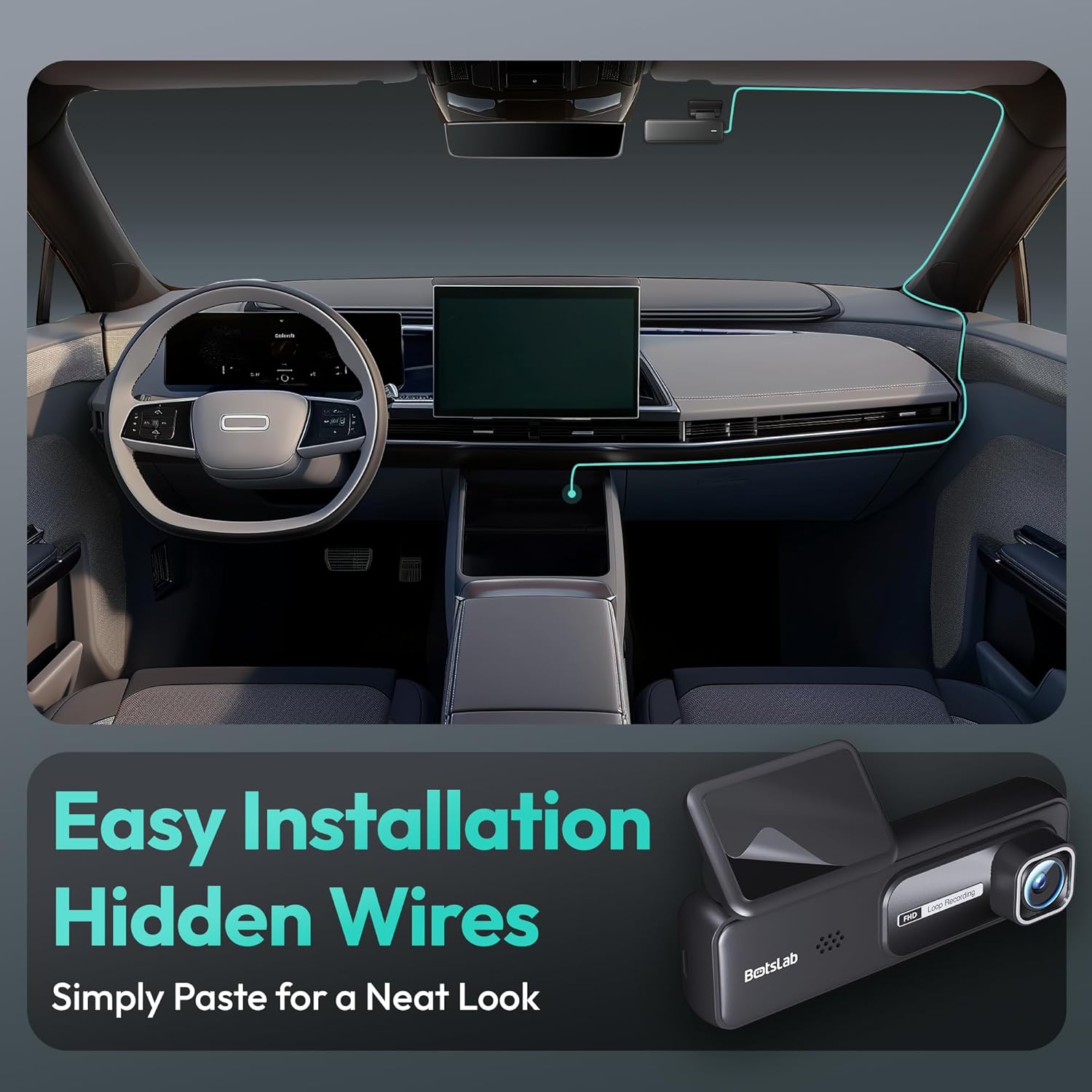
Image: A visual guide illustrating the process of easy dash cam installation with hidden wires, showing how to route the cable neatly along the car's interior for a clean look.
5.4 GPS Module Connection (if applicable)
If your package includes a separate GPS module, connect it to the designated port on the dash cam. Ensure the GPS module is placed in an area with a clear view د غوره سیګنال استقبال لپاره د اسمان څخه.
6. عملیاتي لارښوونې
6.1 اتوماتیک ثبت کول
Once powered on and connected to your vehicle's ignition, the dash cam will automatically start recording when the engine is started. It will stop recording and power off shortly after the engine is turned off.
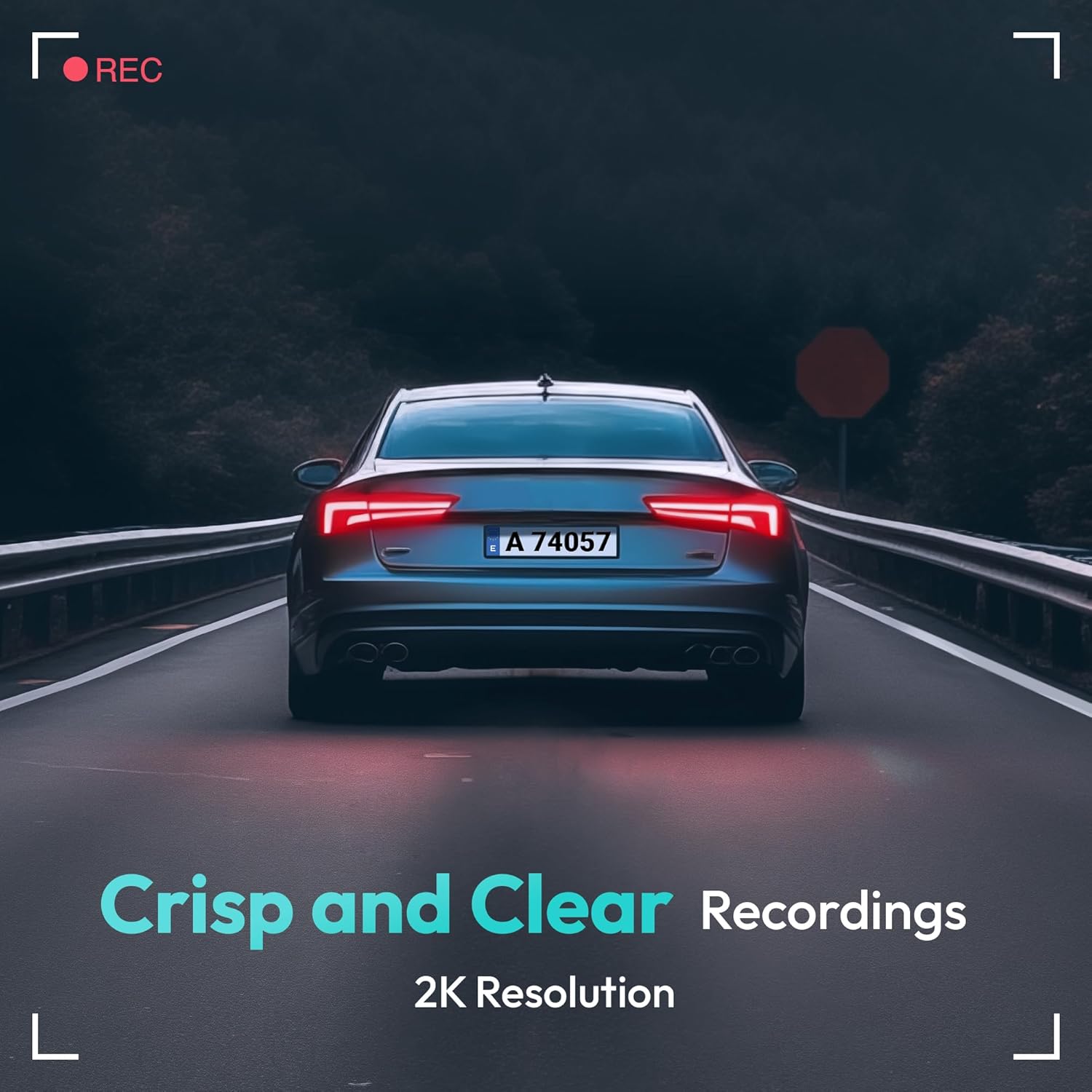
Image: A visual representation highlighting the crisp and clear recording capabilities of the dash cam, indicating 2K resolution for detailed footage.
6.2 لوپ ثبتول
The dash cam records video in continuous loops (e.g., 1, 3, or 5-minute segments). When the memory card is full, the oldest unlocked fileفایلونه به په اتوماتيک ډول د نویو ریکارډونو لخوا له سره لیکل کیږي. دا د لاسي مداخلې پرته دوامداره ثبت کول تضمینوي.
۵.۳ جي سینسر (بیړني ثبت کول)
The built-in G-Sensor detects sudden impacts or collisions. When an impact is detected, the current video segment will be automatically locked and saved to a protected folder on the memory card, preventing it from being overwritten by loop recording. These files are crucial for accident evidence.
6.4 د پارکینګ څارنه
For 24-hour parking surveillance, a hardwire kit (buck line) is required (sold separately). Once installed, the dash cam can utilize:
- د وخت تیريدو ریکارډ کول: Records continuously at a low frame rate to save storage space while providing a full overview د پارکینګ پیښو.
- Collision-Triggered Recording: If an impact is detected while parked, the dash cam will wake up and record a short video segment, which will be locked.

Image: An illustration depicting the 24/7 parking monitoring feature, highlighting time-lapse recording and collision-triggered normal recording capabilities, with a shield icon indicating protection.
۴.۳ د اپلیکیشن کنټرول او ارتباط
Download the official BOTSLAB app from your smartphone's app store. Connect your phone to the dash cam's Wi-Fi network (SSID and password usually found on the device or in the manual). Through the app, you can:
- View ژوندۍ ویډیو فیډ.
- Adjust dash cam settings (resolution, G-sensor sensitivity, loop recording duration, etc.).
- پلې بیک ثبت شوي ویډیوګانې.
- ویډیو ډاونلوډ کړئ fileمستقیم ستاسو تلیفون ته.
- فرم ویئر تازه کړئ.
6.6 GPS Tracking and Playback
With the GPS module connected, the dash cam records your vehicle's speed and location data. This information can be viewed during video playback using the dedicated PC viewer software (available for download from the BOTSLAB website) or within the mobile app, often overlaid on a map (e.g., Google Maps).
7. ساتنه
7.1 د وسیلې پاکول
Use a soft, dry cloth to clean the dash cam's lens and body. Do not use liquid cleaners or abrasive materials, as they may damage the device.
۴.۲ د حافظې کارت مدیریت
It is recommended to format the microSD card once a month to maintain optimal performance and prevent data corruption. Back up any important fileد فارمیټ کولو دمخه.
7.3 د فرم ویئر تازه معلومات
Periodically check the BOTSLAB official website or the mobile app for available firmware updates. Firmware updates can improve performance, add new features, or fix bugs. Follow the instructions provided with the firmware update carefully.
8. ستونزه حل کول
| ستونزه | احتمالي لامل | د حل لاره |
|---|---|---|
| ډش کیم نه چالانیږي. | د برېښنا نشتوالی؛ خراب کیبل؛ د موټر د برېښنا د پای ستونزه. | Check power cable connection; try another power outlet; ensure vehicle ignition is on. |
| ثبت کول ودریږي یا کنګل کیږي. | Memory card full or corrupted; slow memory card; firmware issue. | Format memory card; use a high-speed (Class 10+) card; update firmware. |
| د ویډیو کیفیت خراب دی. | چټل لینز؛ محافظتي فلم لا هم په لینز کې دی؛ د ریزولوشن ناسم ترتیبات. | Clean the lens; remove protective film; set recording resolution to highest available. |
| د GPS سیګنال ونه موندل شو. | GPS module not connected; poor satellite reception. | Ensure GPS module is connected; move vehicle to an open area with clear sky view. |
| د وای فای/ایپ سره وصل نشو. | Incorrect Wi-Fi password; phone too far from device; app not updated. | Verify Wi-Fi password; ensure phone is close to dash cam; update app. |
9. مشخصات
| فیچر | تفصیل |
|---|---|
| د ماډل نوم | HK30 |
| د ویډیو نیول حل | Front: 4K (1944p), Rear/Interior: 1080P (if applicable) |
| Viewزاویه | ۱۷۰° (مخ) |
| د ارتباط ټیکنالوژي | USB، بېسیم (وای فای) |
| ځانګړي ځانګړتیاوې | App Control, G-Sensor, Loop Recording, Parking Monitor, Color Night Vision |
| ذخیره کول | MicroSD Card (up to 256GB, Class 10 or higher) |
| د نصب کولو ډول | د وینشیلډ ماینټ |
| د بریښنا سرچینه | د موټر چارجر (۱۲ ولټه) |
| د محصول ابعاد | 2 x 5.5 x 5.5 انچه |
| د توکي وزن | 9.6 اونس |
10. تضمین او ملاتړ
BOTSLAB products come with a limited warranty. Please refer to the warranty card included in your package or visit the official BOTSLAB website for detailed warranty terms and conditions. For technical support, troubleshooting assistance, or any inquiries, please contact BOTSLAB customer service through the contact information provided on their official webپه سایټ یا د موبایل اپلیکیشن دننه.
Webسایټ: www.botslab.com (بېلګهampلینک، مهرباني وکړئ د سم لپاره د محصول اصلي اسنادو ته مراجعه وکړئ URL)


