1. پیژندنه
د پیرودلو لپاره مننهasing the AceGamer RGB Charging Dock for PlayStation Portal. This portable charging station is designed to provide a stable and efficient charging solution for your PlayStation Portal console, featuring customizable RGB lighting and essential protection features. Please read this manual carefully before use to ensure proper operation and maintenance.
2. د بسته محتويات
- AceGamer RGB Charging Dock (1 unit)
- د ټایپ-سي چارج کولو کیبل (۱ واحد)
- د کارن لارښود (دا سند)
3. د محصول ب Featuresې
- وقف شوی چارج: Specifically designed for the PlayStation Portal console.
- د RGB رڼا: Features 7 distinct lighting modes for personalized aesthetics.
- چټک چارج کول: Efficient power delivery for fast charging.
- د خوندیتوب خوندیتوب: جوړ شوی over-current، over-voltage، او under-voltagد ساتنې.
- ارګونومیک ډیزاین: 30-degree comfortable viewing angle for the PlayStation Portal.
- باثباته اساس: Equipped with anti-slip mats for secure placement.
- ارتباط: USB Type-C input for power.
۴. د تنظیم لارښوونې
- بریښنا وصل کړئ: Insert the provided Type-C charging cable into the charging dock's input port and connect the other end to a suitable USB power adapter (not included).

Figure 4.1: Connecting the Type-C power cable to the charging dock.
- Place PlayStation Portal: Carefully align your PlayStation Portal console with the charging connector on the dock and gently place it into position. Ensure a secure connection for charging. The dock is designed to hold the Portal at a 30-degree angle for optimal viewing.

Figure 4.2: PlayStation Portal placed on the charging dock at a 30-degree angle.
- Anti-slip Stability: The base of the charging dock is equipped with anti-slip mats to prevent accidental movement. Ensure the dock is placed on a flat, stable surface.
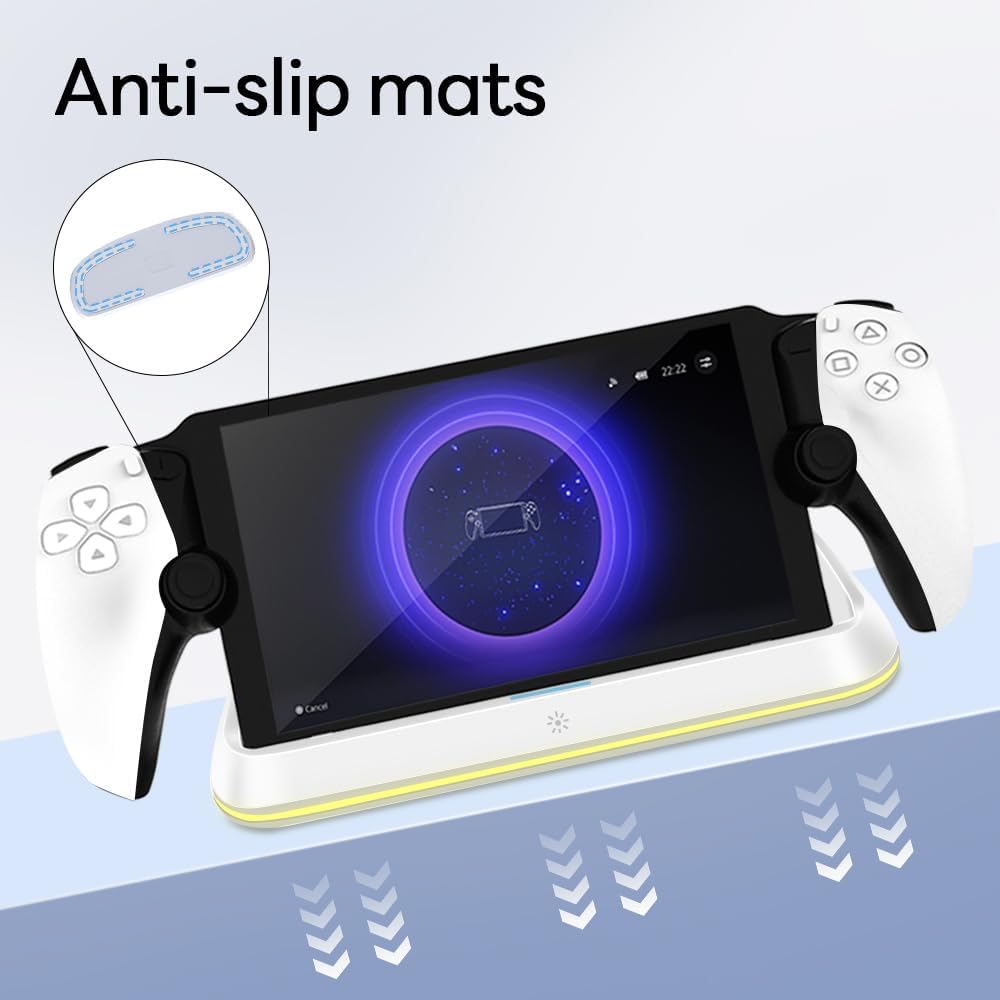
Figure 4.3: Anti-slip mats on the charging dock for enhanced stability.
- بصري لارښود: For a visual demonstration of the setup process, please refer to the video below.
Video 4.1: Demonstration of connecting the power supply and placing the PlayStation Portal onto the charging dock.
5. عملیاتي لارښوونې
- Charging the PlayStation Portal: Once the PlayStation Portal is correctly seated on the dock and the dock is powered, charging will begin automatically. A full charge typically takes approximately 3.5 hours. The dock includes protection against over-current, over-voltage، او under-voltage to safeguard your device.

Figure 5.1: Charging indicators and safety protection features.
- د RGB رڼا کنټرول: The charging dock features a touch-sensitive button to control the RGB lighting. Press the button to cycle through 7 different lighting modes or to turn the lights off.

Figure 5.2: RGB lighting modes and touch control button.
6. ساتنه
- Keep the charging dock clean and free from dust. Use a soft, dry cloth for cleaning.
- د وسیلې د خورا تودوخې ، رطوبت یا مستقیم لمر وړانګو ته د افشا کولو څخه ډډه وکړئ.
- Do not use abrasive cleaners or solvents, as these may damage the surface.
- Ensure the charging port and connector are free of debris before placing the PlayStation Portal.
7. ستونزه حل کول
- وسیله نه چارج کیږي:
- Ensure the Type-C cable is securely connected to both the dock and the power adapter.
- تایید کړئ چې د بریښنا اډاپټر په سمه توګه کار کوي او په ژوندۍ رسنۍ کې پلګ شوی دی.
- Check if the PlayStation Portal is properly seated on the charging connector.
- د بل ډول-سي کیبل یا بریښنا اډاپټر کارولو هڅه وکړئ.
- د RGB څراغونه کار نه کوي:
- Ensure the charging dock is powered on.
- Press the touch light button to cycle through modes or turn the lights on.
- Unstable placement:
- Ensure the dock is placed on a flat, level surface.
- Check if the anti-slip mats are clean and intact.
8. مشخصات
| برانډ | AceGamer |
| د ماډل شمیره | PS-P-White |
| مطابقت لرونکې وسیلې | د پلې سټیشن پورټل |
| ننوتۍ جلدtage | 5 ولټه |
| واټtage | 7 واټ |
| د نښلونکي ډول | د USB ډول-سي (د بریښنا ان پټ لپاره) |
| ځانګړي ځانګړتیاوې | RGB Lighting, Fast Charging, Over-current Protection, Over-voltage محافظت، زیرمه والیtage ساتنه |
| ابعاد | نږدې 22.5 x 8.9 x 8.4 سانتي متره |
| وزن | تقریبا 290 ګرامه |
9. تضمین او ملاتړ
AceGamer products are designed and manufactured to the highest quality standards. For warranty information or technical support, please contact the retailer where you purchased the product or visit the official AceGamer website for customer service contact details. Please retain your proof of purchase for warranty claims.


