1. پیژندنه
The BSIDE O7 is a versatile 3-in-1 handheld device combining a digital oscilloscope, a True RMS (TRMS) multimeter, and a signal generator. Designed for professionals and enthusiasts, it offers a wide range of measurement capabilities and signal generation functions in a compact, portable form factor. This manual provides detailed instructions for the safe and effective use of your BSIDE O7 device.
2. محصول ختم شوview
The BSIDE O7 integrates three essential functions into one robust unit:
- Digital Oscilloscope: Features a 25MHz bandwidth and 208MSa/s real-time sampling rate for accurate waveform analysis.
- TRMS Multimeter: Provides precise measurements for AC/DC voltage, current, resistance, capacitance, temperature, continuity, and diode testing.
- سیګنال جنراتور: Capable of outputting 7 different waveform types with adjustable frequency and ampدرود
Key features include a large 3.98-inch full-view TFT color screen for clear readings, a 5000mAh rechargeable battery offering extended operation, and intelligent protection against burn-in and overloads. The device is housed in a full-body soft silicone case for enhanced durability and protection.

Figure 2.1: The BSIDE O7 functions as a 3-in-1 device, combining an oscilloscope, multimeter, and signal generator.
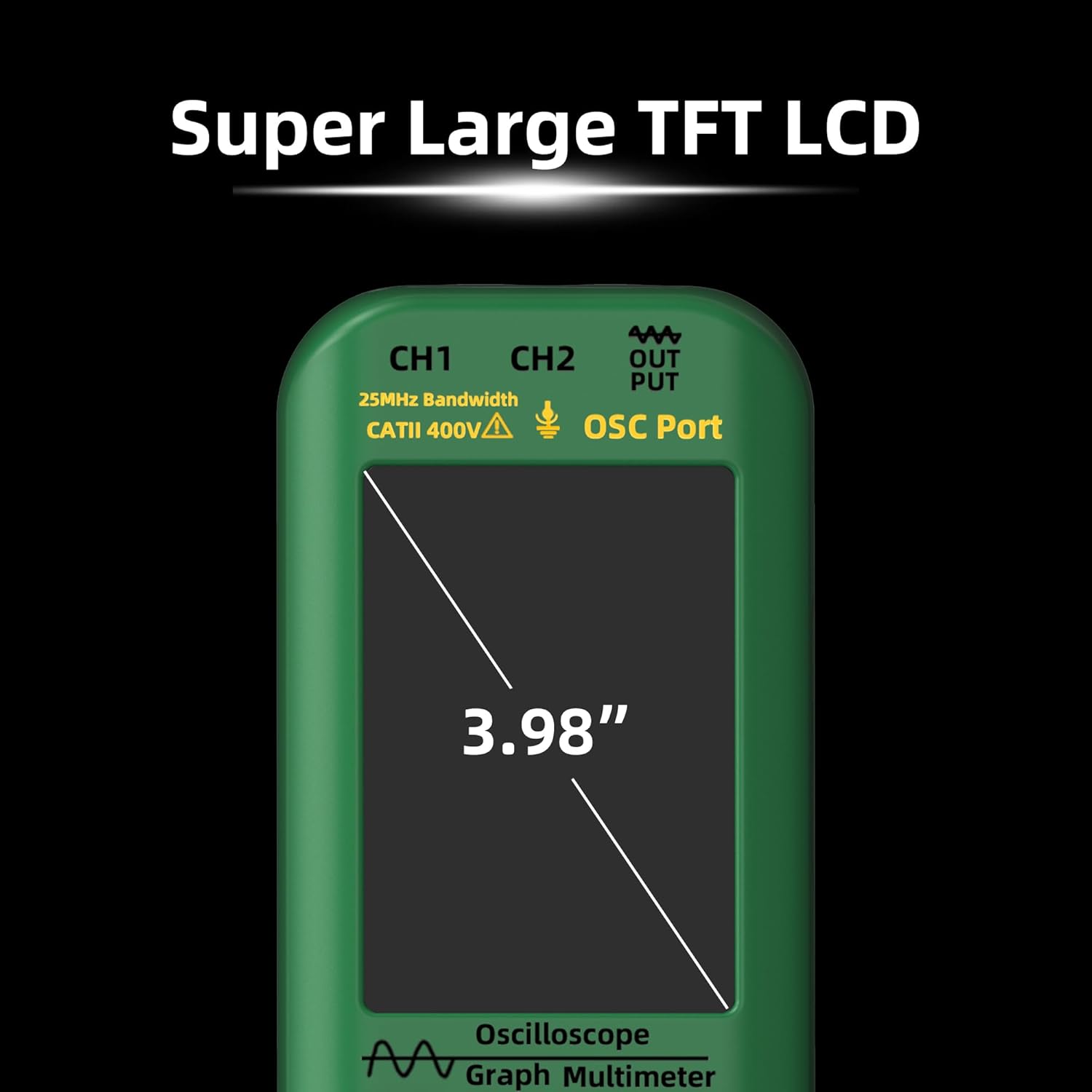
Figure 2.2: The BSIDE O7 features a large 3.98-inch TFT LCD for clear display of measurements and waveforms.

Figure 2.3: The device is equipped with a 5000mAh rechargeable battery, providing extended operational time.
3. د بسته محتويات
مهرباني وکړئ د رسیدلو پر مهال د کڅوړې محتويات وګورئ ترڅو ډاډ ترلاسه کړئ چې ټول توکي شتون لري:
- BSIDE O7 Oscilloscope Unit
- BNC Oscilloscope Probe (x1)
- BNC to Alligator Clip Probe (x1)
- Multimeter Test Leads (1 pair)
- Color Rings (x8)
- د K ډول Thermocouple
- د USB ډول - سي چارج کیبل
- زپ شوي بار وړلو قضیه
- Alignment Screwdriver
- د انګلیسي کارونکي لارښود

Figure 3.1: The BSIDE O7 and its complete set of accessories, including probes, test leads, and carrying case.
4. ترتیب کول
4.1 د وسیلې چارج کول
Before initial use, fully charge the BSIDE O7 using the provided USB Type-C charging cable. Connect the cable to the device's charging port and a standard USB power adapter (not included). The charging indicator will show the charging status. A full charge provides approximately 10 hours of continuous oscilloscope operation or up to 20 hours in multimeter mode.
۸ پاور آن/بند
Press and hold the power button (usually marked with a ⑂ symbol) for a few seconds to turn the device on or off. The device will boot up and display the main interface.
4.3 Initial Mode Selection
Upon powering on, the device typically defaults to the last used mode or a pre-set mode. Use the dedicated mode buttons or navigation controls to switch between Oscilloscope, Multimeter, and Signal Generator functions.
5. عملیاتي لارښوونې
۵.۲ د اوسیلوسکوپ حالت
The oscilloscope function allows for the visualization and analysis of electrical signals.
- بانډ ویت: 25MHz
- په ریښتیني وخت Sampد نرخ نرخ: 208MSa / s
- د ذخیرې ژوروالی: 128kb
- د ننوتلو خنډ: 1MΩ @16pf
- جوړه کول: اې سي ډي سي
- Horizontal Time Base: 100ns/div - 20s/div (Accuracy: 20ppm)
- عمودی حساسیت: ۱۰mV/div - ۱۰V/div
- د اعظمي داخل مقدارtage: ±300V
- اتومات ازموینه: Measures period, frequency, amplitude, maximum, minimum, duty cycle, RMS value.
- د ټریګر حالت: اتومات، واحد، نورمال
- محرک څنډه: پورته کېدل/لوېدل
- د ښودلو طریقې: YT, XY, Scroll
- Post-signal Period: Min, 500ms, 1s, 10s, Unlimited
د چلولو لپاره:
- Connect the BNC oscilloscope probe to the CH1 or CH2 input.
- Attach the probe to the circuit point you wish to measure.
- Adjust the vertical sensitivity (Volts/Div) and horizontal time base (Time/Div) to properly display the waveform.
- Use the trigger settings to stabilize the waveform on the screen.
- Utilize the automatic measurement functions for quick parameter readings.

Figure 5.1: The BSIDE O7 features dual channels (CH1, CH2) for oscilloscope measurements and a dedicated DDS output.
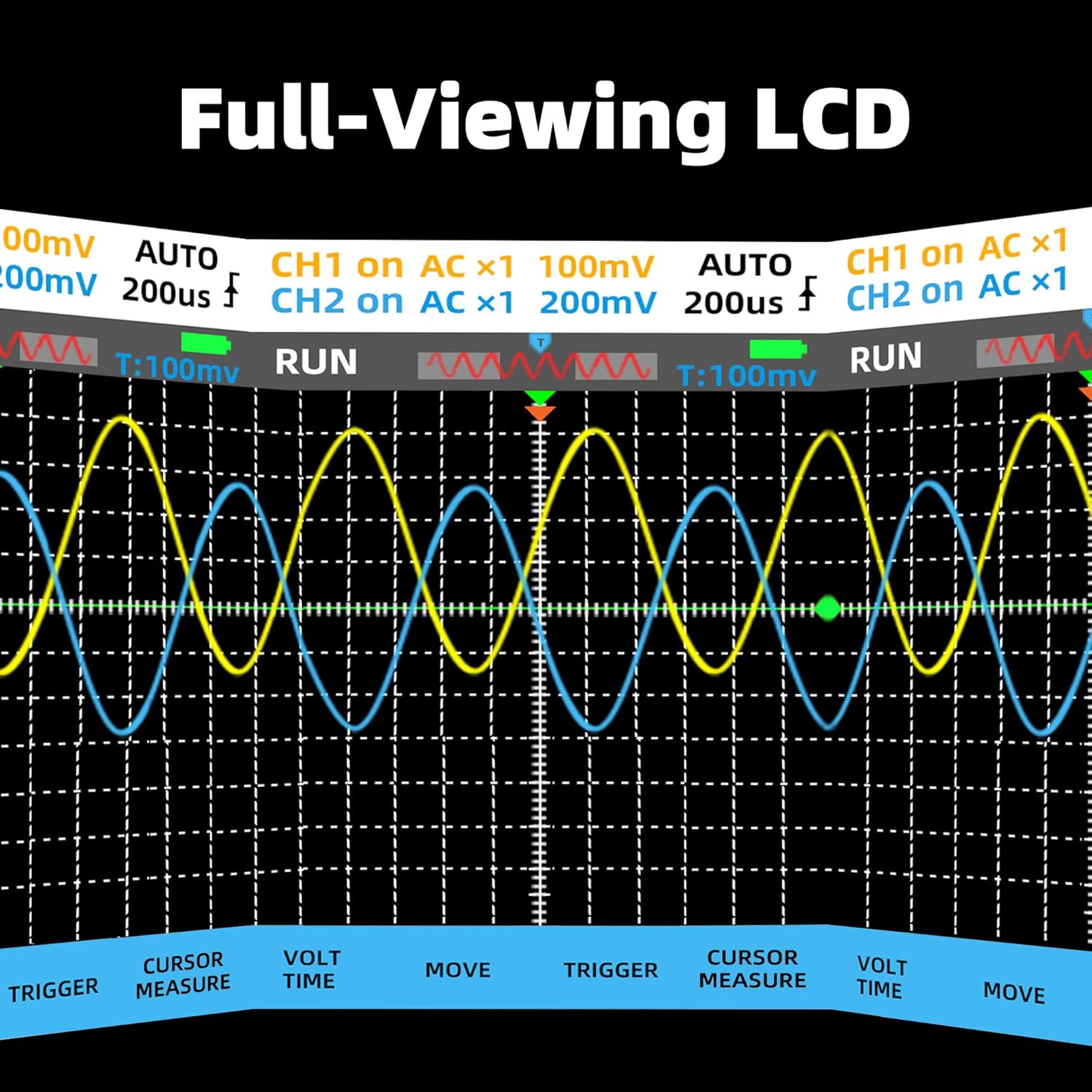
Figure 5.2: The full-view LCD displays multiple waveforms simultaneously, aiding in comparative analysis.
۵.۳ د څو متره حالت
The multimeter function provides accurate digital measurements for various electrical parameters.
- ښکاره کول: 6000 counts, 3.98-inch TFT full screen
- DC Voltage (mV): 60mV/600mV, 0.01mV/0.1mV resolution, ±(0.8%+3) accuracy
- DC Voltage (V): 6.000V/60V/600V/1000V, 0.001V/0.01V/0.1V/0.1V resolution, ±(0.8%+3) accuracy
- AC Voltage (mV): 60mV/600mV, 0.01mV/0.1mV resolution, ±(1.0%+3) accuracy
- AC Voltage (V): 6.000V/60V/600V/750V, 0.001V/0.01V/0.1V/1V resolution, ±(1.0%+3) accuracy
- ACV Frequency: 40-1000 Hz
- DC Current (mA): 60.00mA/600mA, 0.01mA/0.1mA resolution, ±(1.0%+3) accuracy
- AC Current (mA): 60.00mA/600mA, 0.01mA/0.1mA resolution, ±(1.2%+5) accuracy
- مقاومت: 600Ω/6kΩ/60KΩ/600KΩ/6MΩ/60MΩ, 0.1Ω resolution, ±(1.2%+5) accuracy
- ظرفیت: 999.9nF/9.999µF/999.9µF/9.999mF/99.99mF, 0.1nF resolution, ±(4.5%+5) accuracy
- دحرارت درجه: -20~1000°C / -4~1832°F, 1°C/1°F resolution, ±(2.5%+5) accuracy
- دوام: هو
- ډیوډ: هو
- انعطاف منونکی جریان Clamp (اختیاري): Supports AC current up to 600.0A/6000A with 0.1A/1A resolution, ±(1.0%+5) accuracy (Standard Rogowski Coil: 100mV@1000V, 50Hz).
د چلولو لپاره:
- Connect the multimeter test leads to the appropriate input jacks (COM, VΩmA, or 6000A for Rogowski coil).
- Select the desired measurement function (e.g., DCV, ACV, Resistance) using the mode button.
- Apply the test leads to the circuit or component under test.
- په نندارتون کې د اندازه کولو ارزښت ولولئ.

Figure 5.3: The BSIDE O7 is suitable for various applications, including automotive maintenance, demonstrating its multimeter function.
۵.۴ د سیګنال جنراتور حالت
The signal generator produces various waveforms for testing and calibration purposes.
- د څپې ډولونه: Sine, Square, Triangle, Half-wave, Full-wave, Ramp، DC
- د فریکونسی رینج: ۲۰۰.۰۰ هرټز - ۲۰.۰۰۰ میګاهرتز
- Ampلیوډ: ۱۰۰ وولټ - ۲۵۰ وولټ
- لږترلږه پریکړه: 1Hz
- Square Wave Duty Cycle: ۴۰٪ - ۸۰٪
د چلولو لپاره:
- Select the Signal Generator mode.
- Choose the desired waveform type.
- تعدد او تعدیل amplitude using the device controls.
- Connect the BNC to alligator clip probe to the signal output port and to the circuit requiring the signal.
6. ساتنه
6.1 عمومي پاملرنه
Keep the device clean and dry. Avoid exposure to extreme temperatures, humidity, or direct sunlight. The silicone case provides protection against minor impacts; however, avoid dropping the device.

Figure 6.1: The BSIDE O7 is protected by a full-body soft silicone case, offering enhanced durability.
6.2 پاکول
یو نرم استعمال کړئ، دamp cloth to clean the exterior of the device. Do not use abrasive cleaners or solvents. Ensure the device is powered off and disconnected from any power source before cleaning.
6.3 د فرم ویئر تازه معلومات
په دوره یي ډول د تولید کونکي معاینه وکړئ website for available firmware updates. Firmware updates can improve performance, add new features, or fix bugs. Follow the instructions provided with the firmware update package carefully.
7. ستونزه حل کول
If you encounter issues with your BSIDE O7, consider the following general troubleshooting steps:
- وسیله نه چلیږي: ډاډ ترلاسه کړئ چې بیټرۍ په کافي اندازه چارج شوې ده. وسیله له چارجر سره وصل کړئ او بیا هڅه وکړئ.
- ناسم لوستل: Check probe connections, ensure correct mode selection, and verify that the input range is appropriate for the measurement. Calibrate if necessary (refer to advanced settings or support).
- No waveform display: Verify probe connection, trigger settings, and vertical/horizontal scale. Ensure the signal source is active.
- وسیله بې ځوابه ده: Try performing a soft reset by holding the power button for an extended period (e.g., 10-15 seconds) or disconnecting and reconnecting the battery if accessible (consult support first).
For persistent issues, contact BSIDE customer support for assistance.
8. مشخصات
جنرال
- جوړونکی: د BSIDE
- د ماډل شمیره: O7 (Handheld Oscilloscope Multimeter)
- ابعاد (L x W x H): 21.6 x 8.4 x 3.6 سانتي متره (8.5 x 3.3 x 1.4 انچه)
- وزن: ۶۰۰ ګرامه (۱.۳۲ پونډه)
- د بریښنا سرچینه: د بیټرۍ چلول (۱ لیتیم آیون بیټرۍ پکې شامله ده)
- رنګ: شین
- تصدیقونه: د CE مطابق
- ښکاره کول: 3.98-inch TFT Full Screen
Oscilloscope
- چینلونه: 2
- بانډ ویت: 25MHz
- په ریښتیني وخت Sampد نرخ نرخ: 208MSa / s
- د ذخیرې ژوروالی: 128kb
- د ننوتلو خنډ: 1MΩ @16pf
- جوړه کول: اې سي ډي سي
- Horizontal Time Base: ۲۰ ثانیې/حصه - ۲۰ ثانیې/حصه
- عمودی حساسیت: ۱۰mV/div - ۱۰V/div
- د میکس داخلي حجمtage: ±300V
- اتومات ازموینه: Period, Frequency, Amplitude, Max, Min, Duty Cycle, RMS
- د ټریګر حالت: اتومات، واحد، نورمال
- محرک څنډه: پورته کېدل/لوېدل
- د ښودلو طریقې: YT, XY, Scroll
- Post-signal Period: Min, 500ms, 1s, 10s, Unlimited
ملټي میټر
- Display Counts: 6000
- DC Voltage: 60mV/600mV/6V/60V/600V/1000V
- AC Voltage: 60mV/600mV/6V/60V/600V/750V (40-1000 Hz)
- DC اوسنی: 60.00mA/600mA
- AC اوسنی: 60.00mA/600mA
- مقاومت: 600Ω/6kΩ/60KΩ/600KΩ/6MΩ/60MΩ
- ظرفیت: 999.9nF/9.999µF/999.9µF/9.999mF/99.99mF
- دحرارت درجه: -20 ~ 1000 ° C / -4 ~ 1832 ° F
- دوام: هو
- د ډایډ ټیسټ: هو
- High Current Measurement (Optional Rogowski Coil): 600.0A/6000A AC
سيګنال جوړونکی
- د څپې ډولونه: Sine, Square, Triangle, Half, Full, Ramp، DC
- فریکونسی: ۲۰۰.۰۰ هرټز - ۲۰.۰۰۰ میګاهرتز
- Ampلیوډ: ۱۰۰ وولټ - ۲۵۰ وولټ
- دقیق حل: 1Hz
- Square Wave Duty Cycle: ۴۰٪ - ۸۰٪
9. تضمین او ملاتړ
The BSIDE O7 comes with a standard manufacturer's warranty. Please refer to the warranty card included in your package or visit the official BSIDE website for detailed warranty terms and conditions. For technical support, troubleshooting assistance, or inquiries regarding firmware updates, please contact BSIDE customer service through their official channels.


