1. پیژندنه
The Flashpoint R2 Nano Remote is a compact and advanced wireless flash trigger designed for Panasonic and Olympus camera systems. It offers precise control over your flash settings through an intuitive touchscreen interface and OLED display, enhancing your photography experience with seamless integration and reliable performance.
کلیدي ځانګړتیاوې عبارت دي له:
- بې سیمه ادغام: Full TTL compatibility with Olympus/Panasonic cameras for optimal exposure.
- Ultimate Reliability: Stable 2.4 GHz radio frequency with 32 channels, ensuring consistent triggering up to 328 feet (100 meters).
- د لوړ سرعت همغږي (HSS): Achieve sync speeds up to 1/8000s for creative effects and motion freezing.
- هوښیار ټچ سکرین کنټرول: Responsive interface for quick and easy adjustments.
- Versatile Group Control: Manage up to 16 groups (A-F, 0-9) independently for complex lighting setups.
۲. په بکس کې څه دي؟
Upon unboxing your Flashpoint R2 Nano, please verify that all components are present:
- Flashpoint R2 Nano Remote
- د USB-C چارج کیبل
- د ذخیره کولو کڅوړه
- د کارونکي لارښود (دا لاسوند)
3. محصول ختم شوview
Familiarize yourself with the components and controls of your R2 Nano remote.
شکل ۴.۱: مخ او اړخ View of the R2 Nano with Key Components Labeled.
- ټچ سکرین: Main interface for settings and control.
- ډایل غوره کړئ: For navigating menus and adjusting values.
- د بریښنا سویچ: وسیله آن/بندوي.
- د ازموینې تڼۍ: د ټیسټ فلش پیل کوي.
- Installing/Detaching Button: Releases the remote from the hotshoe.
- د نصب کولو سلاټ: Connects to the camera's hotshoe.
- د USB-C چارج کولو بندر: د بیټرۍ چارج کولو لپاره.

Figure 3.2: R2 Nano Touchscreen Interface Details.
- چینل (CH): Displays the current wireless channel (e.g., CH6).
- Group (A, B, C, etc.): Indicates the active flash groups.
- د تولید بریښنا کچه: Shows the flash power setting (e.g., +0.0, 1/128).
- Parameters - / +: Touch controls for decreasinد زیاتواليasinد g ارزښتونه.
- د همغږي کولو طریقې: Icons indicating sync modes (e.g., HSS, front curtain, rear curtain).
- ماډلینګ Lamp: Icon for modeling lamp حالت
- د بیټرۍ شاخص: د بیټرۍ اوسنۍ کچه ښیې.
4. ترتیب کول
4.1 د بیټرۍ چارج کول
The R2 Nano is equipped with a built-in rechargeable lithium battery. Before first use, fully charge the device.
- Locate the USB-C charging port on the side of the R2 Nano.
- Connect the provided USB-C charging cable to the port.
- د کیبل بل پای د USB بریښنا اډاپټر (شامل نه دی) یا د کمپیوټر USB پورټ سره وصل کړئ.
- The battery indicator on the screen will show charging status. A full charge from 0% to 100% typically takes approximately 2 hours.

Figure 4.1: Charging the R2 Nano via USB-C.
۳.۲ کیمرې ته پورته کول
The R2 Nano features an easy-mounting, durable hotshoe design for secure attachment to your camera.
- ډاډ ترلاسه کړئ چې ستاسو کیمره بنده ده.
- Slide the R2 Nano's mounting slot onto your camera's hotshoe.
- Gently push until it clicks into place, ensuring a secure connection.
- To detach, press the Installing/Detaching Button and slide the remote off.

Figure 4.2: Mounting the R2 Nano on a Camera Hotshoe.
5. عملیاتي لارښوونې
5.1 بریښنا کول / بندول
- To power on, press and hold the Power Switch until the screen illuminates.
- To power off, press and hold the Power Switch until the screen turns off.
۴.۲ د ټچ سکرین انٹرفیس نیویګیټ کول
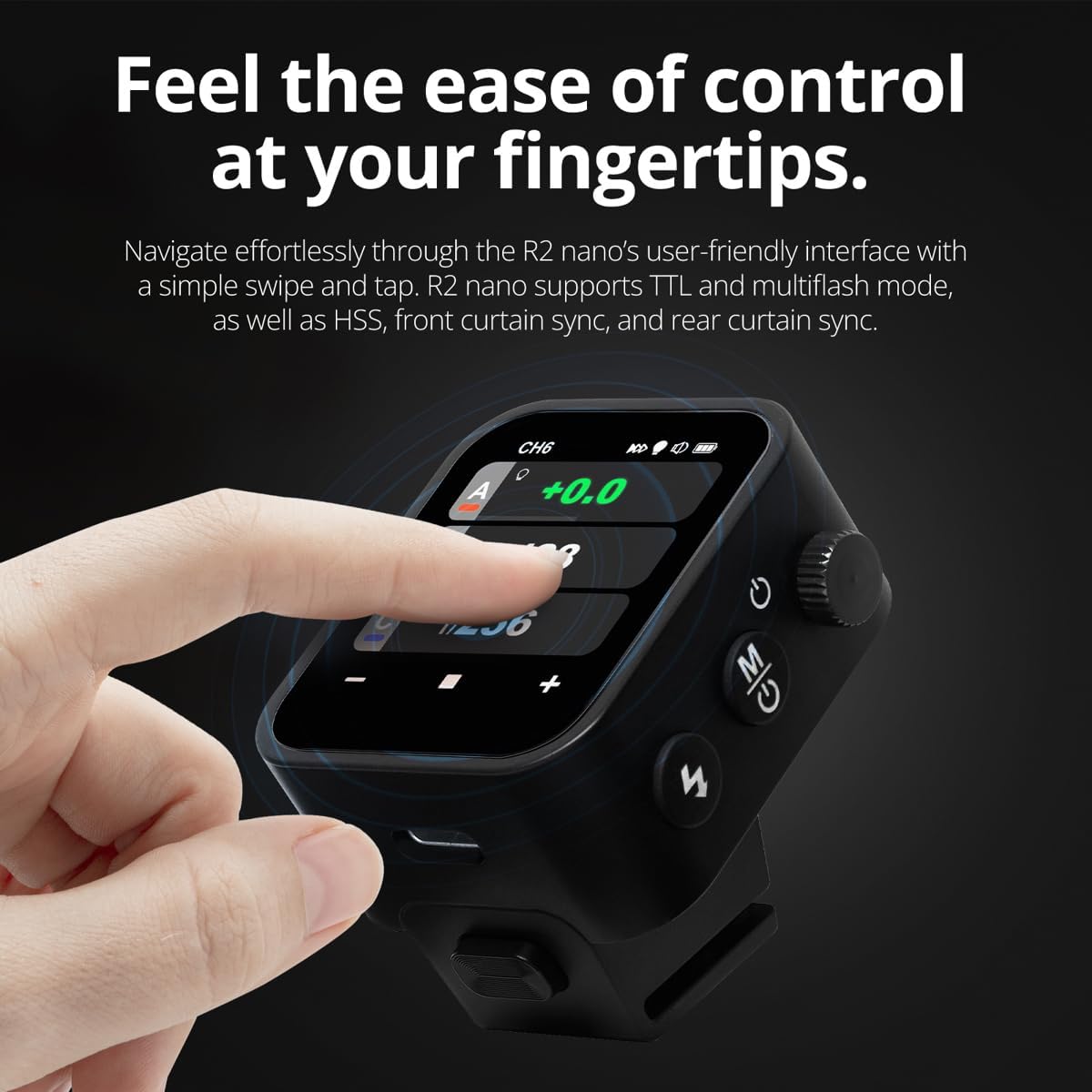
The R2 Nano features a responsive touchscreen and a select dial for intuitive control.

Figure 5.1: High Definition OLED Screen Interface.
- د لمس تعامل: Tap on a group (A, B, C, etc.) to select it for adjustment. Tap on parameters like power level to modify them.
- ډایل غوره کړئ: Rotate the dial to scroll through options or adjust values. Press the dial to confirm selections.
- د پیرامیټر تنظیم کول: Use the on-screen '-' and '+' buttons or the Select Dial to change flash power, exposure compensation, or other settings.

Figure 5.2: Touchscreen Interaction for Settings Adjustment.
۵.۲ د چینلونو او ګروپونو تنظیم کول
To avoid interference and control multiple flashes, set appropriate channels and groups.
- Access the channel settings through the touchscreen menu. Select a channel from 1 to 32. Ensure your flash units are set to the same channel.
- Assign flash units to different groups (A-F, 0-9) to control them independently. The R2 Nano allows control of up to 16 groups.
5.4 Flash Modes (TTL, Manual, Multi-flash)
The R2 Nano supports various flash modes to suit different shooting scenarios.
- TTL (د لینز له لارې): Automatically adjusts flash output for correct exposure. Ideal for fast-paced shooting where lighting conditions change frequently.
- لارښود (M): Allows precise control over flash power output (e.g., 1/1 to 1/256). Suitable for consistent lighting setups and creative control.
- Multi-flash (Stroboscopic): د یو واحد تماس په جریان کې د چټکو چمکونو لړۍ اوروي ترڅو د یو موضوع ډیری حرکتونه ثبت کړي.
5.5 Sync Modes (HSS, Front Curtain, Rear Curtain)
Select the appropriate sync mode based on your shutter speed and desired effect.
- HSS (د لوړ سرعت همغږي): Enables flash synchronization at shutter speeds faster than the camera's native sync speed (up to 1/8000s). Useful for overpowering ambient light or using wide apertures in bright conditions.
- د مخکینۍ پردې همغږي: The flash fires at the beginning of the exposure. This is the standard sync mode.
- د شا پردې همغږي: The flash fires just before the second curtain closes. This creates a streaking effect behind moving subjects, giving a sense of motion.
6. ساتنه
Proper maintenance ensures the longevity and optimal performance of your R2 Nano remote.
- پاکول: Use a soft, dry cloth to clean the exterior of the device. For the touchscreen, use a microfiber cloth specifically designed for electronics. Avoid using harsh chemicals or abrasive materials.
- ذخیره کول: When not in use, store the R2 Nano in its provided storage bag to protect it from dust and scratches. Store in a cool, dry place away from direct sunlight and extreme temperatures.
- د بیټرۍ پاملرنه: To maintain battery health, avoid fully discharging the battery frequently. If storing for extended periods, charge the battery to approximately 50% every few months.
- د هاټشو اړیکې: Keep the hotshoe contacts clean and free of debris to ensure reliable communication with your camera.
7. ستونزه حل کول
If you encounter issues with your Flashpoint R2 Nano, refer to the following common problems and solutions.
| ستونزه | احتمالي لامل | د حل لاره |
|---|---|---|
| وسیله فعاله نه ده. | بیټرۍ ختمه شوې. | د USB-C کیبل په کارولو سره وسیله چارج کړئ. |
| د فلش واحدونه نه غږېږي. | Incorrect channel or group settings. | Ensure the R2 Nano and flash units are set to the same channel and correct groups. |
| د فلش واحدونه نه غږېږي. | Remote not securely mounted. | Ensure the R2 Nano is fully seated in the camera's hotshoe. |
| Inconsistent flash triggering. | د چاپیریال مداخله. | Change the wireless channel to one with less interference. Ensure no obstructions between remote and flash. |
| د ټچ سکرین بې ځوابه. | د سافټویر لنډمهاله ستونزه. | Power off the device, wait a few seconds, then power it back on. |
| HSS not working. | Camera or flash not set to HSS mode. | Verify HSS is enabled on both the R2 Nano and your compatible flash unit. Ensure camera shutter speed is above sync speed. |
8. مشخصات
| فیچر | تفصیل |
|---|---|
| ماډل | Flashpoint R2 Nano |
| مطابقت | Panasonic and Olympus Cameras |
| بې سیم فریکونسی | 2.4 GHz |
| چینلونه | 32 |
| ګروپونه | 16 (AF, 0-9) |
| د بیسیم رینج | تر 100 مترو پورې (328 فوټ) |
| د همغږۍ سرعت | تر ۱/۸۰۰۰ پورې (HSS) |
| ښودل | Touchscreen OLED |
| بیټرۍ | د ریچارج وړ لیتیم بیټرۍ کې جوړ شوی |
| د چارج کولو بندر | USB-C |
| د محصول ابعاد | 5.25 x 4.25 x 2.5 انچه |
| د توکي وزن | 6.4 اونس |
| جوړونکی | Flashpoint |
| نیټه لومړی شتون لري | د ۲۰۲۳ کال د جون ۱۹ |
9. تضمین او ملاتړ
د فلش پواینټ محصولات د اعتبار او فعالیت لپاره ډیزاین شوي دي. د تضمین معلوماتو، تخنیکي ملاتړ، یا خدماتو پوښتنو لپاره، مهرباني وکړئ رسمي فلش پواینټ ته مراجعه وکړئ. webسایټ ته مراجعه وکړئ یا خپل مجاز پلورونکي سره اړیکه ونیسئ.
مهرباني وکړئ د هر ډول تضمین ادعا لپاره د پیرود ثبوت وساتئ.


