1. پیژندنه
This manual provides essential information for setting up, operating, and maintaining your DOOGEE T40PRO 12-inch Android 14 Tablet. Please read it thoroughly to ensure proper usage and to maximize your device's capabilities.
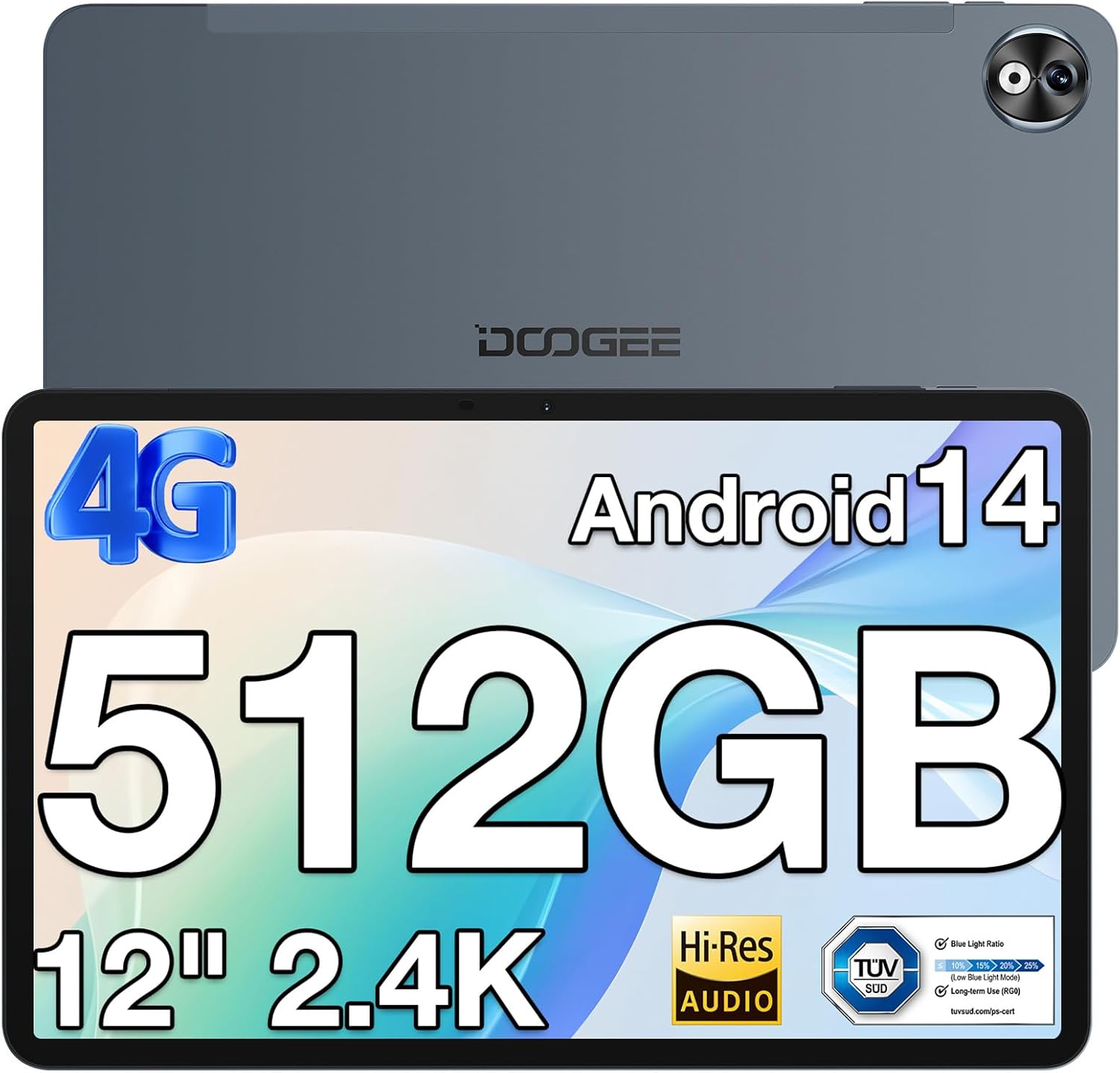
انځور ۱.۱: مخ او شا view of the DOOGEE T40PRO Tablet.
2. ترتیب کول
2.1 د بسته محتويات
ډاډ ترلاسه کړئ چې ټول توکي په بکس کې شتون لري:
- DOOGEE T40PRO Tablet Android 14 (x1)
- چارجر (x1)
- د ډول-سي USB کیبل (x1)
- Tool for taking card (SIM ejector tool) (x1)
- د کارن لارښود (x1)
- Tempered Glass Protective Film (x1)

Image 2: Illustration of the DOOGEE T40PRO Tablet package contents.
2.2 ابتدايي چارج کول
Before first use, fully charge your tablet using the provided 18W Type-C fast charger and cable. The tablet features a 10,800mAh battery.
Video 1: Demonstrates the charging process of the DOOGEE T40PRO Tablet.
۱.۱ د سیم کارت او مایکرو ایس ډی کارت نصبول
The T40PRO Tablet supports dual SIM/Micro SD slots. Use the provided ejector tool to open the tray. Insert your SIM cards (GSM, WCDMA, FDD, TDD networks supported) and/or a Micro SD card (up to 2TB expandable storage) into the designated slots.

Image 3: Shows the dual SIM/Micro SD card slots and the tablet's navigation capabilities.
۸ پاور آن/بند
To power on, press and hold the power button until the DOOGEE logo appears. To power off, press and hold the power button, then select 'Power off' from the options.
3. عملیاتي لارښوونې
۵.۲ ښودنه او لیدونه
The tablet features a 12-inch 2.4K FHD In-Cell Touchscreen with a 1200x2000 resolution and a 16:10 aspect ratio for clear and vibrant visuals.

Image 4: Comparison highlighting the 12-inch 2.4K Fullview Display of the T40PRO.
3.2 فعالیت
Powered by the Helio G99 octa-core processor (2x ARM Cortex-A76 2.2GHz + 6x ARM Cortex-A55 2.0GHz) and 20GB RAM (8GB physical + 12GB virtual), the tablet offers smooth performance for gaming and applications.

انځور ۲: تفصیلي view of the Helio G99 Octa-core Processor specifications.
Video 2: Shows the tablet's performance during gaming, highlighting its capabilities.
3.3 ذخیره کول
The tablet comes with 512GB of internal storage, expandable up to 2TB via a TF card, providing ampد رسنیو او غوښتنلیکونو لپاره ځای.

Image 6: Visual representation of the tablet's massive storage capacity.
3.4 نښلول
Enjoy fast and stable connections with 5G/2.4G dual-band Wi-Fi, Bluetooth 5.0, and 4G Dual SIM support. Integrated GPS, Galileo, Beidou, and Glonass systems ensure accurate navigation.
3.5 کیمره
د ۸ میګاپکسله شاته کامرې او ۵ میګاپکسله مخکینۍ کامرې سره شېبې ثبت کړئ.
3.6 آډیو
Experience immersive sound with quad speakers. A 3.5mm headphone jack and FM radio are also included for your convenience.
Video 3: Demonstrates media playback and volume control on the tablet.
۳.۸ سافټویر او ځانګړتیاوې
The tablet runs on the latest Android 14 operating system, offering enhanced privacy and multitasking capabilities. It is GMS certified, allowing access to Google Play Store apps. WPS Office is pre-installed for document editing.

انځور 7: اوورview of the Android 14 system features on the tablet.

Image 8: Demonstrates the use of WPS Office for productivity on the tablet.
3.7.1 Multitasking and Split Screen
Utilize the split-screen feature for enhanced productivity, allowing two applications to run side-by-side.
Video 4: Shows the tablet's split-screen functionality, ideal for multitasking.
3.7.2 د مخ خلاصول
Securely unlock your device using the face unlock feature for instant access.

Image 9: Demonstrates the Face Unlock feature for quick and secure access.
3.7.3 Reading Modes
The tablet offers various reading modes, including Dark Mode, Eye-protection Mode, and Power-saving Mode, to optimize your viewتجربه

Image 10: Illustrates the different reading modes available on the tablet.
4. ساتنه
4.1 د بیټرۍ پاملرنه
To prolong battery life, avoid extreme temperatures and fully discharge and recharge the battery periodically. Use only the provided charger and cable.
4.2 پاکول
د ټابلیټ سکرین او بدن پاکولو لپاره له نرم، لینټ څخه پاک ټوکر څخه کار واخلئ. د کثافاتو موادو یا سخت کیمیاوي موادو څخه ډډه وکړئ.
4.3 د سافټویر تازه معلومات
Regularly check for and install system updates to ensure optimal performance, security, and access to the latest features of Android 14.
4.4 د ذخیرې مدیریت
په دوره توګه بیاview او خپل زیرمه شوي توکي اداره کړئ files and applications to maintain sufficient free space for smooth operation. Utilize the expandable storage option for large files.
5. ستونزه حل کول
If you encounter issues with your DOOGEE T40PRO Tablet, consider the following common solutions:
- د وسیلې کنګل کول: If the tablet freezes, press and hold the power button for approximately 10-15 seconds to force a restart.
- د چارج کولو مسلې: Ensure the Type-C cable and charger are securely connected and undamaged. Try a different power outlet.
- د نښلولو ستونزې: For Wi-Fi, restart your router and the tablet. For 4G, ensure your SIM card is correctly inserted and your plan is active.
- د اپلیکیشن نیمګړتیاوې: د ستونزې لرونکي اپلیکیشن لپاره کیش او ډیټا په ترتیباتو > ایپسونو کې پاک کړئ. که ستونزه دوام ومومي، اپلیکیشن غیر نصب او بیا نصب کړئ.
- ورو فعالیت: Close unnecessary background apps, clear cache, and ensure sufficient storage space.
For persistent issues, refer to the official DOOGEE support webسایټ یا د پیرودونکي خدمت سره اړیکه ونیسئ.
6. مشخصات
| فیچر | مشخصات |
|---|---|
| د ماډل نوم | T40PRO |
| عملیاتي سیسټم | Android 14 |
| د سکرین اندازه | ۷۸۷ انچه |
| د سکرین ریزولوشن | ۳۸۴۰x۲۱۶۰ (۴K) |
| پروسیسر | هیلیو جي ۹۹ اوکټا کور (۲.۲ ګیګاهرتز) |
| RAM | ۲۴ جي بي (۸ جي بي فزیکي + ۱۶ جي بي مجازي) |
| داخلي ذخیره | 512GB |
| د پراخیدو وړ ذخیره | تر ۱ ټېر بایټ پورې (د ټي اېف کارت له لارې) |
| د بیټرۍ ظرفیت | 10,800mAh |
| چارج کول | د ۱۵ واټ ډول-سي چټک چارج کول |
| شاته کیمره | 16MP |
| مخکینۍ کیمره | 8MP |
| بې سیم ارتباط | 2.4G & 5G Wi-Fi, Bluetooth 5.0 |
| د سیلولر ارتباط | 4G Dual SIM (GSM, WCDMA, FDD, TDD) |
| نیویګیشن | GPS, Galileo, Beidou, Glonass |
| ابعاد | ۱۰.۹۸ x ۶.۸۶ x ۰.۳ انچه (۷.۶ ملي متره ضخامت) |
| وزن | 2.64 پونډه (578 ګرامه) |
7. تضمین او ملاتړ
The DOOGEE T40PRO Tablet comes with a 1-year warranty. For any issues or support inquiries, please contact DOOGEE customer service. Contact details can typically be found on the official DOOGEE webسایټ یا د پرچون پلورونکي له لارې چیرې چې محصول اخیستل شوی و.


