1. پیژندنه
This manual provides essential information for the safe and efficient operation of your TESLA QLED Smart TV, Model Q55S939GUS. Please read these instructions thoroughly before using your television and retain them for future reference. This television features a 55-inch (140 cm) QLED display, Google TV operating system, Ultra HD resolution, HDR10, Dolby Atmos audio, built-in Wi-Fi, Bluetooth, and Chromecast.

انځور 1.1: مخکی view of the TESLA QLED Smart TV, highlighting key features.
2. د خوندیتوب معلومات
Always follow basic safety precautions when using this television to reduce the risk of fire, electric shock, and injury. Keep the television away from moisture and heat sources. Ensure proper ventilation. Do not block ventilation openings. Use only attachments/accessories specified by the manufacturer. Refer all servicing to qualified service personnel.
3. د بسته محتويات
ډاډ ترلاسه کړئ چې ټول توکي په کڅوړه کې شتون لري:
- TESLA QLED Smart TV (Model Q55S939GUS)
- ریموټ کنټرول
- د بریښنا کیبلونه
- TV Stand/Base
- د ریموټ کنټرول لپاره بیټرۍ
- د کارونکي لارښود (دا لاسوند)
4. ترتیب کول
۵.۱ فزیکي ترتیب
د سټینډ سره نښلول: Carefully place the TV screen-down on a soft, flat surface. Align the stand with the mounting holes on the bottom of the TV and secure it with the provided screws. Ensure the stand is firmly attached before placing the TV upright.

Image 4.1: TESLA QLED Smart TV with stand.
دیوال نصبول: If you plan to wall mount the TV, refer to the instructions provided with your wall mount kit. Ensure the wall mount is compatible with the VESA mounting pattern of your TV. The back of the TV includes mounting points for this purpose.
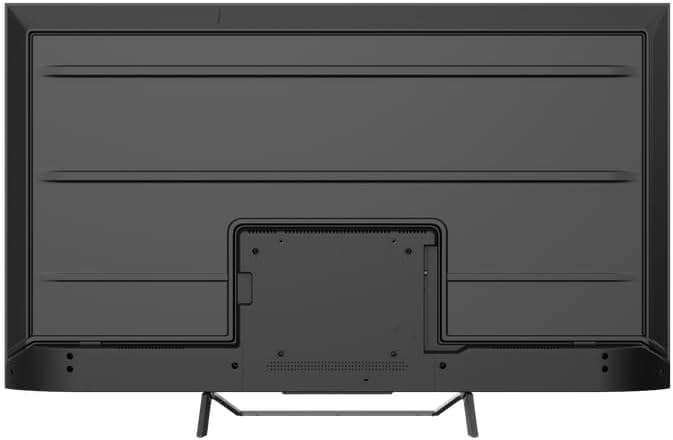
انځور 4.2: شاته view of the TV, indicating mounting points.
۳.۲ د بریښنا لومړنی فعالول او د شبکې اتصال
- د بریښنا کیبل تلویزیون او بیا د بریښنا سایټ سره وصل کړئ.
- په ریموټ کنټرول یا پخپله تلویزیون کې د بریښنا تڼۍ فشار ورکړئ.
- Follow the on-screen instructions to select your language, country, and connect to your Wi-Fi network. You can also connect via Ethernet for a wired connection.
۶.۱ د ګوګل تلویزیون تنظیم کول
During the initial setup, you will be guided through setting up your Google TV account. This allows access to Google Assistant, Google Play Store apps, and personalized content recommendations. You will need a Google account to fully utilize these features.
۴. د تلویزیون چلول
5.1 ریموټ کنټرول اوورview
The remote control provides access to all TV functions. Insert the provided batteries into the remote control. Familiarize yourself with the button layout for easy navigation.

Image 5.1: TESLA Smart TV Remote Control.
5.2 اساسي دندې
- ځواک: د تلویزیون د چالانولو یا بندولو لپاره د بریښنا تڼۍ فشار ورکړئ.
- حجم: د غږ کچه تنظیمولو لپاره د VOL +/- تڼۍ وکاروئ.
- چینلونه: Use the P +/- buttons to change channels.
- نیویگیشن: د مینو نیویګیټ کولو او انتخابونو غوره کولو لپاره د لارښوونې پیډ او OK تڼۍ وکاروئ.
- کور: Press the Home button to return to the Google TV home screen.
5.3 Smart TV Features (Google TV, Apps, Chromecast)
Your TESLA QLED Smart TV runs on Google TV, offering an intuitive interface and access to a vast library of content.
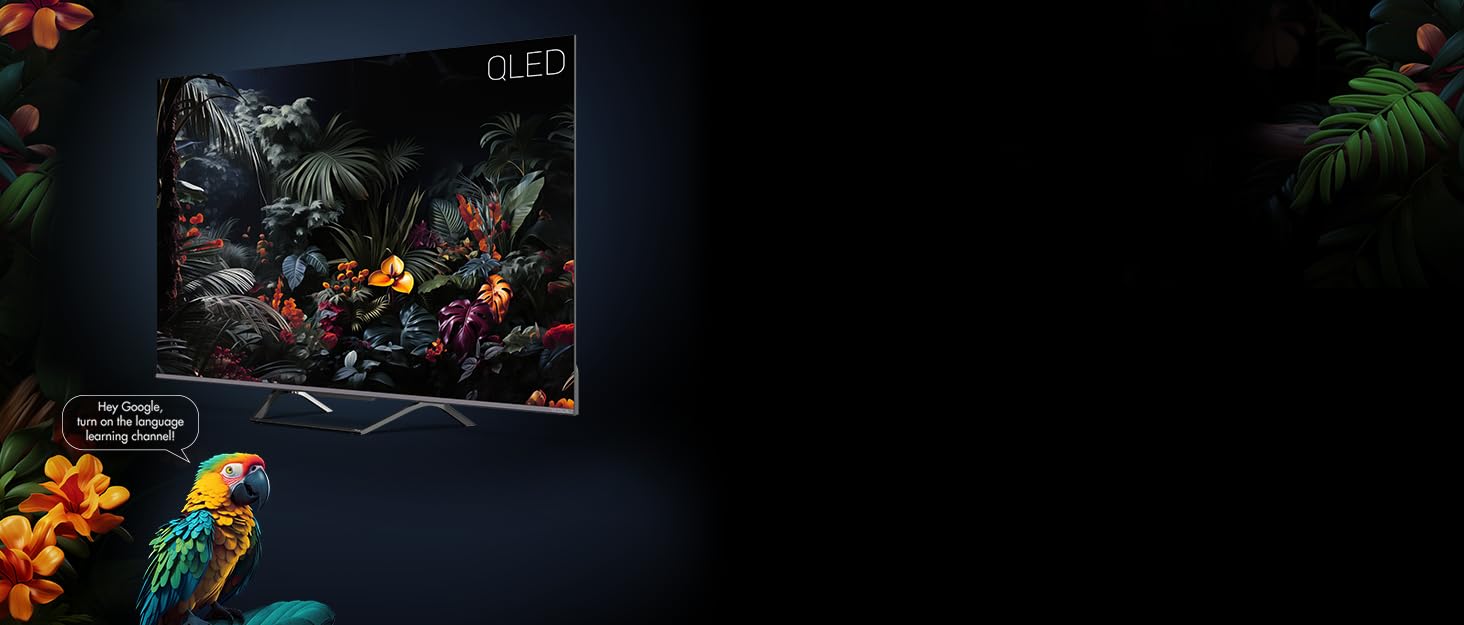
Image 5.2: Google Assistant integration on TESLA QLED TV.
- د ګوګل تلویزیون انٹرفیس: The home screen provides personalized recommendations, quick access to installed apps like Netflix, YouTube, and Prime Video, and live TV options.
- د ګوګل معاون: Use voice commands via the remote control to search for content, control smart home devices, get answers, and more.
- د Chromecast جوړ شوی: Cast content (videos, photos, music) directly from your compatible mobile devices or computer to the TV screen.
- د ګوګل پلی پلورنځي: Download and install over 10,000 additional applications and games.
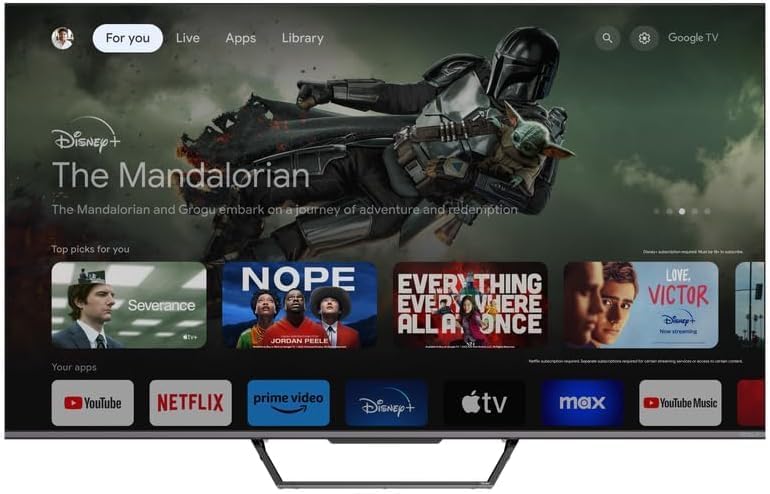
Image 5.3: Google TV home screen with app access.
5.4 نښلول
تلویزیون د بهرنیو وسیلو سره د نښلولو لپاره مختلف پورټونه وړاندې کوي:
- د HDMI پورټونه (x3): Connect gaming consoles, Blu-ray players, soundbars, and other HDMI-enabled devices.
- د USB پورټونه (x2): د میډیا پلې بیک یا بهرنۍ ذخیره کولو لپاره USB ډرایوونه وصل کړئ.
- وای فای: د انټرنیټ لاسرسي لپاره د خپل کور شبکې سره بې سیم وصل شئ.
- بلوتوث: Connect wireless headphones, speakers, or other Bluetooth accessories.
- ایترنیټ: د یو باثباته تار لرونکي انټرنیټ اتصال لپاره.
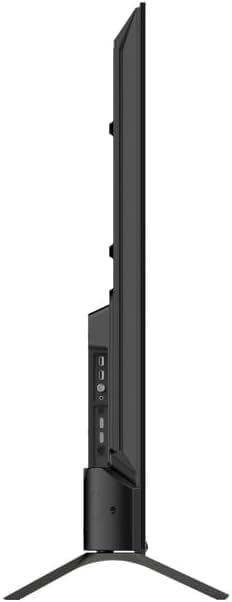
انځور ۵.۱: اړخ view of TV with connectivity ports.
5.5 Audio and Picture Settings
- Dolby Atmos & Ultra Surround: Experience immersive, three-dimensional audio. Adjust audio settings in the TV menu to optimize sound for your environment.
- QLED ټیکنالوژي: Quantum Dot technology delivers over a billion shades of color, enhanced brightness, and superior contrast.
- HDR10: High Dynamic Range 10 provides a wider range of colors and contrasts, resulting in a more realistic image.
- د انځور طریقې: Select from various preset picture modes (e.g., Standard, Vivid, Movie, Game) or customize settings like brightness, contrast, color, and sharpness to suit your preferences.
6. ساتنه
6.1 پاکول
تل د پاکولو دمخه تلویزیون خلاص کړئ. د سکرین او کابینې پاکولو لپاره نرم، وچ ټوکر وکاروئ. د سختو نښو لپاره، په نرمۍ سرهampen the cloth with water or a specialized screen cleaner. Never use abrasive cleaners, waxes, or solvents.
6.2 د سافټویر تازه معلومات
Your Google TV will periodically receive software updates to improve performance and add new features. Ensure your TV is connected to the internet to receive these updates. You can check for updates manually in the TV's settings menu.
7. ستونزه حل کول
که تاسو په خپل تلویزیون کې ستونزې سره مخ شئ، لاندې عامې ستونزې او حل لارې وګورئ:
| ستونزه | احتمالي حل |
|---|---|
| هیڅ ځواک نشته | Check if the power cable is securely connected to the TV and the power outlet. Ensure the outlet is working. |
| انځور نشته، خو غږ شته | د ننوتلو سرچینه وګورئ. ډاډ ترلاسه کړئ چې بهرني وسایل په سمه توګه وصل شوي او فعال دي. |
| غږ نشته، خو انځور شته | Check the volume level. Ensure Mute is not activated. Check audio output settings. |
| ریموټ کنټرول کار نه کوي | بیټرۍ بدل کړئ. ډاډ ترلاسه کړئ چې د ریموټ او تلویزیون ترمنځ هیڅ خنډ شتون نلري. |
| د وائی فای سره وصل نشو | خپل روټر او انټرنیټ اتصال وګورئ. د وای فای پټنوم بیا دننه کړئ. د تلویزیون او روټر بیا پیلولو هڅه وکړئ. |
For further assistance, consult the TESLA support webسایټ یا د پیرودونکي خدمت سره اړیکه ونیسئ.
8. مشخصات
Key technical specifications for the TESLA QLED Smart TV Model Q55S939GUS:
| فیچر | مشخصات |
|---|---|
| برانډ | TESLA |
| د ماډل شمیره | Q55S939GUS |
| د سکرین اندازه | 55 انچونه (140 سانتي متره) |
| ټیکنالوژي ښکاره کول | QLED |
| قرارداد | 4K (3840 x 2160) |
| عملیاتي سیسټم | ګوګل تلویزیون |
| د تازه کولو نرخ | 60 Hz |
| ځانګړي ځانګړتیاوې | Chromecast, Built-in Speaker, Game Mode, Flat Panel, Wide Color Enhancer |
| آډیو ټیکنالوژي | Dolby Atmos, Ultra Surround, 2 x 10W Speakers |
| ارتباط | Bluetooth, HDMI (x3), RF, USB (x2), Wi-Fi, Ethernet |
| د محصول ابعاد (د x څلویښتم x څلویښتم) | 26.5 x 122.5 x 72 سانتي متره |
| رنګ | فلزي سپين زر |

Image 8.1: Illustrative diagram of TV dimensions and remote control. Note: This product is 55 inches, not 75 inches as shown in the diagram.
9. تضمین او ملاتړ
For warranty information, please refer to the warranty card included with your product or visit the official TESLA website. Keep your proof of purchase for warranty claims. For technical support, troubleshooting assistance, or service requests, please contact TESLA customer support through their official channels.


