محصول پای ته ورسیدview
The SONICAKE Clean Boost Pedal (Model: QSS-22), also known as the Sonic Super Master, is a compact and versatile effects pedal designed for both guitar and bass. It features a clean boost function with an adjustable gain range and an integrated buffer to maintain signal integrity. This pedal is engineered to provide a pure boost without altering your instrument's tone, making it ideal for pushing your amplifier, driving other pedals, or compensating for signal loss in long cable runs.

Image: The SONICAKE Clean Boost Pedal, a compact white unit with a large white knob, a footswitch, and a toggle switch.

انځور: یو اوورview of the Clean Boost/Buffer Effect Pedal, highlighting its primary function as a clean boost and buffer.
کلیدي ځانګړتیاوې:
- Clean Boost with Buffer: Provides a transparent gain increase while maintaining signal strength.
- د تنظیم وړ ګټه: Offers a gain range from 0dB to +12dB, allowing for subtle volume lifts or significant boosts.
- د فوټ سویچ کنټرول: Easy on/off switching for the effect.
- د حالت LED A red indicator light clearly shows when the pedal is active.
- Buffer Function: Activates automatically when the pedal is in bypass status (effect off) to prevent signal degradation over long cable runs or complex pedalboards.
- تړون ډیزاین: Mini enclosure saves valuable space on your pedalboard.

Image: The SONICAKE Clean Boost Pedal with dimensions labeled: 3.68 inches (93.5mm) length, 1.65 inches (42mm) width, and 2.05 inches (52mm) height.
د اجزاوو پیژندنه:

Image: A diagram of the SONICAKE Clean Boost Pedal with numbered components for easy identification.
- DC 9V داخلول: Power supply connection (9V Center Negative).
- د بفر سویچ: Toggle switch to enable/disable the buffer function when the pedal is bypassed.
- Boost Knob: Adjusts the gain level from 0dB to +12dB.
- وتیک جیک: ستاسو سره نښلوي amplifier or next pedal in the signal chain.
- ننوت جیک: Connects to your instrument or previous pedal.
- د حالت LED Illuminates red when the pedal effect is active.
- د پښو سویچ: Engages or disengages the boost effect.
چمتو کول
Follow these steps to set up your SONICAKE Clean Boost Pedal:
- د بریښنا رسول: Connect a standard 9V DC center-negative power supply (not included) to the DC 9V input jack (1) on the top of the pedal. Ensure the power supply meets the specified voltage and polarity requirements to avoid damage.
- د ننوتلو اړیکه: Connect your guitar or bass to the Input Jack (5) on the right side of the pedal using a standard 1/4-inch instrument cable. If using other effects pedals, connect the output of the preceding pedal to this input.
- د محصول پیوستون: Connect the Output Jack (4) on the left side of the pedal to your amplifier's input or to the input of the next pedal in your signal chain using a standard 1/4-inch instrument cable.
- د بفر سویچ: Set the Buffer Switch (2) to the desired position. When set to 'ON', the buffer function will be active even when the pedal's effect is bypassed. When set to 'OFF', the pedal will be true bypass when disengaged.

Image: The SONICAKE Clean Boost Pedal connected and in use on a pedalboard alongside another SONICAKE pedal, demonstrating a typical setup.
عملیاتي لارښوونې
Once the pedal is properly set up, you can begin using it:
Boost Knob (3):
This large white knob controls the amount of clean gain applied to your signal. Rotate it clockwise to increase the boost level, up to +12dB. Rotate it counter-clockwise to decrease the boost level, down to 0dB (unity gain). Start with the knob at a lower setting and gradually increase it to find your desired boost level.
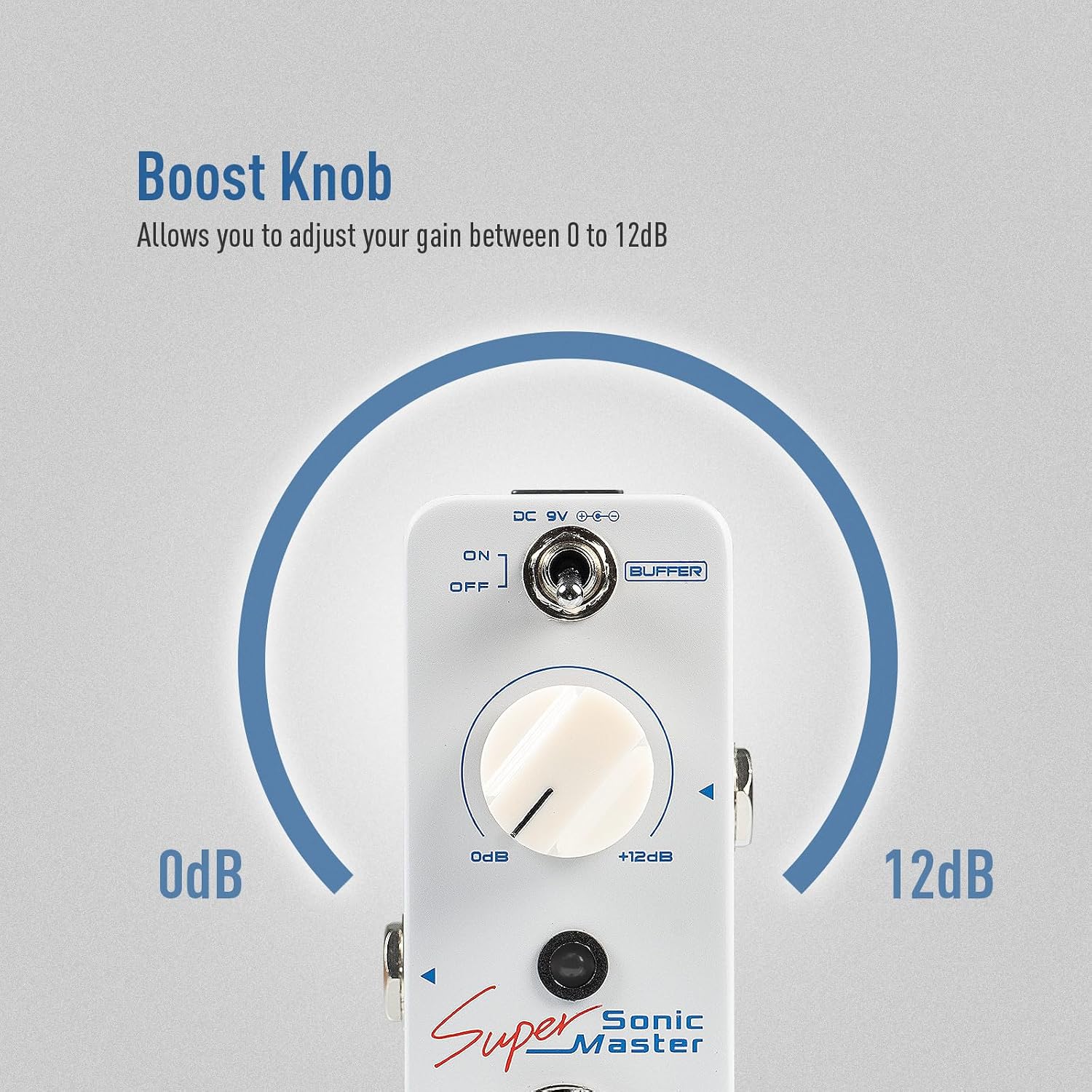
Image: A close-up of the Boost Knob, illustrating its adjustable range from 0dB to +12dB.
Footswitch (7):
Press the footswitch to toggle the boost effect on or off. When the effect is engaged, the Status LED (6) will illuminate red. When the effect is disengaged, the LED will turn off.

Image: The footswitch on the pedal, indicating its role in switching the effect on or off.
Status LED (6):
The red LED indicates the operational status of the pedal. It lights up when the Clean Boost effect is active and turns off when the pedal is in bypass mode.
Image: The red Status LED on the pedal, showing its position relative to the other controls.
Buffer Switch (2):
This toggle switch allows you to activate the built-in buffer function even when the pedal's effect is turned off (bypass status). A buffer helps to maintain your signal's strength and clarity, especially when using long cables or a large number of true bypass pedals, preventing tone loss due to capacitance. Set it to 'ON' to engage the buffer in bypass, or 'OFF' for true bypass.

Image: The Buffer Shift Switch, indicating its 'ON' and 'OFF' positions and its function to activate the buffer when the pedal is in bypass.
ساتنه
Proper maintenance ensures the longevity and optimal performance of your SONICAKE Clean Boost Pedal:
- پاکول: د پیډل بهرنۍ برخه پاکولو لپاره نرم، وچ ټوکر وکاروئ. د کثافاتو پاکوونکو، محلولونو یا مومونو کارولو څخه ډډه وکړئ، ځکه چې دا کولی شي پای یا داخلي برخو ته زیان ورسوي.
- ذخیره کول: پیډل په یخ او وچ ځای کې د مستقیم لمر وړانګو، سختې تودوخې او لوړې رطوبت څخه لرې وساتئ. که چیرې د اوږدې مودې لپاره ذخیره کوئ، نو د بریښنا رسولو قطع کړئ.
- د بریښنا رسول: Always use a regulated 9V DC center-negative power supply. Using an incorrect power supply can damage the pedal and void the warranty. Disconnect the power supply when the pedal is not in use to prevent unnecessary wear.
- اړیکې: په دوره یي ډول د کیبل ټولې اړیکې د خرابوالي لپاره وګورئ. ډاډ ترلاسه کړئ چې جیکونه له دوړو او کثافاتو څخه پاک دي.
د ستونزو حل کول
If you encounter issues with your SONICAKE Clean Boost Pedal, try the following troubleshooting steps:
- غږ نشته:
- ډاډ ترلاسه کړئ چې د بریښنا رسولو په سمه توګه وصل او کار کوي.
- د ټولو وسایلو کیبلونه د سمې اړیکې او بشپړتیا لپاره وګورئ. د کیبلونو بدلولو هڅه وکړئ.
- تایید کړئ چې ستاسو وسیله او ampلایفیر په سمه توګه کار کوي.
- Ensure the footswitch is engaged (Status LED should be red).
- ناغوښتل شوی شور/غوغا:
- Ensure you are using a regulated power supply. Unregulated power supplies can introduce noise.
- Check for ground loop issues in your setup. Try isolating the pedal's power or using a different outlet.
- ډاډ ترلاسه کړئ چې ټول کیبلونه خوندي او په ښه حالت کې دي.
- If the buffer is on, try turning it off to see if the noise persists (if using true bypass pedals before/after).
- اغېز نه ښکېلول:
- Confirm the power supply is connected and providing power.
- د پښو سویچ په کلکه فشار ورکړئ.
- Gain Not Changing:
- Ensure the Boost Knob is being rotated through its full range.
- Verify the pedal is engaged.
که دا ګامونه ستونزه حل نه کړي، مهرباني وکړئ د نورو مرستو لپاره د SONICAKE پیرودونکو ملاتړ سره اړیکه ونیسئ.
مشخصات
| فیچر | مشخصات |
|---|---|
| د ماډل شمیره | QSS-22 |
| د محصول ابعاد | 2.44 x 4.13 x 2.44 انچه (62 x 105 x 62 mm) |
| د توکي وزن | ۰.۹۸۶ اونس (۲۷.۹۴ ګرامه) |
| د بدن مواد | پلاستیک |
| د بریښنا سرچینه | DC power supply (9V Center Negative, not included) |
| والیtage | 9 ولټه |
| د نښلونکي ډول | ۱/۴ انچه (۶.۳۵ ملي متره) آډیو جیک |
| هډوتري برسیر | 1/4 انچ آډیو |
| د سیګنال بڼه | انلاګ |
تضمین او ملاتړ
SONICAKE products are designed for reliability and performance. This product comes with a limited warranty against defects in materials and workmanship under normal use. For specific warranty terms and conditions, please refer to the warranty card included with your product or visit the official SONICAKE webسایټ
د پیرودونکي ملاتړ:
For technical assistance, troubleshooting, or warranty claims, please contact SONICAKE customer support through their official website or the retailer where you purchased the product. You can also visit the په ایمیزون کې د سونیکیک پلورنځی د نورو معلوماتو او محصول سرچینو لپاره.


