1. پیژندنه
This user manual provides detailed instructions for the installation, operation, and maintenance of your Ease Life 1080P Security Camera (Model: Y108). This camera is designed for outdoor home security, offering a 360° view with pan/tilt capabilities, color night vision, motion detection, and two-way audio communication. Please read this manual thoroughly before using the product to ensure proper functionality and safety.

Image: The Ease Life 1080P Security Camera shown alongside a smartphone displaying its live view interface. The camera is white with two antennas and a prominent lens array. The app shows a live feed of a child and an adult playing with a ball.
2. د خوندیتوب معلومات
- Ensure the power adapter used is compatible with the camera's specifications and local electrical standards.
- کیمره د سختې تودوخې، رطوبت، یا زنګ وهونکي چاپیریال سره مه مخ کوئ.
- د قوي مقناطیسي ساحو یا د مداخلې سرچینو ته نږدې کیمره له ایښودلو څخه ډډه وکړئ.
- د کیمرې د جلا کولو یا بدلولو هڅه مه کوئ. ټولې خدمتونه وړ پرسونل ته راجع کړئ.
- کیمره او د هغې لوازم د ماشومانو او څارویو له لاسرسي لرې وساتئ.
- کیمره د نرم او وچ ټوکر سره پاکه کړئ. سخت کیمیاوي مواد یا د کثافاتو پاکوونکي مه کاروئ.
- ډاډ ترلاسه کړئ چې کیمره په خوندي ډول نصب شوې ده ترڅو د ناڅاپي غورځیدو مخه ونیول شي.
3. د بسته محتويات
مهرباني وکړئ د کڅوړې محتويات د خلاصولو پر مهال وګورئ. که کوم توکي ورک یا زیانمن شوي وي، د پیرودونکو ملاتړ سره اړیکه ونیسئ.
- Ease Life 1080P Security Camera (Y108)
- د بریښنا اډاپټر
- د نصبولو پیچونه او دیوال پلګونه
- د کارونکي لارښود (دا لاسوند)
- Mounting Template (may be included)
4. محصول ختم شوview
Familiarize yourself with the main components of your security camera.

انځور: یو مفصل view of the camera's front, highlighting the lens, infrared LEDs, and visible light LEDs for color night vision.
4.1 د کیمرې ابعاد
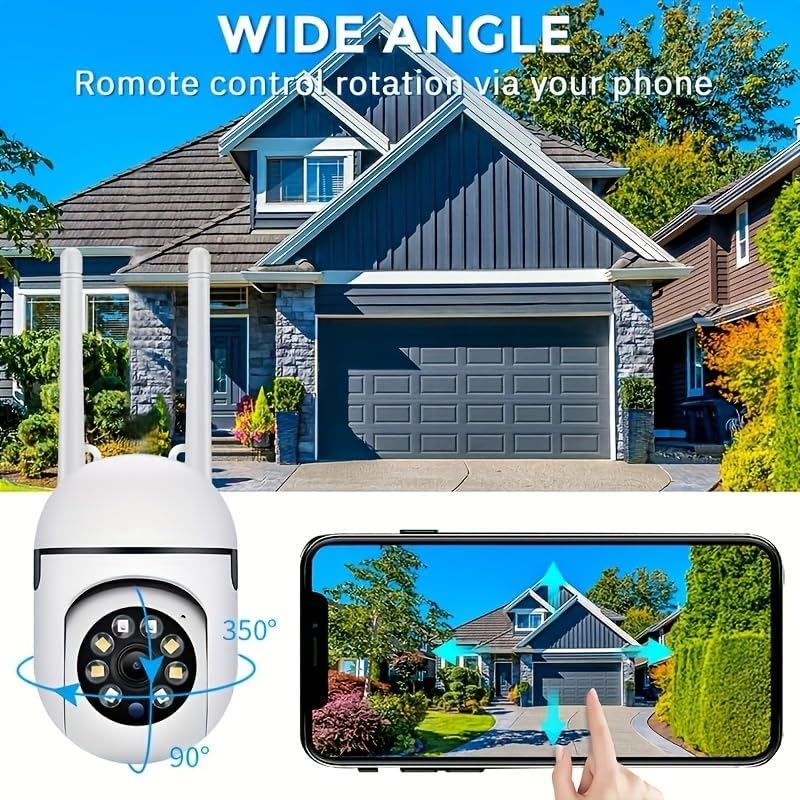
Image: Technical drawing showing the camera's dimensions: approximately 18cm (7.08 inches) in height, 7cm (2.76 inches) in width, and 8.8cm (3.46 inches) in depth from the wall mount.
4.2 مهمې برخې
- لینز: د ۱۰۸۰P بشپړ HD ویډیو ثبتوي.
- انفراریډ LEDs: د تور او سپین شپې لید لپاره.
- د سپینې رڼا LEDs: For color night vision and alarm illumination.
- مایکروفون: د دوه اړخیز آډیو اړیکو لپاره.
- سپیکر: د دوه اړخیزه آډیو اړیکو او الارم غږونو لپاره.
- انتن: For 2.4GHz Wi-Fi connectivity.
- د مایکرو SD کارت سلاټ: د محلي ویډیو ذخیره کولو لپاره (کارت پکې شامل نه دی).
- د بیا تنظیم تڼۍ: Used for factory reset.
- د بریښنا بندر: د بریښنا اډاپټر د نښلولو لپاره.

Image: The camera is shown with labels pointing to the microphone and speaker, illustrating its two-way audio capability. A delivery person is shown interacting with the camera.
5. ترتیب کول
5.1 د نصب نصب
- لټون "EaseLife" in your smartphone's app store (App Store for iOS, Google Play Store for Android).
- Download and install the EaseLife app.
- اپلیکیشن پرانیزئ او د سکرین لارښوونې تعقیب کړئ ترڅو یو نوی حساب راجستر کړئ یا که تاسو دمخه یو حساب لرئ نو ننوځئ.
5.2 Camera Connection (Wi-Fi)
- Power on the camera by connecting the power adapter. The camera will perform a self-test and then enter pairing mode (indicated by a specific LED status or voice prompt).
- Open the EaseLife app, tap the "+" icon to add a new device.
- Select your camera model or scan the QR code on the camera (if available).
- Follow the in-app instructions to connect the camera to your 2.4GHz Wi-Fi network. Ensure your phone is connected to the same 2.4GHz Wi-Fi network during setup.
- یوځل چې وصل شو، تاسو کولی شئ خپل کیمره نوم کړئ او ژوندۍ پیل وکړئ viewing.
5.3 د کیمرې پورته کول
د نصبولو لپاره مناسب ځای غوره کړئ، ډاډ ترلاسه کړئ چې روښانه وي view and access to a power outlet. The camera supports wall mounting.
- Use the provided mounting template (if included) or mark the drill holes on the desired surface.
- Drill holes and insert wall plugs if mounting on masonry or drywall.
- Secure the camera's mounting base to the surface using the provided screws.
- Adjust the camera's angle as needed after mounting.

Image: The camera is depicted with arrows indicating its 360-degree horizontal pan and 90-degree vertical tilt rotation, demonstrating its wide coverage capabilities.
6. عملیاتي لارښوونې
6.1 ژوندی View او د پان/ټيلټ کنټرول
Open the EaseLife app and select your camera to access the live view. You can control the camera's pan (horizontal) and tilt (vertical) movements directly from the app interface to adjust the viewزاویه.

Image: The camera is shown with a wide-angle view of a house, illustrating its ability to cover a large area. A smartphone screen demonstrates remote control of the camera's rotation.
۴.۴ دوه اړخیزه آډیو
Tap the microphone icon in the app to speak through the camera's speaker. Tap the speaker icon to listen to audio from the camera's microphone. This feature allows for real-time communication with visitors or deterrence of intruders.
۵.۳ د حرکت کشف او خبرتیاوې
Enable motion detection in the app settings. When motion is detected, the camera will record video and send push notifications to your smartphone. You can adjust sensitivity levels and set detection zones.
۵.۳ د شپې لید حالتونه
The camera supports multiple night vision modes:
- انفراریډ د شپې لید: Provides clear black and white images in low light or complete darkness using infrared LEDs.
- بشپړ رنګین د شپې لید: Activates the camera's white light LEDs to provide full-color video even in dark conditions.
- Sound and Light Alarm Night Vision: Combines full-color night vision with an audible alarm and flashing lights upon motion detection to deter unwanted activity.

Image: Illustrations of the three night vision modes: Infrared (black and white), Full Color (illuminated by white light), and Sound and Light Alarm (with a red outline indicating an alarm trigger).
6.5 ریکارډ کول او پلے بیک
Recordings can be stored on a Micro SD card (up to 128GB, not included) or via cloud service (subscription required). Access recorded footage through the "Playback" or "Gallery" section in the EaseLife app.
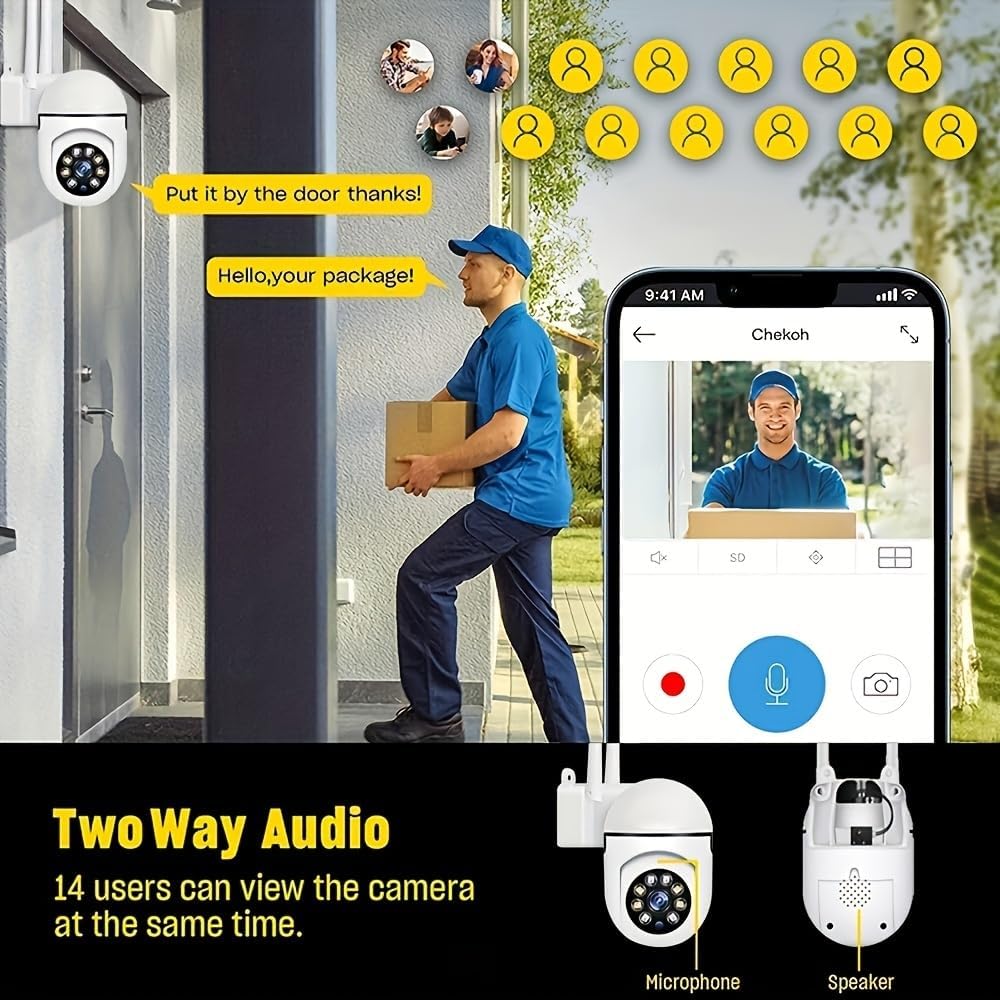
Image: A smartphone screen showing the replay function of the camera, with multiple thumbnail views of recorded events. Below, the camera is shown with its "Double light night vision" capability highlighted, indicating both infrared and white light LEDs.
7. ساتنه
- پاکول: Regularly wipe the camera lens and body with a soft, dry cloth to remove dust and dirt. Do not use liquid cleaners or sprays directly on the camera.
- د فرم ویئر تازه معلومات: Check the EaseLife app periodically for firmware updates. Keeping your camera's firmware updated ensures optimal performance and access to new features.
- د بریښنا دوره: که کیمره ستونزه ولري، هڅه وکړئ چې د 10 ثانیو لپاره یې د بریښنا سرچینې څخه خلاص کړئ او بیا یې بیرته ولګوئ.
8. ستونزه حل کول
| ستونزه | احتمالي لامل | د حل لاره |
|---|---|---|
| په اپلیکیشن کې کیمره آفلاین ده | No power; Wi-Fi disconnected; Router issues. | Check power connection. Restart camera and router. Reconnect camera to Wi-Fi via app. |
| د وائی فای سره وصل نشو | Incorrect Wi-Fi password; 5GHz Wi-Fi network; Weak signal. | Ensure correct 2.4GHz Wi-Fi password. Move camera closer to router. Reset camera and try pairing again. |
| د حرکت کشف کار نه کوي | Feature disabled; Sensitivity too low; Incorrect detection zone. | په اپلیکیشن کې د حرکت کشف فعال کړئ. حساسیت تنظیم کړئ. د کشف زونونه په سمه توګه تعریف کړئ. |
| د کیمرې څخه غږ نشته | Microphone/speaker disabled in app; Volume too low. | Check audio settings in app. Increase volume. |
| د شپې د انځور خراب کیفیت | Night vision mode not optimal; Obstruction in front of lens. | Switch night vision modes. Clean lens. Ensure no obstructions. |
9. مشخصات
| فیچر | تفصیل |
|---|---|
| د ویډیو نیول حل | 1080p بشپړ HD |
| د ارتباط ټیکنالوژي | بې سیم (وائی فای) |
| د وای فای فریکونسی | 2.4GHz |
| ځانګړي ځانګړتیاوې | Night Vision (Infrared, Full Color, Sound & Light Alarm), Pan/Tilt (360° horizontal, 90° vertical), Motion Detection, Two-Way Talk |
| مطابقت لرونکې وسیلې | Tablet, Smartphone (iPhone, Android) |
| د بریښنا سرچینه | د بریښنا تار شوی |
| د نصب کولو ډول | دیوال غر |
| د فارم فکتور | گنبد |
| د توکي وزن | 250 ګرامه |
| جوړونکی | هلک ساتونکی |
10. تضمین او ملاتړ
Your Ease Life 1080P Security Camera comes with a standard manufacturer's warranty. Please refer to the product packaging or the official BoyKeep webد ځانګړو تضمین شرایطو او مقرراتو لپاره سایټ.
For technical support, troubleshooting assistance, or warranty claims, please contact BoyKeep customer service through the contact information provided on their official webسایټ یا ستاسو د پیرود پلیټ فارم له لارې.
آنلاین سرچینې: For the latest FAQs, video tutorials, and software updates, please visit the official EaseLife or BoyKeep support page.


