پیژندنه
The Maxcom FW59 Kiddo is a 4G smartwatch specifically designed for children, offering a blend of safety features and communication capabilities. It allows parents to stay connected with their children and monitor their location, providing peace of mind. Key features include video and voice calls, GPS tracking with safe zone definition, an SOS button for emergencies, and a user-friendly interface.
This manual provides detailed instructions on how to set up, operate, and maintain your Maxcom FW59 Kiddo smartwatch to ensure optimal performance and safety.
د بسته محتويات
مهرباني وکړئ د لاندې توکو لپاره بکس وګورئ:
- Maxcom FW59 Kiddo Smartwatch
- د USB چارج کیبل
- د کارونکي لارښود (دا لاسوند)
- د سیم کارت ایجیکټر وسیله (که چیرې تطبیق شي)
د تنظیم کولو لارښود
1. د سیم کارت نصب کول
The Maxcom FW59 Kiddo requires a nano SIM card for 4G connectivity, enabling calls and GPS tracking. Ensure the SIM card is active and supports 4G LTE networks.
- د سمارټ واچ په اړخ کې د سیم کارت سلاټ ومومئ.
- Using the provided SIM ejector tool or a small pin, gently press into the small hole next to the SIM slot to open the tray.
- Carefully place the nano SIM card into the tray with the gold contacts facing down, ensuring it is correctly oriented.
- په نرمۍ سره د سیم ټرې بیرته سلاټ ته فشار ورکړئ تر هغه چې دا په خپل ځای کې کلیک وکړي.
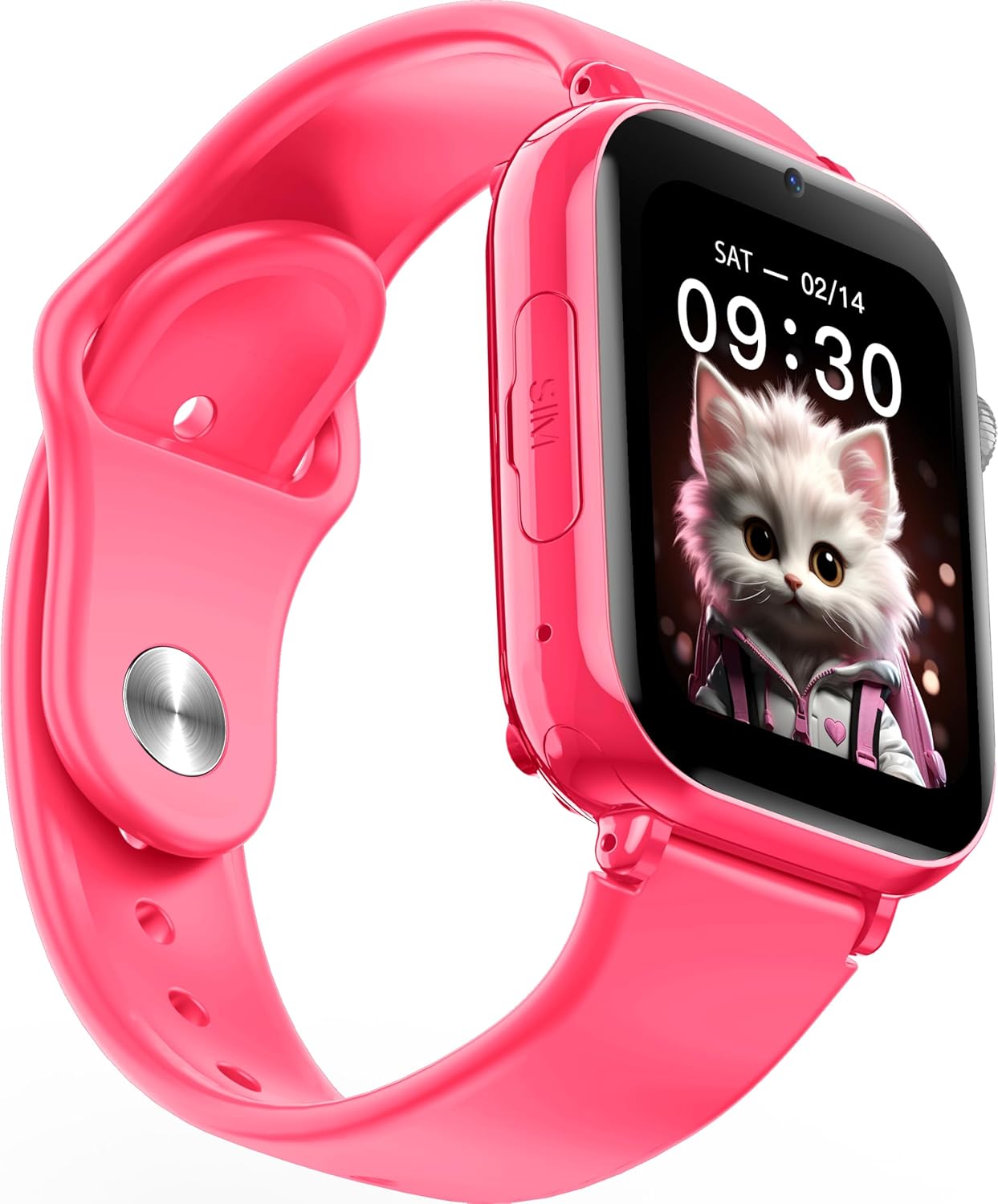
انځور: زاویه لرونکی view of the Maxcom FW59 Kiddo smartwatch, highlighting the location of the SIM card slot on the side.
۲.۱. د سمارټ واچ چارج کول
Before first use, fully charge the smartwatch. The device is equipped with a 670 mAh Lithium Ion battery.
- Connect the USB charging cable to the charging port on the smartwatch.
- د USB کیبل بل پای د یو مناسب USB بریښنا اډاپټر (شامل نه دی) یا د کمپیوټر USB پورټ سره وصل کړئ.
- The screen will indicate charging status. A full charge typically takes approximately 2-3 hours.
۵.۲. د اپلیکیشن نصب او جوړه کول
To utilize all features, parents must install the "MAXCOM TRACKER" mobile application on their smartphone and pair it with the smartwatch.
- Download the "MAXCOM TRACKER" app from your smartphone's app store (Google Play Store for Android or Apple App Store for iOS).
- اپلیکیشن خلاص کړئ او یو حساب جوړ کړئ یا لاګ ان شئ که تاسو دمخه لرئ.
- Follow the in-app instructions to add a new device. This usually involves scanning a QR code displayed on the smartwatch screen or manually entering the device ID.
- Once paired, you can configure settings, add contacts, define safe zones, and track the smartwatch's location from the app.
د سمارټ واچ چلول
بنسټیز نیویګیشن
The Maxcom FW59 Kiddo features a 1.85" IPS touchscreen display for easy interaction. Swipe left/right or up/down to navigate through menus and applications. Press the side button to return to the home screen or wake the device.

انځور: مخکینۍ برخه view of the Maxcom FW59 Kiddo smartwatch displaying the time and a cute cat wallpaper.
Video and Voice Calls
With a nano SIM card inserted, the smartwatch supports both video and voice calls to pre-approved contacts.
- تلیفون کول: Navigate to the "Contacts" or "Phone" application, select the desired contact, and choose to initiate a voice or video call.
- د تلیفون ترلاسه کول: When a call comes in, the smartwatch will ring and display the caller ID. Tap the green icon to answer or the red icon to decline.
د SOS فعالیت
The dedicated SOS button provides an immediate way for the child to alert pre-set emergency contacts.
- د SOS فعالول: Press and hold the SOS button (usually a prominent side button) for a few seconds.
- The smartwatch will automatically call the emergency contacts in a pre-defined sequence until one answers. It will also send an alert with the child's current location to the parent's app.
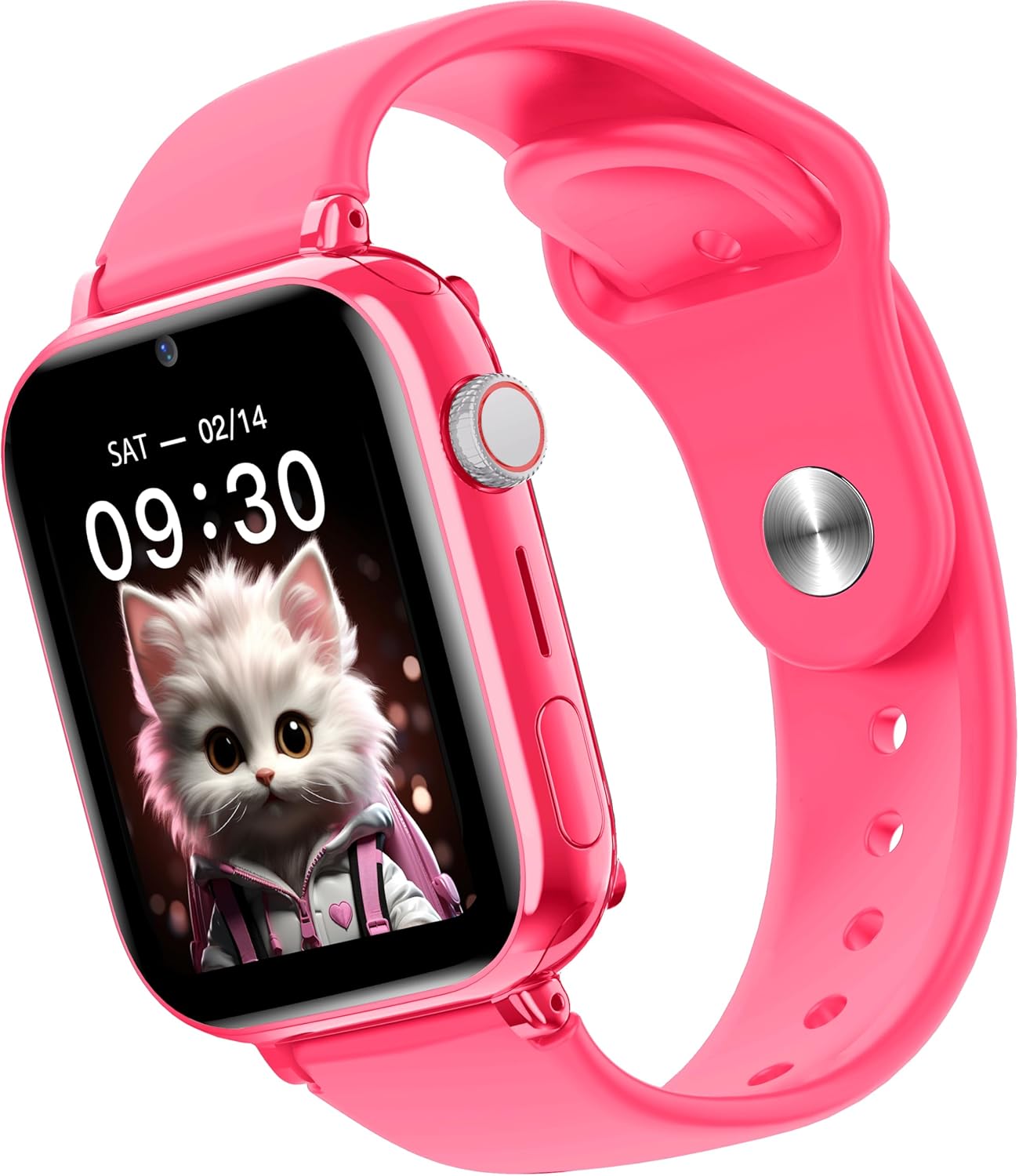
انځور: اړخ view of the Maxcom FW59 Kiddo smartwatch, illustrating the physical buttons, including the SOS button.
GPS Tracking and Safe Zones
Parents can monitor the child's location in real-time via the MAXCOM TRACKER app.
- په ریښتیني وخت کې تعقیب: Open the MAXCOM TRACKER app on your smartphone to view the smartwatch's current location on a map.
- خوندي زونونه: In the app, you can define virtual geographic boundaries (e.g., home, school). You will receive notifications when the smartwatch enters or exits these designated safe zones.
- د لارې تاریخ: دا اپلیکیشن تاسو ته اجازه درکوي چې بیاview the historical movement data of the smartwatch.
د کیمرې فعالیت
The smartwatch includes a built-in camera. Children can take photos directly from the watch, and parents can remotely activate the camera from the MAXCOM TRACKER app to capture images of the surroundings.
Phone Book Management
Contacts can only be added and managed through the MAXCOM TRACKER app by the parent. This ensures that the child can only communicate with pre-approved numbers.
ساتنه
پاکول
To keep your smartwatch clean and in good condition:
- سکرین او بدن د نرم، لینټ نه پاک ټوکر سره پاک کړئ.
- د سختو نښو لپاره، لږ څه dampټوکر د اوبو سره ومینځئ. د سختو کیمیاوي موادو یا خړوبونکو موادو کارولو څخه ډډه وکړئ.
- Ensure the charging port and SIM slot are free of dust and debris.
د بیټرۍ پاملرنه
Proper battery care extends the life of your device:
- د لوړې تودوخې څخه ډډه وکړئ، ځکه چې دوی کولی شي د بیټرۍ فعالیت خراب کړي.
- وسیله په منظم ډول چارج کړئ، مګر د اوږدې مودې لپاره یې په بشپړه توګه چارج کولو څخه ډډه وکړئ.
- یوازې چمتو شوي چارجینګ کیبل وکاروئ.
د ستونزو حل کول
If you encounter issues with your Maxcom FW59 Kiddo, refer to the following common solutions:
- سمارټ واچ نه چالانېږي: ډاډ ترلاسه کړئ چې بیټرۍ چارج شوې ده. چارجر سره وصل شئ او د چالانولو هڅه کولو دمخه څو دقیقې انتظار وکړئ.
- No network signal/cannot make calls:
- Check if the nano SIM card is correctly inserted and active.
- Verify that the SIM card has sufficient credit or an active data plan.
- ډاډ ترلاسه کړئ چې تاسو په داسې سیمه کې یاست چې د 4G شبکې پوښښ لري.
- د GPS موقعیت ناسم دی:
- ډاډ ترلاسه کړئ چې سمارټ واچ روښانه دی view د غوره GPS سیګنال استقبال لپاره د آسمان څخه.
- Location accuracy can be affected by dense buildings, underground areas, or poor network signal.
- Check the MAXCOM TRACKER app settings to ensure location services are enabled for the smartwatch.
- د اپلیکیشن سره جوړه نشي کیدی:
- Ensure the smartwatch is powered on and has a network connection.
- Verify that the QR code or device ID is entered correctly in the app.
- Try restarting both the smartwatch and your smartphone.
- د بیټرۍ لنډ ژوند:
- Frequent video calls, high screen brightness, and continuous GPS tracking can consume more battery.
- د بیټرۍ کارولو غوره کولو لپاره په اپلیکیشن کې تنظیمات تنظیم کړئ (د مثال په توګه، د موقعیت تازه کولو فریکونسي).
If the issue persists, please contact Maxcom customer support for further assistance.
مشخصات
| فیچر | تفصیل |
|---|---|
| برانډ | Maxcom |
| د ماډل نوم | FW59 Kiddo |
| د سکرین اندازه | ۷۸۷ انچه |
| د ښودلو ډول | IPS (240 x 280 resolution) |
| عملیاتي سیسټم | Closed OS |
| د حافظې د ذخیره کولو ظرفیت | 2 MB |
| د بیټرۍ ظرفیت | 670 mAh (لیتیم ایون) |
| سیلولر ټیکنالوژي | 4G |
| د ارتباط ټیکنالوژي | بلوتوث، د راډیو فریکونسي |
| ځانګړي ځانګړتیاوې | Kids Tracking, SOS Button, Video/Voice Calls |
| د توکي وزن | 300 ګرامه |
تضمین او ملاتړ
For information regarding warranty coverage and terms for your Maxcom FW59 Kiddo smartwatch, please refer to the warranty card included with your purchase or visit the official Maxcom website. For technical support, troubleshooting beyond this manual, or service inquiries, please contact Maxcom customer support through their official channels.


