1. پیژندنه
Thank you for choosing the Intenso Buds Plus TWS T313AE Wireless Earbuds. These earbuds are designed to provide a superior audio experience with advanced features such as Active Noise Cancellation (ANC), Environmental Noise Cancellation (ENC), and Bluetooth 5.4 connectivity. This manual provides essential information for setting up, operating, and maintaining your earbuds.
2. د بسته محتويات
مهرباني وکړئ د لاندې توکو لپاره په بسته کې وګورئ:
- Intenso Buds Plus TWS Earbuds (Left and Right)
- د چارج کولو قضیه
- د USB چارج کیبل
- د غوږونو څو اندازې
- د کارن لارښود
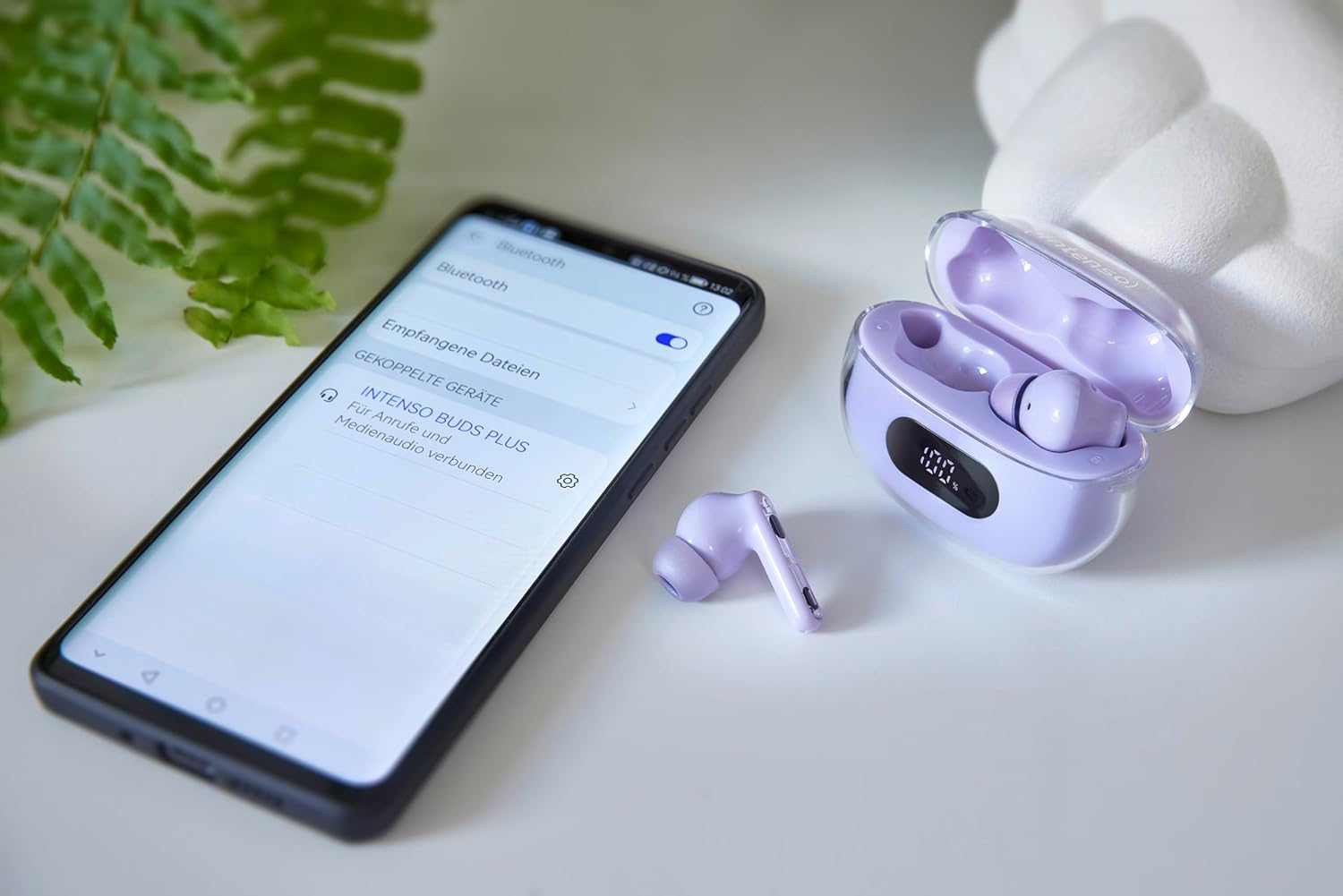
Image: Intenso Buds Plus TWS earbuds, charging case, and a smartphone displaying Bluetooth pairing settings.
3. محصول ختم شوview
The Intenso Buds Plus TWS earbuds feature a compact design with a transparent charging case. The earbuds are equipped with touch controls and integrated microphones for clear communication.

Image: Earbuds in open charging case with digital display.

Image: Features highlighted: ANC, ENC, and LED display.

Image: Charging case with 100% battery display.

Image: Close-up of individual earbuds.
4. ترتیب کول
۴.۱ د ایربډز او کیس چارج کول
Before first use, fully charge the earbuds and the charging case. The charging case features an LED display to indicate the battery level.
- غوږوالۍ د چارج کولو په قضیه کې ځای په ځای کړئ.
- د ورکړل شوي USB کیبل په کارولو سره د چارج کولو قضیه د USB بریښنا سرچینې سره وصل کړئ.
- په کیس کې د LED ښودنه به د چارج کولو حالت وښيي.
- A full charge typically takes approximately 1.5 to 2 hours for the case and earbuds.

Image: LED status display on the charging case.
4.2 د بلوتوټ جوړه کول
The Intenso Buds Plus earbuds utilize Bluetooth 5.4 for a stable and fast connection.
- ډاډ ترلاسه کړئ چې د غوږ بډونه چارج شوي او د چارج کولو کیس دننه دي.
- د چارج کولو قضیه پرانیزئ. د غوږ بډونه به په اتوماتيک ډول د جوړې کولو حالت ته ننوځي.
- په خپل وسیله (سمارټ فون، ټابلیټ، لیپ ټاپ) کې، د بلوتوث ترتیباتو ته لاړ شئ.
- لټون available devices and select "Intenso Buds Plus" from the list.
- یوځل چې وصل شو، تاسو به د تایید غږ واورئ، او د غوږ بډونه به د کارولو لپاره چمتو وي.

Image: Earbuds and case next to a smartphone.
5. عملیاتي لارښوونې
5.1 ټچ کنټرولونه
The earbuds feature intuitive touch controls for managing audio playback, calls, and noise cancellation modes.
- پلی کول / ودرول: په دواړو غوږونو کې یو ځل کلیک وکړئ.
- بله لار: په ښي غوږۍ کې دوه ځله ټایپ کړئ.
- مخکینی لار په چپ غوږۍ کې دوه ځله ټایپ کړئ.
- ځواب / پای کال: په دواړو غوږونو کې یو ځل کلیک وکړئ.
- زنګ رد کړئ: د 2 ثانیو لپاره هر یو ایربډ فشار ورکړئ او ونیسئ.
- حجم پورته کول: په ښي غوږۍ درې ځله ټایپ کړئ.
- کموالی: په چپ غوږۍ کې درې ځله ټایپ کړئ.
- د غږ همکار فعاله کړئ: د هر غوږ بډ د ۲ ثانیو لپاره فشار ورکړئ او ونیسئ (کله چې په زنګ نه یاست).
5.2 Noise Cancellation Modes (ANC, ENC, Transparency)
The earbuds offer various modes to control your listening environment:
- د فعال شور لغوه کول (ANC): د محیطي شور کموي، تاسو ته اجازه درکوي چې په خپل آډیو تمرکز وکړئ.
- د چاپیریال شور منسوخ کول (ENC): Enhances voice clarity during calls by filtering out background noise.
- د روڼتیا حالت: تاسو ته اجازه درکوي چې خپل شاوخوا غږونه واورئ پداسې حال کې چې لاهم ستاسو د آډیو څخه خوند اخلئ، په بوخت چاپیریال کې د پوهاوي لپاره ګټور.
To switch between ANC, Transparency, and Normal modes, press and hold the touch area on the left earbud for 2 seconds. ENC is automatically active during calls.
5.3 د بیټرۍ ژوند
The earbuds provide up to 7 hours of playback on a single charge. The charging case extends the total playtime to approximately 25 hours, allowing for multiple recharges on the go.

Image: Illustration of battery life with and without charging case.
6. ساتنه
To ensure the longevity and optimal performance of your Intenso Buds Plus earbuds, follow these maintenance guidelines:
- پاکول: د غوږ بډونه او د چارج کولو کیس په منظم ډول د نرم، وچ، لینټ نه پاک ټوکر سره پاک کړئ. د کثافاتو پاکوونکي یا محلول مه کاروئ.
- د غوږونو لارښوونې: د غوږونو څوکې په دوره یي ډول لرې کړئ او په اوبو او نرم صابون یې پاک کړئ. ډاډ ترلاسه کړئ چې د بیا نښلولو دمخه یې په بشپړه توګه وچ وي.
- د اړیکو چارج کول: د چارج کولو تماسونه په دواړو غوږونو او د قضیې دننه پاک او له کثافاتو څخه پاک وساتئ ترڅو ډاډ ترلاسه شي چې مناسب چارج کیږي.
- ذخیره کول: کله چې په کارولو کې نه وي، د غوږ بډونه د چارج کولو په قضیه کې وساتئ ترڅو دوی د دوړو او زیان څخه خوندي کړي.
- د اوبو مقاومت: The earbuds are water-resistant. Avoid submerging them in water or exposing them to excessive moisture. Dry them thoroughly if they get wet.
7. ستونزه حل کول
If you encounter any issues with your earbuds, refer to the following common solutions:
| ستونزه | احتمالي لامل | د حل لاره |
|---|---|---|
| Earbuds نه جوړیږي | Low battery; Bluetooth off; Earbuds not in pairing mode; Device already connected to another Bluetooth device. | Charge earbuds and case; Ensure Bluetooth is enabled on your device; Place earbuds in case, close, then open to re-enter pairing mode; Disconnect from other devices. |
| غږ نشته | غږ ډېر ټیټ دی؛ ایربډونه نه دي وصل شوي؛ د آډیو سرچینه ودرول شوه. | Increase volume on earbuds and device; Reconnect earbuds; Check audio playback on your device. |
| ضعیف غږ کیفیت | Ear tips not properly sealed; Earbuds dirty; Interference. | Try different size ear tips for a better fit; Clean earbuds and ear tips; Move closer to your device or away from sources of interference. |
| ایربډونه چارج نه کوي | Charging cable faulty; Charging contacts dirty; Power source issue. | Try a different USB cable; Clean charging contacts; Use a different USB port or power adapter. |
8. مشخصات
| د ماډل نوم | د بډز پلس |
| د ماډل شمیره | 3720313 |
| برانډ | Intenso |
| د ارتباط ټیکنالوژي | بېسیم (بلوتوث ۵.۳) |
| د غوږ ځای پرځای کول | په غوږ کې |
| د فارم فکتور | په غوږ کې |
| د شور لغوه کول | د فعال شور لغوه کول (ANC)، د چاپیریال شور لغوه کول (ENC) |
| د کنټرول ډول | ټچ کنټرول |
| ځانګړي ځانګړتیاوې | Noise Cancellation, Volume Control, Touch Control, Noise Isolation, Lightweight |
| د بیټرۍ جوړښت | لیتیم پولیمر |
| د چارج وړ بیټرۍ | هو |
| د لوبې وخت (ایربډز) | تر 7 ساعتونو پورې |
| د لوبې ټول وخت (د قضیې سره) | تر 25 ساعتونو پورې |
| د اوبو د مقاومت کچه | د اوبو مقاومت |
| مواد | پلاستیک |
| مطابقت لرونکې وسیلې | Mobile phone, Tablet, Laptop, Game console, Car audio system |
9. تضمین او ملاتړ
Intenso products are designed for reliability and performance. For warranty information, technical support, or customer service inquiries, please refer to the contact details provided on the Intenso official webسایټ یا ستاسو د پیرود اسناد.
مهرباني وکړئ د هر ډول تضمین ادعا لپاره د پیرود ثبوت وساتئ.


