پیژندنه
This manual provides detailed instructions for the setup, operation, maintenance, and troubleshooting of your Sorandy Wired Mechanical Gaming Keyboard. Please read this manual thoroughly before using the product to ensure optimal performance and longevity.
د بسته محتويات
- Sorandy Wired Mechanical Gaming Keyboard
- د کارونکي لارښود (دا لاسوند)
چمتو کول
Follow these steps to connect your keyboard to your computer:
- Unpack the keyboard and ensure all components are present.
- په خپل کمپیوټر (ډیسکټاپ کمپیوټر یا لیپ ټاپ) کې یو موجود USB پورټ ومومئ.
- د کیبورډ کیبل USB نښلونکی په USB پورټ کې دننه کړئ.
- ستاسو عملیاتي سیسټم باید په اتوماتيک ډول اړین چلوونکي کشف او نصب کړي. دا پروسه ممکن څو دقیقې وخت ونیسي.
- کله چې نصب بشپړ شي، کیبورډ د کارولو لپاره چمتو دی.

عملیاتي لارښوونې
د کیبورډ اساسي دندې
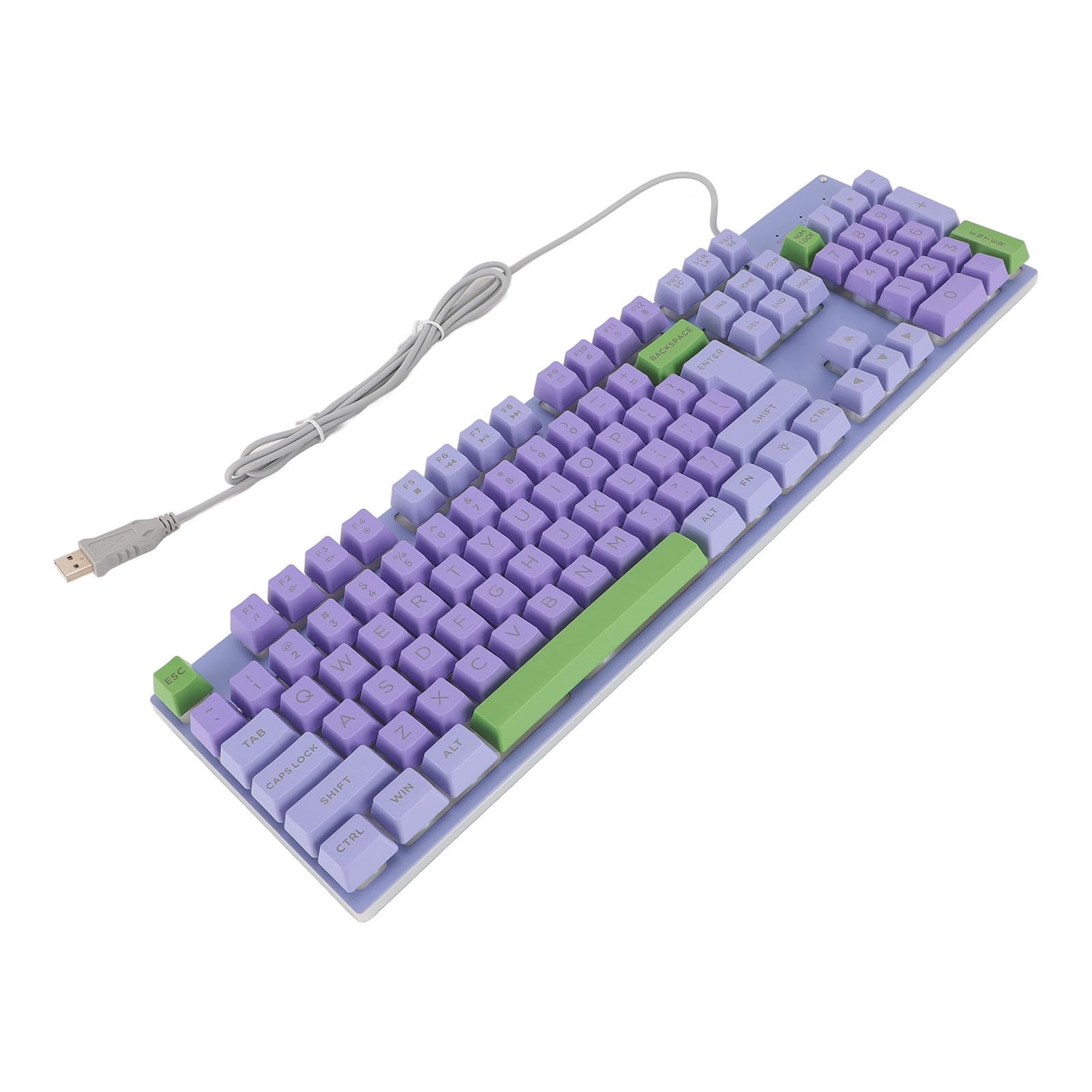
The keyboard features a standard QWERTY layout with mechanical switches for responsive typing and gaming. All standard alphanumeric keys, function keys (F1-F12), navigation keys, and a numeric keypad are present.

Backlighting Features
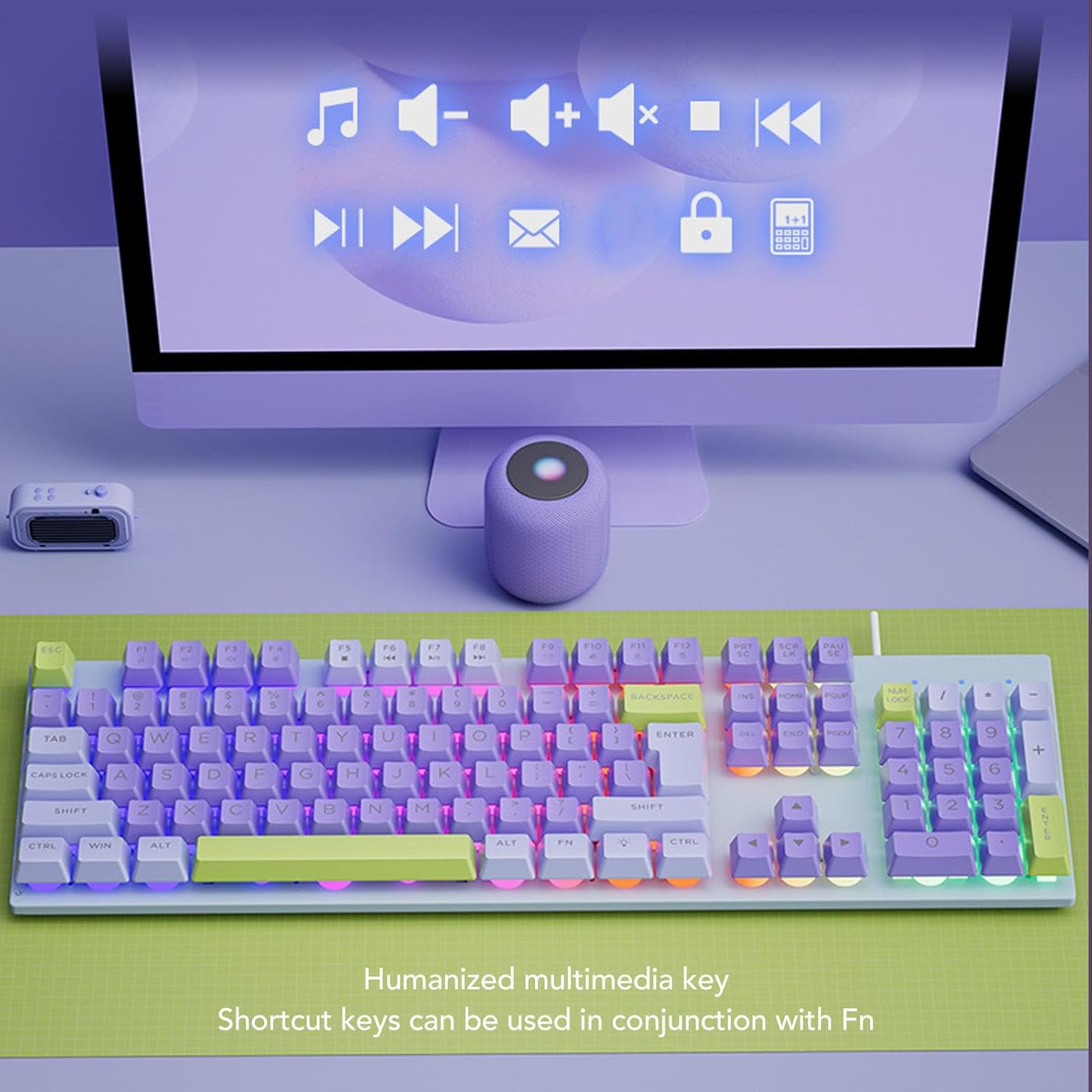
This keyboard features rainbow backlighting. The backlighting is automatically enabled upon connection. Specific controls for adjusting brightness or modes are typically accessed via function key combinations (e.g., Fn + specific F-keys). Refer to the keyboard's keycap legends for any dedicated backlight control icons.
ملټي ميډياويکي کیلي
The keyboard includes humanized multimedia keys, which can be accessed by pressing the Fn key in conjunction with the corresponding function keys (F1-F12). These keys allow quick control over media playback, volume, and other system functions.
- Fn+F1-F12: Specific multimedia functions (e.g., volume up/down, play/pause, mute, calculator, email, web browser). Refer to the icons on the F-keys for their specific functions.
ساتنه
مناسب ساتنه ستاسو د کیبورډ اوږد عمر او فعالیت تضمینوي.
- پاکول: Use a soft, dry cloth to wipe the surface of the keyboard. For deeper cleaning, use a can of compressed air to remove dust and debris from between the keys. Avoid using harsh chemicals or abrasive materials.
- سپیلونه: In case of liquid spills, immediately disconnect the keyboard from your computer. Turn it upside down to drain any liquid and allow it to dry completely before reconnecting.
- ذخیره کول: کیبورډ په یخ او وچ ځای کې د مستقیم لمر وړانګو او سختې تودوخې څخه لرې وساتئ.
- د کیبل پاملرنه: Avoid bending or twisting the USB cable excessively to prevent damage.

د ستونزو حل کول
که تاسو د خپل کیبورډ سره ستونزې سره مخ شئ، لاندې عام حلونو ته مراجعه وکړئ:
| ستونزه | د حل لاره |
|---|---|
| کیبورډ ځواب نه ورکوي |
|
| د شا رڼا کار نه کوي |
|
| کیلي چپکونکې یا غیر ځواب ورکوونکې دي |
|
مشخصات
| فیچر | تفصیل |
|---|---|
| برانډ | سورندی |
| د ماډل شمیره | Sorandy0bovasc7un-12 |
| د ارتباط ټیکنالوژي | د USB تار |
| د کیبورډ توضیحات | Ergonomic, Full Size |
| د سویچ ډول | میخانیکي |
| د کیبورډ ترتیب | QWERTY |
| مطابقت لرونکې وسیلې | لپ ټاپ، کمپیوټر |
| د لاس لارښوونه | متضاد |
| شاته رڼا کول | Rainbow Backlit |
تضمین او ملاتړ
For warranty information and technical support, please refer to the retailer's return policy or contact Sorandy customer service directly. Details for contacting support are typically provided with your purchase documentation or on the official Sorandy webسایټ


