1. پیژندنه
The EMOS GoSmart WiFi Smart Garage Door Switch Module H5111 (also known as IP-2131SW) provides an advanced solution for controlling your garage door via Wi-Fi and a dedicated application. This module converts traditional garage door switches into smart switches, enabling automation and remote control from any location. It integrates seamlessly into your smart home system, offering enhanced security, comfort, and control.
This manual provides detailed instructions for the installation, operation, and maintenance of your EMOS GoSmart Garage Door Switch Module. Please read it thoroughly before installation and use.
2. د خوندیتوب معلومات
خبرداری: Electrical installation should only be performed by a qualified electrician or a person with sufficient knowledge of electrical systems. Always disconnect power at the main circuit breaker before performing any electrical work.
- ډاډ ترلاسه کړئ چې د نصب یا ساتنې دمخه د بریښنا رسولو منحل شوی.
- The module operates at 230V~/50Hz. Do not exceed the maximum current rating of 10A.
- دا وسیله یوازې د داخلي کارونې لپاره ډیزاین شوې.
- وسیله له اوبو، رطوبت او سخت حرارت څخه لرې وساتئ.
- د وسیلې د ترمیم یا ترمیم هڅه مه کوئ. د خدماتو لپاره وړ پرسونل سره اړیکه ونیسئ.
- Ensure all connections are secure and properly insulated to prevent short circuits or electric shock.
3. د بسته محتويات
ډاډ ترلاسه کړئ چې ټول توکي ستاسو په کڅوړه کې شتون لري:
- EMOS GoSmart WiFi Smart Garage Door Switch Module (H5111 / IP-2131SW)
- Magnetic Sensor Cable (Reed Contact)
- د لارښود لارښود (دا سند)

Image 3.1: EMOS GoSmart Garage Door Module H5111 packaging. Shows the product box with the module and a smartphone displaying the app interface.

Image 3.2: Magnetic sensor cable. This cable includes two magnetic contact parts (PS-3130N and PS-3150) and a long black cable for connection to the module.
4. محصول ختم شوview
The EMOS GoSmart H5111 module is a compact device designed to be installed behind your existing garage door switch. It features terminals for power input, connection to the garage door opener, and a sensor input for monitoring the door's status.

انځور 4.1: مخکی view of the EMOS GoSmart WiFi Garage Door Module H5111, showing its input voltage (AC100-240V, 50/60Hz) and terminal labels (S1, S2, L, N, S3, S4). A smartphone displaying the "Closed" status of a garage door in the EMOS GoSmart app is shown next to it.
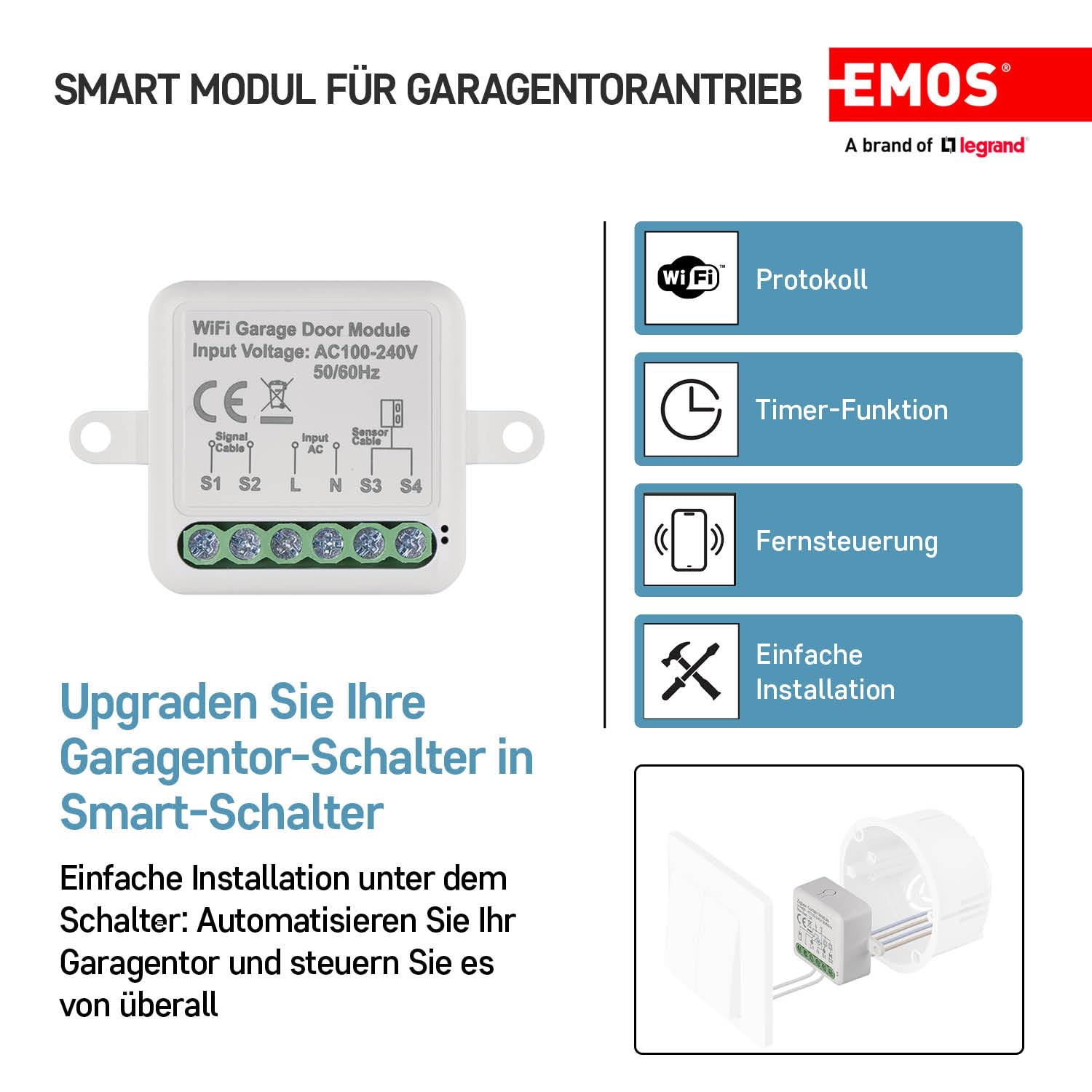
Image 4.2: Key features of the EMOS GoSmart Garage Door Module H5111, including WiFi Protocol, Timer Function, Remote Control, and Easy Installation. The module itself is depicted alongside these icons.
4.1. Terminal Descriptions
- L (ژوندی): Connects to the live wire of your 230V AC power supply.
- N (بې طرفه): Connects to the neutral wire of your 230V AC power supply.
- S1, S2 (Signal Cable): Output terminals for connecting to your garage door opener's control input.
- S3, S4 (Sensor Cable): Input terminals for connecting the magnetic sensor cable to detect door status (open/closed).
5. ترتیب او نصب کول
5.1. بریښنایی نصب کول
مهم: Ensure power is OFF before proceeding. A neutral wire (N) is required for this module.
- د بریښنا قطع کول: Turn off the main power supply to your garage at the circuit breaker.
- د لاسرسي سویچ بکس: Remove your existing garage door wall switch from its mounting box.
- موډل وصل کړئ:
- سره وصل کړئ ژوندی (L) wire from your power supply to the 'L' terminal on the module.
- سره وصل کړئ بې طرفه (ن) wire from your power supply to the 'N' terminal on the module.
- Connect the control wires from your garage door opener (typically the wires that go to your existing wall switch) to the 'S1' and 'S2' terminals on the module. The module acts as a dry contact switch.
- Connect the magnetic sensor cable to the 'S3' and 'S4' terminals. The sensor detects the open/closed status of the garage door.
- ماډل نصب کړئ: This module is designed for easy installation under the switch in various types of hollow wall boxes, including standard European switch boxes. Carefully place the module into the wall box behind the existing switch.
- Install Magnetic Sensor: Mount the two parts of the magnetic sensor on your garage door and door frame. Ensure they are aligned and close enough to each other when the door is closed, and separate when the door is open. This allows the module to accurately detect the door's status.
- د بریښنا بیرته راګرځول: Once all connections are secure and the module is safely housed, restore power at the circuit breaker.

Image 5.1: Diagram illustrating the installation of a smart home switch module behind a wall switch in a European-style wall box. This shows the compact size and how it fits within the existing electrical infrastructure.
۵.۲. د اپلیکیشن نصب او جوړه کول
The EMOS GoSmart app is required to control your garage door module.
- اپلیکیشن ډاونلوډ کړئ: لټون "EMOS GoSmart" in the Apple App Store (for iOS) or Google Play Store (for Android) and install the application on your smartphone.
- نوم لیکنه/ننوتل: اپلیکیشن پرانیزئ او د سکرین لارښوونې تعقیب کړئ ترڅو یو نوی حساب جوړ کړئ یا که تاسو دمخه یو حساب لرئ نو ننوځئ.
- وسیله اضافه کړئ:
- Ensure your smartphone is connected to a 2.4 GHz Wi-Fi network. The module only supports 2.4 GHz Wi-Fi.
- In the EMOS GoSmart app, tap the "+" icon to add a new device.
- Select "Garage Door Opener" or a similar category.
- Follow the app's instructions to put the module into pairing mode (this usually involves a specific button press sequence or power cycle on the module).
- Confirm the Wi-Fi network and enter your Wi-Fi password when prompted.
- The app will search for and connect to the module. Once connected, you can rename the device for easy identification (e.g., "Main Garage Door").
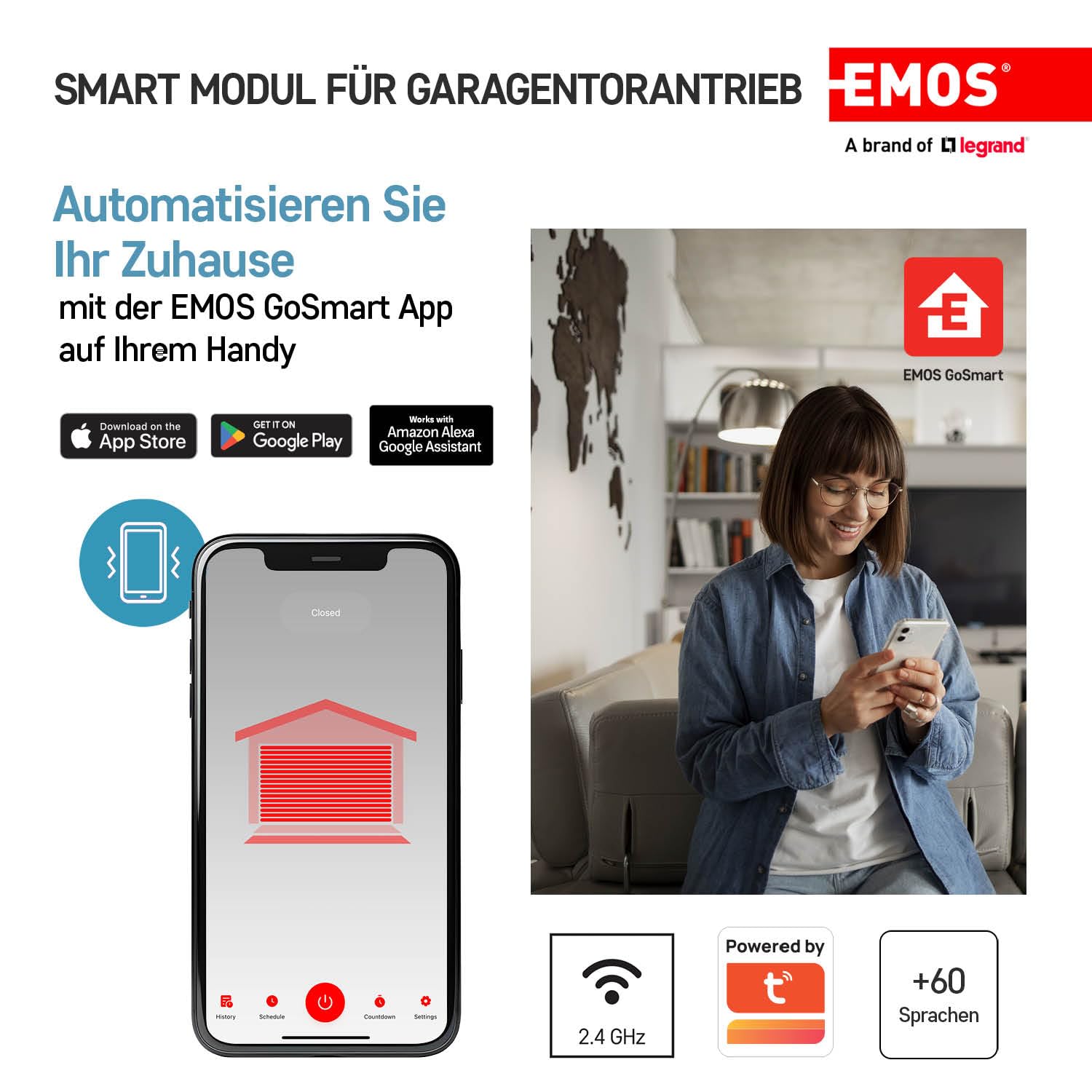
Image 5.2: A smartphone displaying the EMOS GoSmart app interface, showing a garage door icon with "Closed" status. A person is shown using a smartphone in a home setting, indicating remote control capabilities.
۳. د ماډل چلول
6.1. د اپلیکیشن کنټرول
Once paired, you can control your garage door from anywhere using the EMOS GoSmart app.
- خلاص/بند: Tap the garage door icon or designated button in the app to open or close your garage door.
- د وضعیت څارنه: The app will display the current status of your garage door (Open or Closed) based on the magnetic sensor input.
- تاریخ: View a log of when the garage door was opened or closed.
6.2. د ټیمر فنکشن
The app allows you to set schedules and timers for your garage door.
- مهالویش: Set specific times for the garage door to open or close automatically (e.g., open at 7 AM, close at 9 PM).
- شمېرنه: Use the countdown function to automatically close the garage door after a set period if it's left open.
۴. د غږ کنټرول ادغام
The EMOS GoSmart module is compatible with popular voice assistants.
- ایمیزون الیکسا: Enable the "EMOS GoSmart" skill in your Alexa app and link your account. You can then use commands like "Alexa, open the garage door."
- د ګوګل معاون: Link your EMOS GoSmart account in the Google Home app. Use commands such as "Hey Google, close the garage door."
7. ساتنه
- پاکول: Wipe the module with a dry, soft cloth. Do not use liquid cleaners or solvents.
- د فرم ویئر تازه معلومات: Periodically check the EMOS GoSmart app for available firmware updates for your module to ensure optimal performance and security.
- د سینسر معاینه: Regularly check the alignment and functionality of the magnetic sensor to ensure accurate door status reporting.
8. ستونزه حل کول
| ستونزه | احتمالي لامل | د حل لاره |
|---|---|---|
| Module not responding / Offline in app | No power, Wi-Fi signal weak/disconnected, module in standby. |
|
| Garage door not opening/closing via app | Incorrect wiring to garage opener, module offline, opener malfunction. |
|
| Incorrect door status in app | Magnetic sensor misaligned or faulty, sensor wires disconnected. |
|
| د غږ کنټرول کار نه کوي | مهارت فعال نه دی، حساب تړلی نه دی، غلط امرونه. |
|
9. مشخصات
| د ماډل شمیره | H5111 (IP-2131SW) |
| برانډ | EMOS |
| ننوتۍ جلدtage | AC 100-240V، 50/60Hz |
| اعظمي اوسنی درجه بندي | 10 A |
| عملیاتي حالت | آن - بند |
| ارتباط | وائی فای (2.4 GHz) |
| د اړیکو ډول | په نورمال ډول خلاص |
| مواد | پلاستیک |
| د محصول ابعاد (L x W x H) | 5.9 x 3.9 x 1.9 سانتي متره |
| وزن | 180 ګرامه |
| د اصلي هیواد | چین |


