The BORUIT V30 is a versatile and powerful Everyday Carry (EDC) flashlight designed for a wide range of applications, from daily use to outdoor activities and emergency situations. It features multiple lighting modes, including white, red, and UV light, along with various colored side lights and a 120DB buzzer for enhanced safety. Its compact design, 180° rotating head, magnetic base, and power bank function make it an indispensable tool.
Figure 2.1: Package Contents of the BORUIT V30 Flashlight.
3. ترتیب کول
3.1 ابتدايي چارج کول
Before first use, fully charge your BORUIT V30 flashlight. The device features a built-in 2000mAh rechargeable battery and supports USB-C fast charging.
د USB-C چارج کولو پورټ په فلش لائټ کې ومومئ.
Connect the provided USB-C charging cable to the flashlight and a compatible USB power source (e.g., wall adapter, computer USB port, power bank).
The charging indicator will show a سور څراغ while charging. It will turn شین کله چې په بشپړ ډول چارج شي.
Charging typically takes under 3 hours.
Figure 3.1: Charging the BORUIT V30 Flashlight.
۳.۲ د لینارډ نښلول
Attach the included lanyard for secure carrying and to prevent accidental drops.
Thread the thin loop of the lanyard through the small hole at the tail end of the flashlight.
Pass the larger strap of the lanyard through the thin loop and pull tight to secure.
4. عملیاتي طریقې
The BORUIT V30 features two main buttons for operation: the Main Light Button (power symbol) and the Side Light Button (lightning bolt symbol).
4.1 Main Light Modes
The main light offers multiple brightness levels and specialized light types.
لنډمهاله ټربو حالت: Long press the Main Light Button to turn on Turbo mode. Release the button to turn off.
Constant White Light Modes (Low, Medium, High, Turbo): Double-click the Main Light Button to enter constant white light mode. Click the button again to cycle through Low, Medium, High, and Turbo brightness levels. The flashlight has a memory function for these modes.
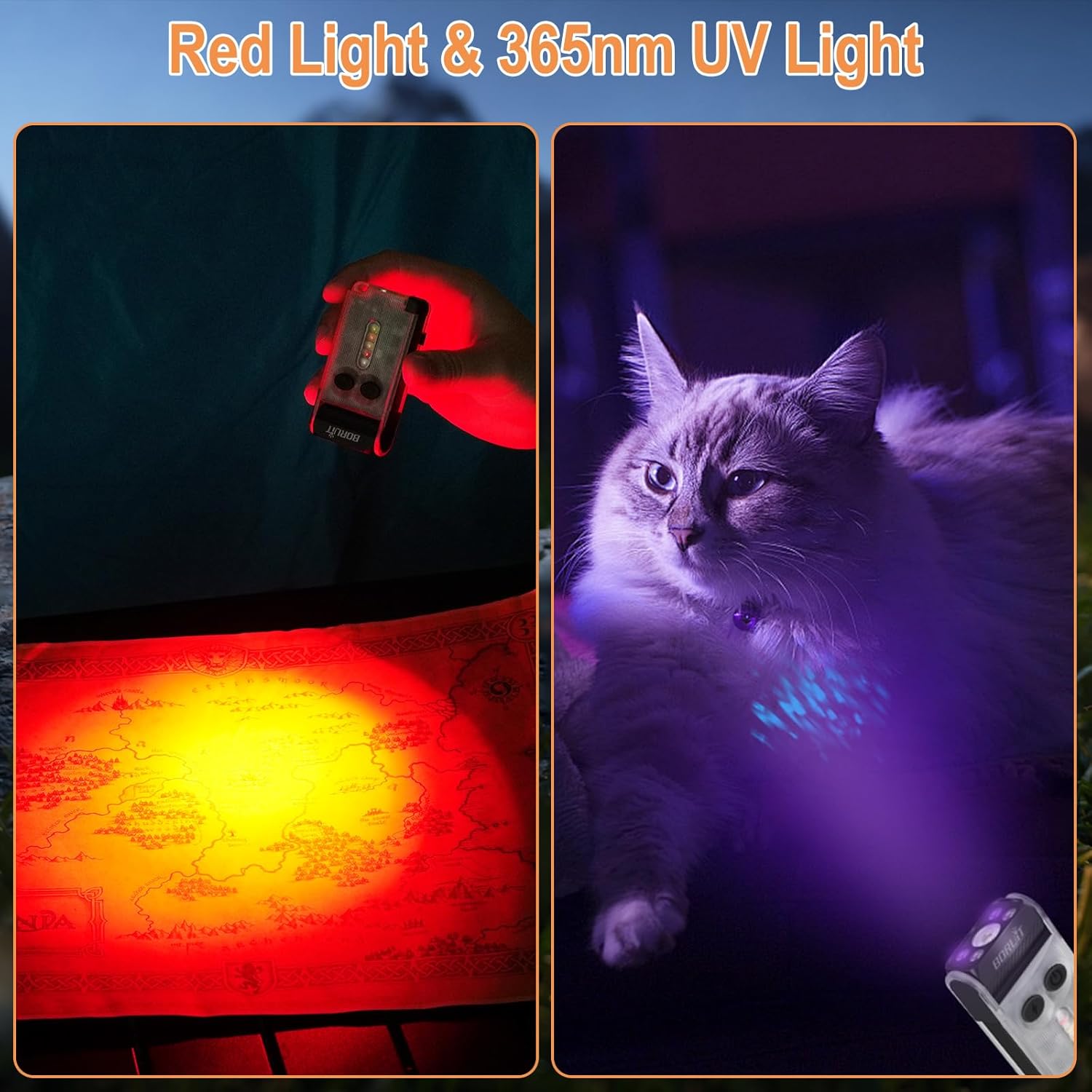
د سور څراغ حالت: Triple-click the Main Light Button to activate the Red light mode.
365nm UV Light Mode: Triple-click the Main Light Button again (after Red light) to activate the 365nm UV light mode.
Turn Off Main Light: Long press the Main Light Button in any constant mode to turn off the main light.
Figure 4.1: Main Light Modes and Operation.
4.2 Side Light Modes
The side lights provide various colored illumination options.
Constant Side Light Modes (White, Red, Warm, Green): Double-click the Side Light Button to enter constant side light mode. Click the button again to cycle through White, Red, Warm, and Green colors. The flashlight has a memory function for these modes.
Red & Blue Flashing Mode: Triple-click the Side Light Button to activate the Red & Blue Flashing mode.
120DB Buzzer Mode: Long press the Side Light Button to activate the 120DB Buzzer mode. Release the button to turn off.
Turn Off Side Light: Long press the Side Light Button in any constant mode to turn off the side light.
Figure 4.2: Side Light Modes and Operation.
Video 4.1: Demonstration of BORUIT V30 EDC Flashlight with Red and 365nm UV light.
5. کلیدي ځانګړتیاوې
5.1 180° Rotating Head
The flashlight head can rotate 180 degrees, allowing for multi-angle lighting. This feature is ideal for hands-free operation when clipped to a hat or clothing, directing light precisely where needed.
Figure 5.1: 180° Rotating Head for Adjustable Lighting.
5.2 Two-Way Clip and Magnetic Base
Equipped with a two-way clip and a strong magnet at the tail, the V30 can be easily attached to hats, clothing pockets, or any metal surface, providing convenient hands-free illumination.
Figure 5.2: Versatile Attachment Options with Two-Way Clip and Magnetic Base.
۴.۴ د پاور بانک فعالیت
The built-in 2000mAh battery allows the flashlight to function as a power bank, capable of charging your phone or other small devices in emergency situations. Triple-click the Side Light Button to enter USB output mode, triple-click again to exit.
Figure 5.3: Power Bank Functionality.
۳.۱ IP65 د اوبو ضد درجه بندي
The BORUIT V30 is rated IP65 waterproof, making it suitable for use in various weather conditions, including rain and dusty environments.
شکل ۱۲: د IP65 د اوبو ضد درجه بندي.
6. ساتنه
To ensure the longevity and optimal performance of your BORUIT V30 flashlight, follow these maintenance guidelines:
پاکول: د فلش څراغ په نرمۍ سره پاک کړئ، دamp cloth to remove dirt or debris. Do not use abrasive cleaners or solvents.
ذخیره کول: فلش لائټ په یخ او وچ ځای کې د مستقیم لمر وړانګو او خورا تودوخې څخه لرې وساتئ.
د سترګو د مستقیم تماس څخه مخنیوی وکړئ: Do not look directly into the light beam, especially on high or turbo modes, as it can cause visual damage.
7. ستونزه حل کول
If you encounter any issues with your BORUIT V30 flashlight, refer to the following common problems and solutions:
ستونزه
احتمالي لامل
د حل لاره
فلش لائټ نه روښانه کېږي.
ټیټ بیټرۍ یا ناسم عملیات.
Charge the battery fully. Refer to Section 4.1 for correct operation of main and side lights.
د رڼا تولید کم دی.
ټیټ بیټرۍ یا غلط حالت غوره شوی.
Recharge the battery. Cycle through brightness modes (Low, Medium, High, Turbo) to select desired output.
د پاور بانک فعالیت کار نه کوي.
Battery too low or incorrect activation.
Ensure flashlight battery is sufficiently charged. Triple-click the Side Light Button to activate USB output mode.
Buzzer not activating.
ناسم فعالول.
Long press the Side Light Button to activate the 120DB Buzzer mode.
8. مشخصات
فیچر
تفصیل
ماډل
V30-1
روښانتیا
د 900 Lumens پورې
د بیم فاصله
100 متره (328 فټ)
د بیټرۍ ظرفیت
2000mAh
د چارج کولو بندر
د USB ډول-C
د چارج کولو وخت
د 3 ساعتونو لاندې
مواد
PC and Aluminum Alloy
د پنروک درجه
IP65
د توکي وزن
3.36 اونس (98 ګرامه)
د محصول ابعاد
۷.۱۹" ژوروالی x ۳.۹۴" ژوروالی x ۲.۰۶" ژوروالی (۱۸۲ x ۵۳ x ۱۰۰ ملي متره)
ځانګړي ځانګړتیاوې
180° Head Swivel, Two-way Clip, Strong Magnet, 365nm UV Light, 120DB Buzzer, Power Bank Function, Memory Function
9. تضمین او ملاتړ
BORUIT products are manufactured to high-quality standards. For warranty information or technical support, please refer to the contact details provided in your product packaging or visit the official BORUIT webسایټ
For any questions or assistance, please contact our customer service team. We are dedicated to providing excellent support for our products.
Figure 9.1: BORUIT Customer Support.
اړوند اسناد - V30-1
BORUIT V10 Flashlight User Manual Comprehensive user manual for the BORUIT V10 flashlight, detailing its features, specifications, and operation modes. This powerful and versatile EDC flashlight includes a main light, a 365nm UV light, and a side light with multiple color options and functions like a buzzer and flashing warning lights. It is rechargeable via USB-C and features a tail magnet for convenient mounting.
BORUiT S4 LED Scuba Diving Flashlight User Manual User manual for the BORUiT S4 LED Scuba Diving Flashlight, covering safety warnings, instructions for use, precautions, features, FAQs, and warranty information.
BORUiT Household Product User Manual - Refrigerator Thermometer User manual for the BORUiT household product, a refrigerator thermometer (model EBW2419). Includes safety warnings, instructions for use, precautions, features, FAQs, and warranty information.