پیژندنه
Thank you for choosing the aigo CA05 Open Ear Earbuds. These wireless Bluetooth 5.4 headphones are designed for comfort, stability, and high-quality audio, making them ideal for various activities including sports and workouts. This manual provides detailed instructions on how to set up, operate, and maintain your new earbuds to ensure optimal performance and longevity.
په بکس کې څه دي
- 2x Open Ear Earbuds
- د چارج کولو قضیه
- د ټایپ-سي چارجر کیبل
- د کارن لارښود

Image: The contents of the aigo CA05 earbud package, showing the two open-ear earbuds, their charging case, a USB-C charging cable, and the user manual.
محصول پای ته ورسیدview
The aigo CA05 earbuds feature an innovative open-ear clip design for comfort and situational awareness. They utilize Bluetooth 5.4 for stable connectivity and boast a powerful acoustic unit for clear, immersive sound.

Image: The aigo CA05 open-ear earbuds and their compact charging case, all in white.
کلیدي ځانګړتیاوې:
- بلوتوث V5.4: Ensures faster, stabler connections, lower power consumption, broader compatibility, extended range, and enhanced audio quality.
- Open-Ear Clip Design: Offers comfort, safety, hygiene, portability, and style, suitable for various activities.
- Acoustic Unit: Features a high-sensitivity driver for clear sound, a dual-unit design for broad range and deep bass, and supports spatial audio.
- د بیټرۍ اوږد ژوند: 8 hours of standalone usage, up to 50 hours with the 400mAh charging case.
- کمپیکٹ او لږ وزن: Easy to carry and comfortable for extended wear.
- IPX4 واټر پروف: Resistant to sweat and splashing, suitable for sports and outdoor use.
چمتو کول
۴.۱. د غوږۍ او کیس چارج کول
Before first use, fully charge the earbuds and the charging case. Connect the provided Type-C USB cable to the charging port on the case and a power source. The indicator light on the case will show charging status.

Image: The aigo CA05 earbuds and charging case, illustrating the impressive battery life: 8 hours on a single charge for the earbuds, and up to 50 hours total with the 400mAh charging case.
2. د بلوتوث جوړه کول
- د چارج کولو قضیه پرانیزئ. د غوږ بډونه به په اتوماتيک ډول د جوړې کولو حالت ته ننوځي.
- په خپل وسیله (سمارټ فون، ټابلیټ، لپ ټاپ) کې، بلوتوث فعال کړئ.
- لټون "aigo CA05" in the list of available Bluetooth devices.
- Select "aigo CA05" to connect. Once connected, you will hear a confirmation tone.

Image: A smartphone displaying its Bluetooth settings, with "aigo CA05" visible in the device list, demonstrating the earbuds' Bluetooth 5.4 connectivity with iOS, Android, and computer devices.
عملیاتي لارښوونې
د ټچ کنټرولونه:
The aigo CA05 earbuds feature touch-sensitive controls for easy operation. The specific functions may vary slightly depending on your device and application.
| عمل | فعالیت |
|---|---|
| یو نل | میوزیک غږول/ځنډول ، ځواب/پای زنګ |
| دوه ځله ټایپ کړئ (کیڼ غوږۍ) | مخکینی ټریک |
| دوه ځله ټایپ کړئ (ښي غوږۍ) | بله لار |
| اوږده پریس (seconds ثانیې) | د غږ معاون فعال کړئ / زنګ رد کړئ |
| اوږده پریس (seconds ثانیې) | پاور آن/بند |
یادونه: د حجم کنټرول معمولا ستاسو د وصل شوي وسیلې له لارې اداره کیږي.
د اغوستلو لارښوونه
The aigo CA05 earbuds are designed for an open-ear fit, resting comfortably on your ear without entering the ear canal. This design allows you to stay aware of your surroundings while enjoying audio.
- Pick up each earbud (Left for left ear, Right for right ear).
- Gently clip the earbud onto your ear, positioning the speaker part just outside your ear canal.
- Adjust the earbud for a secure and comfortable fit. Ensure the sound is clear and balanced.

Image: A diagram illustrating the correct method for wearing the aigo CA05 open-ear earbuds, showing how to pick up the earbud and place it above the ear, then adjust for optimal audio performance.
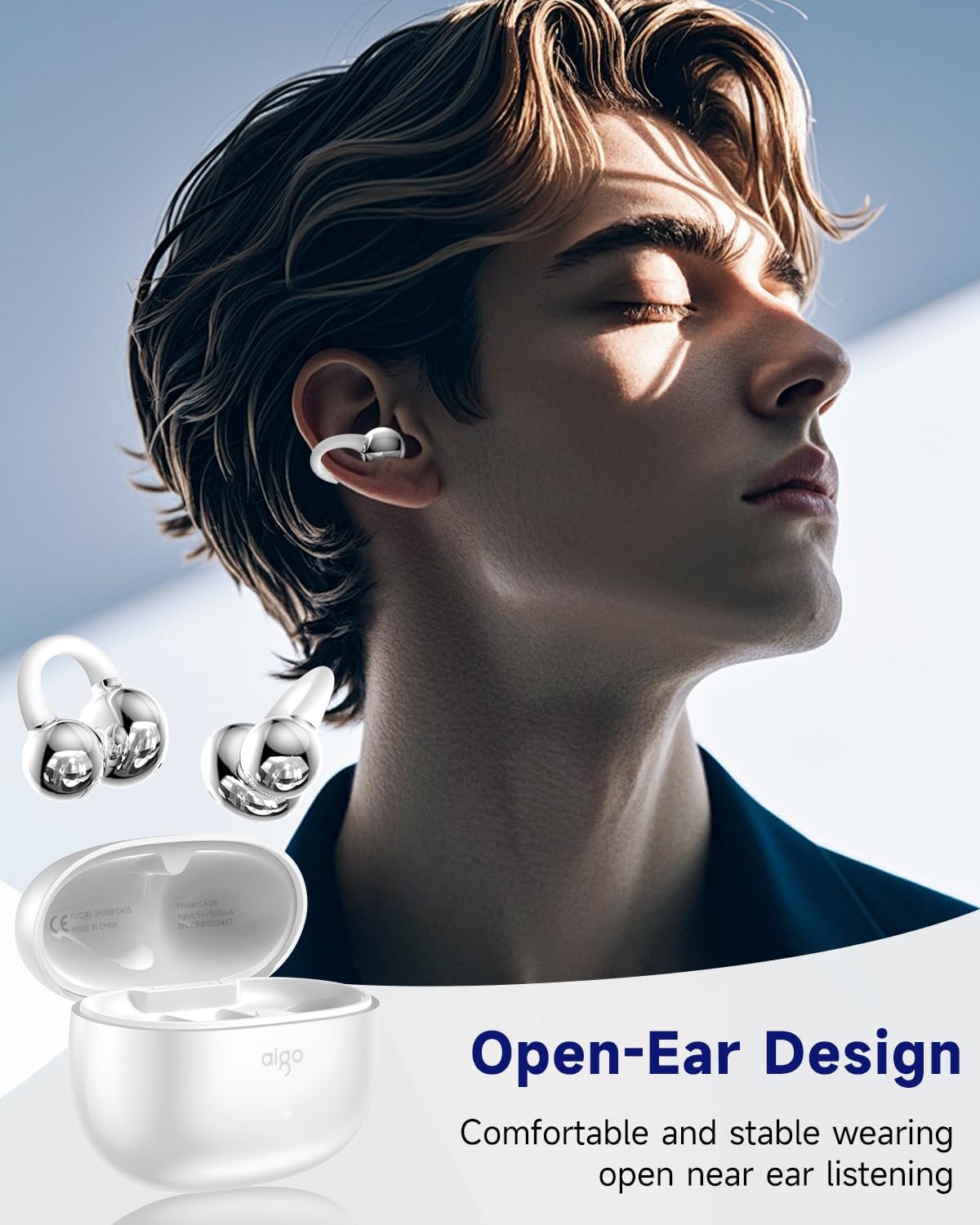
Image: A person wearing the aigo CA05 open-ear earbuds, demonstrating their comfortable and stable fit for open-ear listening.
ساتنه
- پاکول: د غوږ بډونو او چارج کولو کیس پاکولو لپاره نرم، وچ، له لینټ څخه پاک ټوکر وکاروئ. سخت کیمیاوي مواد یا خړوبونکي مواد مه کاروئ.
- ذخیره کول: کله چې په کارولو کې نه وي، د غوږ بډونه د چارج کولو په قضیه کې وساتئ ترڅو دوی خوندي شي او چارج یې وساتي.
- د اوبو مقاومت: The earbuds are IPX4 waterproof, meaning they are resistant to splashing water from any direction. Do not submerge them in water or expose them to strong jets of water. Dry them thoroughly if they get wet.

Image: The aigo CA05 earbuds with water droplets on them, highlighting their IPX4 waterproof rating, indicating resistance to sweat and splashing during exercise.
د ستونزو حل کول
| ستونزه | احتمالي حل |
|---|---|
| Earbuds نه جوړیږي | ډاډ ترلاسه کړئ چې د غوږۍ غوږۍ چارج شوي دي. په خپل وسیله کې بلوتوث بند او فعال کړئ. غوږۍ غوږۍ بیرته په قضیه کې ځای په ځای کړئ، وتړئ، بیا یې پرانیزئ ترڅو د جوړې کولو حالت ته بیا ننوځئ. |
| د یو غوږ بډ څخه هیڅ غږ نشته | Check battery level of both earbuds. Try re-pairing. Ensure both earbuds are properly seated in the charging case. |
| کم حجم | Increase volume on your connected device. Ensure earbuds are clean and free of debris. |
| ایربډونه چارج نه کوي | ډاډ ترلاسه کړئ چې د چارج کولو کیبل په خوندي ډول وصل دی. یو بل USB پورټ یا چارجر هڅه وکړئ. د ایربډونو او کیس کې د چارج کولو تماسونه پاک کړئ. |
| پیوستون بې ثباته | Ensure no obstacles between earbuds and device. Move closer to your device. Avoid strong electromagnetic interference. |
مشخصات
| فیچر | تفصیل |
|---|---|
| د ماډل نوم | CA05 |
| د ارتباط ټیکنالوژي | بې سیم (بلوتوث) |
| بلوتوث نسخه | 5.4 |
| د بلوتوټ رینج | ۶ فوټه (تقریبا ۱.۸ متره) |
| د غوږ ځای پرځای کول | غوږ خلاص کړئ |
| د فارم فکتور | په غوږ کې |
| د شور کنټرول | تطابق وړ شور لغوه کول |
| د آډیو ډرایور ډول | متحرک چلوونکی |
| د آډیو ډرایور اندازه | 12 ملی متره |
| د فریکونسی رینج | له 20 Hz څخه تر 20,000 Hz پورې |
| خنډ | 16 اوم |
| د کنټرول طریقه | لمس |
| د بیټرۍ ژوند (ایربډونه) | 8 ساعته |
| د بار وړلو قضیه بیټرۍ ظرفیت | 400 ملیونهamp ساعتونه |
| د بار وړلو کیس بیټرۍ اوسط ژوند | ۳۵ ساعته (د چارج کولو کیس سره) |
| د قضیې چارج کولو وخت | 2 ساعته |
| د اوبو د مقاومت کچه | IPX4 واټر پروف |
| د توکي وزن | 9.07 ګرامه (0.32 اونس) |
| مواد | Silicone (earpiece), Plastic (case) |
| UPC | 198715164251 |

Image: A visual representation of the product dimensions for both the aigo CA05 charging case and the earbuds themselves, showing measurements in inches.

Image: The aigo CA05 earbuds floating, emphasizing their lightweight design at 0.17 ounces, making them fashionable and comfortable to wear.
د محصول رسمي ویډیو
ویډیو: د محصول رسمي ویډیو نندارهasing the aigo CA05 Open Ear Earbuds, highlighting their design, features, and usage. This video demonstrates the comfortable open-ear fit, Bluetooth 5.4 connectivity, and overall user experience.
تضمین او ملاتړ
Your aigo CA05 Open Ear Earbuds come with a standard manufacturer's warranty. For detailed warranty information, technical support, or service inquiries, please refer to the contact information provided on the product packaging or visit the official aigo webسایټ د تضمین ادعاګانو لپاره خپل د پیرود رسید وساتئ.
For further assistance, you may also contact the seller, Topline Power USA, through the Amazon platform.


