1. پیژندنه
The ZOYI ZT-MD1 is a compact, high-precision digital LCR meter designed in a tweezer form factor. It features a 1.14-inch color OLED screen and is powered by a lithium polymer battery, offering extended operation. This device intelligently identifies and accurately measures resistance, capacitance, and inductance across a wide range with high precision. Its flexible measuring arms and detachable gold-plated tips ensure reliable contact for various SMD or other LCR parameter measurements. This manual provides essential information for the safe and effective use of your ZT-MD1 LCR Meter Tweezer.
2. د بسته محتويات
ډاډ ترلاسه کړئ چې لاندې ټول لیست شوي توکي ستاسو په کڅوړه کې شتون لري:
- 1x ZOYI ZT-MD1 LCR Meter Tweezer
- 1 Pair x Replaceable Tweezer Tips (Gold-plated)
- ۱ x USB ډول-سي ډیټا کیبل
- ۱ x د کارونکي لارښود (دا سند)
- 1 x د ذخیره کولو کڅوړه
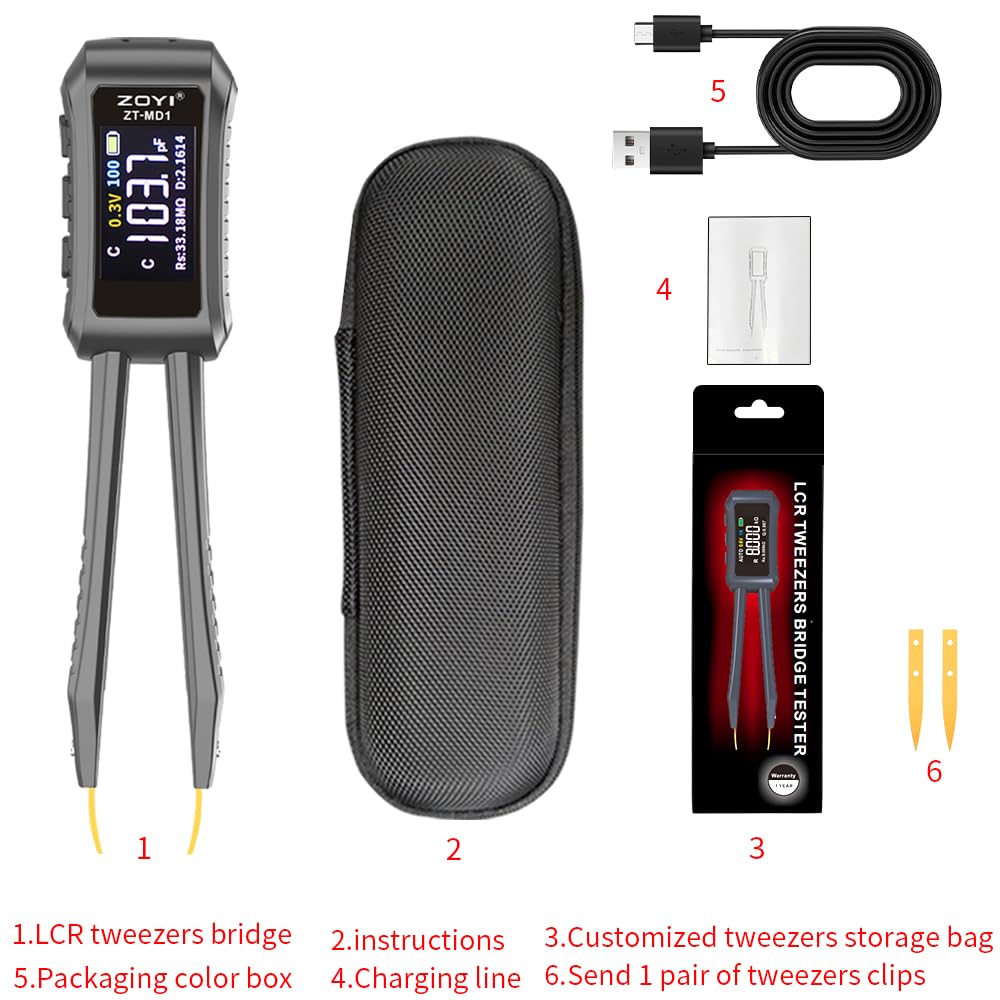
Image: Contents of the ZOYI ZT-MD1 package, including the LCR meter, USB cable, extra tweezer tips, and storage bag.
3. محصول ختم شوview
The ZOYI ZT-MD1 is designed for precise measurement of electronic components. Key features include:
- 1.14-inch Color OLED Screen: Provides a clear, high-definition display for measurement results.
- اتوماتیک پیژندنه: Intelligently identifies and measures resistance, capacitance, and inductance.
- د اندازه کولو پراخه لړۍ:
- Resistance (R): 1mΩ - 10MΩ
- Capacitance (C): 1pF - 20mF
- Inductance (L): 1µH - 60H
- د ډایډ ټیسټ: Measures on-voltage (approximately 0.7V).
- Frequency Test: Selectable frequencies of 100Hz, 1kHz, 10KHz.
- Level Test: ټیسټ والیومtages of 0.3V, 0.6V RMS.
- Flexible Tweezer Arms: Equipped with detachable gold-plated tips for reliable contact.
- د کارونکي اندازه کول: Allows calibration based on standard resistors.
- د معلوماتو ساتل: په ښودنه کې اوسنی اندازه کول کنګل کوي.
- تاریخي ریکارډ: Connect to a PC to view and export measurement history.
- د موټر بندول: د بیټرۍ ژوند ساتي.
- Flippable Screen: د اسانتیا لپاره viewing in various orientations.
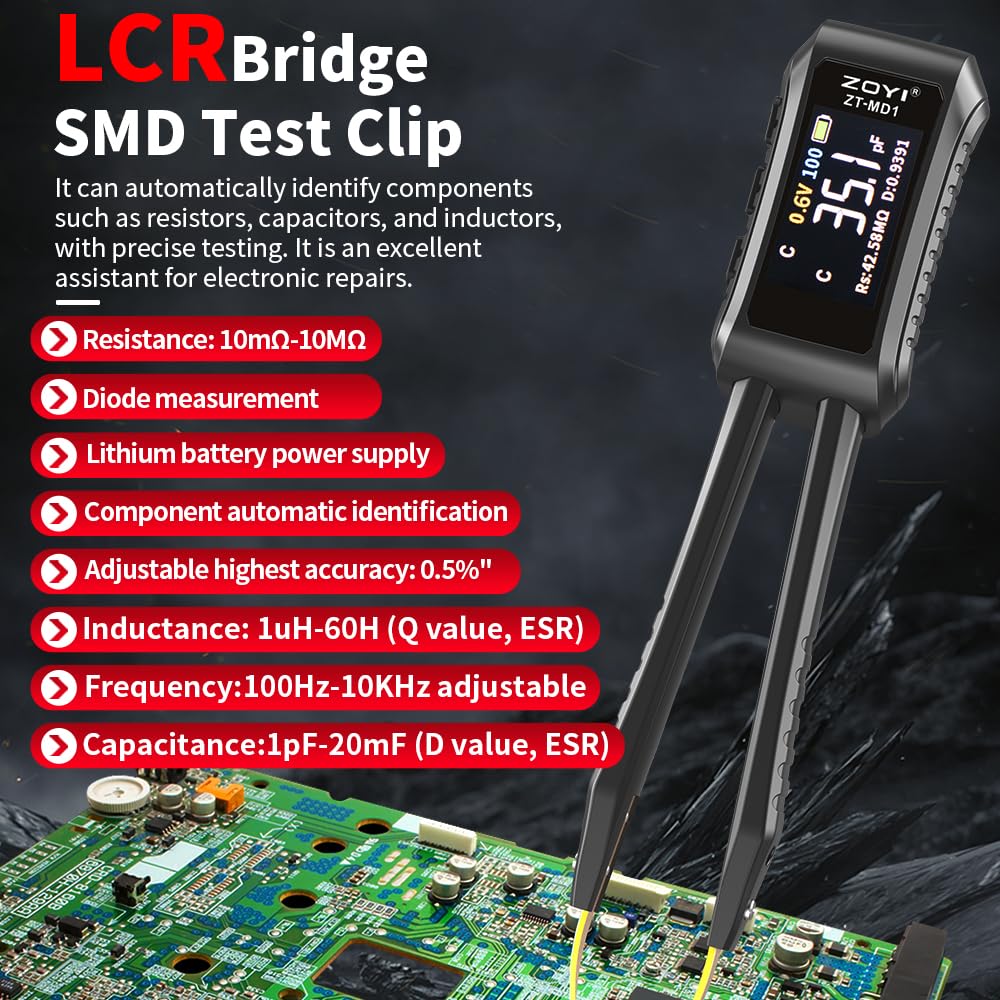
Image: The ZOYI ZT-MD1 LCR Meter Tweezer highlighting its key features and measurement capabilities, including resistance, diode, inductance, frequency, and capacitance ranges.
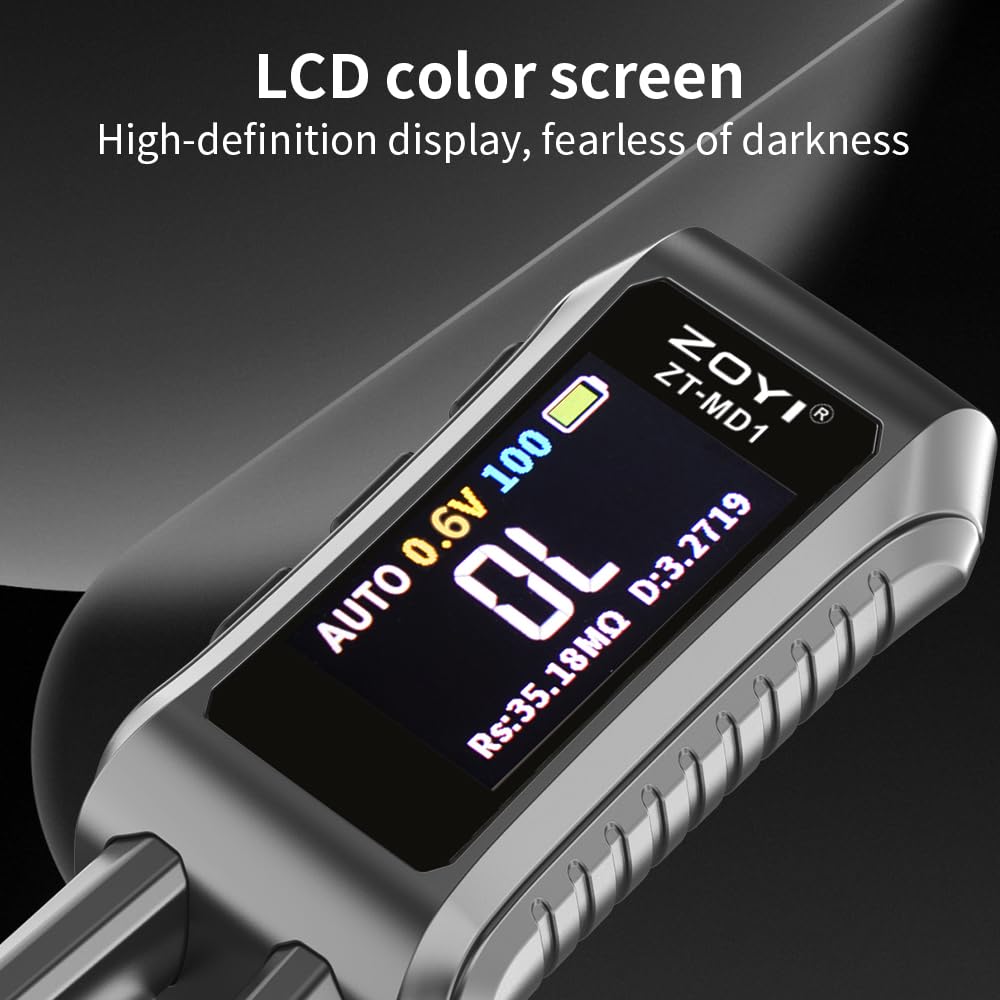
انځور: نږدې انځور view of the ZOYI ZT-MD1's 1.14-inch color OLED screen, demonstrating its clear, high-definition display.
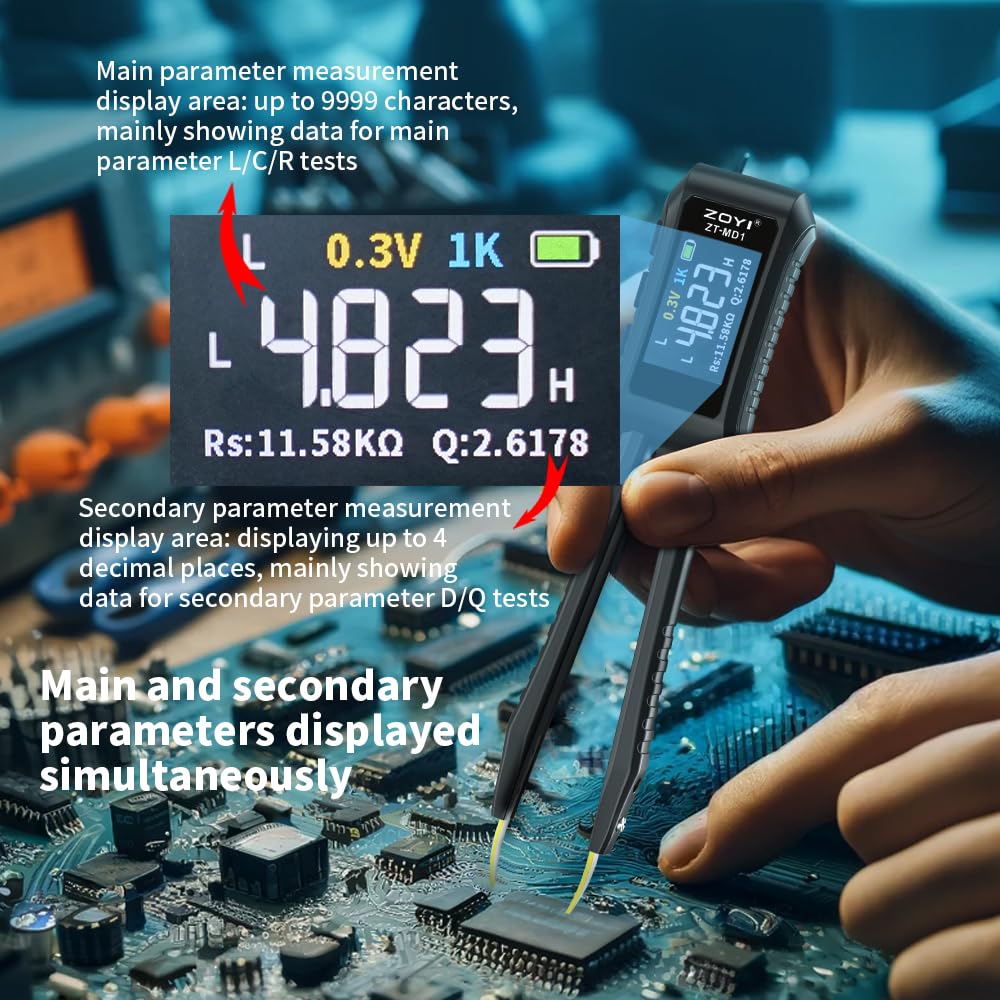
Image: The ZOYI ZT-MD1 displaying both main (L/C/R) and secondary (D/Q) measurement parameters simultaneously on its screen.
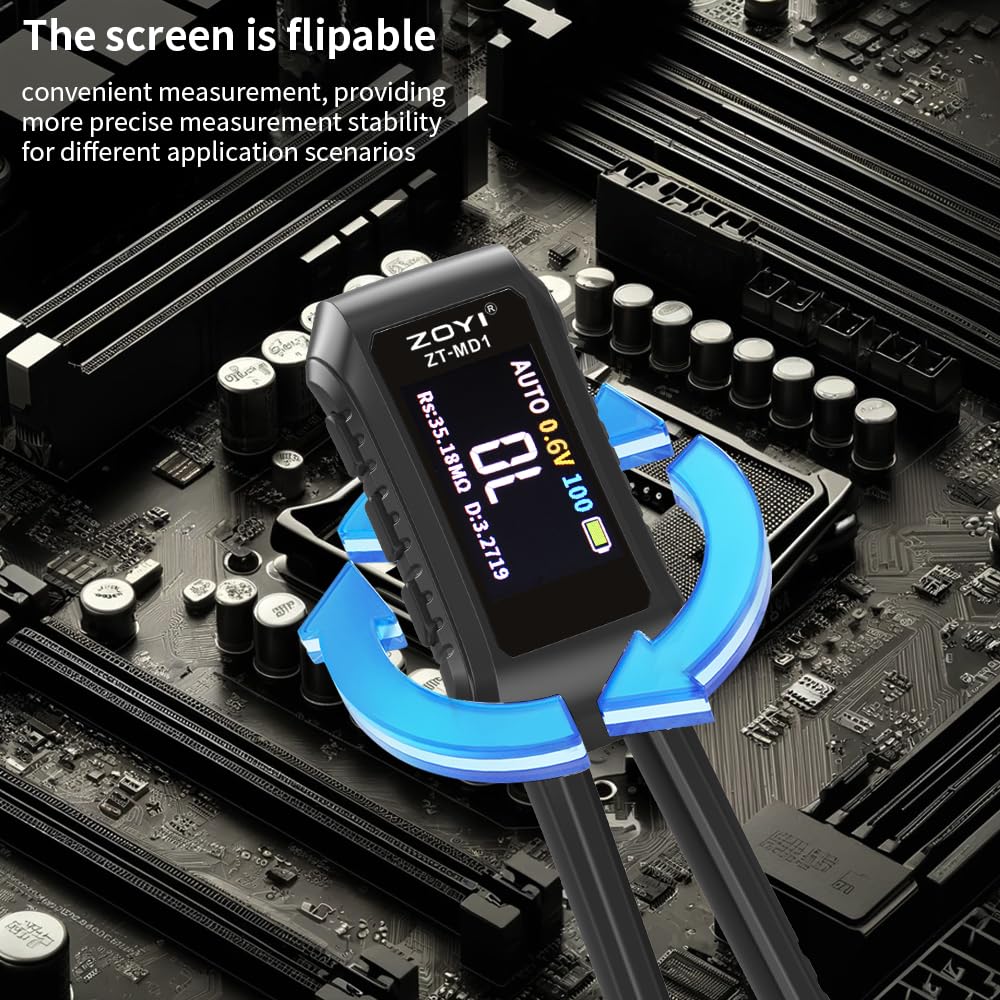
Image: The ZOYI ZT-MD1 demonstrating its flippable screen feature, allowing for convenient measurement viewله مختلفو زاویو څخه
4. ترتیب کول
۱. ابتدايي چارج کول
Before first use, fully charge the device. Connect the provided USB Type-C cable to the charging port on the ZT-MD1 and the other end to a 5V/A USB power adapter (not included). The battery indicator on the screen will show charging status. A full charge ensures optimal performance and battery life.
4.2. Attaching Tweezer Tips
The ZT-MD1 comes with detachable gold-plated tweezer tips. Ensure they are securely attached to the arms of the device for accurate measurements. Gently push the tips into place until they are firm. To replace, carefully pull them out.

Image: The ZOYI ZT-MD1 LCR Meter Tweezer with its dimensions (146mm length, 30mm width) indicated, showing its compact size.
5. عملیاتي لارښوونې
5.1. بریښنا فعال/بند
Press and hold the power button to turn the device on or off. The OLED screen will illuminate upon power-on.
5.2. Automatic Measurement
The ZT-MD1 defaults to automatic recognition mode. Simply touch the tweezer tips to the component you wish to measure. The device will automatically detect whether it is a resistor, capacitor, or inductor and display the corresponding value along with secondary parameters (D, Q, Rs) if applicable.
5.3. Manual Mode and Parameter Selection
Refer to the on-screen interface for options to switch between automatic and manual measurement modes, or to select specific test frequencies (100Hz, 1kHz, 10KHz) and test voltages (0.3V, 0.6V RMS) if needed for advanced measurements.
۱۰. د معلوماتو ساتلو دنده
Press the "Hold" button (if available, or indicated on screen) to freeze the current measurement reading on the display. Press again to release.
5.5. Flipping the Screen Display
The screen display can be flipped for better viewing angles. Consult the device's on-screen menu or physical buttons for this function.
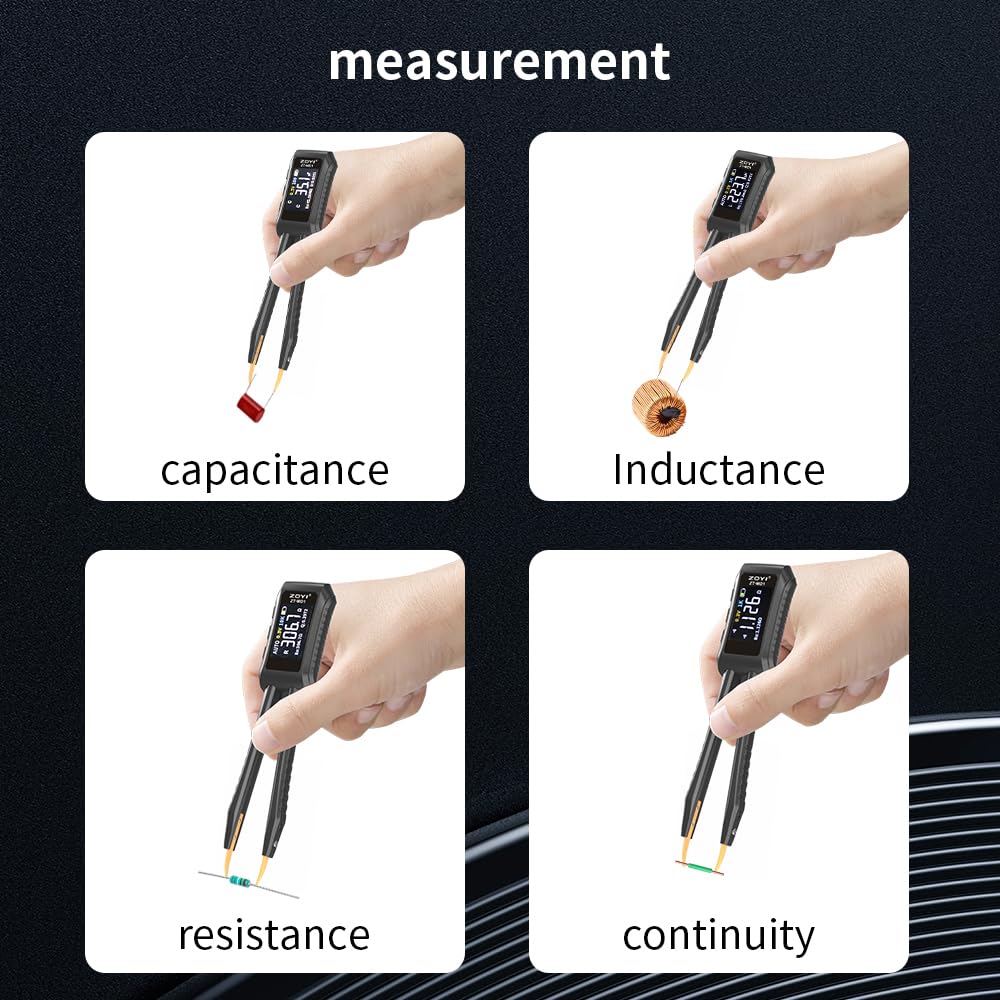
Image: The ZOYI ZT-MD1 LCR Meter Tweezer demonstrating its use in measuring capacitance, inductance, resistance, and continuity on different electronic components.
6. کیلیبریشن
6.1. User Calibration Learning Mode
The ZT-MD1 supports a user calibration learning mode. To perform user calibration, connect a known standard resistor to the tweezer tips and follow the on-screen instructions. This allows the device to adjust its readings for improved accuracy based on your specific reference.
6.2. د فابریکې ری سیٹ
If necessary, factory calibration data can be restored by performing a factory reset. This will revert all settings and calibration data to their original factory values. Consult the device's menu for the factory reset option.
7. ساتنه
7.1. پاکول
Wipe the device with a soft, dry cloth. Do not use abrasive cleaners or solvents. Ensure the tweezer tips are clean and free of debris for accurate contact.
7.2. ذخیره کول
When not in use, store the ZT-MD1 in its provided storage bag to protect it from dust and physical damage. Store in a cool, dry place away from direct sunlight and extreme temperatures.
7.3. د بیټرۍ پاملرنه
To prolong battery life, avoid fully discharging the device frequently. Recharge the battery when the low battery indicator appears. If storing for an extended period, charge the battery to approximately 50% and recharge every few months.
8. ستونزه حل کول
| ستونزه | احتمالي لامل | د حل لاره |
|---|---|---|
| وسیله فعاله نه ده. | بیټرۍ ختمه شوې. | Connect the device to a 5V/A USB charger using the provided Type-C cable and allow it to charge for at least 30 minutes before attempting to power on again. |
| ناسم لوستل. | Dirty or loose tweezer tips; device needs calibration. | Ensure tweezer tips are clean and securely attached. Perform user calibration with a known standard resistor. If issues persist, consider a factory reset. |
| سکرین خالي یا غیر ځواب ورکوونکی دی. | وسیله کنګل شوې ده؛ د بیټرۍ چارج ټیټ دی. | Try pressing and holding the power button for 10 seconds to force a restart. Ensure the battery is charged. |
| Cannot connect to PC for data export. | Incorrect cable or driver issues. | Ensure you are using the provided USB data cable. Check PC device manager for driver installation. Try a different USB port. |
9. مشخصات
| پیرامیټر | ارزښت |
|---|---|
| د محصول ماډل | ZOYI ZT-MD1 |
| د ظرفیت اندازه | ۲۵pF - ۱۰۰mF |
| د انډکټانس رینج | 1µH - 60H |
| د مقاومت سلسله | 1mΩ - 10MΩ |
| د ډایډ ټیسټ | په voltage 0.7V |
| د فریکونسی ازموینه | 100Hz, 1kHz, 10KHz |
| د کچې ازموینه | 0.3V, 0.6V RMS |
| د پیرس نمونه | L, C, R, D, Q, RS |
| ښودل | 1.14'' Color OLED Screen |
| د چارج کولو انٹرفیس | Type-C, 5V/A |
| د بریښنا رسول | 400mAh لیتیم بیټرۍ |
| Auto Recognition Measurement | ملاتړ شوی |
| Replaceable Tweezer Head | ملاتړ شوی |
| اتومات بند | ملاتړ شوی |
| د معلوماتو ساتل | ملاتړ شوی |
| د تاریخ ریکارډ | Connect to PC to view او صادرات |
| ژبه | چینایي، انګلیسي |
| ابعاد (L x W x H) | 146 x 30 x 18 mm |
| د توکي وزن | 170 ګرامه |
10. تضمین او ملاتړ
10.1. د تضمین معلومات
ZOYI products are manufactured to high-quality standards. For specific warranty terms and conditions, please refer to the warranty card included with your product or visit the official ZOYI webسایټ. د تضمین ادعاوو لپاره د پیرود ثبوت په توګه د پیرود رسید وساتئ.
10.2. د پیرودونکي ملاتړ
If you encounter any issues or have questions regarding your ZOYI ZT-MD1 LCR Meter Tweezer that are not addressed in this manual, please contact ZOYI customer support. Contact details can typically be found on the product packaging, the official ZOYI webسایټ، یا ستاسو د پرچون پلورونکي له لارې.


