1. پیژندنه
Thank you for choosing the DYONDER Wireless Controller. This controller is designed to provide a superior gaming experience across multiple platforms, including PS4, PS4 Slim, PS4 Pro, and PC. Featuring a 1000mAh battery, dual vibration feedback, a 6-axis motion sensor, and responsive joysticks, it offers immersive and precise control for your favorite games. This manual provides detailed instructions on setup, operation, maintenance, and troubleshooting to ensure optimal performance.

انځور: مخکینۍ برخه view of the DYONDER Wireless Controller in black.
2. د محصول ب Featuresې
- قوي مطابقت: Works seamlessly with PS4, PS4 Slim, PS4 Pro, and PC.
- د بیټرۍ اوږد ژوند: Built-in 1000mAh battery provides over 15 hours of playtime with only 2 hours of charging.
- دوه ګونی وایبریشن فیډبیک: Features dual vibration motors with 4 levels of feedback for an immersive gaming experience.
- Upgraded Joystick: Enhanced responsiveness and precision for faster reactions and reduced input lag or drift.
- د ۶ محور حرکت سینسر: Provides superior motion sensing for intuitive control in supported games.
- د USB-C چارج کول: د اسانه او چټک چارج کولو لپاره عصري USB-C پورټ.
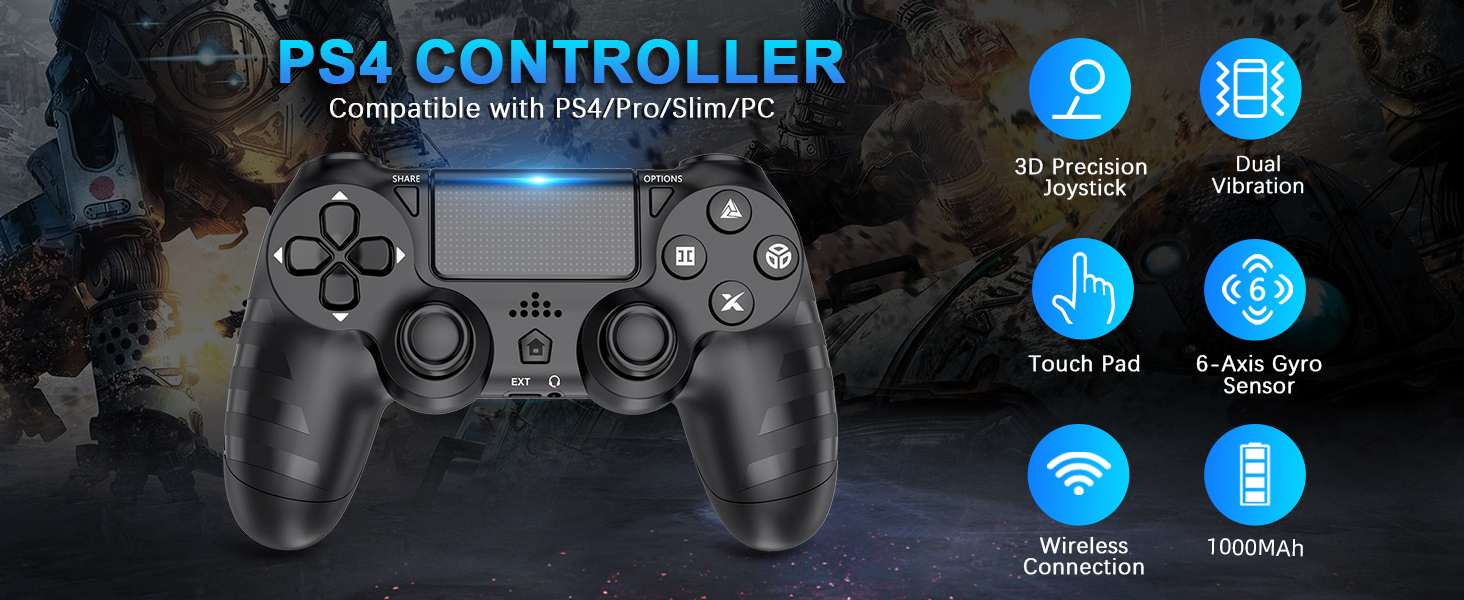
انځور: اوورview of key features of the DYONDER Wireless Controller.
۳. د کنټرولر ترتیب
Familiarize yourself with the various buttons and components of your DYONDER Wireless Controller:

Image: Labeled diagram of the controller's buttons and interfaces.
- د شریکولو تڼۍ: Used for sharing gameplay content.
- د اختیارونو تڼۍ: د لوبې دننه مینو او اختیارونو ته لاسرسی لري.
- D-pad: لارښوونه.
- د عمل تڼۍ (مثلث، دایره، صلیب، مربع): Primary game input buttons.
- چپ/ښي جوی سټیکونه: د حرکت او کیمرې کنټرول لپاره انلاګ ان پټ.
- ټچ پیډ: Multi-touch input surface.
- د کور تڼۍ: Returns to the console's home screen or powers on/off.
- غځول شوی انٹرفیس: For accessories.
- د سر غوږ جیک: د هیډسیټونو د نښلولو لپاره.
- د LED رڼا بار: Indicates player number, charging status, and in-game information.
- Charging Socket (USB-C): د کنټرولر چارج کولو لپاره.
4. تنظیم او پیوستون
Initial Connection to PS4 Console:
- ډاډ ترلاسه کړئ چې ستاسو د PS4 کنسول فعال دی.
- Connect the DYONDER Wireless Controller to your PS4 console using the included USB-C charging cable.
- فشار ورکړئ کور button on the controller. The controller will sync with the console.
- Once synced, you can disconnect the USB-C cable for wireless play.
د کمپیوټر سره نښلول:
- For PC connection, hold the شریک کړئ تڼۍ او د کور د 3 ثانیو لپاره په ورته وخت کې تڼۍ.
- The controller's LED light bar will start flashing rapidly, indicating it is in pairing mode.
- On your PC, go to Bluetooth settings and select the DYONDER Wireless Controller to pair.
- Once paired, the LED light bar will turn solid, indicating a successful connection.
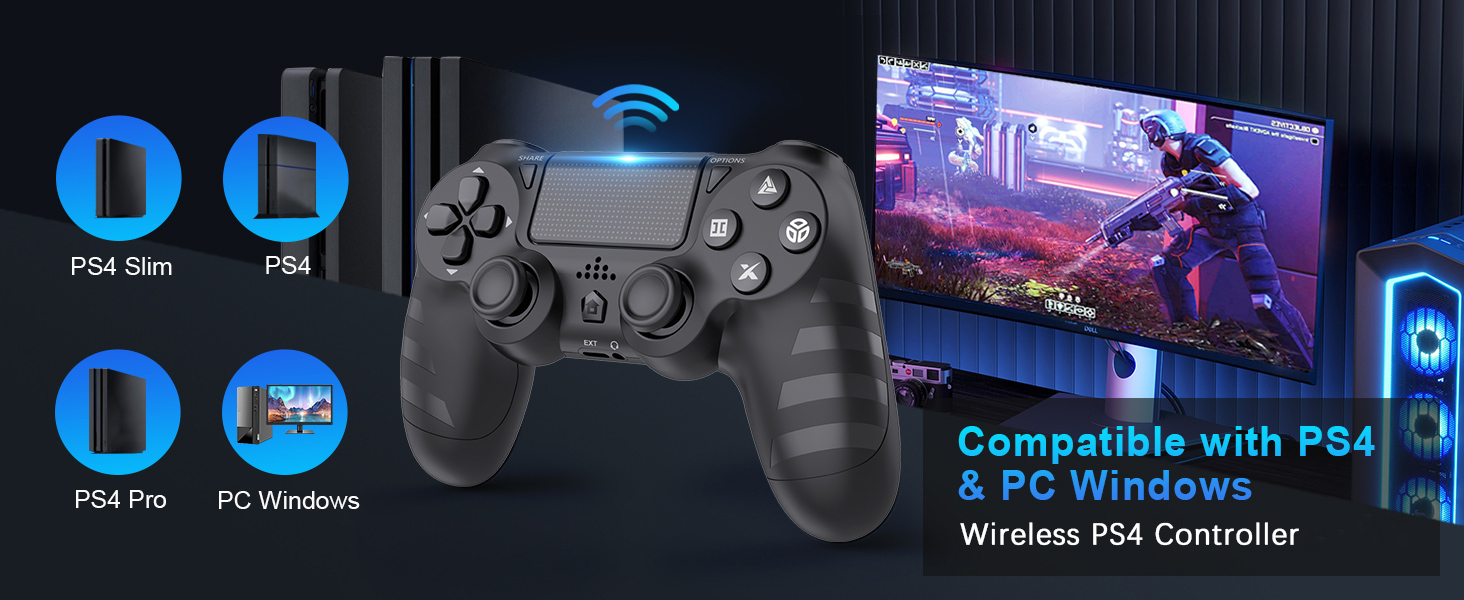
Image: Visual representation of controller compatibility with various platforms.
5. عملیات
دوه ګونی وایبریشن فیډبیک:
The controller features dual vibration motors that provide tactile feedback during gameplay. This enhances immersion by simulating in-game actions such as impacts, explosions, and environmental effects. The vibration intensity can vary based on the game and its settings.
د ۶ محور حرکت سینسر:
Equipped with a highly sensitive 6-axis motion sensor (accelerometer and gyroscope), the controller allows for intuitive motion-based controls in compatible games. You can tilt, rotate, and shake the controller to interact with the game environment.

Image: Illustration of the controller's 6-Axis Gyro Sensor in action.
د ټچ پیډ فعالیت:
The integrated touchpad supports multi-touch gestures, allowing for unique interactions in games that utilize this feature. It can also function as a clickable button.
آډیو جیک:
Connect your headset to the 3.5mm audio jack for in-game audio and voice chat (where supported by the game and console/PC settings).
۵. چارج کول او د بیټرۍ ژوند
The DYONDER Wireless Controller is equipped with a built-in 1000mAh rechargeable lithium-ion battery.
- د چارج کولو وخت: د شامل شوي USB-C کیبل په کارولو سره د بشپړ چارج لپاره نږدې 2 ساعته.
- د لوبې وخت: Up to 15 hours of continuous gameplay on a full charge.
د چارج کولو شاخص:
While charging, the LED light bar on the controller will typically display an amber light. Once fully charged, the light will turn off or change color depending on the console/PC status.
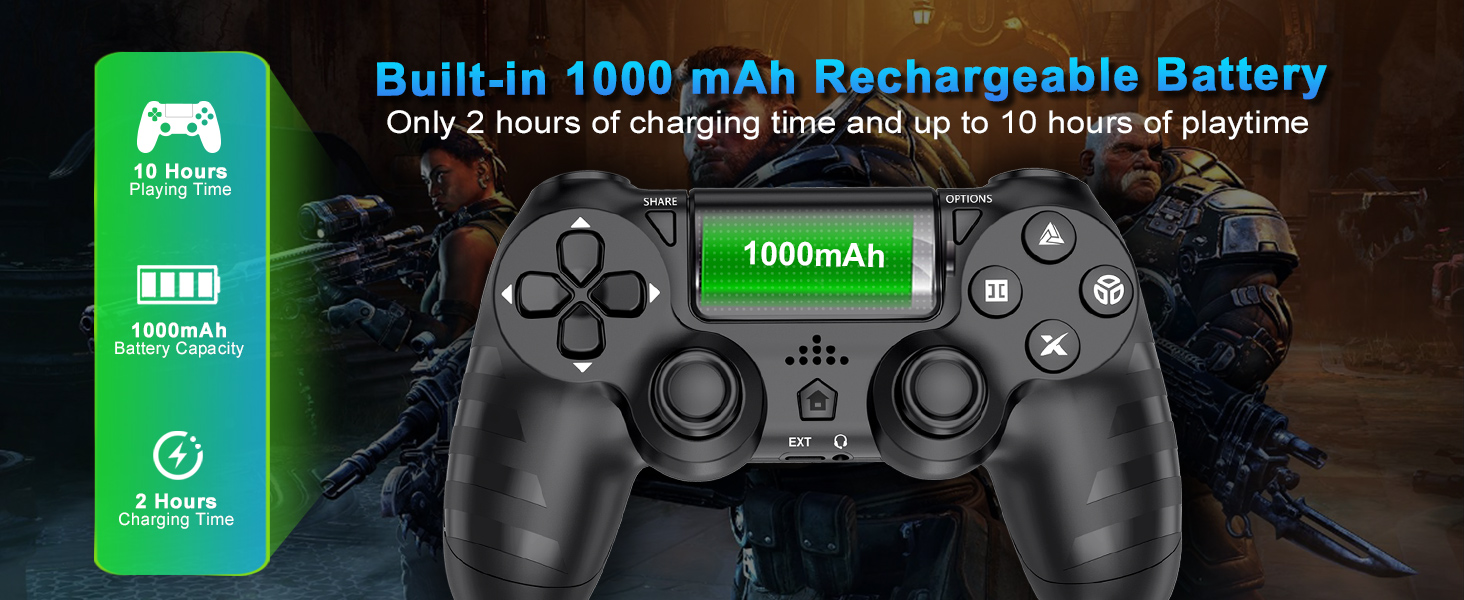
Image: Battery capacity and charging details for the controller.
7. ساتنه
- پاکول: د کنټرولر د پاکولو لپاره نرم، وچ ټوکر وکاروئ. د سختې خاورې لپاره، لږ څهampټوکر د اوبو سره ومینځئ. د سختو کیمیاوي موادو یا د کثافاتو پاکوونکو کارولو څخه ډډه وکړئ.
- ذخیره کول: کنټرولر په یخ او وچ ځای کې د مستقیم لمر وړانګو او سختې تودوخې څخه لرې وساتئ.
- د بیټرۍ پاملرنه: د بیټرۍ د ژوند اوږدولو لپاره، د کنټرولر په مکرر ډول په بشپړه توګه چارج کولو څخه ډډه وکړئ. په منظم ډول یې چارج کړئ، حتی که د اوږدې مودې لپاره نه کارول کیږي.
- سمبالول: کنټرولر مه غورځوئ او نه یې قوي ټکانونه ورکړئ. د کیبل د قطع کولو پر مهال په زور سره د کشولو څخه ډډه وکړئ.
8. ستونزه حل کول
| ستونزه | احتمالي لامل | د حل لاره |
|---|---|---|
| Controller does not connect/pair. | Low battery, out of range, pairing mode not activated, interference. | Charge the controller fully. Ensure it's within range of the console/PC. Re-enter pairing mode (SHARE + HOME for 3 seconds). Try connecting with the USB-C cable first. |
| د ننوتلو ځنډ یا بې ځوابه پاتې کیدل. | Wireless interference, low battery, software issue. | Ensure no strong wireless interference. Charge the controller. Restart the console/PC and controller. |
| Joystick drift. | درزونه، دوړې/کثافات. | Try resetting the controller (small button on the back). Clean around the joystick base. If persistent, contact support. |
| Headset microphone not working. | Headset compatibility, console/PC audio settings, controller defect. | Ensure your headset is fully plugged in. Check audio input/output settings on your PS4 or PC. Test with another headset if possible. If the issue persists, it may indicate a hardware problem. |
| کنټرولر چارج نه کوي. | Faulty cable, faulty charging port, power source issue. | Try a different USB-C cable and a different power source (e.g., another USB port on console/PC, wall adapter). Ensure the cable is securely connected. |
9. مشخصات
| فیچر | تفصیل |
|---|---|
| ماډل | B0DH22GT2B |
| برانډ | ډیونډر |
| مطابقت | PS4, PS4 Slim, PS4 Pro, PC |
| د بیټرۍ ظرفیت | 1000mAh لیتیم آیون |
| د چارج کولو وخت | نږدې 2 ساعته |
| د لوبې وخت | تر 15 ساعتونو پورې |
| ارتباط | Wireless (Bluetooth), USB-C |
| سینسرونه | 6-Axis Motion Sensor (Accelerometer, Gyroscope) |
| فیډبیک | Dual Vibration Motors (4 levels) |
| آډیو | د 3.5mm هیډفون جیک |
| د توکي وزن | ۷.۳۷ اونس (تقریبا ۲۰۹ ګرامه) |
| د کڅوړې ابعاد | 6.5 x 4.37 x 2.6 انچه |
۸. د محصول رسمي ویډیوګانې
ویډیو: لنډه کتنهview of the DYONDER Wireless Controller in pink, highlighting features like dual vibration, sensitive joysticks, and anti-slip texture.
Video: A quick look at the black DYONDER Wireless Controller, showcasinد هغې ډیزاین او ځانګړتیاوې.
11. تضمین او ملاتړ
For warranty information, technical support, or any inquiries regarding your DYONDER Wireless Controller, please refer to the contact information provided on the product packaging or visit the official DYONDER webسایټ د تضمین ادعاګانو لپاره خپل د پیرود رسید وساتئ.
