1. پیژندنه
Thank you for choosing the OHAYO Portable Bluetooth Speaker. This manual provides essential information for setting up, operating, and maintaining your speaker to ensure optimal performance. Designed for both indoor and outdoor use, this speaker delivers exceptional audio quality with its 15W loud stereo sound, IPX7 waterproof rating, and versatile connectivity options.
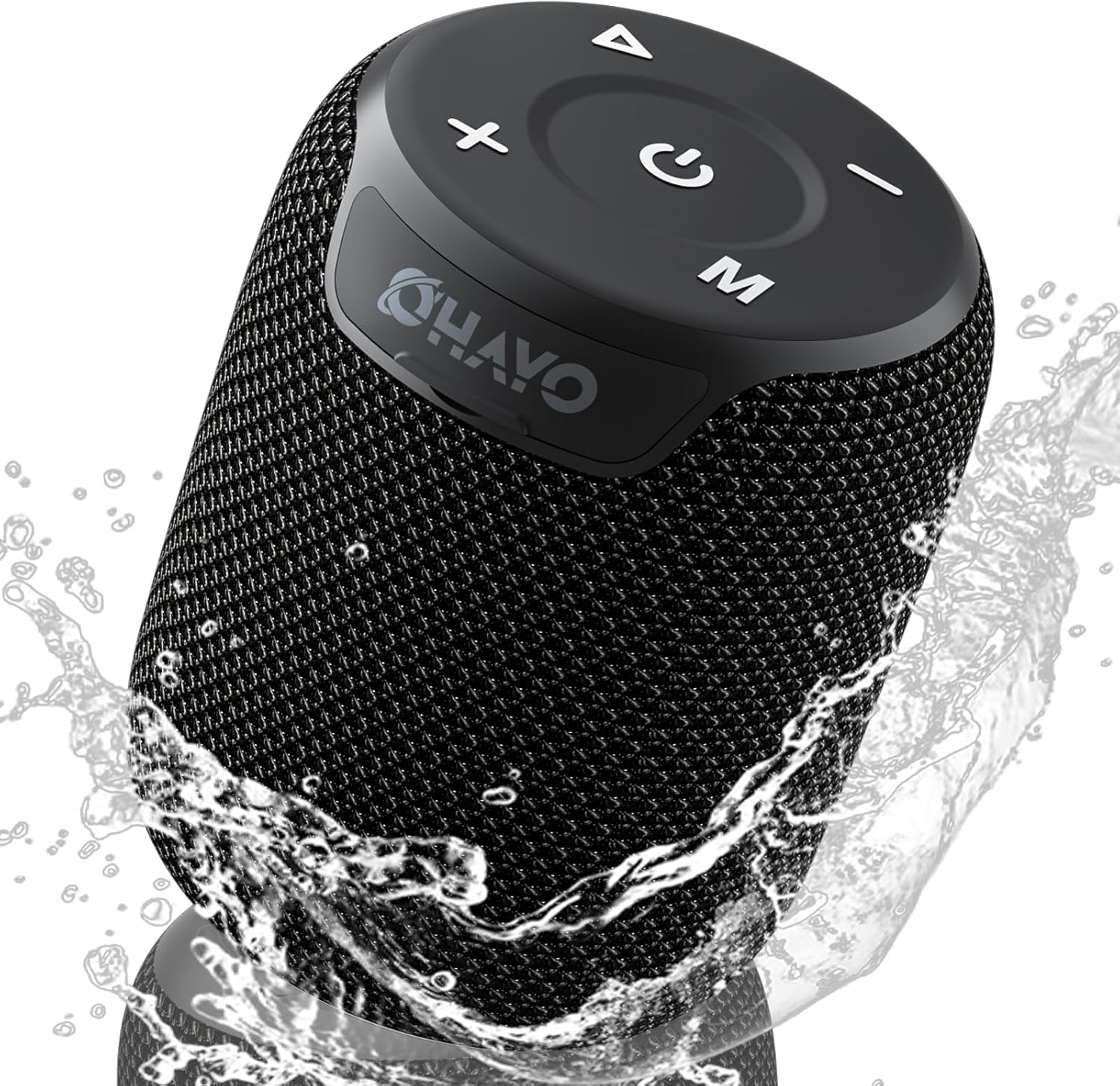
Image: The OHAYO Portable Bluetooth Speaker, showcasing its compact design and IPX7 waterproof capability with water splashing around it.
2. محصول ختم شوview
2.1 کلیدي ځانګړتیاوې
- استثنایی آډیو فعالیت: Features a 60mm mid-high speaker and a 65mm bass diaphragm for clear treble and rich bass.
- IPX7 واټر پروف: Fully submersible up to 3 feet for 30 minutes, resistant to rain, dust, snow, and spills.
- بلوتوث V5.3: Ensures quick pairing and stable connection with automatic re-connection.
- د TWS جوړه کول: Connect two speakers for synchronized, immersive stereo sound.
- څو اړخیز پلے بیک: Supports Bluetooth, TF cards, and 3.5mm AUX input.
- د اوږدې لوبې وخت: په یوه چارج کې تر ۷.۵ ساعتونو پورې د موسیقۍ غږول.
- جوړ شوی مایکروفون: For high-quality, hands-free calls.
- وړ وړ ډیزاین: Compact, lightweight, and includes a handy lanyard for easy carrying.

انځور: یوه چاودنه شوې view of the speaker's internal components highlighting the 60mm mid-high speaker and 65mm bass diaphragm, alongside icons representing key features like Aux-in, HD Mic, Hand-free Call, IPX7 Waterproof, Bluetooth 5.3, Micro SD support, and 16 hours of playtime.
۳.۲ کنټرولونه او بندرونه
The OHAYO speaker features intuitive controls located on the top panel and essential ports for connectivity.

انځور: یو مفصل view of the speaker's top panel, showcasing the sleek black design with bold white buttons for power, volume control, mode selection, and track navigation.
- د بریښنا تڼۍ: د بریښنا آن/بند کولو لپاره فشار ورکړئ او ونیسئ.
- حجم پورته (+): حجم زیات کړئ.
- حجم ښکته (-): حجم کم کړئ.
- د پلی کولو/پاز بټن: غږ غږول یا بندول.
- د حالت (M) تڼۍ: Switch between Bluetooth, AUX, and TF Card modes.
- د USB-C چارج کولو بندر: د سپیکر چارج کولو لپاره.
- د اکس-ان پورټ: د تار لرونکي آډیو اتصال لپاره.
- د TF کارت سلاټ: د مایکرو ایس ډی کارت څخه مستقیم میوزیک غږولو لپاره.
3. پیل کول
۳.۱ د سپیکر چارج کول
Before first use, fully charge the speaker. Use the provided Type-C charging cable.
- Connect the Type-C end of the cable to the speaker's charging port.
- د USB-A پای د یو مناسب USB بریښنا اډاپټر (شامل نه دی) یا د کمپیوټر USB پورټ سره وصل کړئ.
- د چارج کولو شاخص څراغ به روښانه شي. د بشپړ چارج لپاره نږدې 3 ساعته وخت نیسي.
- د شاخص څراغ به د چارج بشپړیدو وروسته بدل یا بند شي.

Image: The OHAYO speaker connected to a USB-C charging cable, illustrating its fast charging capability and long battery life.
3.2 بریښنا کول / بندول
- د فعالولو لپاره: د پاور تڼۍ د ۲-۳ ثانیو لپاره فشار ورکړئ او ونیسئ تر هغه چې تاسو د اوریدو وړ غږ واورئ او د شاخص څراغ روښانه شي.
- د بریښنا بندولو لپاره: د بریښنا تڼۍ د ۲-۳ ثانیو لپاره فشار ورکړئ او ونیسئ تر هغه چې تاسو د اوریدو وړ اشاره واورئ او د شاخص څراغ بند شي.
4. ارتباط
4.1 د بلوتوټ جوړه کول
سپیکر به په اتوماتيک ډول د بلوتوث جوړه کولو حالت ته ننوځي کله چې د لومړي ځل لپاره فعال شي یا که هیڅ وسیله وصل نه وي.
- Ensure the speaker is powered on and in Bluetooth mode (blue indicator light blinking).
- په خپل وسیله (سمارټ فون، ټابلیټ، لیپ ټاپ) کې، بلوتوث فعال کړئ او د شته وسایلو لټون وکړئ.
- Select "OHAYO X2" from the list of devices.
- Once connected, the speaker will emit a confirmation sound, and the blue indicator light will remain solid.
- سپیکر به په اتوماتيک ډول د وروستي جوړه شوي وسیلې سره وصل شي کله چې بریښنا فعاله شي، که چیرې د وسیلې بلوتوټ فعال وي او په حد کې وي.
۶.۸ ریښتینی بې سیم سټیریو (TWS) جوړه کول
You can pair two OHAYO X2 speakers together for a true stereo sound experience.
- Ensure both OHAYO X2 speakers are powered on and not connected to any Bluetooth device.
- On one speaker (this will be the primary speaker), double-press the Power button. You will hear a prompt indicating TWS pairing mode.
- دواړه سپیکرې به په اتوماتيک ډول یو بل ولټوي او یو بل سره به وصل شي. یوځل چې وصل شي، تاسو به د تایید غږ واورئ.
- Now, connect your device to the primary speaker via Bluetooth as described in Section 4.1. The audio will play through both speakers in stereo.

Image: Two OHAYO Portable Bluetooth Speakers wirelessly connected to a laptop, demonstrating the True Wireless Stereo (TWS) pairing feature for an immersive audio experience.
۶.۲ د AUX-in حالت
Use the 3.5mm AUX input for wired connection to devices without Bluetooth.
- Connect one end of a 3.5mm audio cable (not included) to the speaker's AUX-in port.
- بل پای د خپل وسیلې د آډیو آوټ پټ جیک سره وصل کړئ.
- The speaker will automatically switch to AUX mode. If not, press the 'M' (Mode) button to select AUX mode.
۴.۶ د TF کارت حالت
Play music directly from a Micro SD (TF) card.
- Insert a Micro SD (TF) card with MP3 audio fileد TF کارت سلاټ ته ننوځي.
- The speaker will automatically switch to TF Card mode and begin playing music. If not, press the 'M' (Mode) button to select TF Card mode.
۵. خپل سپیکر چلول
5.1 د میوزیک غږ
- پلی کول / ودرول: یو ځل د Play/Pause تڼۍ کېکاږئ.
- بله لار: د حجم لوړولو (+) تڼۍ کېکاږئ او ونیسئ.
- مخکینی لار د حجم ښکته (-) تڼۍ کېکاږئ او ونیسئ.
- د حجم کنټرول: د حجم پورته (+) یا د حجم ښکته (-) تڼۍ لنډ فشار ورکړئ.
۶.۳ د لاسونو څخه پاک زنګ وهل
When connected via Bluetooth, you can use the speaker for hands-free calls.
- زنګ ووهئ: یو ځل د Play/Pause تڼۍ کېکاږئ.
- ټلیفون پای: د زنګ وهلو په جریان کې یو ځل د پلی/پاز تڼۍ فشار ورکړئ.
- زنګ رد کړئ: د 2 ثانیو لپاره د Play/Pause تڼۍ فشار او ونیسئ.
- وروستنۍ شمیره بیا ولیکئ: د Play/Pause تڼۍ دوه ځله فشار ورکړئ.
6. پاملرنه او ساتنه
Proper care ensures the longevity of your OHAYO Portable Bluetooth Speaker.
۵.۲ د اوبو ضد کول (IPX7)
The speaker is IPX7 waterproof, meaning it can be submerged in water up to 1 meter (3 feet) for up to 30 minutes. Ensure the charging port cover is securely closed before exposing the speaker to water.

Image: A person submerged in water, holding the OHAYO speaker, demonstrating its fully IPX7 waterproof capability and seamless, enclosed design.
6.2 پاکول
- سپیکر په نرم سره مسح کړئ ، دamp ټوکر
- د کثافاتو پاکوونکي، الکول، یا کیمیاوي محلولونه مه کاروئ.
- Ensure the speaker is dry before charging.
6.3 ذخیره کول
- سپیکر په یخ او وچ ځای کې د سختې تودوخې څخه لرې وساتئ.
- د مستقیم لمر وړانګو ته د اوږدې مودې تماس څخه مخنیوی وکړئ.
7. ستونزه حل کول
If you encounter issues with your speaker, please refer to the following common problems and solutions.
| ستونزه | احتمالي لامل | د حل لاره |
|---|---|---|
| سپیکر به نه چالانېږي. | د بیټرۍ چارج ټیټ دی؛ د بریښنا تڼۍ د اوږدې مودې لپاره نه ده فشار شوې. | سپیکر په بشپړه توګه چارج کړئ. د بریښنا تڼۍ د ۲-۳ ثانیو لپاره فشار ورکړئ او ونیسئ. |
| د بلوتوث له لارې جوړه نشي کیدی. | سپیکر د جوړې کولو په حالت کې نه دی؛ د وسیلې بلوتوټ بند دی؛ له سپیکر څخه ډیر لرې دی. | Ensure speaker is in Bluetooth pairing mode (blinking blue light). Turn on Bluetooth on your device. Move device closer to speaker (within 33 feet/10 meters). |
| غږ نشته. | غږ ډېر ټیټ دی؛ ناسم حالت غوره شوی دی؛ وسیله غږ نه غږوي. | Increase speaker and device volume. Press 'M' button to select correct mode (Bluetooth, AUX, TF Card). Ensure audio is playing on your device. |
| د TWS جوړه ناکامه شوه. | Speakers already connected to another device; Incorrect pairing steps. | دواړه سپیکرونه د هر بلوتوث وسیلو څخه جلا کړئ. د TWS جوړه کولو مرحلې په دقت سره تعقیب کړئ (برخه 4.2). |
| د غږ ټیټ کیفیت. | Low battery; Obstructions between speaker and device; Source audio quality. | Charge the speaker. Reduce distance or remove obstructions. Try a different audio source. |
8. مشخصات
Detailed technical specifications for the OHAYO Portable Bluetooth Speaker.
| فیچر | تفصیل |
|---|---|
| د ماډل نوم | X2 |
| برانډ | اوهایو |
| د سپیکر ډول | بهر |
| د ارتباط ټیکنالوژي | بلوتوث |
| د بې سیمه مخابراتو ټیکنالوژي | بلوتوث V5.3 |
| د سپیکر اعظمي تولید ځواک | 15 واټ |
| د آډیو ډرایور ډول | Dynamic Driver (60mm mid-high, 65mm bass diaphragm) |
| د تعدد ځواب | 20 KHz (typical range for portable speakers) |
| د آډیو وتلې حالت | سټیریو (د TWS جوړه کولو سره) |
| د پنروک درجه | IPX7 |
| د بیټرۍ ژوند | تر 16-18 ساعتونو پورې |
| د بیټرۍ ظرفیت | 3300 mAh |
| د چارج کولو وخت | نږدې 3 ساعته |
| د بریښنا سرچینه | د بیټرۍ چلول |
| د محصول ابعاد | ۱۶"د x ۲۶"وچ x ۴۷"ح |
| د توکي وزن | 14.9 اونس |
| د کنټرول طریقه | Touch (buttons on top) |
| مطابقت لرونکې وسیلې | لپ ټاپ، سمارټ فون، ټابلیټ، تلویزیون |
| مواد | Other (durable mesh and plastic) |
9. تضمین او ملاتړ
9.1 د تضمین معلومات
The OHAYO Portable Bluetooth Speaker comes with a محدود تضمین. Please retain your proof of purchase for warranty claims. For specific terms and conditions, refer to the warranty card included in your product packaging or contact customer support.
9.2 د پیرودونکي ملاتړ
For any questions, technical assistance, or warranty inquiries, please contact OHAYO customer support. We offer 24-hour customer support and easy, hassle-free returns & replacements. Support Extended Term of Service is also available.
د اړیکو معلومات: Please refer to the contact details provided on the product packaging or the official OHAYO webسایټ


