پیژندنه
This manual provides essential information for setting up, operating, maintaining, and troubleshooting your HP 27-cr100 All-in-One Desktop. Please read these instructions carefully before using your device.
په بکس کې څه دي
ډاډ ترلاسه کړئ چې ټول توکي په بسته بندۍ کې شتون لري:
- HP 27-cr100 All-in-One Desktop
- د بریښنا تار
- HP 310 Black Wired Keyboard
- د HP تور تار لرونکی موږک
- Documentation (this manual, safety guide, etc.)
- ۱۲۸ جي بي USB ډرایو
چمتو کول
۱. خلاصول او ځای پر ځای کول
Carefully remove the All-in-One desktop and its components from the packaging. Place the desktop on a stable, flat surface with adequate ventilation around the unit.
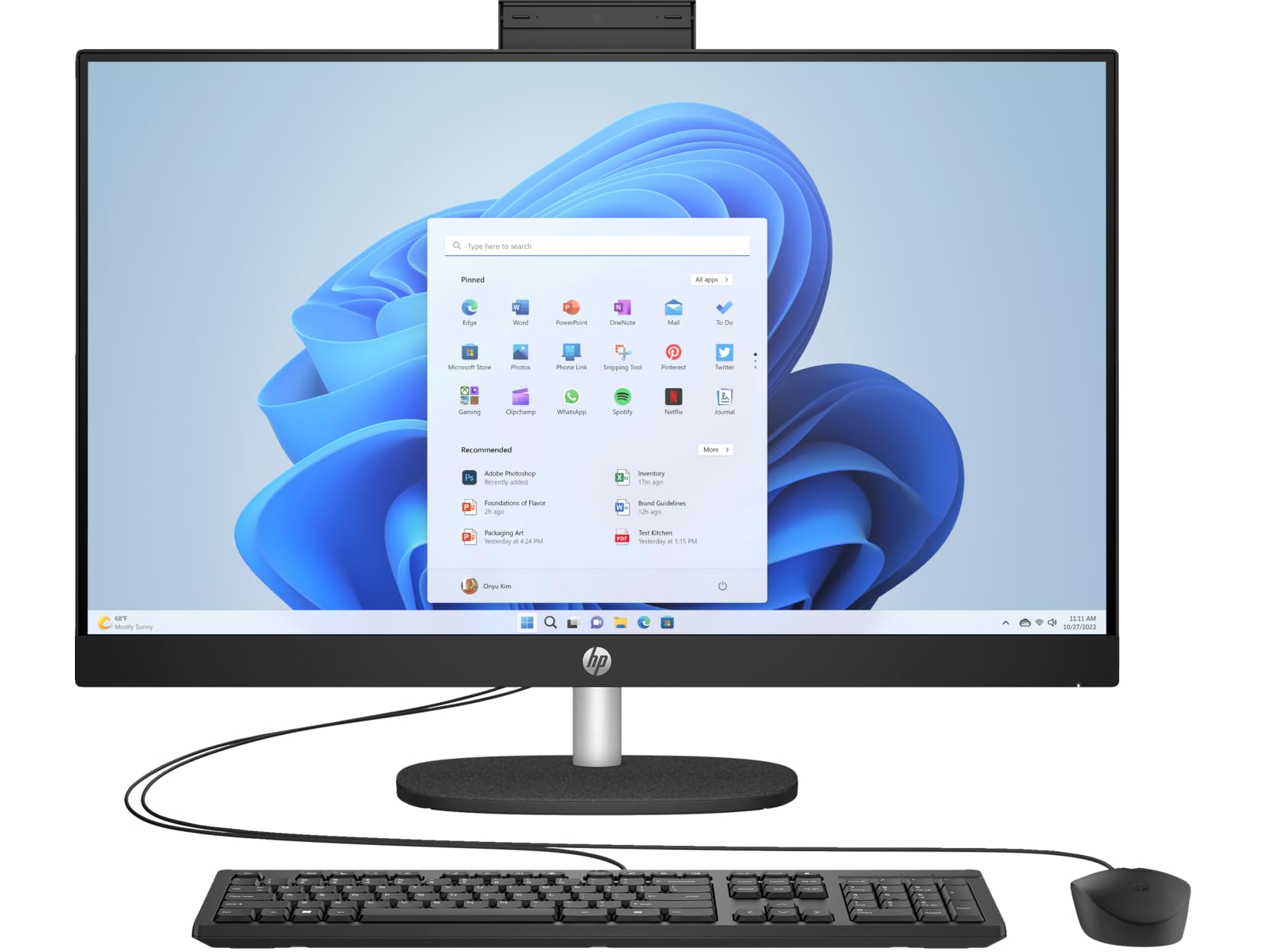
Figure 1: HP 27-cr100 All-in-One Desktop with included keyboard and mouse.
2. د پردیو نښلول
- Connect the wired keyboard to an available USB port on the back of the desktop.
- Connect the wired mouse to another available USB port.

شکل 2: شاته view of the desktop highlighting the various ports for peripheral connections.
3. د بریښنا پیوستون
- Connect the power cord to the power input on the back of the desktop.
- د برښنا تار بله پای په یو ځمکني بریښنایی پلورنځي کې ولګوه.
۳.۳. لومړنی بوټ اپ
- Press the power button, usually located on the side or bottom edge of the display.
- Follow the on-screen instructions to complete the Windows 10 Pro setup process. This may include setting up your user account, network connection, and other preferences.

Figure 3: The desktop display showing the Windows operating system interface.
عملیاتي لارښوونې
Windows 10 Pro Basics
Your HP All-in-One Desktop comes pre-installed with Windows 10 Pro. Familiarize yourself with the operating system's interface, Start Menu, taskbar, and file explorer for efficient use.
ارتباط
- وای فای: د بېسیم شبکې سره د نښلولو لپاره، په ټاسک بار کې د وای فای آیکون کلیک وکړئ، خپل شبکه غوره کړئ، او پټنوم دننه کړئ.
- بلوتوث: Enable Bluetooth in Windows settings to pair with compatible devices like headphones or speakers.
- USB پورټونه: Use the available USB 3.2 Gen 1 Type-C, USB 3.2 Gen 1 Type-A, and USB 2.0 Type-A ports for connecting external devices such as USB drives, printers, or other accessories.
- HDMI: The HDMI v1.4 port allows you to connect an external display or projector.
- لین: For a wired network connection, connect an Ethernet cable to the 10/100/1000Mbps LAN port.
د کیمرې کارول
The integrated 720p HD camera features a privacy shutter. To use the camera, slide the shutter open. Close it when not in use for privacy and security.
آډیو
The desktop includes dual 2W speakers for audio output. You can also connect headphones or external speakers to the Headphone/Microphone Combo Jack.
ساتنه
پاکول
- سکرین: د نرم، لینټ پاک ټوکر څخه په روښانه توګه کار واخلئampد اوبو یا د سکرین پاکولو محلول سره مینځل. د سختو کیمیاوي موادو څخه ډډه وکړئ.
- چیسس: Wipe the exterior surfaces with a soft, dry cloth. Ensure ventilation openings are clear of dust.
- کیبورډ او موږک: د کیلي ګانو ترمنځ د کثافاتو د لرې کولو لپاره د فشار شوي هوا څخه کار واخلئ. سطحې د لږ څه وچولو سره پاک کړئamp ټوکر
د سافټویر تازه معلومات
Regularly check for and install Windows updates to ensure system stability, security, and performance. HP also provides driver updates through its support webسایټ یا د HP ملاتړ معاون سافټویر.
د معلوماتو بیک اپ
سپارښتنه کیږي چې په منظم ډول خپل مهم معلومات په بهرني ډرایو یا کلاوډ ذخیره کې بیک اپ کړئ ترڅو د معلوماتو له لاسه ورکولو مخه ونیسئ.
د ستونزو حل کول
If you encounter issues with your HP 27-cr100 All-in-One Desktop, refer to the following common solutions:
- ځواک نشته: Ensure the power cord is securely connected to both the desktop and the electrical outlet. Test the outlet with another device.
- نه ښودنه: Check all cable connections. If using an external monitor, ensure it is powered on and correctly connected. Try restarting the computer.
- د انټرنیټ اتصال نشته: Verify Wi-Fi is enabled and connected to the correct network. For wired connections, ensure the Ethernet cable is properly seated. Restart your router/modem if necessary.
- پردیي وسایل کار نه کوي: Ensure the keyboard and mouse are correctly plugged into the USB ports. Try different USB ports.
- ورو فعالیت: غیر ضروري غوښتنلیکونه بند کړئ. د شالید پروسو لپاره وګورئ چې لوړې سرچینې مصرفوي. په SSD کې کافي خالي ځای ډاډمن کړئ.
For more complex issues or further assistance, please visit the official HP Support webد HP د پیرودونکو خدماتو سایټ یا اړیکه ونیسئ.
مشخصات
| فیچر | تفصیل |
|---|---|
| د ماډل نوم | 27-cr100 |
| پروسیسر | Intel Core Ultra 7 155U 12-Core (Up to 4.8 GHz) |
| ګرافیک | د انټل ایرس ایکس ای ګرافیک (مدغم) |
| ښودل | 27" LED-backlit IPS (1920 x 1080) 60Hz, 300 nits, Anti-glare |
| حافظه | ۱۶ جي بي ډي ډي آر ۴ ايس ډي آر اېم ۳۲۰۰ مېګاهرتز |
| ذخیره کول | ۱ ټې بي ایم ۲ ایس ایس ډي |
| عملیاتي سیسټم | وینډوز 10 پرو |
| کیمره | د محرمیت شټر سره 720p HD کیمره |
| آډیو | دوه ګونی 2W سپیکرې |
| بې سیم ارتباط | وای فای ۶ (۲x۲)، بلوتوث ۵.۲ |
| بندرونه | 1x USB-C 3.2 Gen 1, 2x USB 3.2 Gen 1 Type-A, 2x USB 2.0 Type-A, 1x HDMI v1.4, 1x Headphone/Microphone Combo Jack, 1x RJ-45 LAN |
| ابعاد (H x W x D) | 20.35 x 24.11 x 7.34 انچه |
| وزن | 14.81 پونډه |
| رنګ | جټ تور |
تضمین او ملاتړ
Your HP 27-cr100 All-in-One Desktop includes 1 Year Support from HP within the US. For warranty claims, technical assistance, or additional support resources, please visit the official HP Support webسایټ ته مراجعه وکړئ یا د دوی د پیرودونکو خدماتو څانګې سره اړیکه ونیسئ. د ملاتړ په لټه کې د خپل پیرود رسید او د محصول سریال شمیره په اسانۍ سره وساتئ.
د نورو معلوماتو لپاره، لیدنه وکړئ: د HP ملاتړ