پیژندنه
This manual provides essential information for the safe and efficient installation, operation, and maintenance of your GIGABYTE AORUS Elite P1000W Ice Power Supply. Please read this manual thoroughly before using the product and retain it for future reference.

شکل ۳: زاویه لرونکی view of the GIGABYTE AORUS Elite P1000W Ice Power Supply, highlighting the 1000W rating.
د خوندیتوب معلومات
تل د خپلو تجهیزاتو د ټپي کیدو او زیان څخه د مخنیوي لپاره لاندې خوندیتوب احتیاطي تدابیر په پام کې ونیسئ:
- ډاډ ترلاسه کړئ چې د نصب یا سمبالولو دمخه د بریښنا رسولو د AC آوټ لیټ څخه قطع شوی دی.
- د برېښنا رسولو واحد مه خلاصوئ. لوړ حجمtages دننه شتون لري، او د کاروونکي لپاره د خدمت وړ برخې شتون نلري.
- د برېښنا رسولو ځای په ښه هوا لرونکي ځای کې نصب کړئ، د تودوخې سرچینو او مستقیم لمر وړانګو څخه لرې.
- یوازې هغه ماډلر کیبلونه وکاروئ چې د دې بریښنا رسولو سره چمتو شوي دي. د نامناسب کیبلونو کارول ممکن زیان ورسوي.
- د برېښنا رسولو د رطوبت یا سختې تودوخې سره د مخ کېدو څخه ډډه وکړئ.
د بسته محتويات
ډاډ ترلاسه کړئ چې ټول توکي په کڅوړه کې شتون لري:
- GIGABYTE AORUS Elite P1000W Ice Power Supply Unit
- Modular Cable Set (including ATX 24-pin, EPS/CPU 8-pin, PCIe 6+2-pin, 12VHPWR, SATA, Peripheral)
- AC Power Cord (EU Plug)
- د سکرو نصب کول
- د کارونکي لارښود (دا لاسوند)
د محصول ځانګړتیاوې
- ATX 3.0 and PCIe Gen 5.0 ready (ATX 3.1 compatible)
- Certified 80 PLUS Platinum efficiency
- 100% Japanese Capacitors for enhanced reliability
- 120mm Dynamic Fluid Ball Bearing (FDB) Fan for quiet and efficient cooling
- Compact design for easier installation
- Fully modular design for improved cable management
- Powerful single rail +12V output
- Comprehensive protection features: OVP (Over Voltage Protection), OPP (Over Power Protection), SCP (Short Circuit Protection), UVP (Under Voltage Protection), OCP (Over Current Protection), OTP (Over Temperature Protection)
تنظیم او نصب کول
د خپل بریښنا رسولو نصبولو لپاره دا ګامونه تعقیب کړئ:
- خپل سیسټم چمتو کړئ: Ensure your computer case is open and all existing power supply cables are disconnected.
- د بریښنا رسولو نصبول: Carefully place the GIGABYTE AORUS Elite P1000W into the power supply bay of your computer case. Secure it with the provided mounting screws.

شکل 2: په ټولیز ډول view of the GIGABYTE AORUS Elite P1000W Ice Power Supply. This image shows the main unit with its fan grill and modular cable ports.
- ماډلر کیبلونه وصل کړئ: Identify the necessary cables for your motherboard and components (CPU, GPU, storage drives). Connect the appropriate modular cables to the power supply's output ports.

شکل 3: مفصل view of the modular cable connectors on the GIGABYTE AORUS Elite P1000W Ice Power Supply. This image illustrates the clearly labeled ports for M/B, CPU/PCI-E, Peripheral, and 12VHPWR connections.
- ۲۴ پن ATX کیبل: د مور بورډ د اصلي بریښنا نښلونکي سره وصل کړئ.
- 8-pin EPS/CPU Cable: Connect to the motherboard's CPU power connector.
- PCIe 6+2-pin Cables: Connect to your graphics card(s) if they require additional power.
- 12VHPWR Cable: Connect to PCIe Gen 5.0 graphics cards that utilize this connector.
- SATA کیبلونه: د SSDs، HDDs، او آپټیکل ډرایو سره وصل شئ.
- پردی (مولیکس) کیبلونه: Connect to other components requiring Molex power.
- له اجزاو سره وصل شئ: Route the connected modular cables neatly to their respective components and plug them in securely.
- د AC بریښنا سره وصل کړئ: Ensure the power supply's main switch is in the OFF (0) position. Connect the AC power cord to the power supply and then to a wall outlet.
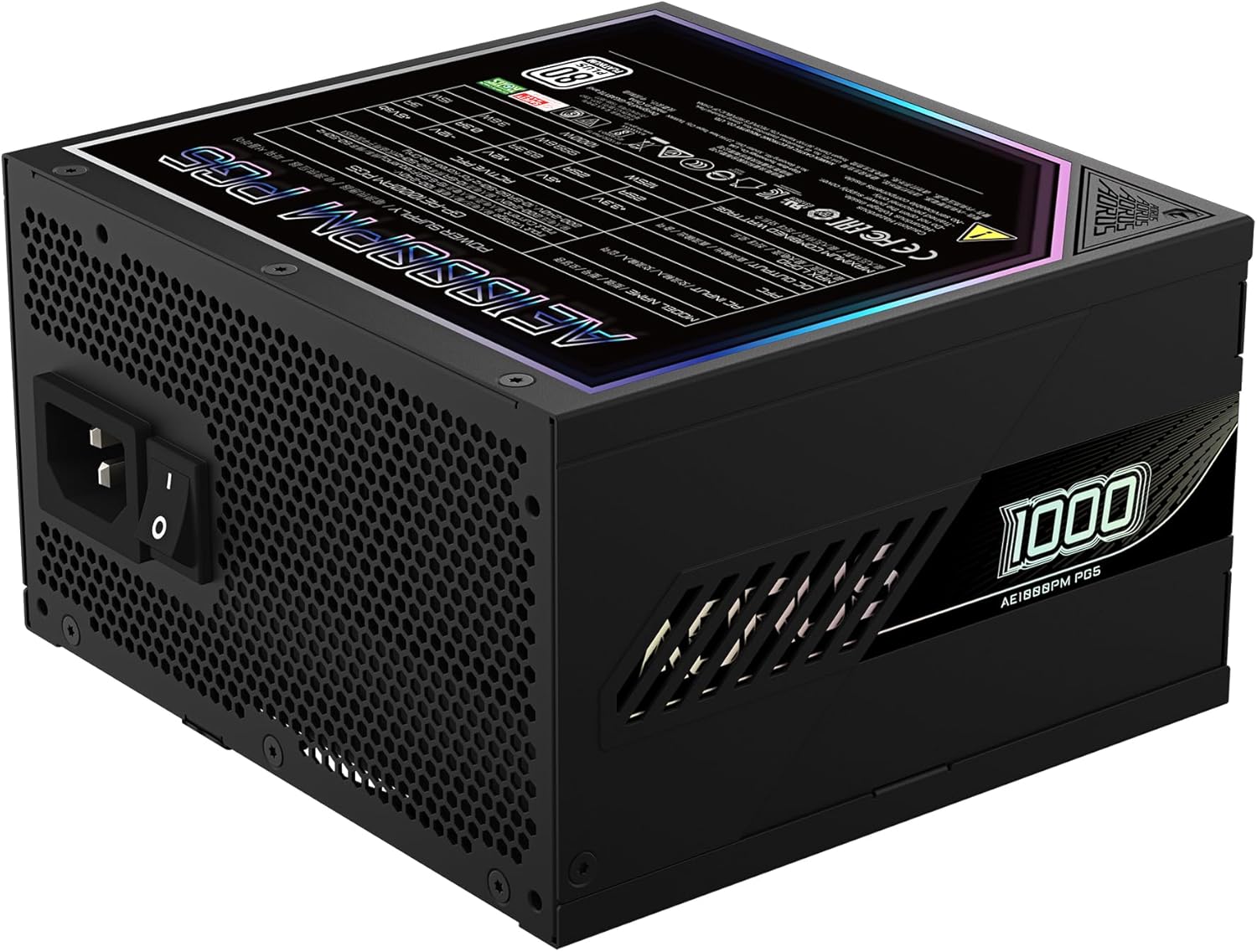
Figure 4: Rear panel of the GIGABYTE AORUS Elite P1000W Ice Power Supply, showing the AC power input and power switch. Ensure the switch is set to '0' before connecting the AC cord.
عملیاتي لارښوونې
After installation, follow these steps to power on your system:
- پاور آن: Flip the main power switch on the rear of the power supply to the ON (I) position.
- سیسټم بوټ: د سیسټم د پیلولو لپاره په خپل کمپیوټر کیس کې د بریښنا تڼۍ فشار ورکړئ.
- بندول: To shut down your system, perform a proper shutdown through your operating system. Once the system is off, you may flip the power supply's main switch to the OFF (0) position for complete power disconnection.

شکل ۱: پورته څخه ښکته view of the 120mm fan with the AORUS logo on the GIGABYTE AORUS Elite P1000W Ice Power Supply. The fan provides active cooling during operation.
ساتنه
منظم ساتنه ستاسو د بریښنا رسولو اوږد عمر او غوره فعالیت ډاډمن کولو کې مرسته کوي:
- د دوړو پاکول: Periodically clean dust from the power supply's fan grill and vents using compressed air. Ensure the power supply is turned off and unplugged before cleaning.
- د کیبل مدیریت: ډاډ ترلاسه کړئ چې کیبلونه په ښه توګه تنظیم شوي او د کمپیوټر په قضیه کې د هوا جریان خنډ نه کوي.
- د چاپیریال شرایط: Maintain a cool, dry, and well-ventilated environment for your computer system.
د ستونزو حل کول
که تاسو له ستونزو سره مخ شئ، نو لاندې عام د ستونزو حل کولو مرحلو ته مراجعه وکړئ:
- ځواک نشته:
- وګورئ چې ایا د AC بریښنا تار په خوندي ډول د بریښنا رسولو او دیوال آوټ لیټ دواړو سره وصل دی.
- Ensure the power supply's main switch is in the ON (I) position.
- Verify that all modular cables are correctly seated in both the power supply and the components.
- د دیوال ساکټ د بل وسیلې سره ازموینه وکړئ ترڅو تایید کړئ چې دا بریښنا لري.
- سیسټم په ناڅاپي ډول بندیږي:
- This could indicate an overload or overheating. Ensure your system's power requirements do not exceed the PSU's 1000W capacity.
- Check for proper ventilation and clear any dust buildup.
- ډاډ ترلاسه کړئ چې د بریښنا ټولې اړیکې خوندي دي.
- غیر معمولي غږونه:
- A clicking sound might indicate a protective mechanism engaging. Disconnect power and recheck all connections.
- If the fan is making excessive noise, ensure it is free from obstructions.
If issues persist after following these steps, contact GIGABYTE customer support.
مشخصات

Figure 6: Product label on the GIGABYTE AORUS Elite P1000W Ice Power Supply, displaying electrical specifications and certifications. Refer to this label for detailed electrical ratings.
| فیچر | تفصیل |
|---|---|
| د ماډل نوم | AORUS ELITE P1000W |
| د توکي ماډل شمیره | GP-AE1000PM PG5 EU |
| د واټ محصولtage | 1000 واټ |
| 80 PLUS تصدیق | پلاټینیم |
| د فارم فکتور | ATX |
| ATX Version Compatibility | ATX 3.0 (ATX 3.1 compatible) |
| PCIe Version Compatibility | PCIe جنرال 5.0 |
| د فین اندازه | 120mm |
| د فین ډول | Dynamic Fluid Ball Bearing (FDB) |
| Capacitors | ۱۰۰٪ جاپاني کپاسیټرونه |
| ماډلر ډیزاین | په بشپړ ډول ماډلر |
| محافظتونه | OVP, OPP, SCP, UVP, OCP, OTP |
| د محصول ابعاد (L x W x H) | 5.51 x 5.91 x 3.39 انچه |
| د توکي وزن | 6.79 پونډه (3080 ګرامه) |
د تضمین معلومات
The GIGABYTE AORUS Elite P1000W Ice Power Supply comes with a 10 کلن تضمین from the date of purchase. This warranty covers defects in materials and workmanship under normal use. Please retain your proof of purchase for warranty claims. For full warranty terms and conditions, refer to the official GIGABYTE webسایټ یا د پیرودونکي ملاتړ سره اړیکه ونیسئ.
ملاتړ
For technical assistance, troubleshooting beyond this manual, or warranty inquiries, please visit the official GIGABYTE support website or contact their customer service department. You can typically find contact information on the GIGABYTE webپه سایټ یا د محصول په بسته بندۍ کې.
د ګیګابایټ رسمي Webسایټ: www.gigabyte.com