پیژندنه
Thank you for choosing the Haomuren K1 Mini Portable Bluetooth Karaoke Machine. This manual provides essential information for the safe and efficient operation of your new device. Please read it thoroughly before use and retain it for future reference.
په بکس کې څه دي
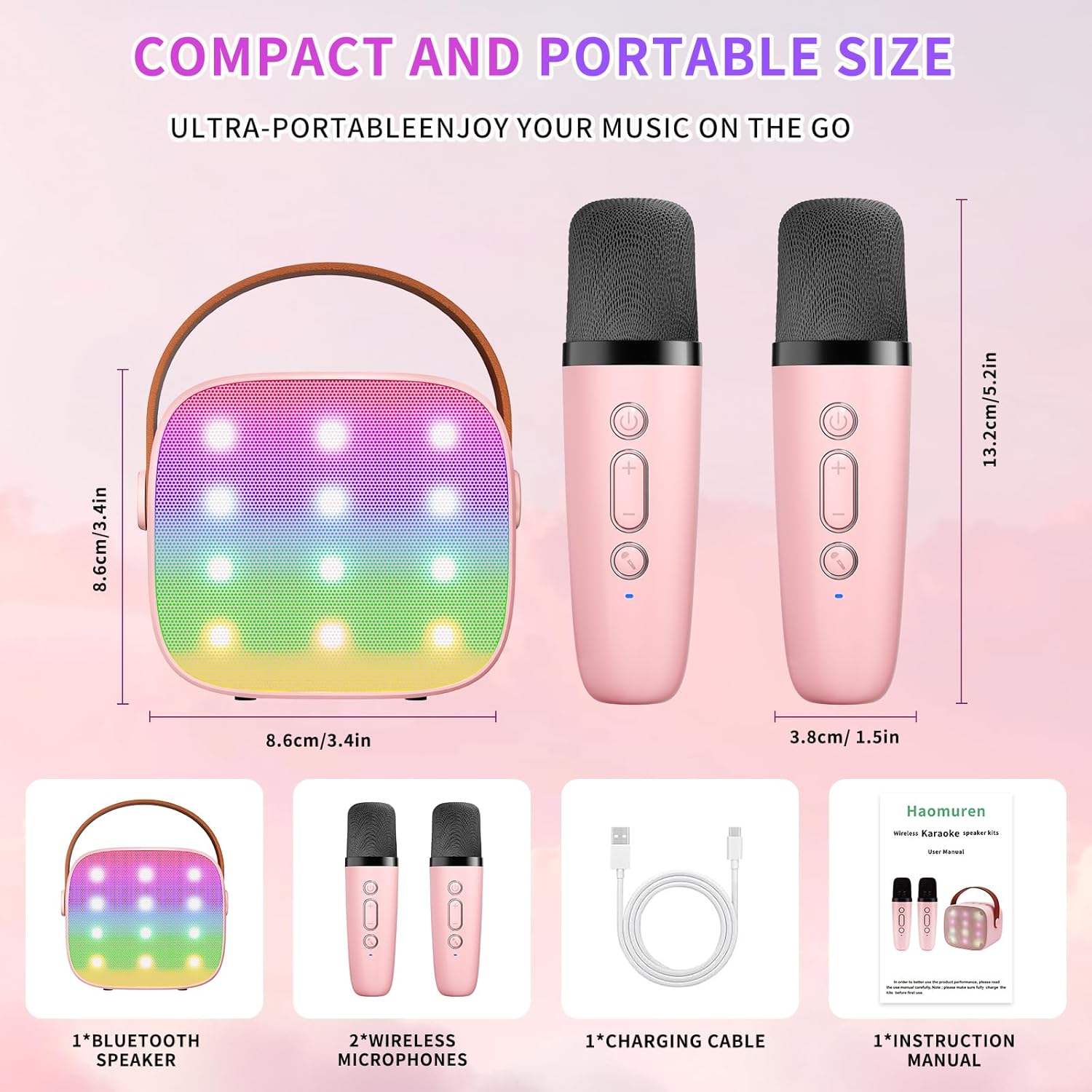
- Karaoke Machine (Speaker) x 1
- بې سیم مایکروفون x 2
- د ډول-C چارج کیبل x 1
- د کارن لارښود x 1
چمتو کول
1. د وسیلې چارج کول
Before initial use, fully charge the karaoke machine and both microphones. Use the provided Type-C charging cable.
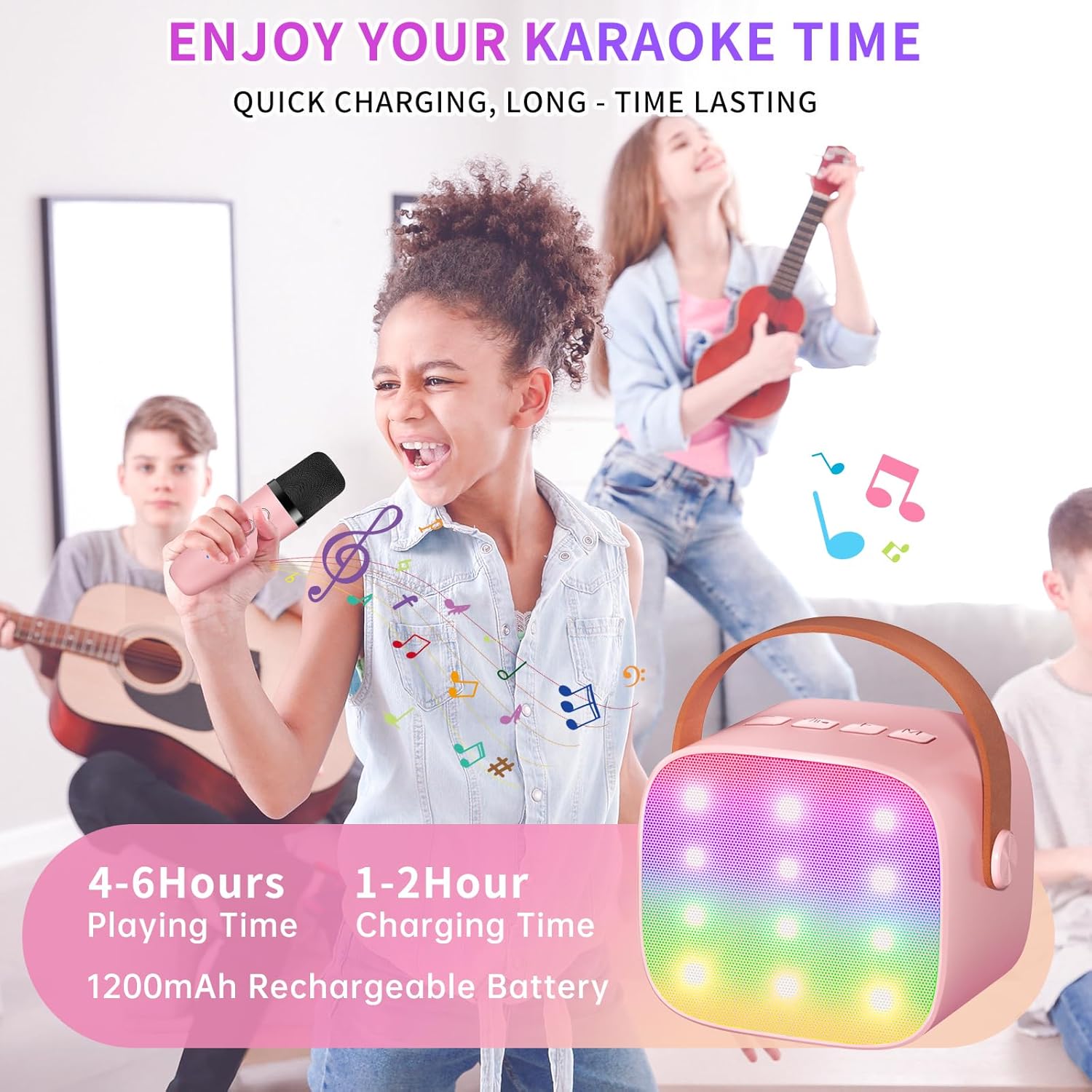
- سپیکر: Connect the Type-C cable to the speaker's charging port. The speaker has an 1800mAh battery and typically charges in 1-2 hours.
- مایکروفونونه: Connect the Type-C cable to the charging port at the bottom of each microphone. Each microphone has a 600mAh battery.

2. بریښنا فعال/بند
- سپیکر: Press and hold the power button on the top panel of the speaker until the LED lights illuminate.
- مایکروفونونه: Press and hold the power button on each microphone until the blue indicator light turns on.
3. د بلوتوث جوړه کول
The speaker and microphones are designed for instant pairing. Once both are powered on, they should automatically connect. To connect the speaker to an external device (smartphone, tablet, PC):
- Ensure the karaoke machine speaker is powered on and in Bluetooth mode (indicated by a voice prompt).
- په خپل بهرني وسیله کې، بلوتوث فعال کړئ او د شته وسایلو لټون وکړئ.
- Select "K1" (or similar model name) from the list to pair. A confirmation sound will indicate successful pairing.

عملیاتي لارښوونې
1. Speaker Controls
The speaker features intuitive buttons on its top panel:
- حجم ښکته (-): Decreases the speaker volume.
- پاور/پلی/ځنډ: Short press to play/pause music. Long press to power on/off the speaker.
- حجم پورته (+): Increases the speaker volume.
- حالت (M): Switches between different input modes (Bluetooth, TF Card).
- د LED ر Lightا کنټرول: Short press to cycle through 6 different LED lighting modes.
- Original Vocal/Accompaniment: Press this button to remove or restore original vocals from a song, allowing you to sing along to the instrumental track.

۳.۲. د مایکروفون کنټرولونه
Each wireless microphone has the following controls:
- د بریښنا تڼۍ: Press and hold to power on/off the microphone.
- حجم پورته (+): Increases microphone volume.
- حجم ښکته (-): Decreases microphone volume.
- د غږ بدلولو تڼۍ: Short press to cycle through 5 different voice effects.

3. Voice Changing Modes
The microphones offer 5 unique voice effects to enhance your karaoke experience:
- اصلي غږ
- ښځینه غږ
- د نارینه غږ
- د ماشوم غږ
- د مونسټر غږ
4. د LED څراغونه
The speaker features built-in LED lights with 6 dynamic modes that synchronize with the music, creating an immersive atmosphere. Use the dedicated LED Light Control button on the speaker to cycle through these modes.

5. Music Playback Options
The Haomuren K1 supports various music playback methods:
- بلوتوث: Connect wirelessly to your smartphone, tablet, or PC.
- TF کارت: Insert a TF (MicroSD) card into the designated slot on the back of the speaker to play stored music files.
- د هیډفون محصول: Use the 3.5mm headphone jack for private listening.
ساتنه
- پاکول: Use a soft, dry cloth to clean the exterior of the speaker and microphones. Do not use liquid cleaners or abrasive materials.
- ذخیره کول: وسیله په یخ او وچ ځای کې د مستقیم لمر وړانګو او سختې تودوخې څخه لرې وساتئ.
- د بیټرۍ پاملرنه: د بیټرۍ د ژوند اوږدولو لپاره، د وسیلې په مکرر ډول په بشپړ ډول چارج کولو څخه ډډه وکړئ. وسیله په منظم ډول چارج کړئ، حتی که د اوږدې مودې لپاره نه کارول کیږي.
د ستونزو حل کول
- له سپیکر څخه غږ نشته:
- ډاډ ترلاسه کړئ چې سپیکر فعال او چارج شوی دی.
- Check the speaker's volume level.
- Verify that the speaker is correctly paired via Bluetooth to your device.
- If using a TF card, ensure it is inserted correctly and contains compatible audio files.
- مایکروفون کار نه کوي:
- Ensure the microphone is powered on and charged.
- Check the microphone's volume level.
- Confirm the microphone is automatically paired with the speaker.
- د بلوتوث قطع کول:
- Ensure the speaker and your device are within the effective Bluetooth range (typically 10 meters).
- Turn off and restart both the speaker and your device, then attempt to re-pair.
- د نورو بېسیم وسیلو څخه د هر ډول مداخلې لپاره وګورئ.
- تحریف شوی غږ:
- په سپیکر او ستاسو وصل شوي وسیله دواړو کې حجم ټیټ کړئ.
- Ensure the microphones are not too close to the speaker to avoid feedback.
- د کیفیت ستونزو لپاره د آډیو سرچینه وګورئ.
مشخصات
| فیچر | مشخصات |
|---|---|
| برانډ | هومورین |
| د ماډل شمیره | K1 |
| د نصب کولو ډول | ټابلیټ |
| د بریښنا سرچینه | د بیټرۍ چلول |
| د نښلونکي ډول | 3.5mm headphone, Type-C Charging |
| مواد | اکریلونایتریل بوټاډین سټیرین (ABS) |
| د توکي وزن | 14.9 اونس |
| د چینلونو شمیر | 2 |
| آډیو ان پټ | بې سیم مایکروفونونه |
| د تعدد ځواب | 10 KHz |
| د محصول ابعاد | 3.7 x 4.1 x 4.3 انچه |
| بیټرۍ | 1 AAA بیټرۍ اړین دي (شامل دي) |
| د ارتباط ټیکنالوژي | بلوتوث، USB، بېسیم |
تضمین او ملاتړ
Haomuren is committed to providing high-quality audio products. Your K1 Mini Portable Bluetooth Karaoke Machine comes with the following:
- وړیا ځای په ځای کول: د محصول نیمګړتیاو په صورت کې.
- د 365 ورځو تضمین: د تولید نیمګړتیاوې او نیمګړتیاوې پوښل.
- تخنیکي ملاتړ: Dedicated support is available for any operational questions or issues.
For further assistance, please contact Haomuren customer service through your purchase platform or visit the official Haomuren webسایټ


