پیژندنه
Thank you for choosing the GOBOULT Mustang Torq Wireless Earbuds. These earbuds combine iconic design with advanced audio technology, offering an exhilarating sound experience with features like 60 hours of playtime, Quad Mic ENC for clear calls, 45ms ultra-low latency for gaming, and comprehensive app support. This manual provides detailed instructions to help you get the most out of your device.

Brand Update: Please note that Boult is now GOBOULT. The product you receive may feature either logo on its packaging, but the product itself remains the same high quality.
په بکس کې څه دي
Your GOBOULT Mustang Torq Wireless Earbuds package includes the following items:
- Mustang Torq Charging Case
- Mustang Silver Earbuds (Left and Right)
- Extra Pair of Eartips (various sizes for optimal fit)
- د ټایپ-سي چټک چارج کیبل
- د کارونکي لارښود (دا لاسوند)
- د تضمین کارت
- Exclusive Mustang Collectibles (5 stickers, Mustang artwork, Founders note)

د بسته محتويات: All items included in the GOBOULT Mustang Torq Earbuds retail box.
چمتو کول
ابتدايي چارج کول
Before first use, fully charge your GOBOULT Mustang Torq Earbuds and their charging case. Connect the provided Type-C Fast Charging Cable to the charging port on the case and a compatible USB power source. The LED indicators on the case will show the charging status. A full charge takes approximately 100 minutes.
Pairing with Your Device (Blink & Pair)
- د چارج کولو قضیه پرانیزئ. د غوږ بډونه به په اتوماتيک ډول د جوړې کولو حالت ته ننوځي.
- په خپل سمارټ فون، ټابلیټ، یا بل بلوتوث فعال شوي وسیله کې، د بلوتوث ترتیباتو ته لاړ شئ.
- لټون available devices and select "GOBOULT Mustang Torq" (or similar name like "Airbass Earbuds") from the list.
- Once selected, the earbuds will connect automatically. A voice prompt will confirm successful pairing.
Thanks to Bluetooth 5.4 with Blink & Pair technology, subsequent connections will be instant and stable.

Blink & Pair: Enjoy instant and stable connectivity with Bluetooth 5.4.
Amp د اپلیکیشن اتصال
For enhanced control and customization, download the dedicated Amp App. The app allows you to:
- Customize EQ modes to tailor your audio experience.
- Adjust gesture controls for personalized interaction.
- Access Quick Cleanup for optimized performance.
- خپل د غوږونو نومونه بدل کړئ.
- Utilize widget support for your home screen.

Amp د اپلیکیشن ځانګړتیاوې: Customize your listening experience with the dedicated mobile application.
عملیاتي لارښوونې
ټچ کنټرولونه
The GOBOULT Mustang Torq Earbuds feature intuitive touch controls for various functions. Specific gestures can be customized via the Amp اپلیکیشن.
- د موسیقۍ غږول: د غږولو/بندولو لپاره ټایپ کړئ، د راتلونکي ټریک لپاره دوه ځله ټایپ کړئ، د مخکیني ټریک لپاره درې ځله ټایپ کړئ.
- د تلیفون مدیریت: Tap to answer/end calls, long press to reject calls.
- د حجم کنټرول: Specific gestures for volume adjustment can be set in the Amp اپلیکیشن.
- د غږ همکار: Long press to activate your device's AI Voice Assistant (Siri, Google Assistant, Amazon Alexa).
Gaming Mode (45ms Ultra-Low Latency)
Activate Gaming Mode for a competitive edge with ultra-low latency of 45ms, ensuring real-time audio synchronization for gaming and seamless media playback. This mode can typically be activated via the Amp App or a specific touch gesture.
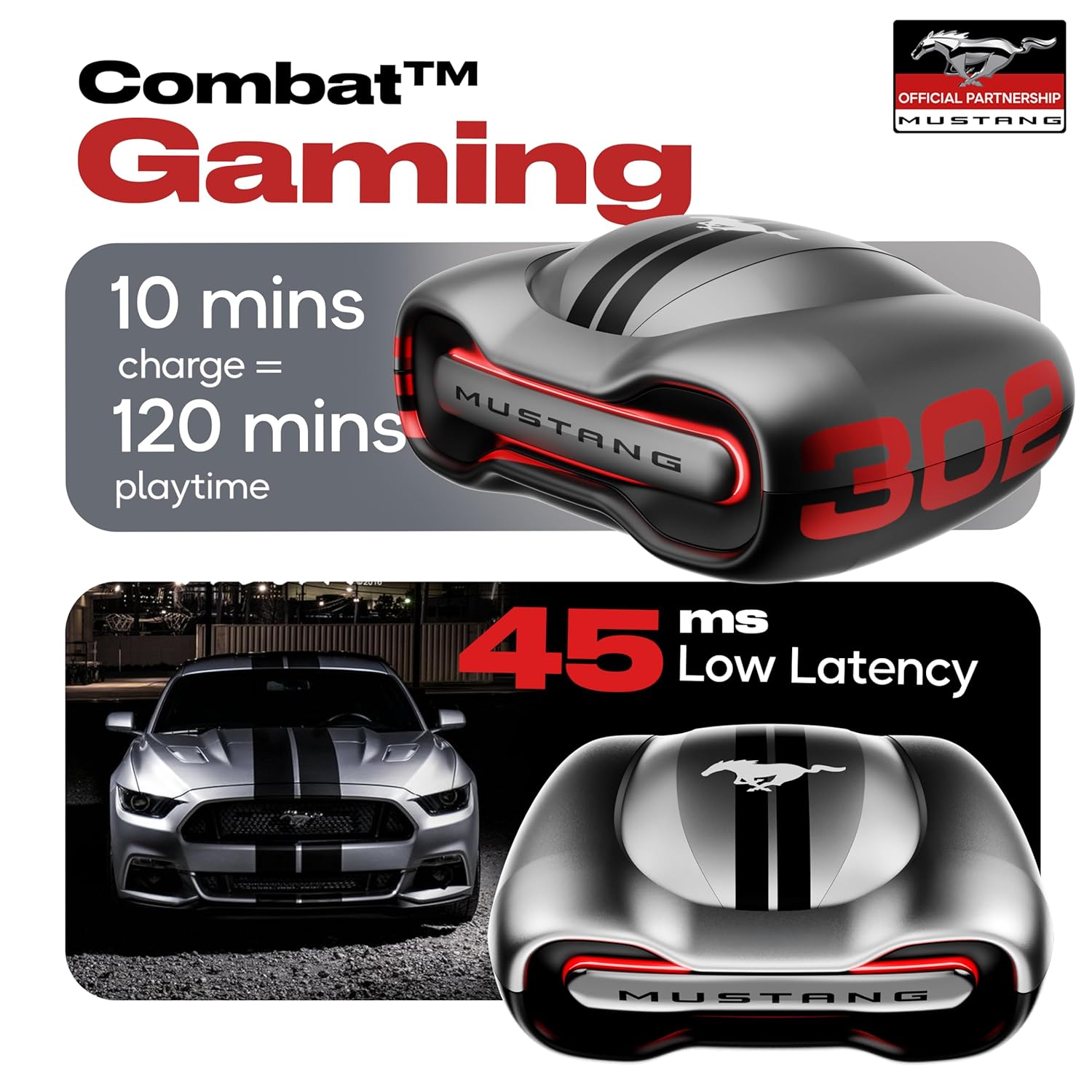
Combat Gaming: Experience audio with minimal delay for an immersive gaming experience.
Zen Quad Mic ENC (Environmental Noise Cancellation)
The earbuds are equipped with four precision microphones and Environmental Noise Cancellation (ENC) technology. This ensures ultra-clear calls by isolating your voice and reducing ambient noise, making your conversations crisp and clear in any environment.

روښانه اړیکه: Zen Quad Mic ENC ensures superior voice isolation for calls.
ساتنه
د اوبو مقاومت (IPX5)
The GOBOULT Mustang Torq Earbuds are IPX5 water resistant, meaning they can withstand splashes of water from any direction. This makes them suitable for workouts and light rain. However, they are not designed for submersion in water. Avoid exposing them to strong jets of water or prolonged immersion.
پاکول او ذخیره کول
- په منظم ډول د غوږ بډونه او د چارج کولو کیس د نرم، وچ، لینټ نه پاک ټوکر سره پاک کړئ.
- د غوږونو سرونه لرې کړئ او که اړتیا وي نو په نرم صابون او اوبو سره یې په جلا توګه پاک کړئ، ډاډ ترلاسه کړئ چې د بیا نښلولو دمخه په بشپړه توګه وچ دي.
- د کثافاتو پاکونکو یا محلولونو کارولو څخه ډډه وکړئ.
- اییربډونه د چارج کولو په قضیه کې ذخیره کړئ کله چې کارول نه وي ترڅو د دوی ساتنه وکړي او چارج یې وساتي.
- وسیله د خورا تودوخې او مستقیم لمر وړانګو څخه لرې وساتئ.
د ستونزو حل کول
If you encounter any issues with your GOBOULT Mustang Torq Earbuds, please refer to the following common solutions:
- بې غږه/ټيټ غږ: Ensure earbuds are charged, connected properly, and volume is turned up on both the earbuds and your connected device. Check for debris in the earbud nozzles.
- د جوړه کولو مسلې: Make sure Bluetooth is enabled on your device. Place earbuds back in the case, close it, then open it again to re-enter pairing mode. Forget the device from your phone's Bluetooth list and try pairing again.
- یو ایربډ کار نه کوي: Ensure both earbuds are charged. Try resetting the earbuds (refer to the Amp App or online support for specific reset instructions).
- د تلیفون کیفیت مسلې: Ensure the microphones are not obstructed. The Zen Quad Mic ENC should provide clear calls, but strong background noise might still affect clarity.
- د لمس کنټرولونه بې ځوابه دي: ډاډ ترلاسه کړئ چې ګوتې مو پاکې او وچې دي. د غوږ غوږوالۍ په قضیه کې د ځای په ځای کولو او ایستلو سره بیا پیلولو هڅه وکړئ.
- د اپلیکیشن ارتباط مسلې: ډاډ ترلاسه کړئ Amp App is updated to the latest version. Check your device's internet connection.
For further assistance, please contact GOBOULT customer support.
مشخصات
| فیچر | مشخصات |
|---|---|
| د ماډل نوم | د ایرباس ایربډونه |
| د ارتباط ټیکنالوژي | بلوتوث ۵.۳، بېسیم |
| د بې سیمه مخابراتو ټیکنالوژي | بلوتوث ، وائی فای |
| د شور کنټرول | د چاپیریال شور لغوه کول (ENC) |
| د آډیو ډرایور اندازه | 13 ملی میتر |
| د آډیو ډرایور ډول | متحرک چلوونکی |
| د تعدد ځواب | 20 Hz |
| حساسیت | 115 dB |
| خنډ | 32 اوم |
| آډیو ځنډ | 45 ملی ثانیه |
| د بیټرۍ ژوند (ایربډونه) | تر ۳۶ ساعتونو پورې (د قضیې سره) |
| د بار وړلو کیس بیټرۍ اوسط ژوند | 60 Hours (total playtime with case) |
| د چارج کولو وخت | 100 دقیقې |
| هیډفون جیک | د ټایپ-سي چټک چارج کولو جیک |
| د کنټرول ډول | Call Control, Touch Control, Volume Control |
| د کنټرولر ډول | Amazon Alexa, Google Assistant, Siri, Touch Controls |
| د اوبو د مقاومت کچه | IPX5 (د اوبو مقاومت) |
| د توکي وزن | 61 ګرامه |
| د محصول ابعاد | 56.3 x 29 x 50.4 سانتي متره |
| مطابقت لرونکې وسیلې | ګرځنده تلیفونونه، ډیسټاپونه، د لوبو کنسولونه، لیپټاپونه، ټابلیټونه |
| مواد | ربړ |
| د اصلي هیواد | هند |
تضمین او ملاتړ
د جوړونکي تضمین
Your GOBOULT Mustang Torq Wireless Earbuds come with a د جوړونکي دوه کلن تضمین from the date of purchase. This warranty covers manufacturing defects and ensures peace of mind regarding the quality and performance of your product.
Please retain your purchase receipt or proof of purchase for warranty claims.
د پیرودونکي ملاتړ
For any technical assistance, warranty claims, or product-related inquiries, please visit the official Boult (now GOBOULT) website or contact their customer support channels. Refer to the warranty card included in your package for specific contact details.


