1. پیژندنه
This manual provides comprehensive instructions for the setup, operation, and maintenance of your Alaga 1303A 2K Indoor Security Camera. Please read this manual thoroughly before using the device to ensure proper functionality and safety.

Figure 1: Alaga 1303A 2K Indoor Security Camera. This image shows the compact white camera with its stand, designed for indoor use.
2. کلیدي ځانګړتیاوې
- د 2K ریزولوشن: تیز او مفصل ویډیو فو وړاندې کويtage.
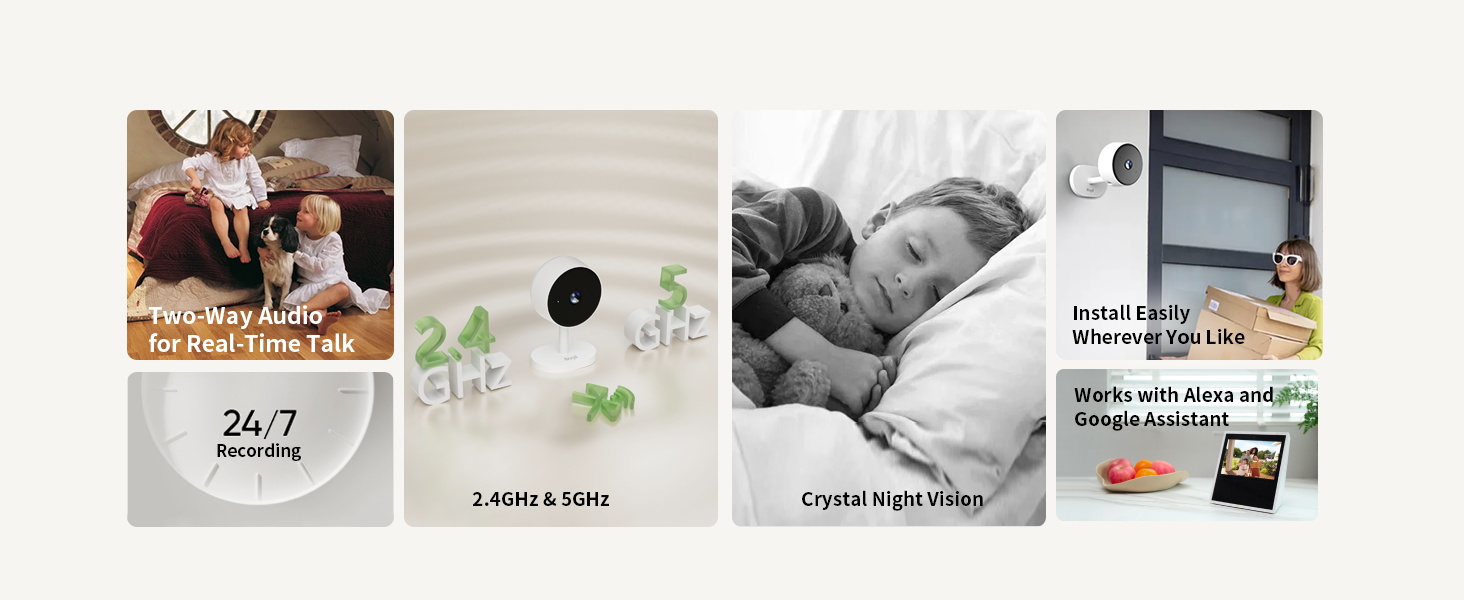
- دوه اړخیزه وای فای: د باثباته اتصال لپاره د 5GHz او 2.4GHz شبکو ملاتړ کوي.
- د انسان د AI کشف: Advanced motion sensing with intelligent alerts.
- د شپې لید: په ټیټ رڼا شرایطو کې تر 30 فوټو پورې روښانه لید وړاندې کوي.
- دوه طرفه آډیو: د کیمرې له لارې د ریښتیني وخت اړیکو ته اجازه ورکوي.
- د ذخیره کولو ډیری انتخابونه: Supports microSD card (up to 256GB) and optional cloud storage.
- د سمارټ کور مطابقت: د ایمیزون الیکسا او ګوګل کور سره کار کوي.
- تړون ډیزاین: Easy to install on flat surfaces, walls, or ceilings.
۲. په بکس کې څه دي؟
- Alaga 1303A 2K Indoor Security Camera
- د USB ډول-C بریښنا کیبل
- د بریښنا اډاپټر
- د سکرو او اینکرونو نصب کول
- د لارښود لارښود (دا سند)

Figure 2: Package contents including the camera, power adapter, USB cable, and mounting hardware.
4. د تنظیم کولو لارښود
4.1. د کیمرې بریښنا کول
- Connect the USB Type-C power cable to the camera's port.
- د بریښنا اډاپټر په معیاري بریښنایی پلورنځي کې ولګوئ.
- The camera will power on, and an indicator light will show its status.
۵.۲. د اپلیکیشن نصب او جوړه کول
- Download the "CareCam Pro" app from the App Store (iOS) or Google Play Store (Android).
- ډاډ ترلاسه کړئ چې ستاسو د سمارټ فون بلوتوث فعال دی.
- Open the app and follow the on-screen instructions to add a new device. The app will guide you through the pairing process using Bluetooth.
- Select your 5GHz or 2.4GHz Wi-Fi network and enter the password.
- یوځل چې وصل شو، تاسو کولی شئ خپل کیمره نوم کړئ او یوې ځانګړې خونې ته یې وټاکئ.
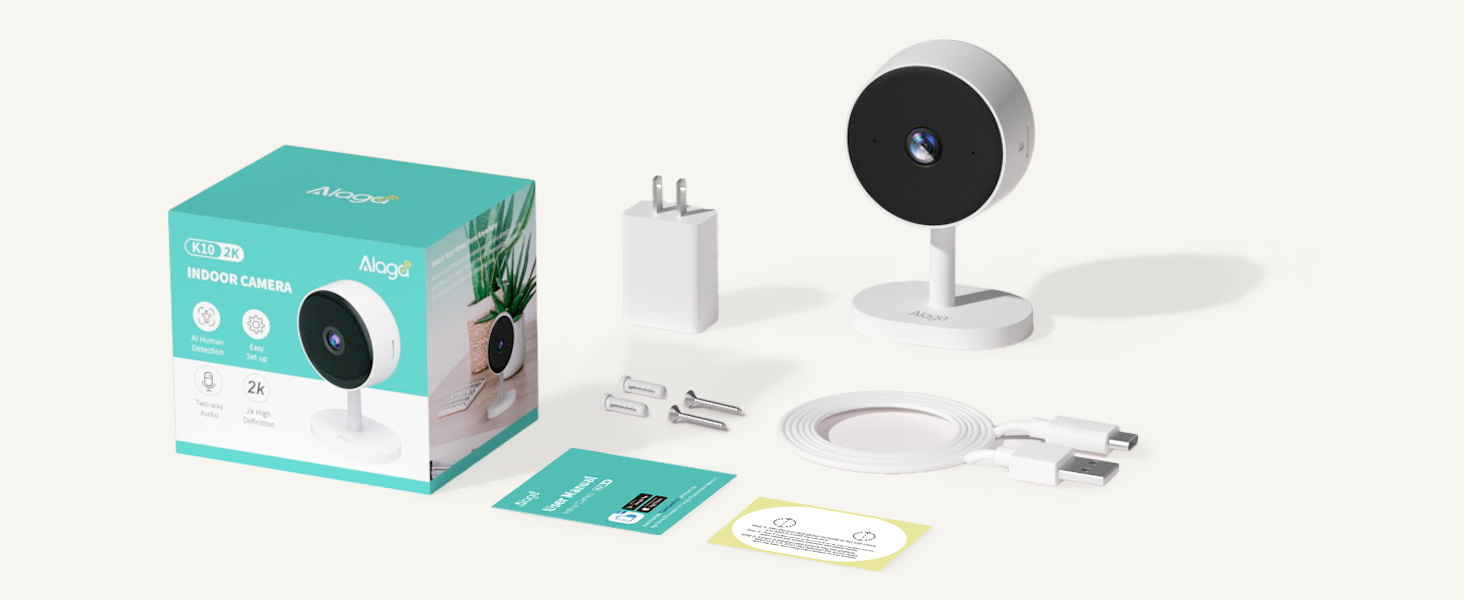
Figure 3: Visual guide for downloading the CareCam Pro app, enabling Bluetooth, and adding the device.
4.3. د کیمرې نصب کول
The camera can be placed on a flat surface or mounted to a wall or ceiling. Mounting hardware (screws and anchors) is included.
- Choose a suitable location with a clear view او د بریښنا رسولو ته لاسرسی.
- Use the provided template (if available) to mark drill holes for wall or ceiling mounting.
- Drill holes, insert anchors, and secure the camera's base using the screws.
- Adjust the camera head to your desired viewزاویه.
شکل 4: مثالamples of mounting the camera on a desk, wall, or ceiling.
۳. د کیمرې چلول
5.1. ژوندی View او ثبتول
- Open the CareCam Pro app and select your camera to view ژوندی خواړه
- Use the app interface to manually record video or capture snapshots.
- The camera supports continuous recording to a microSD card (not included) or event-based recording to cloud storage.
۴.۲. دوه اړخیزه آډیو
- د کیمرې د سپیکر له لارې د خبرو کولو لپاره په اپلیکیشن کې د مایکروفون آیکون باندې کلیک وکړئ.
- The camera's built-in microphone will transmit audio to your phone.
5.3. د شپې لید
کیمره په اتوماتيک ډول د ټیټ رڼا په شرایطو کې د شپې لید حالت ته بدلیږي، روښانه تور او سپین فوټ چمتو کويtage. You can also manually control night vision settings within the app.

Figure 5: Illustrates the camera's 2K image quality and clear night vision capabilities.
۴. د AI حرکت کشف او خبرتیاوې
- Enable AI Motion Detection in the app settings to receive instant push notifications on your phone when human motion is detected.
- An optional built-in siren can be activated to deter unwanted activity.
۴.۵. د سمارټ کور ادغام
- To connect with Amazon Alexa: لټون "Carecam pro" in the Alexa app, enable the skill, and link your account. You can then use voice commands like "Alexa, show me the living room camera."
- To connect with Google Home: Follow similar steps within the Google Home app to link the CareCam Pro service.
Video 1: Demonstrates the process of connecting the Alaga camera to Amazon Alexa for voice control and live viewing.
6. ساتنه
- پاکول: د کیمرې لینز او بدن پاکولو لپاره نرم، وچ ټوکر وکاروئ. د سختو کیمیاوي موادو یا خړوبونکي موادو څخه ډډه وکړئ.
- د سافټویر تازه معلومات: Regularly check the CareCam Pro app for firmware updates to ensure optimal performance and security.
- د ذخیرې مدیریت: که چیرې د مایکرو ایس ډی کارت کاروئ، نو په دوره یي ډول بیاview او زوړ foo حذف کړئtage to free up space. Manage cloud storage subscriptions as needed.
7. ستونزه حل کول
| ستونزه | د حل لاره |
|---|---|
| کیمره د وای فای سره نه وصل کیږي. | Ensure your Wi-Fi password is correct and the camera is within range of your router. Try restarting your router and the camera. Verify that your Wi-Fi network supports both 5GHz and 2.4GHz. |
| د ویډیو خراب کیفیت. | Check your internet connection speed. Ensure the camera lens is clean. Adjust the camera's position for optimal lighting. |
| د حرکت کشف خبرتیاوې نشته. | Verify that AI Motion Detection is enabled in the app settings. Check notification settings on your phone. Ensure the camera's view خنډ نه دی. |
| دوه اړخیزه آډیو کار نه کوي. | Check microphone and speaker settings in the app. Ensure your phone's volume is up. Test the feature in a quiet environment. |
8. تخنیکي مشخصات
| فیچر | تفصیل |
|---|---|
| د ماډل شمیره | 1303A |
| د ویډیو حل | ۴K (۲۱۶۰p) |
| ارتباط | دوه ګونی بانډ وای فای (5GHz او 2.4GHz)، بلوتوث |
| د شپې لید لړۍ | تر 30 فوټو پورې |
| د ذخیره کولو اختیارونه | microSD card (up to 256GB), Cloud Storage (optional) |
| آډیو | دوه طرفه آډیو |
| د بریښنا سرچینه | د بریښنا تار لرونکی (USB ډول-C) |
| ابعاد (L x W x H) | 4.46 x 1.97 x 2.76 انچه |
| د توکي وزن | 6.7 اونس (0.19 کیلوګرامه) |
| مواد | پلاستیک |
| مطابقت | ایمیزون الیکسا، ګوګل کور |
9. د تضمین معلومات
Specific warranty details for the Alaga 1303A 2K Indoor Security Camera are typically provided with your purchase documentation or can be found on the official Alaga webسایټ. مهرباني وکړئ د تضمین ادعاوو لپاره د پیرود ثبوت وساتئ.
10. د پیرودونکي ملاتړ
For further assistance, technical support, or inquiries regarding your Alaga 1303A camera, please refer to the contact information provided in your product packaging or visit the official Alaga support website. You can also check the Alaga Brand Store د اضافي سرچینو لپاره.


