پیژندنه
This manual provides detailed instructions for the setup, operation, and maintenance of your PREXISO Professional 61-Inch Aluminum Laser Level Tripod. Designed for stability and versatility, this tripod is compatible with laser levels, cameras, and other equipment featuring a 1/4-20 mounting thread. Please read these instructions thoroughly before use to ensure safe and efficient operation.
په بکس کې څه دي
د خلاصولو پر مهال، ډاډ ترلاسه کړئ چې ټولې برخې شتون لري او زیانمن شوي نه دي.
- PREXISO Professional 61-Inch Aluminum Tripod
- Quick Release Plate with 1/4-20 mounting thread
- د وړلو وړ کڅوړه

Image: The PREXISO Professional 61-Inch Aluminum Tripod shown with its included carrying bag.
د تنظیم کولو لارښوونې
۱. د ټریپوډ خلاصول
- ټریپډ د هغې د وړلو کڅوړې څخه لرې کړئ.
- Gently spread the three legs outwards until they are fully extended and stable.
- Ensure the leg locks are securely fastened to prevent accidental collapse.
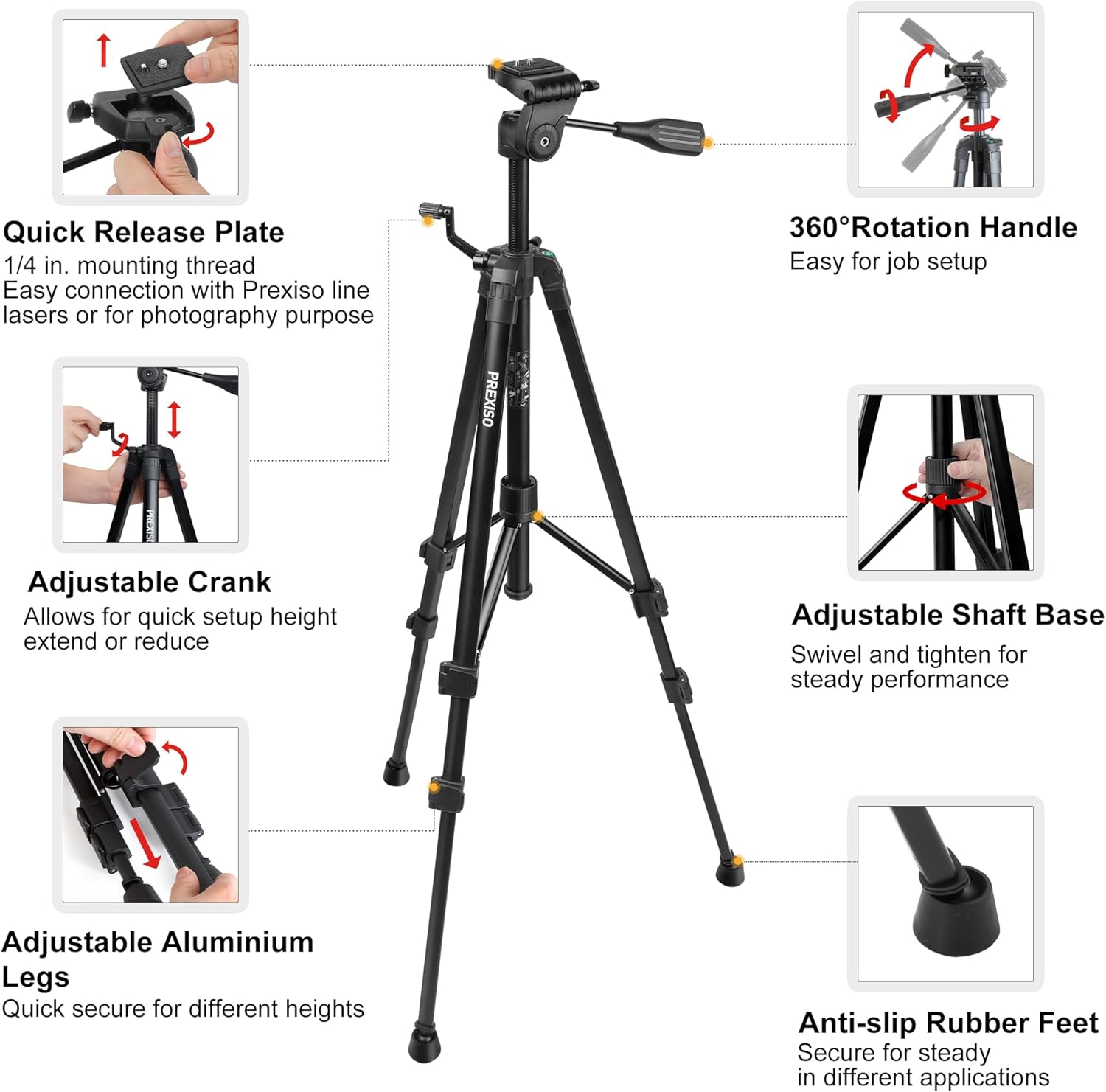
Image: The tripod with its legs fully extended, ready for height adjustment.
2. Attaching Your Device (Laser Level, Camera, etc.)
- د ټرایپوډ په سر کې د چټک خوشې کولو پلیټ ومومئ.
- Press the release lever to detach the quick release plate from the tripod head.
- Screw your laser level or camera onto the 1/4-20 mounting thread on the quick release plate. Ensure it is tightened securely.
- Slide the quick release plate, with your device attached, back into the tripod head until it clicks into place. Verify it is firmly seated.
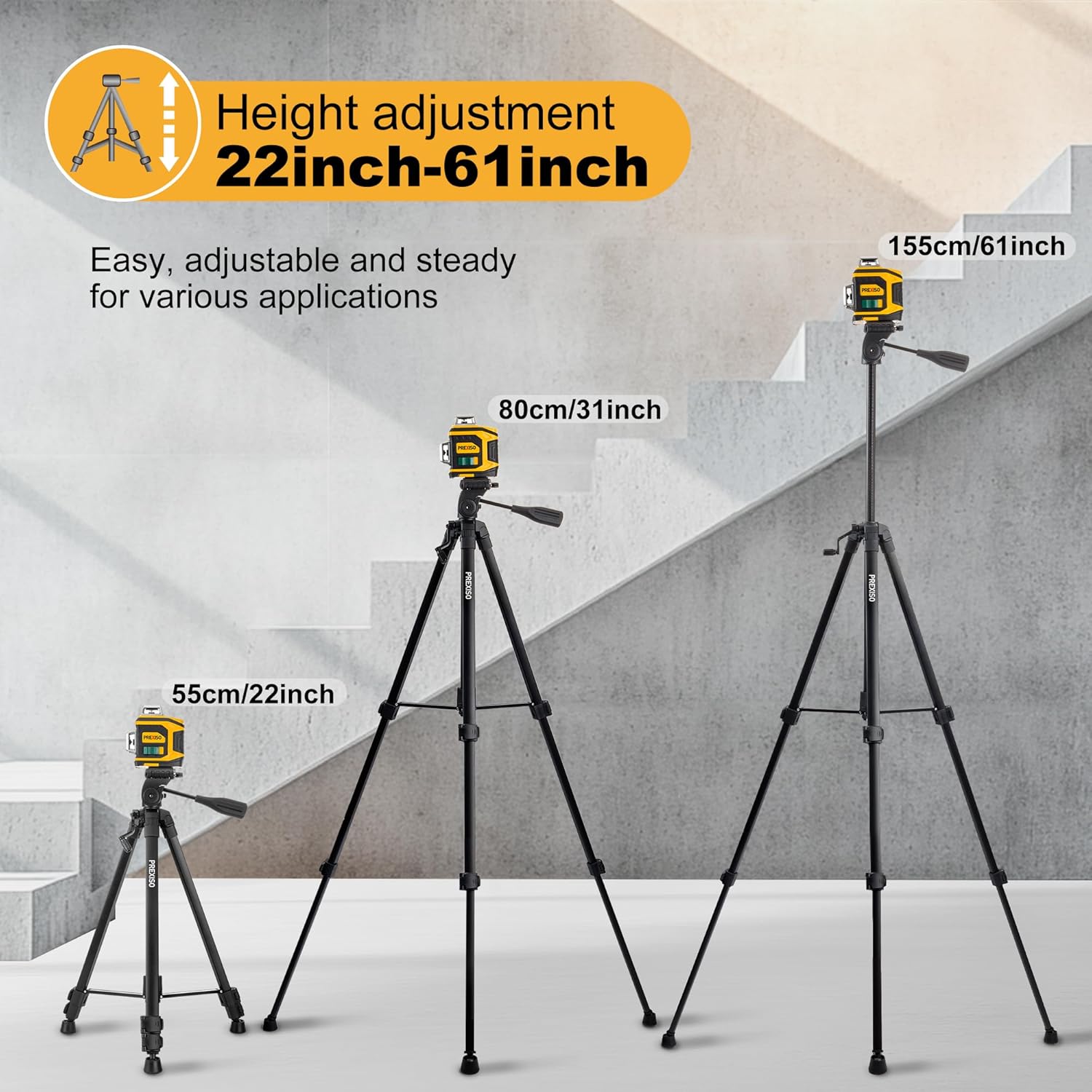
Image: A laser level securely mounted onto the quick release plate of the tripod.
Video: Demonstrates the quick release plate mechanism and how to attach a device to the tripod.
3. Leveling the Tripod
The tripod features a bullseye level on the head to assist in achieving horizontal alignment. Adjust the leg lengths as needed until the bubble is centered within the level indicator.

Image: Close-up of the tripod head showing the bullseye level for precise horizontal alignment.
عملیاتي لارښوونې
1. Adjusting Tripod Height
The tripod offers multiple height adjustments:
- د پښو برخې: Each leg has multiple sections with quick-release flip locks. Open the locks, extend the leg sections to the desired height, and then securely close the locks.
- مرکزي ستنه: For fine adjustments or additional height, use the crank handle to raise or lower the center column. Loosen the locking knob, rotate the crank, and then tighten the knob to secure the column.

Image: Visual representation of the tripod's adjustable height range, from 22 inches to 61 inches.
2. Horizontal and Tilt Rotation
The tripod head allows for flexible positioning of your device:
- Horizontal Rotation (360°): Loosen the horizontal rotation knob on the tripod head to pan your device 360 degrees. Tighten the knob to lock it in position.
- Tilt Rotation (90° Vertical): Use the tilt handle to adjust the vertical angle of your device. Loosen the handle, set the desired angle, and then tighten the handle to secure.

انځور: تفصیلي view of the tripod head illustrating the range of motion for horizontal and vertical adjustments.
مطابقت
The PREXISO Professional Tripod is designed for broad compatibility with devices that utilize a 1/4-20 mounting thread. This includes, but is not limited to:
- Laser Levels (e.g., line lasers, point lasers)
- Laser Distance Measures
- ډیجیټل کیمرې
- د ویډیو تجهیزات
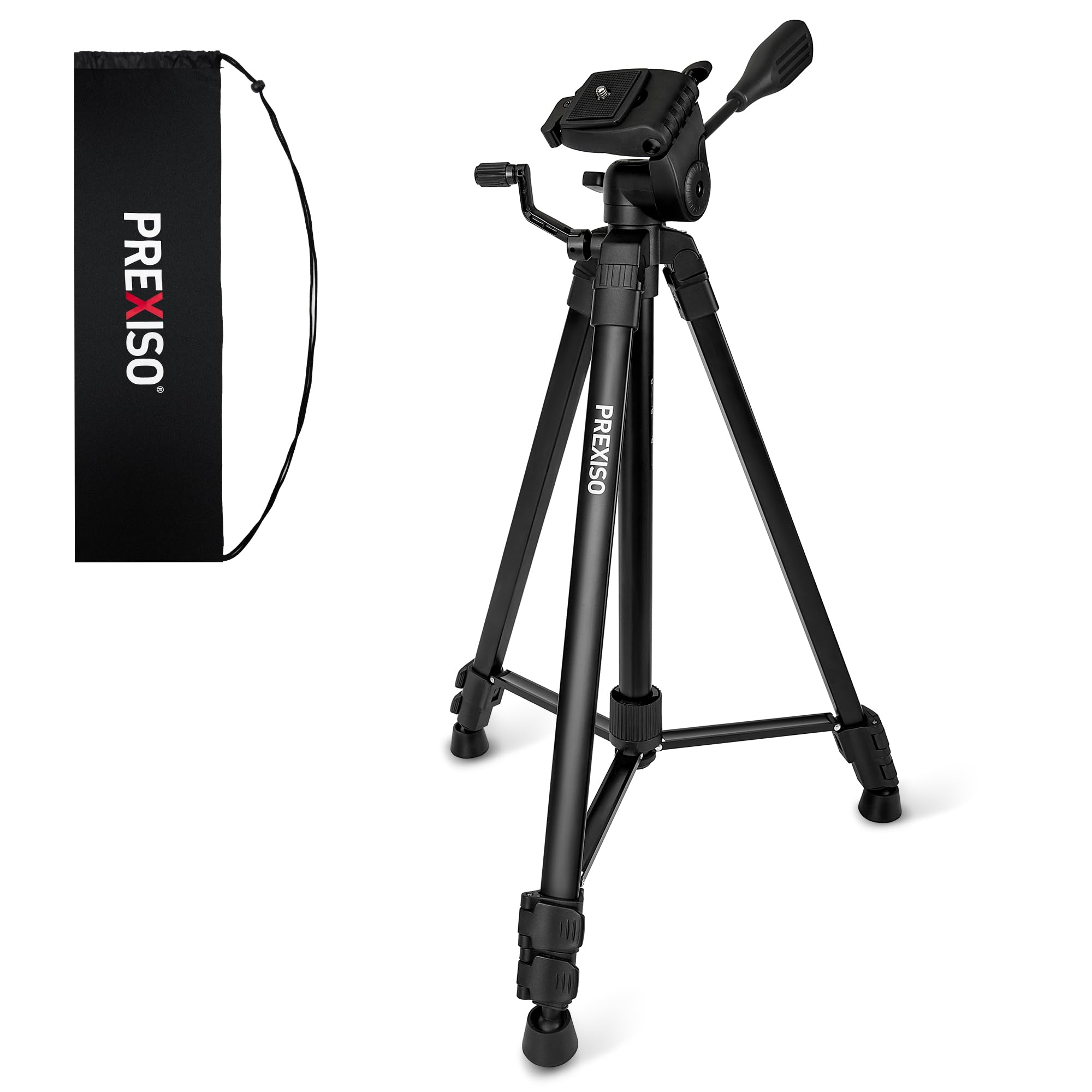
Image: The tripod shown with various compatible devices, including a laser level, laser distance measure, and a camera.
ساتنه
To ensure the longevity and optimal performance of your PREXISO tripod, follow these maintenance guidelines:
- پاکول: ټرای پوډ د نرم، ډ سره پاک کړئamp cloth after each use to remove dust and debris. Avoid abrasive cleaners or solvents.
- ذخیره کول: When not in use, collapse the tripod and store it in its portable carrying bag in a dry, cool place to protect it from dust and moisture.
- معاینه: Periodically check all screws, locks, and moving parts for tightness and proper function. Tighten any loose components.
- غوړول: Lightly lubricate moving parts, such as the center column mechanism, with a silicone-based lubricant if movement becomes stiff.
د ستونزو حل کول
که تاسو د خپل ټرایپوډ سره ستونزې سره مخ شئ، لاندې عامې ستونزې او حل لارې وګورئ:
- ټریپډ بې ثباته دی:
- ډاډ ترلاسه کړئ چې د پښو ټولې برخې په بشپړه توګه غځول شوي او د دوی فلپ قلفونه په خوندي ډول تړل شوي دي.
- ډاډ ترلاسه کړئ چې د مرکزي ستون د بندولو دستګاه ټینګه شوې ده.
- Adjust the rotatable rubber feet to achieve maximum contact and stability on uneven surfaces.
- Device is not securely attached:
- Confirm the 1/4-20 screw on the quick release plate is tightly fastened to your device.
- Ensure the quick release plate is fully inserted into the tripod head and the release lever is locked.
- سمونونه سخت دي:
- Check for any debris obstructing moving parts.
- Apply a small amount of silicone lubricant to the affected mechanisms.
مشخصات
| فیچر | تفصیل |
|---|---|
| برانډ | پریکسیسو |
| ماډل | B0DNDLT8TC |
| مواد | المونیم |
| اعظمي لوړوالی | 61.8 انچونه (155 سانتي متره) |
| لږ تر لږه لوړوالی | 21.7 انچونه (55 سانتي متره) |
| د فولاد اندازه | 21.7 انچونه (55 سانتي متره) |
| د توکي وزن | ۶ پونډه (۳ کیلو ګرامه) |
| د تار پورته کول | 1/4-20 |
| د سر ډول | Ball Heads (Pan/Tilt Head) |
| د پښو برخې | 3-برخه پښې |
| پښې | Anti-Skid Rubber Feet (Rotatable) |
| رنګ | تور |
تضمین او ملاتړ
For warranty information or technical support, please refer to the contact details provided with your product packaging or visit the official PREXISO webسایټ. د پیرود ثبوت په توګه د پیرود رسید وساتئ.


