پیژندنه
The Acefast AceFit Air Open Ear Headphones are designed to provide a comfortable and immersive audio experience while keeping you aware of your surroundings. Featuring advanced sound technology, a lightweight design, and long battery life, these headphones are ideal for sports, daily commutes, and general listening. This manual provides essential information on how to set up, operate, maintain, and troubleshoot your AceFit Air headphones.

Image: Acefast AceFit Air open-ear headphones and charging case.
په بکس کې څه دي؟
- Acefit Air Open-ear Earbuds x2
- Acefit Air Charging Case x1
- د USB-C چارج کیبل x1
- د کارن لارښود x1

Image: Contents of the Acefast AceFit Air package, including earbuds, charging case, USB-C cable, and user manual.
چمتو کول
ابتدايي استعمال
Before first use, remove the insulating film located between the earbuds and the charging case. It is recommended to fully charge both the earbuds and the charging case before initial operation.
چارج کول
To charge the AceFit Air headphones, place them into the charging case. Connect the USB-C charging cable to the charging case and a power source. A full charge for the case takes approximately 2 hours. A 5-minute quick charge provides 2 hours of playback.

Image: Acefast AceFit Air charging case connected to a USB-C cable, illustrating the charging process and battery life indicators.
جوړه کول
The AceFit Air headphones utilize Bluetooth 5.4 for stable and efficient connections. To pair:
- ډاډ ترلاسه کړئ چې د غوږ بډونه د چارج کولو په قضیه کې دي او د قضیې پوښ خلاص دی.
- په خپل وسیله (سمارټ فون، ټابلیټ، لپ ټاپ) کې، بلوتوث فعال کړئ.
- Select "AceFit Air" from the list of available Bluetooth devices.
- The earbuds will automatically connect.
The headphones support effortless multi-device pairing, allowing seamless connection to two devices simultaneously for smooth multitasking and easy switching.
عملیاتي لارښوونې
ټچ کنټرولونه
The AceFit Air headphones feature intuitive touch controls on each earbud:
- ټایپ: حجم پورته / ښکته کړئ.
- دوه ځله ټک وکړئ: موسیقي غږ کړئ/بند کړئ، زنګونه ځواب کړئ/بند کړئ.
- Three taps: Previous song (left earbud), next song (right earbud).
- Long touch (2 seconds): Reject call, wake up voice assistant.
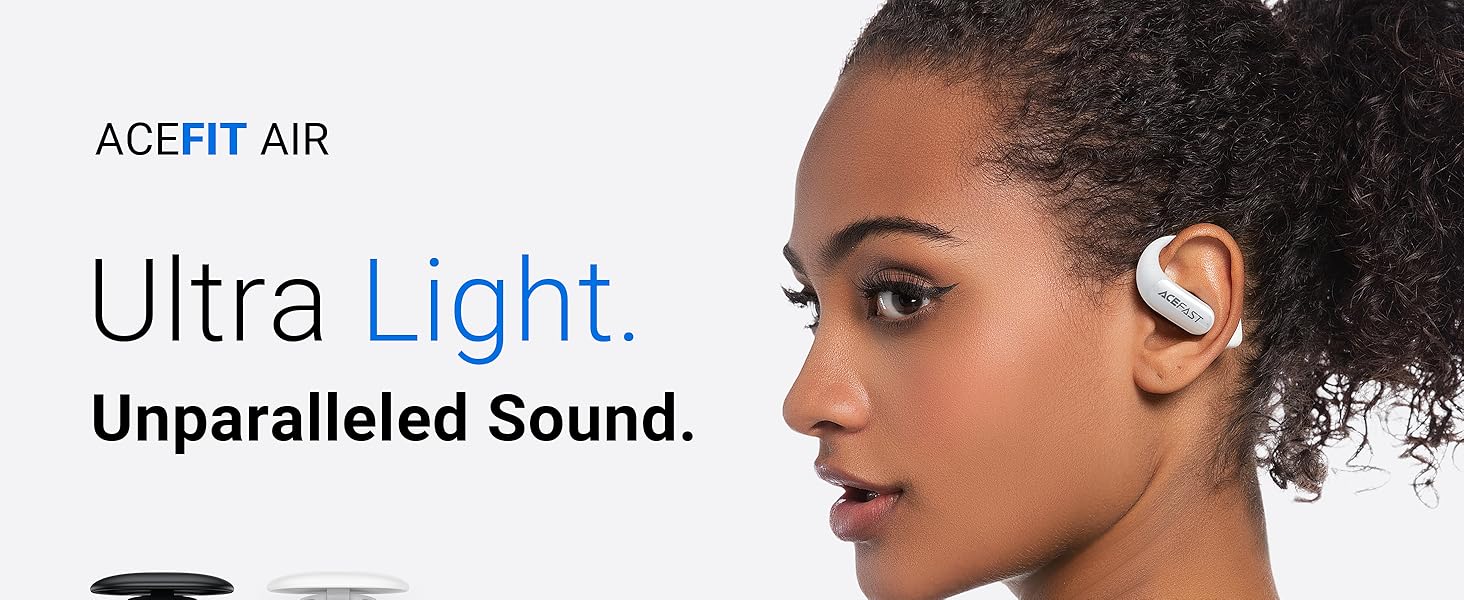
Image: Visual guide to touch controls on the Acefast AceFit Air headphones.
ACEFAST App Control
Enhance your listening experience by connecting to the ACEFAST app. The app allows you to monitor battery life, choose sound modes, customize EQ settings, and tailor earphone controls to your preference.

Image: ACEFAST app interface on a smartphone, demonstrating customization options for the headphones.
Open-Ear Design Benefits
The open-ear design of the AceFit Air headphones allows you to stay aware of your surroundings while enjoying audio. This is particularly beneficial for outdoor activities like running and cycling, or for maintaining situational awareness in an office environment.

Image: Individuals wearing Acefast AceFit Air headphones during activities, emphasizing the benefit of the open-ear design for situational awareness.
ساتنه
د اوبو مقاومت (IP54)
The AceFit Air headphones are IP54 water-resistant, meaning they are protected against dust ingress and splashing water from any direction. This makes them suitable for workouts and light rain. Do not submerge the headphones in water.
پاکول او ذخیره کول
Wipe the earbuds and charging case with a soft, dry cloth. Avoid using abrasive cleaners or solvents. Store the headphones in their charging case when not in use to protect them and ensure they remain charged.
د ستونزو حل کول
- Right earbud not working initially: If the right earbud does not work at first, ensure the insulating film has been removed and charge both earbuds for a while. It may have powered on during shipping and drained its battery.
- د وسیلې سره جوړه نشي کیدی: Ensure Bluetooth is enabled on your device and the earbuds are in pairing mode (usually indicated by a flashing light). If issues persist, try restarting both the earbuds (by placing them in the case and closing/opening the lid) and your device.
- ټیټ غږ یا د غږ ضعیف کیفیت: Check the volume levels on both your device and the earbuds. Ensure the earbuds are clean and properly positioned on your ears. Use the ACEFAST app to adjust EQ settings if needed.
- د چارج کولو مسلې: Ensure the USB-C cable is securely connected to both the charging case and the power source. Try a different cable or power adapter if necessary.
مشخصات
| فیچر | تفصیل |
|---|---|
| د ماډل نوم | AceFit Air |
| د ارتباط ټیکنالوژي | بېسیم (بلوتوث ۵.۳) |
| د غوږ ځای پرځای کول | غوږ خلاص کړئ |
| د اوبو د مقاومت کچه | IP54 د اوبو مقاومت |
| د غوږ د غوږونو وزن (هر یو) | 7.5 ګرامه |
| د لوبې ټول وخت (د قضیې سره) | تر 32 ساعتونو پورې |
| د چارج کولو قضیه بیټرۍ ظرفیت | 500 mAh |
| د چارج کولو قضیه چارج وخت | 2 ساعته |
| د آډیو ډرایور ډول | متحرک ډرایور (۱۶.۱ ملي متره) |
| د فریکونسی رینج | ۲۰ هرټز - ۲۰،۰۰۰ هرټز |
| د کنټرول طریقه | لمس، اپلیکیشن |
| د شور کنټرول | None (Open Ear Design) |
| مایکروفون | 4-mic ENC noise cancellation for calls |
تضمین او ملاتړ
ACEFAST products are manufactured to high quality standards. For warranty information and support, please refer to the official ACEFAST website or contact their customer service directly. A digital version of this user manual may also be available on the product support page.
For further assistance, you may refer to the official Instructions for Use (IFU) PDF document: د کارولو لارښوونې (PDF)