1. پیژندنه
د پیرودلو لپاره مننهasing the GLOBE Electric 65000108 Rechargeable LED Wall Sconce. This modern, minimalist wall light features integrated LED technology, a 3-step dimmer touch switch, and a rechargeable battery for versatile lighting. This manual provides detailed instructions for safe installation, operation, and maintenance of your new wall sconce.

Image 1.1: The GLOBE Electric 65000108 Rechargeable LED Wall Sconce with its white fabric shade and matte black finish, shown with the included USB-C charging cable.
۱.۱. د خوندیتوب مهم معلومات
مهرباني وکړئ د نصبولو او کارولو دمخه ټولې لارښوونې په دقت سره ولولئ. دا لارښود د راتلونکي حوالې لپاره وساتئ.
- یوازې د کور دننه کارول: This product is designed for indoor use in dry locations. Do not expose to water or moisture.
- د بریښنا سرچینه: د چارج کولو لپاره یوازې چمتو شوي USB-C کیبل وکاروئ. زیانمن شوي کیبلونه یا چارجرونه مه کاروئ.
- د بیټرۍ پاملرنه: The sconce contains a Lithium Ion battery. Do not attempt to replace the battery yourself. Do not expose the battery to extreme temperatures or direct sunlight.
- پاکول: Disconnect from power before cleaning. Use a soft, dry cloth. Do not use abrasive cleaners.
- لګول: Ensure the mounting surface is suitable and can support the weight of the fixture.
- ماشومان: د ماشومانو له لاسرسي لرې وساتئ. دا یو لوبی ندی.
3. د بسته محتويات
د نصبولو پیل کولو دمخه ډاډ ترلاسه کړئ چې ټولې برخې شتون لري:
- GLOBE Electric 65000108 Wall Sconce (with integrated LED and battery)
- د سپینې جامې سیوري
- Mounting Hardware (screws, anchors, mounting bracket)
- د USB-C چارج کیبل (5 فوټ)
- د لارښوونې لارښود
4. ترتیب او نصب کول
Follow these steps to properly install your wall sconce:
- د نصب کولو ځای چمتو کړئ: Choose a suitable indoor wall location. Ensure there are no electrical wires or pipes behind the wall where you plan to drill.
- د نصب کولو بریکٹ نصب کړئ:

Image 4.1: A hand using a screwdriver to secure the mounting bracket to the wall.
Position the mounting bracket on the wall and mark the drill holes. Drill pilot holes if necessary, then secure the mounting bracket to the wall using the provided screws and anchors.
- سکنس ضمیمه کړئ: Align the sconce with the installed mounting bracket. Gently slide the sconce onto the bracket until it is securely in place.
- Attach the Fabric Shade: Carefully place the white fabric shade onto the sconce. Ensure it is seated properly and securely.
5. عملیاتي لارښوونې
Your wall sconce features a touch-sensitive switch for power and brightness control.

انځور ۳.۱: نږدې انځور view of the sconce's base showing the dimmable touch switch and the USB-C charging port.
5.1. Power and Brightness Control
The sconce has a 3-step dimmer function controlled by the touch switch:
- لومړی لمس: رڼا په ۱۰۰٪ روښانتیا سره روښانه کوي.
- دوهم لمس: Brightens the light to 50% brightness.
- دریم لمس: Brightens the light to 100% brightness.
- څلورم لمس: رڼا بندوي.
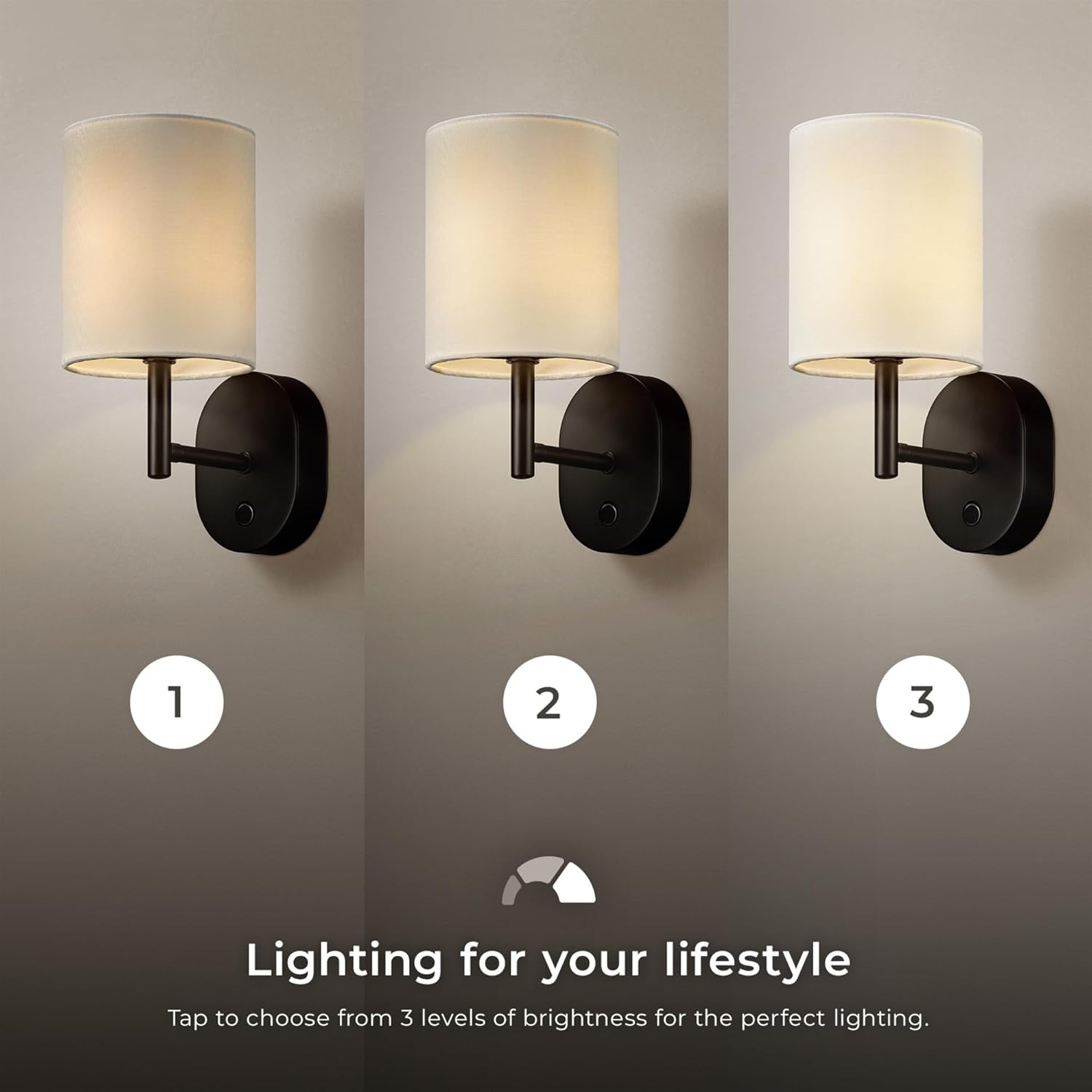
Image 5.2: The wall sconce displaying its three brightness levels: 10%, 50%, and 100% illumination.
5.2. One-Hour Timer Function
To activate the one-hour timer:
- While the light is on, press and hold the on/off touch button for 3 seconds.
- A blue indicator light will illuminate, confirming that the timer is active.
- The wall sconce will automatically turn off after one hour.
6. د چارج کولو لارښوونې
The sconce is powered by a rechargeable battery. When the battery is low, the light output may diminish or turn off.
- د USB-C کیبل سره وصل کړئ: Locate the USB-C charging port on the base of the sconce (refer to Image 5.1). Insert the provided USB-C cable into the port.
- د بریښنا سره نښلول: د USB-C کیبل بل پای په یو مناسب USB بریښنا اډاپټر (شامل نه دی) یا یو بریښنا شوي USB پورټ کې ولګوئ.
- د چارج کولو شاخص: The indicator light on the sconce will show the charging status (e.g., red for charging, green for fully charged).
- د چارج کولو وخت: بشپړ چارج شاوخوا 6 ساعته وخت نیسي.
- د بیټرۍ ژوند:
- Up to 10 hours at 100% brightness.
- Up to 20 hours at 50% brightness.
- Up to 100 hours at 10% brightness.
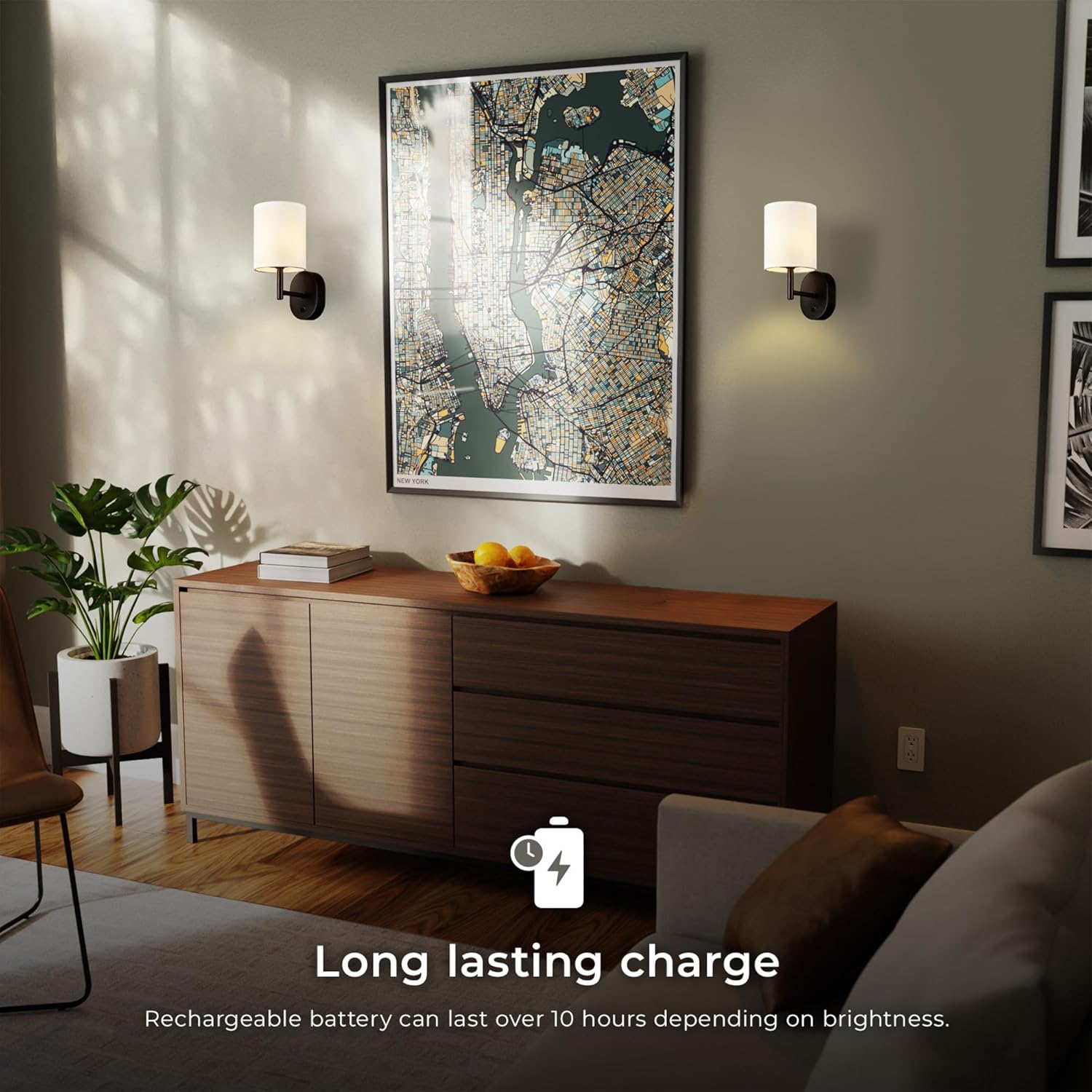
Image 6.1: An icon indicating a long-lasting charge, with text stating "Rechargeable battery can last over 10 hours depending on brightness."
7. ساتنه
Proper care will ensure the longevity of your wall sconce.
- پاکول: Ensure the sconce is turned off and disconnected from any charging cable before cleaning. Wipe the metal parts with a soft, dry cloth. For the fabric shade, use a lint roller or a soft brush to remove dust. Do not use liquid cleaners or sprays directly on the fixture.
- ذخیره کول: If storing the sconce for an extended period, ensure it is fully charged and store it in a cool, dry place. Recharge every 3-6 months to maintain battery health.
- LEDs: The LED light source is integrated and not user-replaceable. Do not attempt to open the fixture to access the LEDs.
8. ستونزه حل کول
If you encounter issues with your wall sconce, refer to the following common problems and solutions:
| ستونزه | احتمالي لامل | د حل لاره |
|---|---|---|
| ر Lightا نه ځي. | بیټرۍ ختمه شوې. | Charge the sconce using the provided USB-C cable. |
| رڼا تیاره ده یا ځلیږي. | ټیټ بیټرۍ. | Recharge the sconce. |
| د ټچ سویچ غیر ځواب ورکوونکی دی. | Sconce is not charged or a temporary glitch. | Ensure the sconce is charged. Try a soft reset by letting the battery fully deplete and then recharging. |
| Timer function does not activate. | تڼۍ په کافي اندازه نه ساتل کیږي. | Ensure you press and hold the touch button for a full 3 seconds until the blue indicator light appears. |
If the problem persists, please contact customer support (refer to Section 10).
9. د محصول مشخصات
| فیچر | تفصیل |
|---|---|
| د ماډل شمیره | 65000108 |
| برانډ | ګلوب الیکټریک |
| د رڼا سرچینه | مدغم LED |
| واټtage | 1.5 واټ |
| د لومین محصول | 150 Lumens |
| د رنګ د حرارت درجه | 3000 کیلوین (ګرم سپین) |
| د رنګ رینډینګ انډیکس (CRI) | 90 CRI |
| د روښانتیا کچه | 3-step dimmer (10%, 50%, 100%) |
| د کنټرول طریقه | ټچ سویچ |
| د بریښنا سرچینه | د چارج وړ لیتیم آیون بیټرۍ |
| د چارج کولو بندر | USB-C |
| د بشپړ چارج وخت | نږدې 6 ساعته |
| Battery Life (100% brightness) | تر 10 ساعتونو پورې |
| د ټیمر فعالیت | 1-ساعت اتومات بند |
| مواد | فلز (فکسچر)، ټوکر (سیوري) |
| ختم | Matte Black (fixture), White (shade) |
| د محصول ابعاد | ۳۳"لیتر x ۱۹.۵"لوی x ۴۳"نوی (۸۳.۸ سانتي متره لیتر x ۴۹.۵ سانتي متره لیتر x ۱۰۹.۲ سانتي متره لیتر) |
| د توکي وزن | 1.03 پونډه (0.47 kg) |
| د کور دننه / بهر کارول | یوازې دننه |

Image 9.1: Diagram showing the dimensions of the wall sconce: 10.5" (26.67 cm) height, 7" (17.78 cm) length, and 4.88" (12.3 cm) width from the wall.
۷. تضمین او د پیرودونکو ملاتړ
۹.۱. د جوړونکي تضمین
This GLOBE Electric 65000108 Rechargeable LED Wall Sconce is covered by a د جوړونکي پنځه کلن محدود تضمین د پیرود نیټې څخه. دا تضمین د عادي استعمال لاندې موادو او کاریګرۍ کې نیمګړتیاوې پوښي. دا د ناوړه ګټې اخیستنې، حادثې، تعدیل، یا غیر مجاز ترمیم له امله رامینځته شوي زیانونه نه پوښي.
مهرباني وکړئ د تضمین ادعاګانو لپاره د پیرود ثبوت وساتئ.
10.2. د پیرودونکي ملاتړ
For technical assistance, warranty inquiries, or to report missing/damaged parts, please contact GLOBE Electric customer support:
- Webسایټ: Visit the official GLOBE Electric webد ملاتړ سرچینو او اړیکو معلوماتو لپاره سایټ.
- تلیفون: Refer to the contact details provided on the product packaging or the official webسایټ
- آنلاین پلورنځی: تاسو هم کولی شئ لیدنه وکړئ GLOBE Electric Store on Amazon د محصول معلوماتو او ملاتړ لپاره.


