1. پیژندنه
Thank you for choosing the UGREEN 65W GaN Charging Station. This manual provides essential information for the safe and efficient use of your device. Please read it thoroughly before operation and retain it for future reference.
2. د بسته محتويات
- UGREEN 65W GaN Charging Station (Model X767)
- د بریښنا کیبل
- د کارن لارښود
3. محصول ختم شوview
The UGREEN 65W GaN Charging Station is a compact and powerful device designed to charge multiple electronic devices simultaneously. It features GaN (Gallium Nitride) technology for high efficiency and a smaller form factor.

Image 3.1: UGREEN 65W GaN Charging Station with its detachable power cable.
3.1 Port Layout and Power Output
The charging station is equipped with five charging ports: four USB-C ports and one USB-A port. The total maximum power output is 65W.
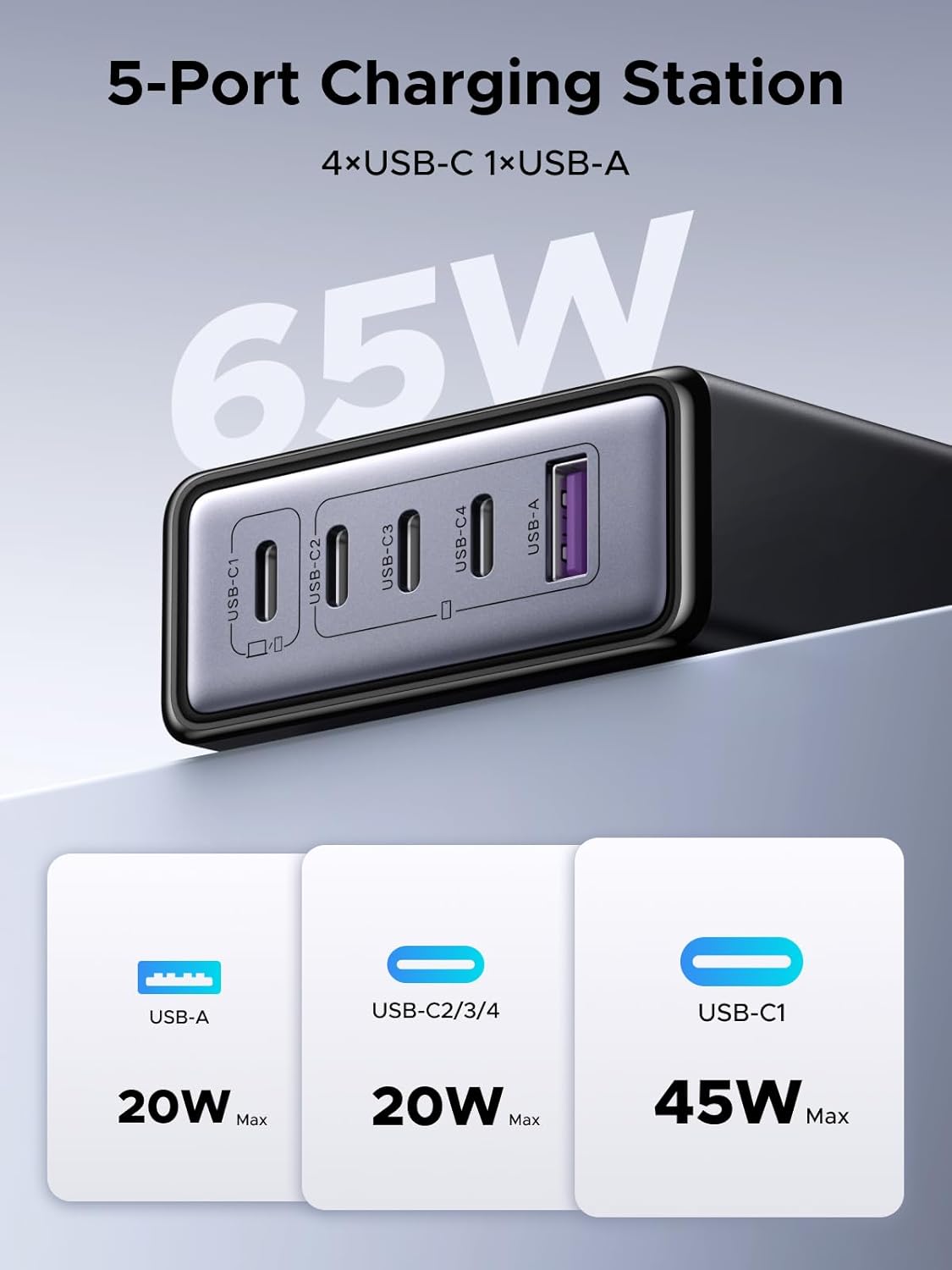
انځور ۲: تفصیلي view of the charging station's 5 ports and their maximum individual power outputs.
- USB-C1: Up to 45W Max output
- USB-C2/3/4: Up to 20W Max output each
- USB-A: Up to 20W Max output
۳.۱ ډیزاین او د لېږد وړتیا
The charging station features a compact design, making it suitable for desk use and travel. It weighs approximately 272g and has a silicone anti-slip pad on the base for stability.
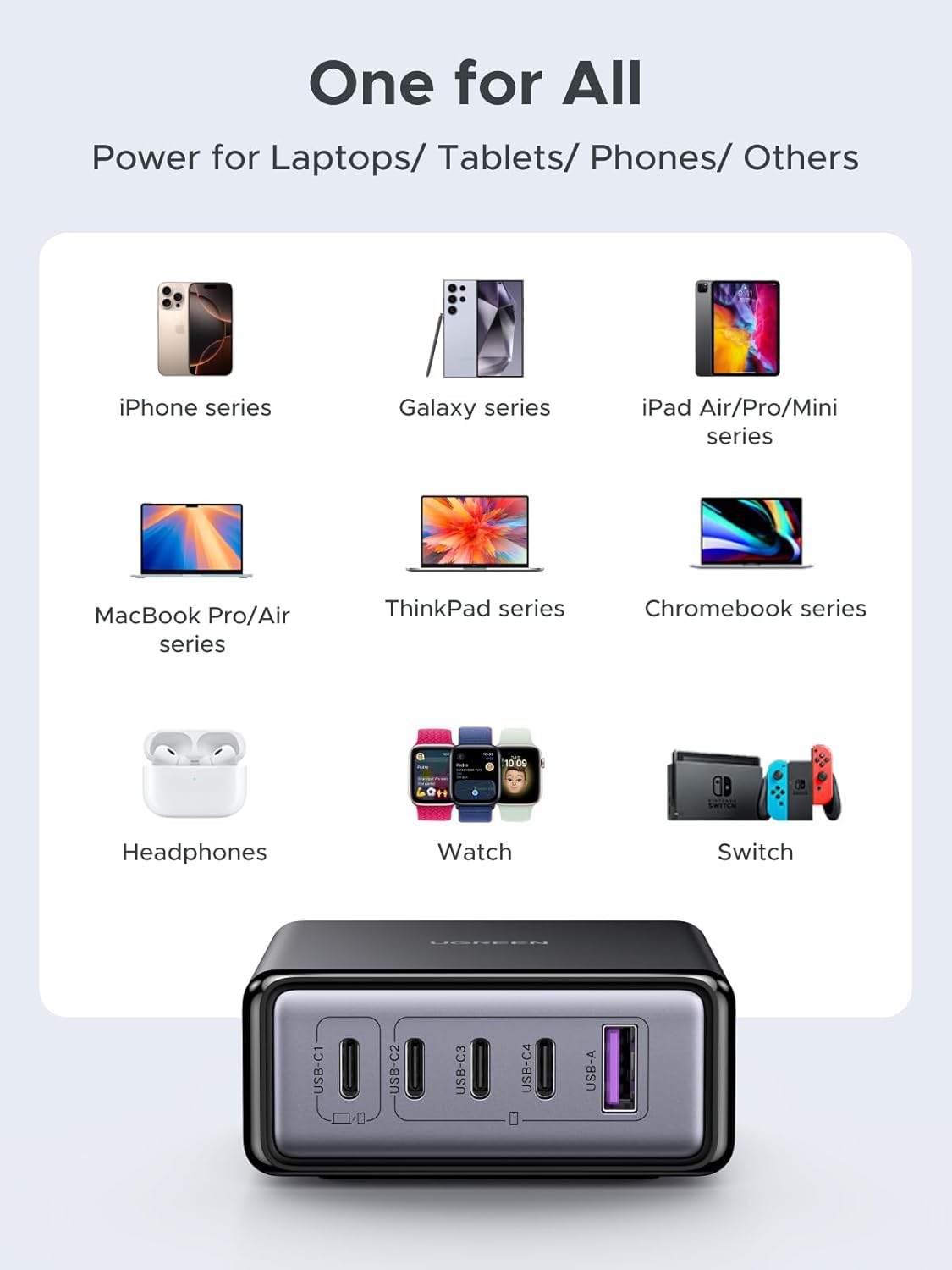
Image 3.3: The compact size of the charging station, demonstrating its portability and space-saving design compared to multiple individual chargers.

Image 3.4: Key features including the 2-meter power cable, 65W total output, metallic paint finish, and silicone anti-slip pad.
4. ترتیب کول
- خلاص کړئ: د چارج کولو سټیشن او ټول لوازم په احتیاط سره له بسته بندۍ څخه لرې کړئ.
- بریښنا وصل کړئ: Insert the provided power cable into the AC input port on the charging station, then plug the other end into a standard wall outlet (AC 100-240V).
- ځای په ځای کول: د چارج کولو سټیشن په یوه مستحکم، فلیټ سطحه کې ځای په ځای کړئ، ترڅو د وسیلې شاوخوا مناسب هوا جریان ډاډمن شي.
5. عملیاتي لارښوونې
5.1 د نښلولو وسایل
To charge your devices, connect them to the appropriate USB-C or USB-A ports on the charging station using compatible charging cables. The station will automatically detect your device and deliver the optimal charging current.

انځور ۶: پخوانیample of five devices charging simultaneously from the station.
5.2 د بریښنا ویش
The charging station intelligently distributes its total 65W power output across the connected devices. The power output per port may vary depending on the number and type of devices connected. USB-C1 is designated for higher power delivery, up to 45W, ideal for laptops.

انځور ۶: پخوانیample of 2-port 65W fast charging, demonstrating charging a MacBook Air and a smartphone.
د واحد بندر محصول:

Image 5.3: Maximum power output when only one port is actively charging.
Dual Port Output:

Image 5.4: Power distribution when two ports are actively charging.
ټول محصول:

Image 5.5: Overall power distribution when multiple devices are connected, with USB-C1 prioritizing 45W and the remaining ports sharing 20W.
یادونه: The maximum total power output is 65W. For optimal charging, especially for high-power devices, ensure that USB-C1 is used for primary devices like laptops.
6. د خوندیتوب معلومات
د خوندي عملیاتو ډاډ ترلاسه کولو او د زیان مخنیوي لپاره، مهرباني وکړئ لاندې خوندیتوب لارښوونې په پام کې ونیسئ:
- وسیله د اوبو، رطوبت، یا ډیرې تودوخې سره مه مخ کوئ.
- Avoid dropping, impacting, or disassembling the charging station.
- Use only the provided power cable and compatible charging cables.
- د ماشومانو د لاسرسي څخه لرې وساتئ.
- وسیله د بریښنایی طوفانونو په جریان کې یا کله چې د اوږدې مودې لپاره نه کارول کیږي خلاص کړئ.
۸.۱ جوړ شوي محافظتونه
The UGREEN 65W GaN Charging Station incorporates multiple safety features to protect your devices and the charger itself:
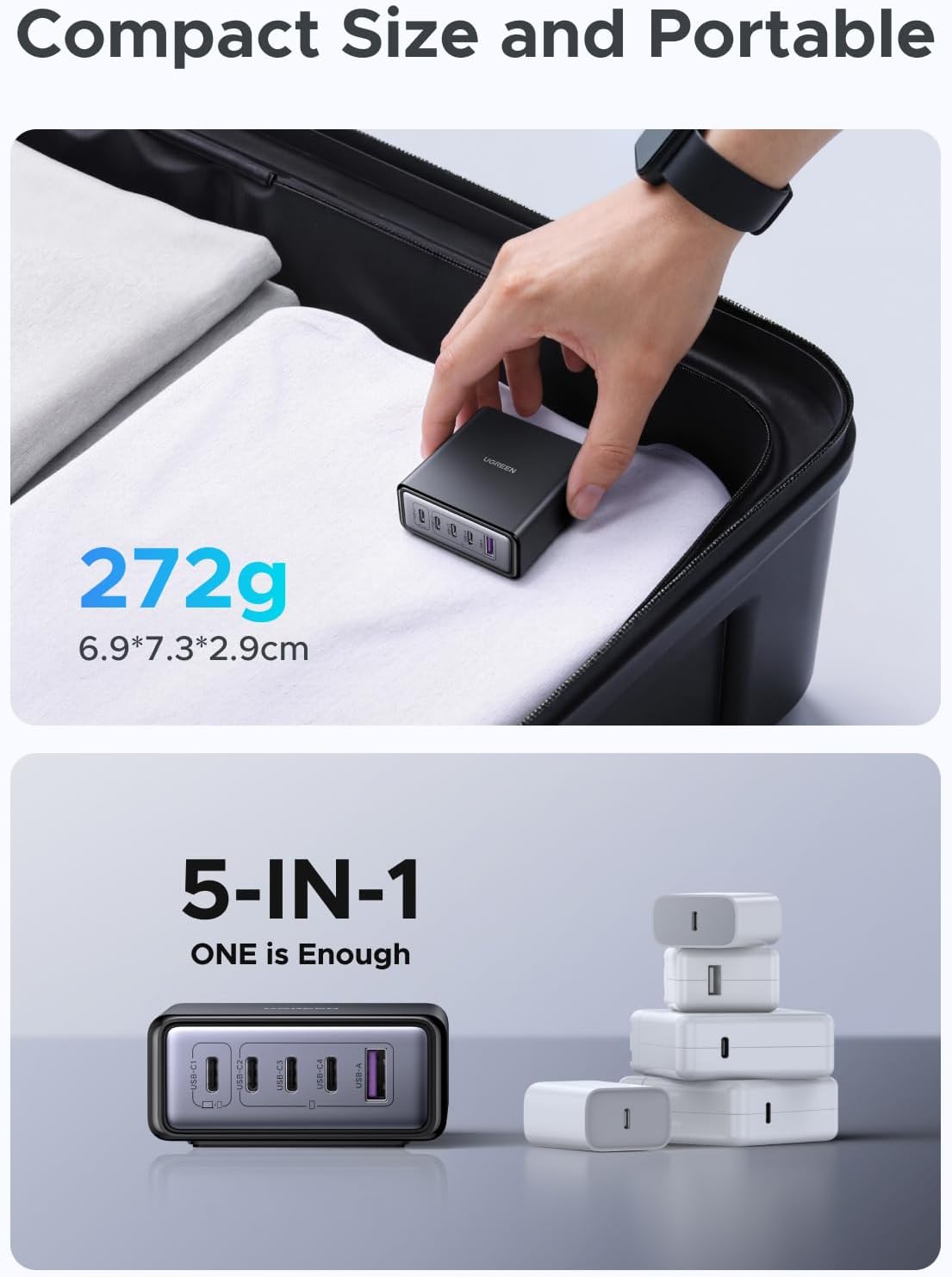
Image 6.1: GaN technology and integrated safety protections.
- ډیر ولtage محافظت: د ډیر حجم په وړاندې محافظتونهtage ننوتل.
- د ډیر تودوخې محافظت: Prevents the device from reaching unsafe temperatures.
- د اوسني محافظت: د ډیر جریان په وړاندې ساتنه کوي.
- د لنډ سرکټ محافظت: د شارټ سرکټ په صورت کې په اتوماتيک ډول بندیږي.
7. مشخصات
| فیچر | تفصیل |
|---|---|
| د ماډل شمیره | X767 |
| برانډ | UGREEN |
| د بریښنا مجموعه | 65W میکس |
| بندرونه | 4 x USB-C، 1 x USB-A |
| د USB-C1 محصول | 45W میکس |
| USB-C2/3/4 Output | 20W Max (each) |
| د USB-A وتنه | 20W میکس |
| ننوتۍ جلدtage | AC 100-240V |
| ټیکنالوژي | ګان (ګیلیم نایترایډ) |
| د توکي وزن | ۷.۳۷ اونس (تقریبا ۲۰۹ ګرامه) |
| ابعاد | ۲.۶۴ x ۲.۳۲ x ۲.۷۶ انچه (تقریبا ۶.۷ x ۵.۹ x ۷ سانتي متره) |
| د ځواک سرچینې ډول | د بریښنا تار شوی |
7.1 مطابقت
The UGREEN 65W GaN Charging Station is broadly compatible with a wide range of USB-C and USB-A powered devices, including but not limited to:

Image 7.1: Broad compatibility with various electronic devices.
- iPhone series (e.g., 17/16/15)
- Galaxy series (e.g., S25/S24)
- Pixel series (e.g., 10/9)
- iPad Pro/Air/Mini series
- MacBook Pro/Air series
- ThinkPad series
- Chromebook series
- Headphones, Smartwatches, Nintendo Switch, and other USB-powered devices.
8. ستونزه حل کول
- وسیله نه چارج کیږي:
- ډاډ ترلاسه کړئ چې د چارج کولو سټیشن په سمه توګه د بریښنا په ژوندۍ رسنۍ کې ولګول شوی دی.
- Verify that the charging cable is securely connected to both the station and your device.
- د چارج کولو مختلف کیبل یا پورټ هڅه وکړئ.
- Confirm your device is compatible and not experiencing an internal issue.
- ورو چارج کول:
- Check if your device supports fast charging and if the cable is rated for fast charging.
- Refer to the power distribution diagrams (Section 5.2) to understand how power is shared among multiple devices. Connecting many devices simultaneously may reduce individual port output.
- For laptops or other high-power devices, use the USB-C1 port for optimal charging speed.
- د چارج کولو سټیشن ګرم احساس کوي:
- It is normal for the charging station to become warm during operation, especially when charging multiple devices at high power.
- If it becomes excessively hot, disconnect all devices and the power cable, and allow it to cool down. Ensure it is placed in a well-ventilated area.
9. ساتنه
- پاکول: Disconnect the charging station from power and all devices before cleaning. Use a soft, dry cloth to wipe the surface. Do not use liquid cleaners or aerosols.
- ذخیره کول: وسیله په یخ او وچ ځای کې وساتئ، د مستقیم لمر وړانګو او سختې تودوخې څخه لرې وساتئ کله چې کارول نه وي.
10. تضمین او ملاتړ
UGREEN products are designed and manufactured to high-quality standards. This product is covered by a limited warranty from the date of purchase. For specific warranty terms and conditions, please refer to the warranty card included in your package or visit the official UGREEN webسایټ
For technical support or customer service, please contact UGREEN Group Limited directly through their official channels or the retailer from whom you purchased the product.
جوړونکی: Ugreen Group Limited


