پیژندنه
The Technoline WT175 is a compact and versatile quartz alarm clock designed for convenience and portability. It features a clear digital display and offers multiple functions including time, date, temperature, humidity, and various alarm settings. Its magnetic casing makes it suitable for travel and everyday use.

شکل 1: مخکی view of the Technoline WT175 Mini Travel Alarm Clock, displaying the time and control buttons.
کلیدي ځانګړتیاوې
- د 12/24 ساعت وخت ښودنه
- د نیټې ښودل
- Temperature display (in Celsius)
- د رطوبت ښودنه
- د سنوز فعالیت سره الارم
- Configurable alarm settings: Weekday, Weekend, or Daily
- Timer with countdown and stop function
- د ټیټ بیټرۍ شاخص
- مقناطیسي جasing for versatile placement
د بسته محتويات
- Technoline WT175 Mini Travel Alarm Clock
- د کارونکي لارښود (دا لاسوند)
- یادونه: بیټرۍ پکې شاملې نه دي او باید په جلا توګه وپیرل شي.

شکل 2: Product packaging for the Technoline WT175, detailing specifications and features.
چمتو کول
1. د بیټرۍ نصب کول
- د الارم ساعت په شا کې د بیټرۍ کڅوړه ومومئ.
- د بیټرۍ کمپارټ پوښ خلاص کړئ.
- Insert 1x AAA Micro LR03 battery, ensuring correct polarity (+/-).
- د بیټرۍ کمپارټ پوښ په خوندي ډول وتړئ.
۳. لومړنی بریښنا فعالول
Upon successful battery installation, the display will activate. You may need to press the SET button to begin initial time and date configuration.
عملیاتي لارښوونې
The Technoline WT175 features several control buttons: SET, START/STOP/RESET, ZZ (Snooze/Light), AL SET ON-OFF, +, او موډ.
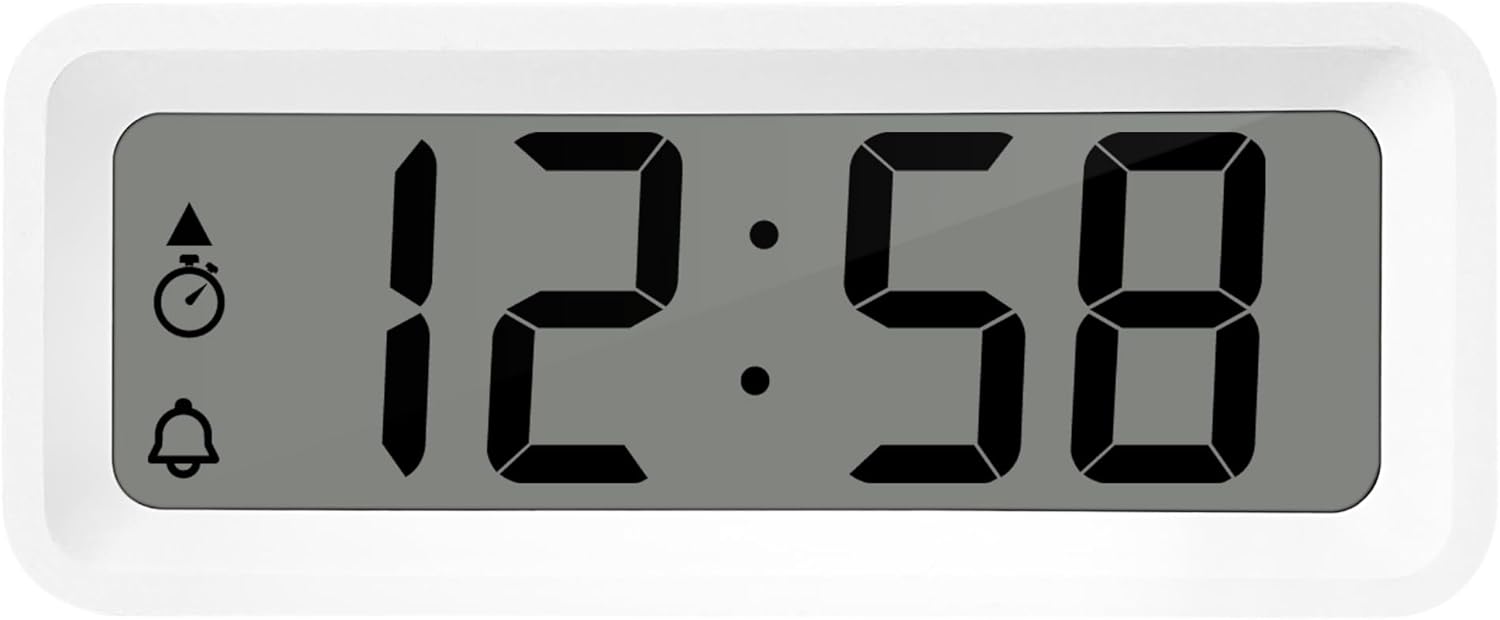
شکل 3: تفصيلي view of the alarm clock's display and control buttons.
۲. د وخت او نیټې ټاکل
- فشار ورکړئ او ونیسئ SET تڼۍ تر هغه وخته پورې چې د وخت ښودنه چمکۍ پیل شي.
- د کارولو + or - د ساعت تنظیم کولو لپاره تڼۍ.
- مطبوعاتي SET بیا د ساعت تاییدولو لپاره او دقیقو ته د تګ لپاره.
- کارول + or - دقیقو سمولو لپاره.
- فشار ته دوام ورکړئ SET to cycle through and set the year, month, and day using the + or - تڼۍ
- مطبوعاتي SET د ترتیب حالت څخه د وتلو لپاره یو وروستی ځل.
2. 12/24 Hour Format Selection
پداسې حال کې چې د نورمال وخت ښودلو حالت کې وي، فشار ورکړئ موډ د ۱۲ ساعتونو او ۲۴ ساعتونو وخت بڼو ترمنځ د بدلولو لپاره تڼۍ.
3. د الارم تنظیم کول
- فشار ورکړئ AL SET ON-OFF button once to enter alarm setting mode. The alarm time will flash.
- د کارولو + or - د الارم ساعت تنظیم کولو لپاره تڼۍ.
- مطبوعاتي AL SET ON-OFF again to confirm the hour and move to alarm minutes.
- کارول + or - د الارم دقیقې تنظیمولو لپاره.
- مطبوعاتي AL SET ON-OFF again to confirm and exit alarm setting mode.
4. Activating/Deactivating Alarm and Snooze
- د الارم د چالانولو لپاره ON or بند، فشار ورکړئ AL SET ON-OFF button while in normal time display mode. An alarm icon will appear/disappear on the display.
- کله چې د الارم غږ کیږي ، فشار ورکړئ ZZ (Snooze) button to activate the snooze function. The alarm will temporarily stop and sound again after a few minutes.
- د الارم په بشپړه توګه بندولو لپاره، کوم بل تڼۍ فشار ورکړئ (د مثال په توګه، SET or موډ).
5. Weekday/Weekend/Daily Alarm Settings
The WT175 allows for flexible alarm scheduling. While in alarm setting mode (after pressing AL SET ON-OFF), you can cycle through alarm types by pressing the + or - buttons after setting the alarm time. Look for indicators on the display for:
- ورځنی الارم: هره ورځ الارم غږېږي.
- Weekday Alarm: Alarm sounds Monday to Friday.
- Weekend Alarm: Alarm sounds Saturday and Sunday.
6. Timer and Countdown Function
- فشار ورکړئ موډ button repeatedly until the timer display appears (often indicated by a stopwatch icon).
- To set the countdown timer, press and hold SET. کارول + or - to set the desired hours, minutes, and seconds. Press SET د هرې برخې تایید لپاره.
- مطبوعاتي START/STOP/RESET د شمېرنې پیل کول.
- مطبوعاتي START/STOP/RESET بیا د شمېرنې د ځنډولو/بیا پیلولو لپاره.
- د ټایمر بیا تنظیمولو لپاره، فشار ورکړئ او ونیسئ START/STOP/RESET.
۴.۲. د تودوخې او رطوبت ښودنه
The Technoline WT175 continuously displays the current indoor temperature (in Celsius) and humidity levels. These readings are typically shown alongside the time and date on the main display.

شکل 4: The WT175 alarm clock displaying time, temperature, and humidity in a bedroom setting.
ساتنه
1. د بیټرۍ بدلول
When the low battery indicator appears on the display, it is time to replace the battery. Follow the battery installation steps outlined in the چمتو کول section. Ensure to dispose of old batteries responsibly according to local regulations.
2. پاکول
To clean the alarm clock, use a soft, dry cloth. Do not use abrasive cleaners, solvents, or immerse the device in water. Avoid spraying cleaning solutions directly onto the unit.
د ستونزو حل کول
- ښودنه خالي یا تیاره ده:
- وګورئ چې بیټرۍ په سمه توګه نصب شوې ده.
- بیټرۍ د تازه سره بدله کړئ.
- الارم نه غږېږي:
- Ensure the alarm is activated (alarm icon visible on display).
- ډاډ ترلاسه کړئ چې د الارم وخت په سمه توګه تنظیم شوی دی.
- Check the alarm type (Daily, Weekday, Weekend) matches your desired schedule.
- ناسم وخت یا نیټه:
- Re-enter the time and date following the instructions in the عملیاتي لارښوونې برخه
- Ensure the 12/24 hour format is set as desired.
- تڼۍ بې ځوابه دي:
- د نرم ری سیٹ ترسره کولو لپاره بیټرۍ لرې کړئ او بیا دننه کړئ.
- Ensure the device is not in a specific setting mode that locks other buttons.
مشخصات
| فیچر | تفصیل |
|---|---|
| ماډل | WT175 |
| برانډ | ټیکنولین |
| ابعاد (L x W x H) | 8.8 x 3.81 x 3.7 سانتي متره |
| وزن | 120 ګرامه |
| د بریښنا سرچینه | 1x AAA Micro LR03 Battery (not included) |
| د ښودلو ډول | ډیجیټل |
| ځانګړي ځانګړتیاوې | Alarm, Snooze, Temperature, Humidity, Date, Timer, Countdown, Magnetic Casing, Low Battery Indicator |
| رنګ | White (as per current product variant) |
| د کور دننه / بهر کارول | دننه |

شکل 5: Dimensions of the Technoline WT175 alarm clock.
تضمین او ملاتړ
For warranty information or technical support regarding your Technoline WT175 Mini Travel Alarm Clock, please refer to the warranty card included with your purchase or visit the official Technoline webسایټ
Official Technoline Webسایټ: http://www.technoline.de


