1. پیژندنه
This manual provides essential information for the proper setup, operation, and maintenance of your BEA·FON SMARTWATCH 101. Please read it thoroughly before using your device to ensure optimal performance and longevity.

Image 1.1: BEA·FON SMARTWATCH 101, front view with display showing time, date, and activity metrics.
۲. په بکس کې څه دي؟
Carefully unpack your BEA·FON SMARTWATCH 101 and ensure all items are present:
- BEA·FON SMARTWATCH 101
- مقناطیسي چارجر
- د چټک پیل لارښود
3. ترتیب کول
۴.۱ د سمارټ واچ چارج کول
Before first use, fully charge your smartwatch. Connect the magnetic charger to the charging contacts on the back of the watch and plug the USB end into a compatible power adapter (not included) or a computer's USB port.
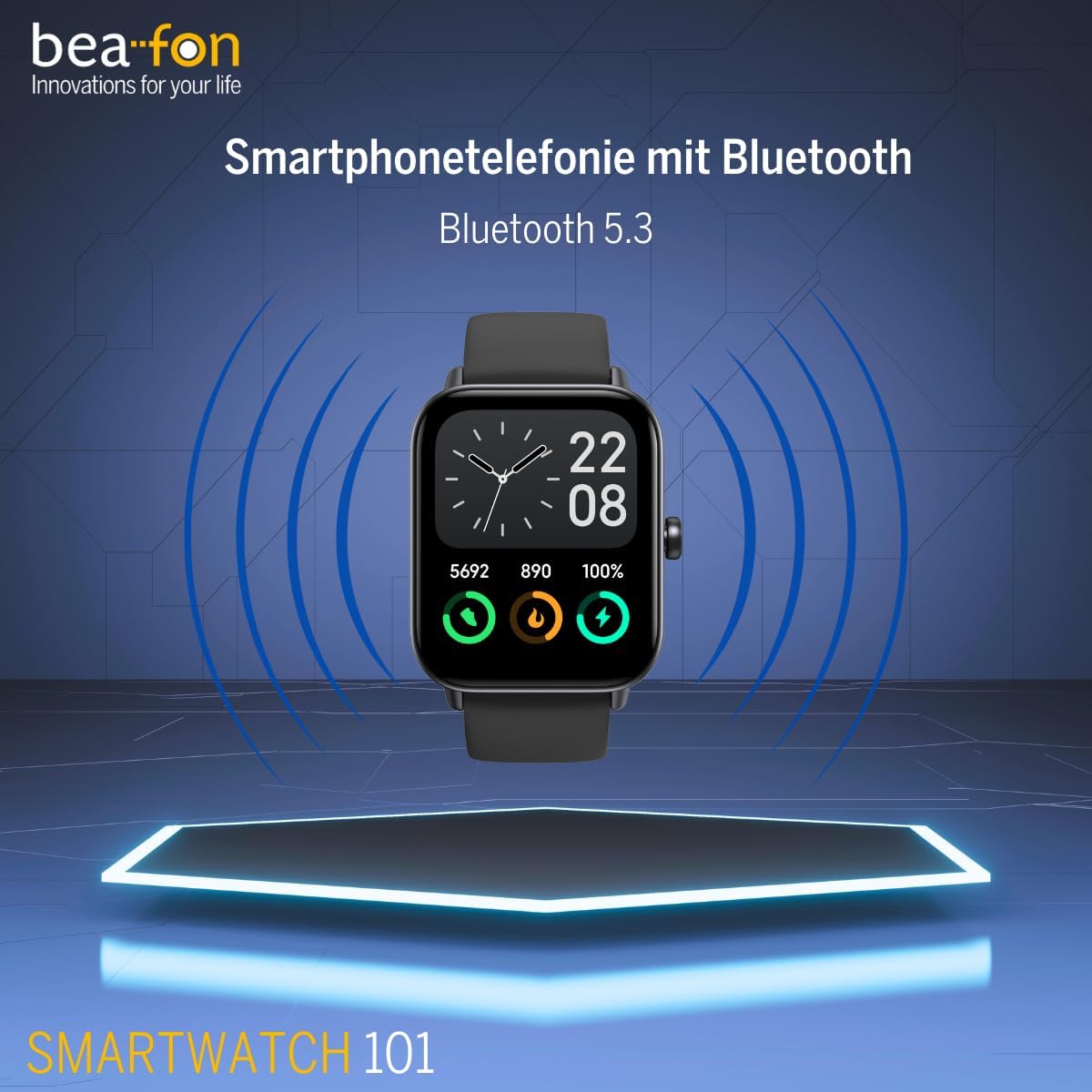
انځور 3.1: مخکی view of the smartwatch, illustrating its design for initial setup.
3.2 بریښنا کول / بندول
- پاور آن: د اړخ تڼۍ فشار ورکړئ او ونیسئ تر هغه چې سکرین روښانه شي.
- بندول: د غاړې تڼۍ کېکاږئ او ونیسئ، بیا په سکرین کې 'بریښنا بند' غوره کړئ.
۵.۳ ستاسو د سمارټ فون سره جوړه کول
To unlock the full functionality of your smartwatch, pair it with your smartphone via Bluetooth 5.3. Download the companion app (refer to the Quick Start Guide for app name) from your phone's app store. Follow the in-app instructions to connect your smartwatch.
4. عملیاتي لارښوونې
4.1 بنسټیز نیویګیشن
The smartwatch features a 1.8-inch touchscreen display. Swipe left, right, up, or down to navigate through menus and features. Tap to select an option. The side button typically acts as a home button or to return to the previous screen.
4.2 بلوتوث زنګ
Once paired with your smartphone, the smartwatch supports Bluetooth calling. You can answer, reject, or make calls directly from your wrist.
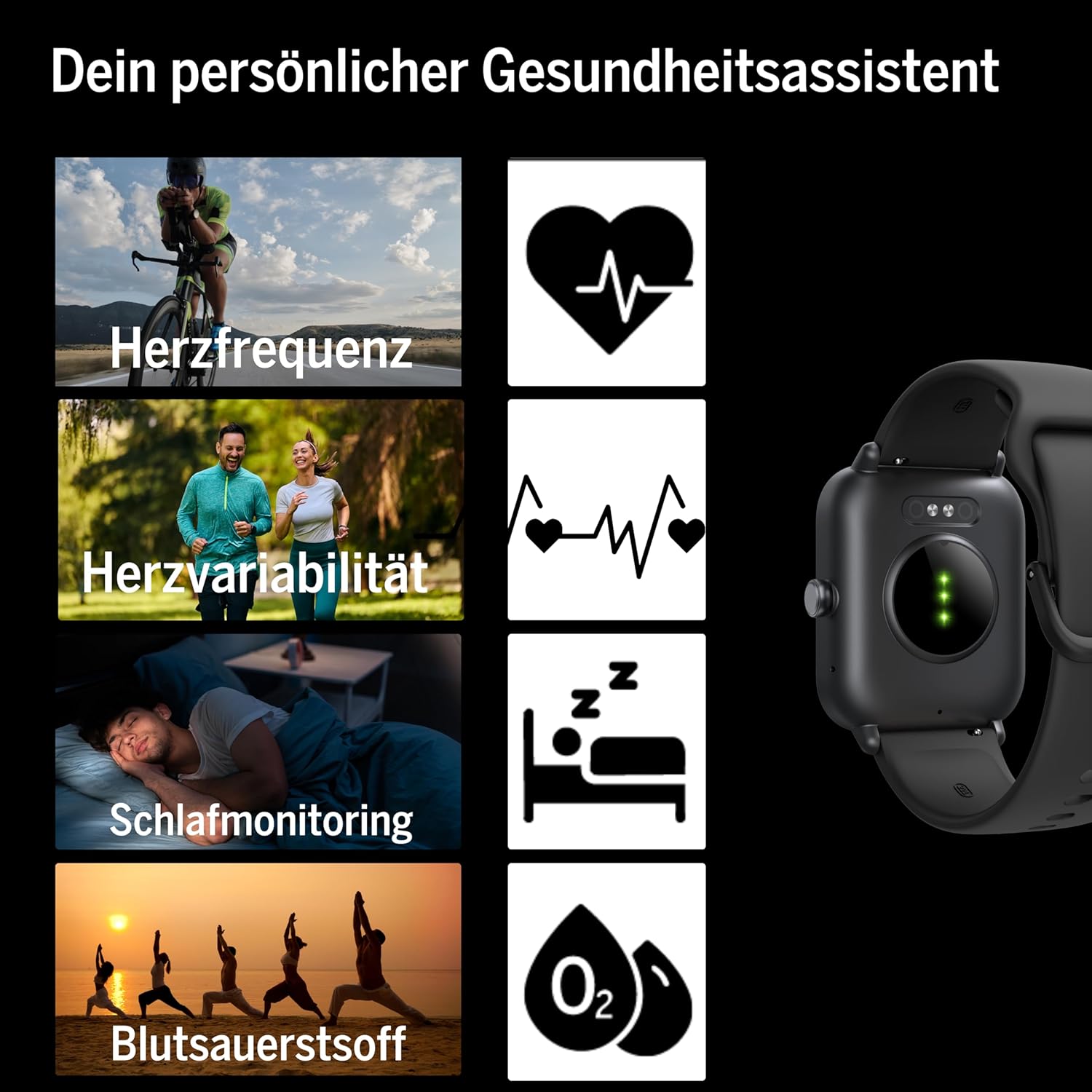
Image 4.1: Smartwatch screen showing a phone call interface, indicating Bluetooth calling capability.
4.3 Message Display
Receive notifications and messages from your smartphone directly on your smartwatch display. Ensure notification permissions are enabled in the companion app and your phone settings.
۵.۶ د الیکسا ادغام
The smartwatch is compatible with Alexa. Use voice commands for various tasks, such as setting alarms, checking weather, or controlling smart home devices. Refer to the companion app for Alexa setup instructions.
۵.۳ د جي پي ایس فعالیت
The smartwatch supports GPS, allowing for accurate tracking of outdoor activities without needing your phone. This feature is particularly useful for running, cycling, and hiking.
4.6 Fitness and Sports Modes
The device offers over 100 sports modes to track various physical activities. It is compatible with Google Fit and Strava for data synchronization. Select your desired activity from the sports menu to begin tracking.

Image 4.2: Smartwatch display showing icons for multiple sports and fitness activities.
4.7 د روغتیا څارنه
دا سمارټ واچ د روغتیا څارنې جامع ځانګړتیاوې وړاندې کوي:
- د زړه ضربان: په دوامداره توګه ستاسو د زړه ضربان څاري.
- Heart Rate Variability: Measures variations in heart rate for deeper health insights.
- د وینې اکسیجن (SpO2): د وینې د اکسیجن د اشباع کچه اندازه کوي.
- د خوب څارنه: د خوب نمونې او کیفیت تعقیبوي.
- پیډومر: Counts steps taken throughout the day.
- Calorie Consumption: د فعالیت پر بنسټ د سوځیدلي کالوري اټکل کوي.
- د میاشتني دورې تعقیب: Provides tracking for female health.

انځور 4.3: شاته view of the smartwatch, highlighting the optical sensors used for heart rate and blood oxygen monitoring.
4.8 د میوزیک کنټرول
Control music playback on your paired smartphone directly from your smartwatch, including play, pause, skip tracks, and volume adjustment.
5. ساتنه
5.1 پاکول
سمارټ واچ او پټه په منظم ډول د نرم، ډ سره پاک کړئamp cloth. Avoid using harsh chemicals or abrasive materials, as these can damage the device. Ensure the charging contacts are clean and dry before charging.
۶.۱ د اوبو مقاومت (IP68)
The BEA·FON SMARTWATCH 101 has an IP68 rating, meaning it is dust-tight and protected against immersion in water up to 1.5 meters for up to 30 minutes. It is suitable for activities like swimming in shallow water. However, it is not recommended for diving, high-pressure water activities, or exposure to hot water/steam, which can compromise the seal.
5.3 ذخیره کول
When not in use for extended periods, store the smartwatch in a cool, dry place. It is advisable to charge the battery to about 50% before long-term storage to preserve battery health.
6. ستونزه حل کول
که تاسو په خپل سمارټ واچ کې ستونزې سره مخ شئ، لاندې عام حلونو ته مراجعه وکړئ:
- وسیله نه فعاله کیږي: Ensure the battery is charged. Connect to the magnetic charger and wait a few minutes before attempting to power on.
- د سمارټ فون سره جوړه نشي کیدی:
- ډاډ ترلاسه کړئ چې ستاسو په سمارټ فون کې بلوتوټ فعال دی.
- Make sure the smartwatch is within range of your phone.
- سمارټ واچ او خپل سمارټ فون دواړه بیا پیل کړئ.
- Check the companion app for any specific pairing instructions or error messages.
- خبرتیاوې نه ښکاري:
- Verify that notification permissions are granted to the companion app on your smartphone.
- Ensure the smartwatch is properly connected via Bluetooth.
- Check the companion app settings for specific app notification toggles.
- د روغتیا ناسم معلومات: Ensure the smartwatch is worn snugly on your wrist, with the sensors making good contact with your skin. Avoid wearing it too loosely or too tightly.
- د بیټرۍ لنډ ژوند: د سکرین روښانتیا کمه کړئ، غیر ضروري ځانګړتیاوې غیر فعال کړئ، او ډاډ ترلاسه کړئ چې د شالید اپلیکیشن کارول غوره شوي دي.
For further assistance, consult the companion app's help section or contact customer support.
7. مشخصات
| فیچر | مشخصات |
|---|---|
| برانډ | بیفون |
| ماډل | 101_EU001BS |
| د ښودلو اندازه | 1.8 انچونه (4.57 سانتي متره) |
| د ښودلو ډول | OLED |
| قرارداد | 240 x 240 |
| بلوتوث نسخه | 5.3 |
| د اوبو مقاومت | IP68 |
| د بیټرۍ ظرفیت | ۴۷۰ mAh (لیتیم-ایون) |
| د بیټرۍ ژوند | ۱۰-۱۴ ورځې (معمولي استعمال) |
| عملیاتي سیسټم | OS واغوندئ |
| مطابقت لرونکې وسیلې | سمارټ فونونه، ټابلیټونه |
| ځانګړي ځانګړتیاوې | Bluetooth Calling, IP68, Message Display, Alexa Support, GPS |
| وزن | 40 ګرامه |
| ابعاد | ۴۹ x ۳۸ x ۲۱ سانتي متره (بسته بندي) |
8. تضمین او ملاتړ
For warranty information and customer support, please refer to the documentation included with your product or visit the official Beafon webسایټ. د تضمین ادعاوو لپاره د پیرود ثبوت وساتئ.


