پیژندنه
The Grundig Senior Fixed Telephone is designed for simple and intuitive communication, particularly suited for seniors and individuals with visual impairments. This wired telephone features large, easy-to-read buttons, dedicated photo memory buttons, an SOS emergency button, adjustable volume, and a reinforced speaker for clear audio. It connects directly to a standard RJ11 fixed telephone line.

انځور: اوورview of the Grundig Senior Fixed Telephone, highlighting its large buttons, SOS function, high volume, and stable wired connection.
د بسته محتويات
مهرباني وکړئ د لاندې توکو لپاره په بسته کې وګورئ:
- Grundig Senior Fixed Telephone unit
- د کویل شوي تار سره لاسي سیټ
- Telephone line cord (RJ11)
- د کارونکي لارښود (دا لاسوند)
چمتو کول
Follow these steps to set up your Grundig Senior Fixed Telephone:
- Unpack the Telephone: په احتیاط سره د بسته بندۍ څخه ټولې برخې لرې کړئ.
- هینډسیټ وصل کړئ: Plug one end of the coiled cord into the handset and the other end into the designated port on the side of the telephone base.
- Connect to the Telephone Line: Plug one end of the telephone line cord (RJ11) into the port labeled "LINE" or with a telephone icon on the back of the telephone base. Plug the other end into your wall telephone jack.
- ځای په ځای کول: Place the telephone on a stable, flat surface, such as a desk or table. Ensure it is within reach of the telephone wall jack.

Image: The Grundig Senior Fixed Telephone on a desk, showing its approximate dimensions (17.5 cm width, 19.5 cm depth).
عملیاتي لارښوونې
زنګ وهل
- هینډسیټ پورته کړئ.
- د ډیل ټون لپاره غوږ ونیسئ.
- Dial the desired telephone number using the large numeric keypad.
- د زنګ وهلو لپاره انتظار وکړئ.
- د زنګ پای ته رسولو لپاره، هینډسیټ په بیس کې ځای په ځای کړئ.
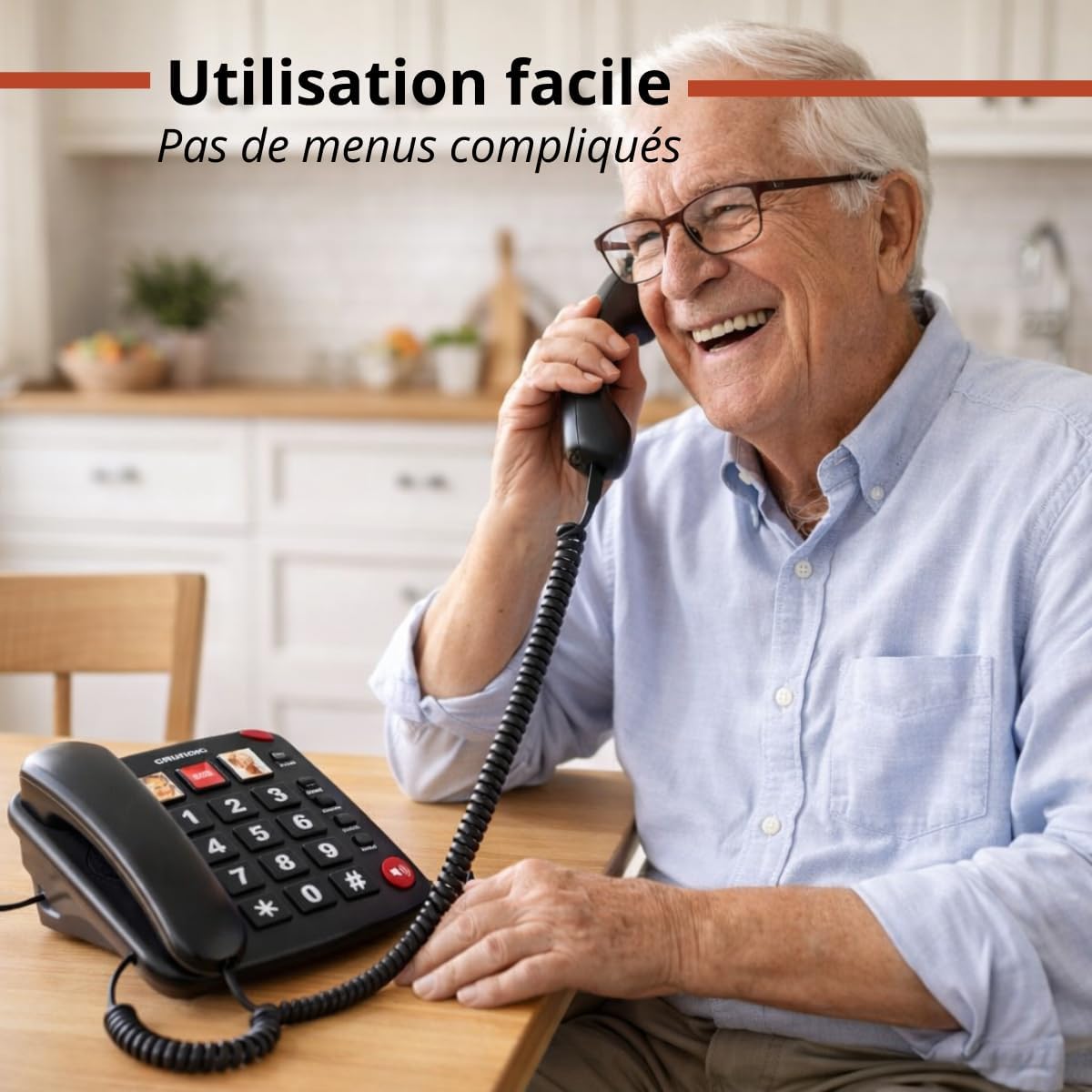
Image: A senior man smiling while using the Grundig Senior Fixed Telephone, demonstrating its ease of use.
Using Photo Memory Buttons
The telephone features three dedicated photo memory buttons (M1, M2, M3) for quick dialing of frequently called numbers.
- د شمېرې د ذخیره کولو لپاره:
- هینډسیټ پورته کړئ.
- فشار ورکړئ STORE تڼۍ
- Dial the telephone number you wish to save.
- Press one of the photo memory buttons (M1, M2, or M3).
- Replace the handset. The number is now saved.
- To Make a Call Using a Photo Memory Button:
- هینډسیټ پورته کړئ.
- Press the desired photo memory button (M1, M2, or M3). The phone will automatically dial the stored number.
Tip: You can insert small photos of your contacts under the transparent covers of these buttons for easy identification.

Image: The Grundig Senior Fixed Telephone on a bedside table, illustrating the convenience of photo memory buttons for storing and dialing numbers.
د SOS تڼۍ کارول
سور SOS button is designed for emergency situations, allowing you to quickly call a pre-programmed emergency contact.
- To Program the SOS Number:
- هینډسیټ پورته کړئ.
- فشار ورکړئ STORE تڼۍ
- Dial the emergency telephone number you wish to save (e.g., a family member, neighbor, or emergency service).
- فشار ورکړئ SOS تڼۍ
- Replace the handset. The emergency number is now saved.
- To Activate the SOS Call:
- In an emergency, simply lift the handset and press the large red SOS button. The phone will automatically dial the programmed emergency number.

Image: A hand pressing the prominent red SOS button on the Grundig Senior Fixed Telephone, indicating its emergency call function.
Adjusting Volume and Speakerphone
The telephone offers adjustable call and conversation volume, along with a speakerphone function for hands-free communication.
- د رینجر حجم: A switch on the side or back of the phone allows you to adjust the ringer volume (High/Low/Off).
- Conversation Volume: During a call, use the volume control buttons (usually located on the side or front) to adjust the handset's listening volume.
- سپیکر: د سپیکر فون فعالولو لپاره، فشار ورکړئ سپیکر button (often indicated by a speaker icon). You can then speak and listen without holding the handset. Press the button again to deactivate.

Image: A senior woman sitting comfortably near the Grundig Senior Fixed Telephone, illustrating its loud ringer and adjustable volume features for users with hearing impairments.
Mute and Hold Functions
- خاموش: د زنګ وهلو پرمهال خاموش button to temporarily silence your microphone. The other party will not hear you, but you can still hear them. Press again to unmute.
- ساتل: د زنګ وهلو پرمهال هوډ button to place the current call on hold. The other party will hear hold music or silence. Press again to resume the conversation.
ساتنه
To ensure the longevity and proper functioning of your Grundig Senior Fixed Telephone, follow these simple maintenance guidelines:
- پاکول: Wipe the telephone's surface with a soft, damp cloth. Do not use harsh chemicals, abrasive cleaners, or excessive moisture.
- د مایعاتو څخه ډډه وکړئ: ټیلیفون د اوبو او نورو مایعاتو څخه لرې وساتئ.
- دحرارت درجه: Do not expose the telephone to extreme temperatures or direct sunlight.
- ذخیره کول: If storing the telephone for an extended period, disconnect it from the telephone line and store it in a cool, dry place.
د ستونزو حل کول
If you encounter any issues with your telephone, please refer to the following troubleshooting tips before contacting support:
| ستونزه | احتمالي لامل | د حل لاره |
|---|---|---|
| د ډایل ټون نشته | Telephone line not connected properly or line issue. |
|
| زنګ وهونکی نه اوري / زنګ وهونکی زما غږ نه اوري | Volume too low or mute function active. |
|
| د SOS تڼۍ کار نه کوي | SOS number not programmed or incorrectly programmed. |
|
| Ringer does not sound | Ringer volume set to off or low. |
|
مشخصات
| فیچر | تفصیل |
|---|---|
| برانډ | ګرانډیګ |
| د ماډل نوم | Telefon Senioren |
| د محصول ډول | Fixed Line Telephone |
| رنګ | تور |
| د پیوستون ډول | RJ11 (Wired Fixed Line) |
| کلیدي ځانګړتیاوې | Large Buttons, SOS Button, Photo Memory Buttons, Adjustable Volume, Speakerphone, Mute, Hold |
| شاملې برخې | Telephone unit, Handset, Line Cord |
د تضمین معلومات
This Grundig Senior Fixed Telephone comes with a د جوړونکي دوه کلن تضمین. This warranty covers defects in materials and workmanship under normal use. It does not cover damage caused by misuse, accidents, unauthorized modifications, or external causes. Please retain your proof of purchase for warranty claims.
For detailed warranty terms and conditions, please refer to the documentation provided with your purchase or visit the official Grundig webسایټ
ملاتړ
If you require further assistance or have questions not covered in this manual, please contact Grundig customer support.
- آنلاین ملاتړ: رسمي ګرنډیګ ته مراجعه وکړئ webد FAQs، ملاتړ سرچینو، او اړیکو فورمو لپاره سایټ.
- د تلیفون ملاتړ: Refer to your product packaging or the Grundig webد سیمه ایزو پیرودونکو خدماتو د اړیکو شمیرو لپاره سایټ.
When contacting support, please have your product model name (Telefon Senioren) and proof of purchase ready.


