1. پیژندنه
Thank you for choosing the Alaga 3K Pet Camera. This device is designed to provide comprehensive monitoring of your pets and home with advanced features such as 3K Ultra HD resolution, 360° pan/tilt, AI motion detection, two-way audio, and night vision. This manual will guide you through the setup, operation, and maintenance of your new camera.

Image 1.1: Alaga 3K Pet Camera and its mobile app interface.
۲. په بکس کې څه دي؟
مهرباني وکړئ د بسته بندۍ محتويات وګورئ ترڅو ډاډ ترلاسه کړئ چې ټول توکي شتون لري:
- 1x Alaga Indoor Security Camera
- 1x بریښنا اډاپټر
- 1x کارن لارښود
- 1x Mounting Screws and Plate

Image 2.1: All components included in the Alaga 3K Pet Camera package.
د ان باکس کولو ویډیو
Video 2.1: This video demonstrates the unboxing process of the Alaga 3K Pet Camera, showing all included items.
3. ترتیب کول
3.1 بریښنا
- د USB ډول-سي کیبل د کیمرې د بریښنا پورټ سره وصل کړئ.
- د بریښنا اډاپټر په معیاري بریښنایی پلورنځي کې ولګوئ.
- The camera will perform a self-check, indicated by its movement and a voice prompt.
۵.۲ د اپلیکیشن نصب او د وسیلو جوړه کول
- Download the "CareCamPro" app from your smartphone's app store (iOS or Android).
- یو نوی حساب راجستر کړئ یا که تاسو دمخه یو حساب لرئ نو ننوتل وکړئ.
- په اپلیکیشن کې، د نوي وسیله اضافه کولو لپاره "+" آیکون باندې کلیک وکړئ.
- Select "Pair by QR Code" or allow the app to search for devices via Bluetooth.
- Follow the on-screen instructions to connect the camera to your 2.4GHz or 5GHz Wi-Fi network.
- Scan the QR code displayed on your phone with the camera lens. You will hear a prompt when scanning is complete.
- Once connected, you can customize the camera name and usage scenario (e.g., "Pets", "Housekeeping").
App Installation Guide Video
Video 3.1: This video provides a step-by-step guide on how to install the CareCamPro app and pair your Alaga 3K Pet Camera.
۱۶ ځای پر ځای کول او نصب کول
The compact design of the Alaga 3K Pet Camera allows for versatile placement. You can place it on any flat surface or mount it on a ceiling or wall using the included mounting screws and plate.

انځور ۶: پخوانیamples of placing the Alaga 3K Pet Camera on a flat surface or mounting it on a wall.
4. عملیاتي لارښوونې
4.1 ژوندی View & Pan/Tilt Control
Access the live feed from your camera through the CareCamPro app. Use the on-screen controls to remotely rotate the camera 345° horizontally and 62° vertically, providing a 360° full view ستاسو د ځای څخه.

Image 4.1: The Alaga 3K Pet Camera offers 360° panoramic monitoring.
۴.۴ دوه اړخیزه آډیو
The camera features a two-way intercom. Tap the microphone icon in the app to speak through the camera's speaker, allowing you to communicate with pets or family members remotely.

Image 4.2: Two-way audio allows real-time communication through the camera.
4.3 AI Motion Detection & Alerts
Equipped with AI algorithms, the camera accurately detects movements, people, and pets. When activity is detected, you will receive instant push notifications on your phone. The camera can also track suspicious activity.

Image 4.3: AI Pet Detection monitors your pets and sends alerts.
4.4 د شپې لید
The camera features advanced night vision with infrared LED lights, providing clear footage up to 30 feet even in complete darkness. This ensures 24/7 protection and monitoring.
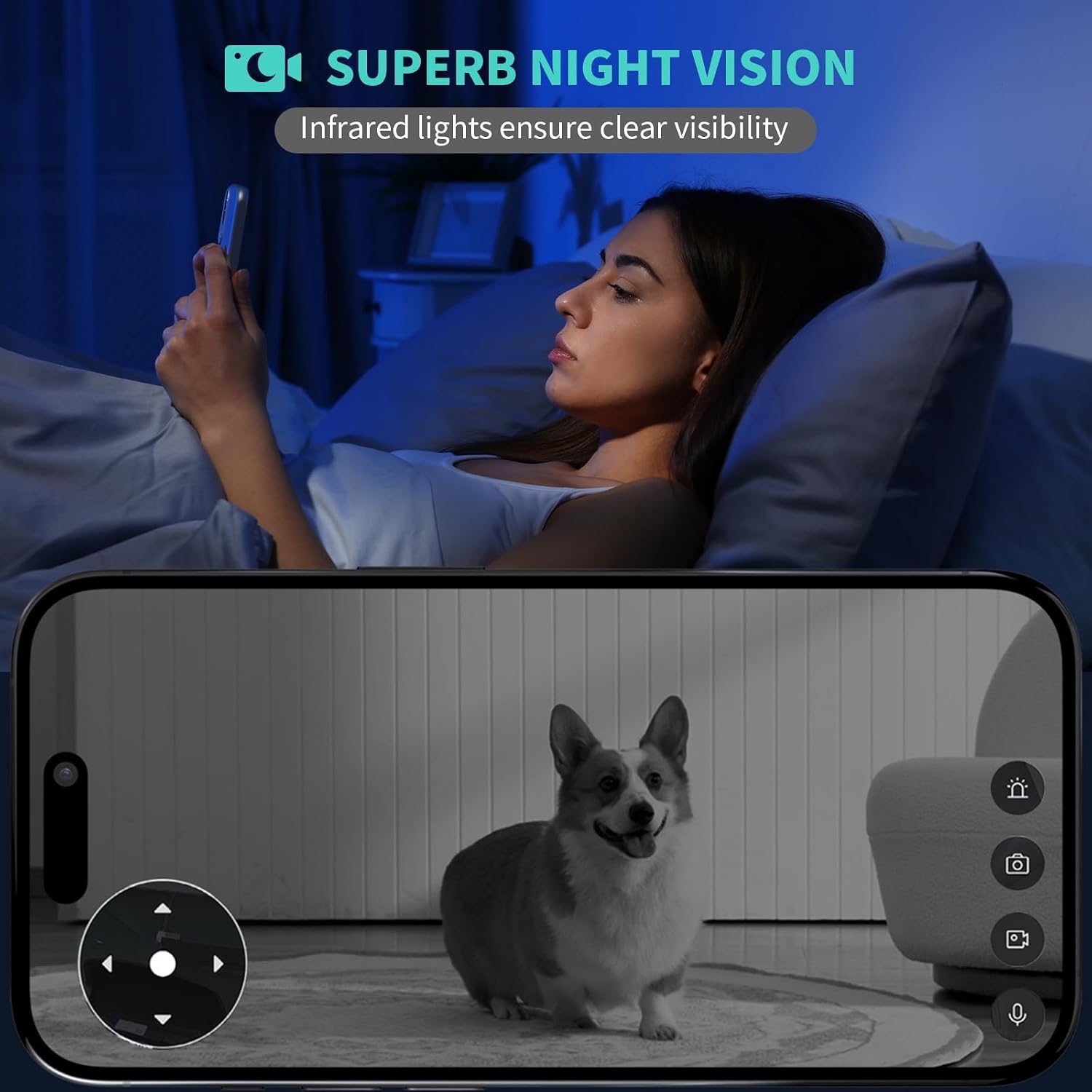
Image 4.4: Superb night vision ensures clear visibility in low-light conditions.
4.5 Time-Lapse with Moments Album
The camera automatically captures snapshots throughout the day and creates a short time-lapse video. This feature allows you to easily review your pet's activities or home changes in minutes.

Image 4.5: The Time Pet Album captures and compiles moments of your pets.
۵.۸ د ذخیره کولو اختیارونه
فوtage can be stored on a Class 10 microSD card (up to 128GB, not included) or via optional cloud storage. Cloud storage encrypts footage, keeping it safe even if the Micro SD card is lost or damaged.
۵.۲ د سمارټ کور ادغام
The Alaga 3K Pet Camera is compatible with Alexa and Google Assistant. You can view ژوندی اوسیtage on devices like Echo Show or Google Chromecast using simple voice commands.

Image 4.6: Seamless integration with Alexa and Google Assistant for voice control.
محصول پای ته ورسیدview ویډیو
دوهمه ویډیو: دا ویډیو عمومي معلومات وړاندې کويview of the Alaga 3K Pet Camera's features and functionality, including live monitoring, two-way audio, and motion detection.
5. ساتنه
5.1 پاکول
To maintain optimal performance, regularly clean the camera lens with a soft, dry cloth. Avoid using harsh chemicals or abrasive materials that could damage the lens or casing.
5.2 د فرم ویئر تازه معلومات
Ensure your camera's firmware is up to date by checking the CareCamPro app regularly. Firmware updates often include performance improvements, new features, and security enhancements.
5.3 د کیمرې بیا تنظیم کول
If you experience persistent issues, you may need to reset the camera. Refer to the detailed instructions in the included User Guide for the location of the reset button and the proper procedure.
6. ستونزه حل کول
- کیمره له وای فای سره نه نښلي: Ensure your Wi-Fi network is 2.4GHz or 5GHz and that the password is correct. Move the camera closer to the router to improve signal strength.
- د انځور کمزوری کیفیت: د خپل انټرنیټ اتصال سرعت وګورئ. ډاډ ترلاسه کړئ چې د کیمرې لینز پاک او له خنډونو څخه پاک دی. که اړتیا وي نو په اپلیکیشن کې د ویډیو کیفیت تنظیمات تنظیم کړئ.
- د حرکت کشف خبرتیاوې نشته: Verify that motion detection is enabled in the app settings and that the alert period is correctly configured. Check your phone's notification settings for the CareCamPro ایپ.
- د دوه اړخیزه غږ ستونزې: Ensure your phone's microphone is enabled for the app and that the camera's speaker is not obstructed. Check volume settings on both your phone and within the app.
7. مشخصات
| فیچر | مشخصات |
|---|---|
| د ماډل نوم | Alaga Security Camera |
| د کور دننه / بهر کارول | دننه |
| د ویډیو نیول حل | دوه زره (۲۳۰۴x۱۲۹۶) |
| د ارتباط ټیکنالوژي | دوه ګونی بانډ وای فای (2.4GHz او 5GHz)، بلوتوث |
| پین/ټیټ گردش | 345° افقی، 62° عمودی |
| د شپې لید لړۍ | تر 30 فوټو پورې |
| دوه طرفه آډیو | هو |
| د AI حرکت کشف | Yes (People, Pets) |
| د ذخیره کولو اختیارونه | مایکرو ایس ډي کارت (تر ۱۲۸ جي بي پورې)، کلاوډ ذخیره |
| مطابقت لرونکې وسیلې | Smartphone, Alexa, Google Assistant |
| د بریښنا سرچینه | د بریښنا تار لرونکی (USB ډول-C) |
| ابعاد (L x W x H) | 3.15 x 4.45 x 3.15 انچه |
| د توکي وزن | 0.36 پونډه (5.8 اونس) |
8. تضمین او ملاتړ
For warranty information and technical support, please refer to the contact details provided in the included User Guide or visit the official Alaga website. Our customer service team is available to assist you with any questions or issues you may encounter.


