1. پیژندنه
This manual provides essential instructions for the safe and efficient use of your Blackview BV6200 Plus rugged smartphone. Please read this guide thoroughly before operating your device to ensure optimal performance and longevity. The Blackview BV6200 Plus is designed for durability, featuring a robust construction, a large capacity battery, and advanced communication capabilities.
2. محصول ختم شوview
تورview BV6200 Plus is a rugged smartphone built to withstand challenging environments. It features a durable exterior, a powerful 11000mAh battery, a 3W ultra-loud speaker, and a high-resolution camera system. The device operates on Android 14 and supports dual SIM functionality.
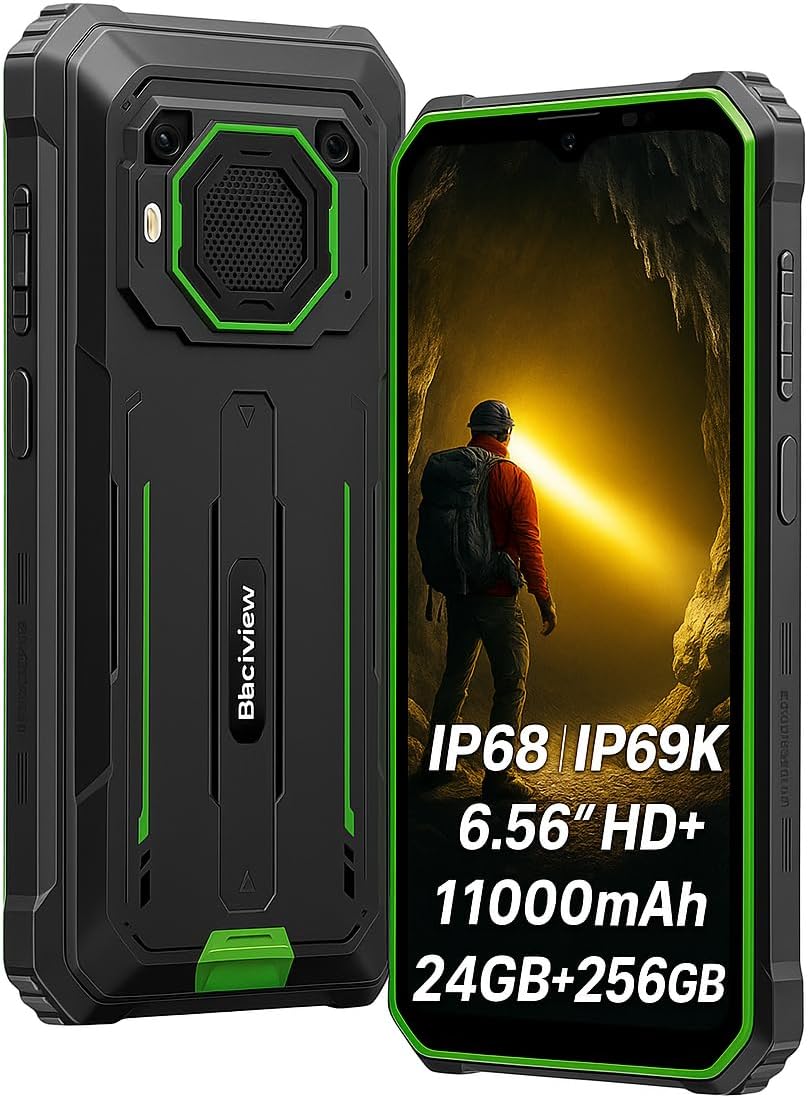
شکل ۲.۲: مخکینۍ او شاته view د تور پوستوview BV6200 Plus smartphone.
2.1 د بسته محتويات
Upon unboxing, please verify that the following items are included:
- تورview BV6200 Plus Smartphone
- د USB ډول - سي کیبل
- د بریښنا اډاپټر
- د سیم Ejector وسیله
- د کارونکي لارښود (دا لاسوند)
3. ترتیب کول
۳.۲ د سیم کارت او ایس ډي کارت نصبول
- د وسیلې په اړخ کې د سیم کارت ټری ومومئ.
- د سیم ایجیکټر وسیله د ټرې تر څنګ په کوچني سوري کې دننه کړئ او په نرمۍ سره فشار ورکړئ تر هغه چې ټرې بهر راشي.
- خپل نانو سیم کارتونه او/یا مایکرو ایس ډی کارتونه (تر 1TB پورې) په ټری کې ټاکل شوي سلاټونو کې ځای په ځای کړئ. ډاډ ترلاسه کړئ چې د سرو زرو اړیکې ښکته خوا ته دي.
- ټری په احتیاط سره تلیفون ته بیا دننه کړئ تر هغه چې په خپل ځای کې کلیک وکړي.
3.2 ابتدايي پاور آن
Press and hold the Power button (located on the right side of the device) for a few seconds until the Blackview logo appears. Follow the on-screen instructions to complete the initial setup, including language selection, Wi-Fi connection, and Google account setup.
3.3 د وسیلې چارج کول
Before first use, it is recommended to fully charge the device. Connect the USB Type-C cable to the phone's charging port and the other end to the power adapter. Plug the adapter into a wall outlet. The device supports 18W fast charging, allowing a full charge in approximately 3 hours.

شکل ۳: تورview BV6200 Plus supports 18W fast charging.
4. عملیاتي لارښوونې
4.1 اساسي دندې
- زنګ وهل: د تلیفون اپلیکیشن پرانیزئ، شمیره دننه کړئ، او د زنګ آیکون باندې کلیک وکړئ.
- د پیغام لیږل: د پیغامونو اپلیکیشن پرانیزئ، 'چیټ پیل کړئ' کلیک وکړئ، ترلاسه کوونکی او پیغام دننه کړئ، بیا یې واستوئ.
- د انټرنیټ اتصال: د ترتیباتو > شبکې او انټرنیټ > وای فای له لارې وای فای سره وصل شئ، یا د ترتیباتو > شبکې او انټرنیټ > موبایل شبکې له لارې موبایل ډیټا فعال کړئ.
4.2 د کیمرې عملیات
تورview BV6200 Plus features a 16MP AI rear camera and a 13MP AI front camera. Open the Camera app to capture photos and videos. Various modes, including an underwater camera mode, are available.

Figure 4.1: The 16MP AI rear camera system.
4.3 Ultra-Loud Speaker
The device is equipped with a 3W ultra-loud stereo speaker, capable of producing sound up to 98dB. This feature is ideal for outdoor use or situations where high volume is required.

Figure 4.2: Detail of the 3W ultra-loud stereo speaker.
4.4 ځانګړتیاوې ښکاره کول
The 6.56-inch HD+ display offers clear visuals. It features an intelligent 90Hz dynamic refresh rate for smooth scrolling and responsive touch interactions.
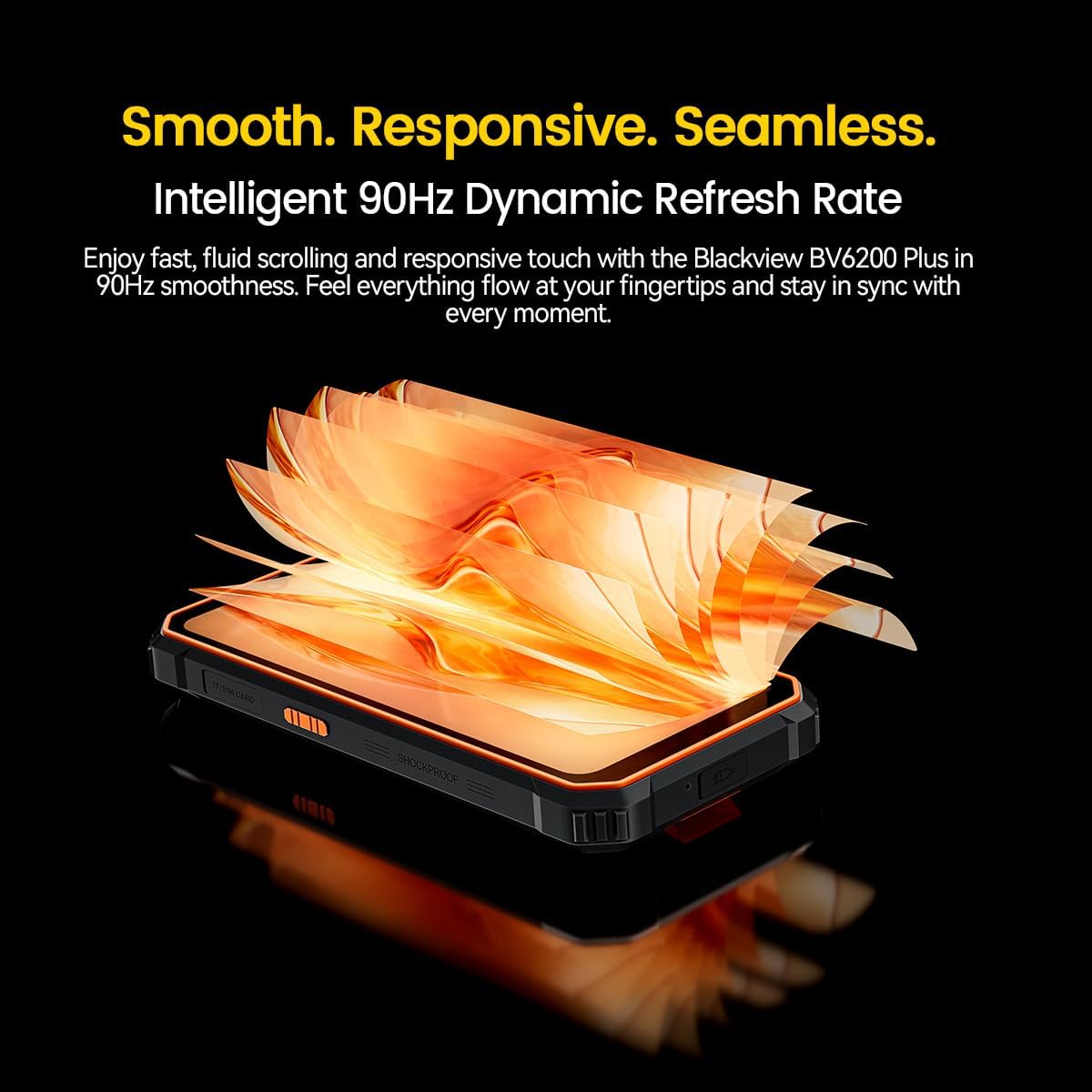
Figure 4.3: The 90Hz dynamic refresh rate display.
۴.۱ د دستکشې حالت
تورview BV6200 Plus includes a Glove Mode, allowing you to operate the touchscreen effectively even while wearing gloves. This is particularly useful in cold weather or industrial environments. To activate/deactivate Glove Mode, navigate to Settings > Smart Assistant > Glove Mode.
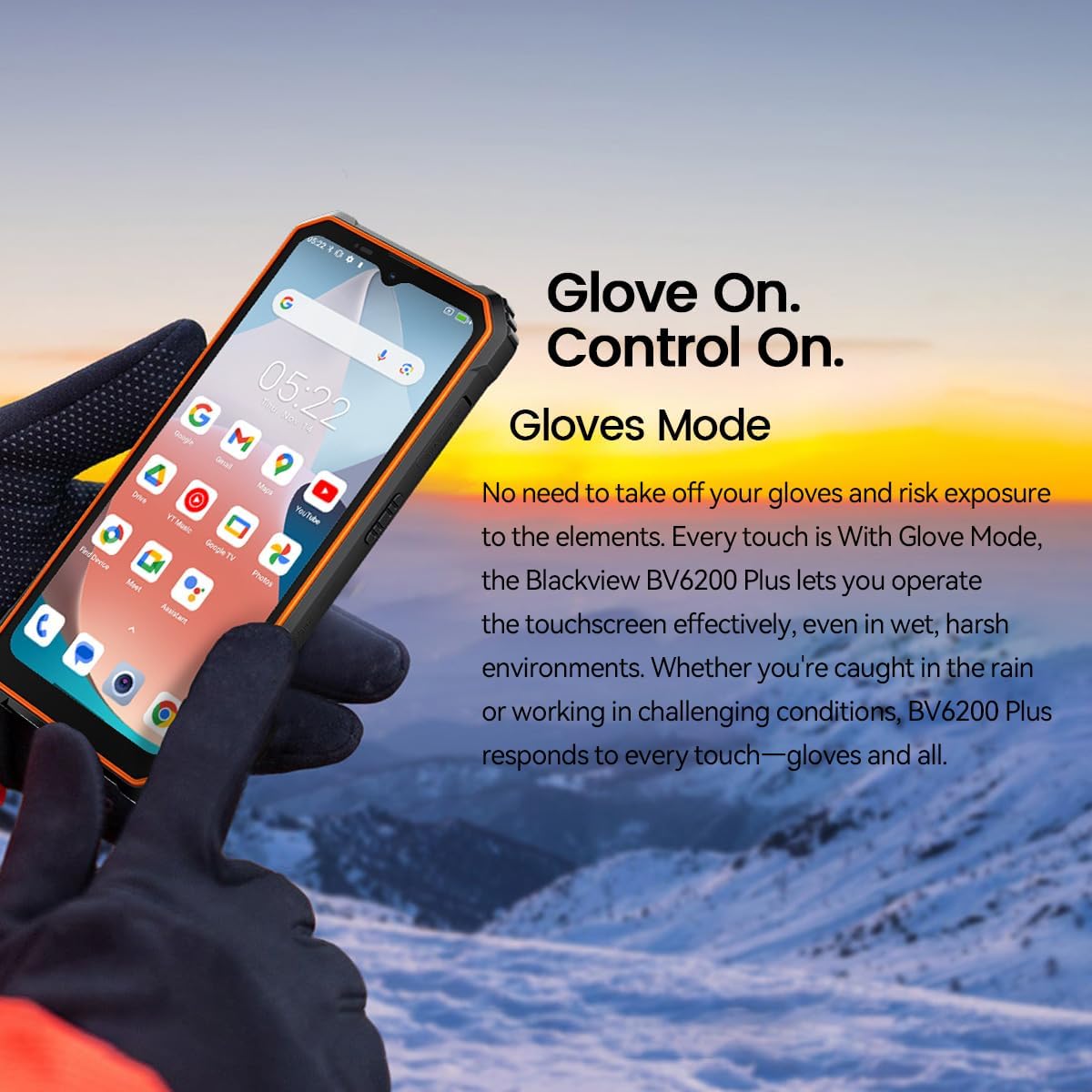
Figure 4.4: Operating the device with gloves using Glove Mode.
۳.۳ د NFC فعالیت
The device supports Near Field Communication (NFC) for contactless payments, quick pairing with compatible devices, and data exchange. Ensure NFC is enabled in Settings > Connected devices > Connection preferences > NFC.
5. ساتنه
5.1 Water and Dust Resistance (IP68 & IP69K)
تورview BV6200 Plus is certified with IP68 and IP69K ratings, indicating resistance to dust ingress and water immersion. It can withstand submersion in water up to 1.5 meters for 30 minutes. While designed to be robust, avoid intentional prolonged submersion or exposure to high-pressure water jets beyond specified limits. Ensure all ports are securely closed before exposing the device to water or dust.
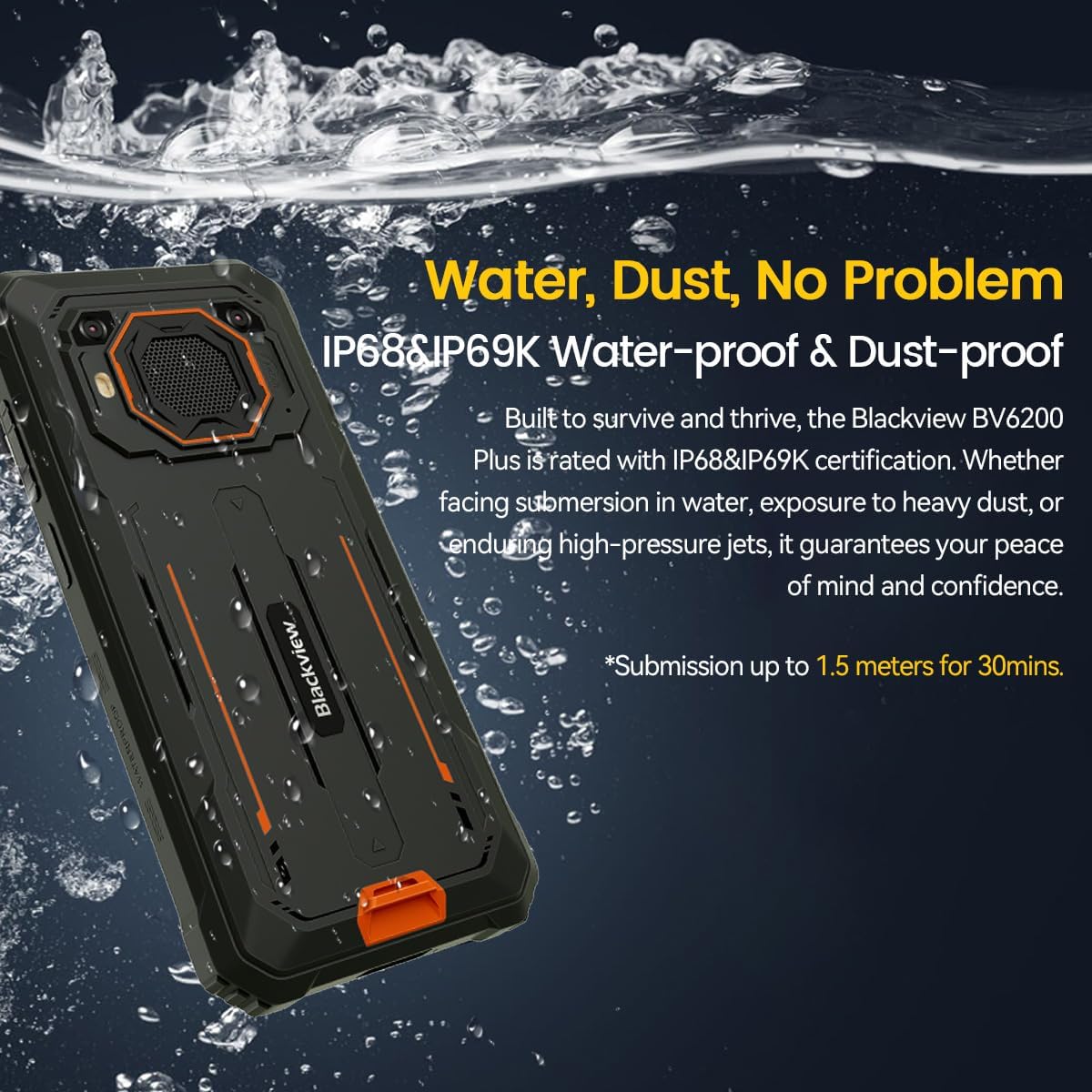
Figure 5.1: The device's water and dust resistance.
5.2 Drop Protection
The device features a reinforced, shock-absorbing frame and is MIL-STD 810H certified, providing 360° drop protection. It is designed to withstand drops from up to 1.2 meters. Despite its ruggedness, extreme impacts should still be avoided to prevent potential damage.

Figure 5.2: The device's robust drop protection design.
5.3 د بیټرۍ پاملرنه
د بیټرۍ ژوند او فعالیت اعظمي کولو لپاره:
- د وسیلې له خورا تودوخې سره مخ کیدو څخه مخنیوی وکړئ.
- یوازې اصلي چارجر او کیبل وکاروئ.
- بیټرۍ ته اجازه مه ورکوئ چې په مکرر ډول په بشپړه توګه خارج شي.
- که چیرې وسیله د اوږدې مودې لپاره ونه کارول شي، نو د ذخیره کولو دمخه یې شاوخوا 50٪ ته چارج کړئ.
6. ستونزه حل کول
که تاسو د خپل تور سره ستونزې سره مخ شئview BV6200 Plus, refer to the following common solutions:
- وسیله نه فعاله کیږي: ډاډ ترلاسه کړئ چې بیټرۍ چارج شوې ده. د بیا چالانولو هڅه کولو دمخه لږترلږه د 15 دقیقو لپاره چارجر سره وصل شئ.
- د چارج کولو مسلې: وګورئ چې د چارج کولو کیبل او اډاپټر په خوندي ډول سره وصل دي. د چارج کولو لپاره بل ساکټ یا لوازم هڅه وکړئ.
- د شبکې د اتصال ستونزې: Verify that your SIM card is correctly inserted and activated. Check network settings and ensure mobile data or Wi-Fi is enabled. Restart the device.
- د اپلیکیشنونو خرابېدل یا کنګل کېدل: Close and reopen the app. Clear the app's cache and data in Settings > Apps. If the issue persists, uninstall and reinstall the app.
- د ټچ سکرین بې ځوابه: Restart the device. If the issue continues, perform a factory reset (backup data first).
For more complex issues, please contact Blackview د پیرودونکي ملاتړ.
7. مشخصات
| فیچر | مشخصات |
|---|---|
| برانډ | تورview |
| د ماډل شمیره | BV6200 PLUS |
| عملیاتي سیسټم | Android 14 |
| د ښودلو اندازه | ۷۸۷ انچه |
| د ښودلو ریزولوشن | 720 x 1280 |
| RAM | Up to 24GB (8GB + 16GB Extended) |
| داخلي ذخیره | 256GB |
| د پراخیدو وړ ذخیره | SD card slot up to 1TB |
| د بیټرۍ ظرفیت | ۸۰۰۰mAh لیتیم پولیمر |
| چارج کول | ۳۳ واټ چټک چارج، ۶ واټ ریورس چارج |
| شاته کیمره | 16 Megapixels AI |
| مخکینۍ کیمره | 13 Megapixels AI |
| سپیکر | 3W Ultra-loud Stereo Speaker (98dB) |
| ارتباط | TYPE-C, GSM, 3G, 4G, Bluetooth, GPS, WIFI, NFC |
| پایښت | IP68 & IP69K Water/Dust Resistant, MIL-STD 810H Drop Protection |
| د CPU سرعت | 1.6 GHz |
8. تضمین او ملاتړ
ستاسو تورview BV6200 Plus smartphone comes with a د جوړونکي دوه کلن تضمین. دا تضمین د عادي استعمال لاندې د تولید نیمګړتیاوې پوښي. مهرباني وکړئ د تضمین ادعاوو لپاره د پیرود ثبوت وساتئ.
For technical support, warranty service, or further inquiries, please visit the official Blackview website or contact their customer service department. Contact information can typically be found on the Blackview رسمي webپه سایټ یا د بسته بندۍ موادو کې.


