پیژندنه
Thank you for choosing the NB ERGONOMIC J5 Heavy Duty Gaming Monitor Arm. This manual provides detailed instructions for the safe and efficient installation, operation, and maintenance of your monitor arm. Please read this manual thoroughly before installation and retain it for future reference.
This monitor arm is designed to support flat, ultrawide, and curved monitors ranging from 27 to 50 inches, with a load capacity of 2 to 18 kg. It features a robust mechanical spring for flexible adjustments and ergonomic positioning.
د خوندیتوب معلومات
- د وزن ظرفیت: Do not exceed the maximum load capacity of 18 kg (39.6 lbs). Exceeding this limit may result in instability and potential injury.
- د څارنې اندازه: Ensure your monitor falls within the recommended size range of 27 to 50 inches.
- د میز ثبات: Verify that your desk is stable and strong enough to support the combined weight of the monitor arm and your monitor.
- لګول: Follow all installation steps carefully. Improper installation can lead to product failure or personal injury. If you are unsure about any step, seek professional assistance.
- خوځنده برخې: Be aware of pinch points when adjusting the monitor arm. Keep hands and fingers clear of moving parts.
- ماشومان: کوچني برخې له ماشومانو څخه لرې وساتئ ترڅو د ټکولو خطرونو مخه ونیسئ.
د بسته محتويات
Please check that all components are present and undamaged. If any parts are missing or damaged, contact customer support.
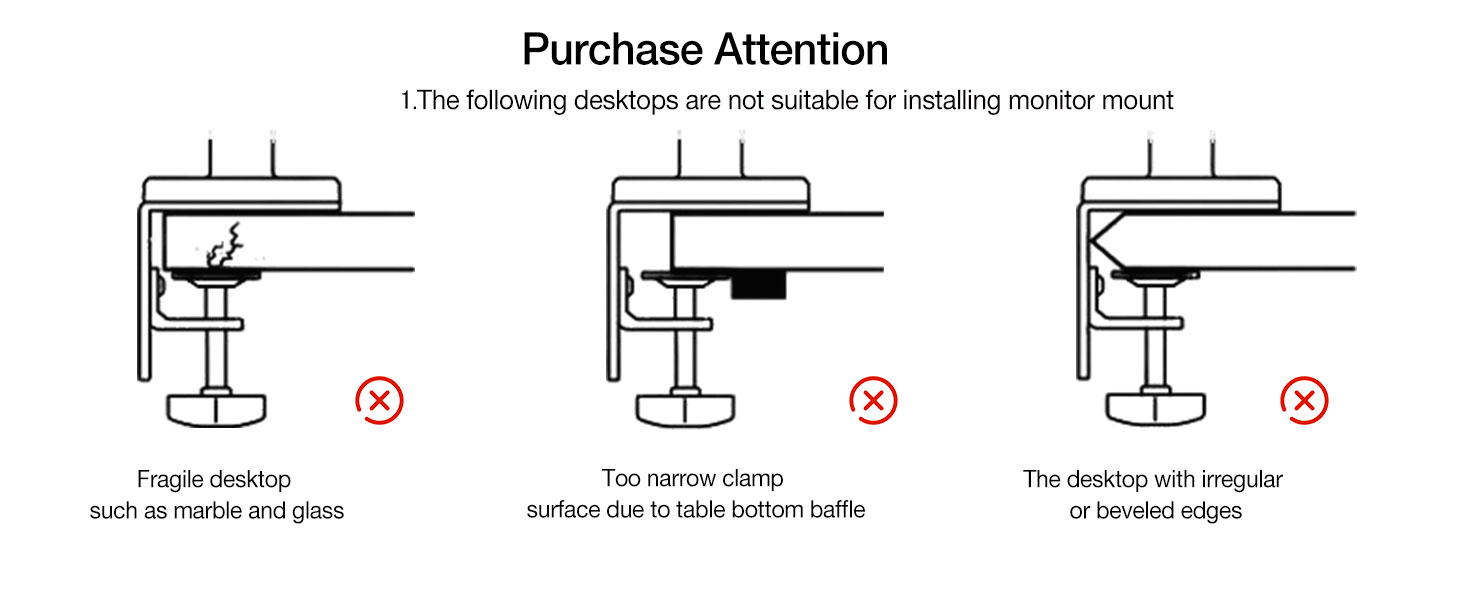
Image: All components of the NB ERGONOMIC J5 monitor arm, including the base, arm sections, VESA plate, C-clamp, grommet mount parts, and various screws and tools.
- Monitor Arm Assembly (Upper and Lower Arms)
- د میز Clamp (C-Clamp)
- د ګرومېټ غره اساس
- د VESA پلیټ
- د هارډویر کټ (سکرو، واشیرونه، فاصلې)
- وسایل (ایلن رنچونه)
- د لارښوونې لارښود
مشخصات
| پیرامیټر | ارزښت |
|---|---|
| ماډل | J5 |
| د سکرین اندازه مطابقت | له 27 څخه تر 50 انچو پورې |
| د بار کولو ظرفیت | له 2 څخه تر 18 کیلو ګرامه (4.4 څخه تر 39.6 پونډه) |
| د VESA مطابقت | 75x75mm، 100x100mm |
| مواد | Aluminum alloy, Cold-rolled steel, ABS |
| د نصب کولو ډول | C-Clamp یا Grommet |
| د گردش زاویې | 360° |
| د خښتو زاویه | ±50° |
| Swivel Angles | ±90° |
| عمودی لفټ | 250mm (9.8 انچه) |
| اعظمي توسیع | 630mm (24.8 انچه) |

Image: Detailed product parameters for the J5 monitor arm, including dimensions and adjustment ranges.
تنظیم او نصب کول
1. Desk Compatibility Check
Before installation, ensure your desktop is suitable for mounting. The monitor arm supports C-Clamp او د ګرومیټس نصبولو اختیارونه.

انځور: Examples of desktop types unsuitable for monitor arm installation.
- نامناسب ډیسټاپونه: Fragile materials like marble or glass, desktops with insufficient clamping surface due to bottom baffles, or desktops with irregular/beveled edges are not suitable.
- C-Clamp ډول: Requires desk thickness of 20-90mm (0.8"-3.5") and a bottom depth above 50mm (1.97").
- Grommet Type: Requires desk thickness of 20-90mm (0.8"-3.5") and a hole diameter of 10-60mm (0.4"-2.3").
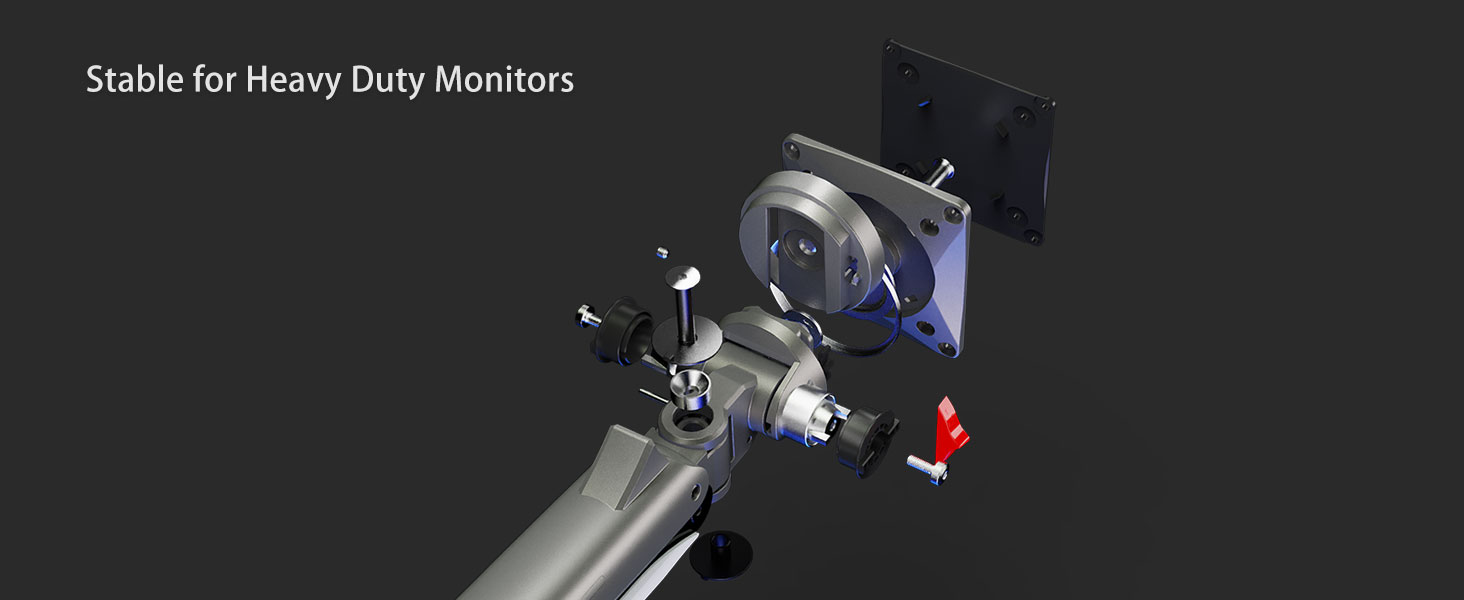
Image: Specifications for C-Clamp او د ګرومیټس نصبولو اختیارونه.
2. Confirm VESA Hole Position
Locate the VESA mounting holes on the back of your monitor. The monitor arm supports VESA patterns of 75x75mm and 100x100mm.
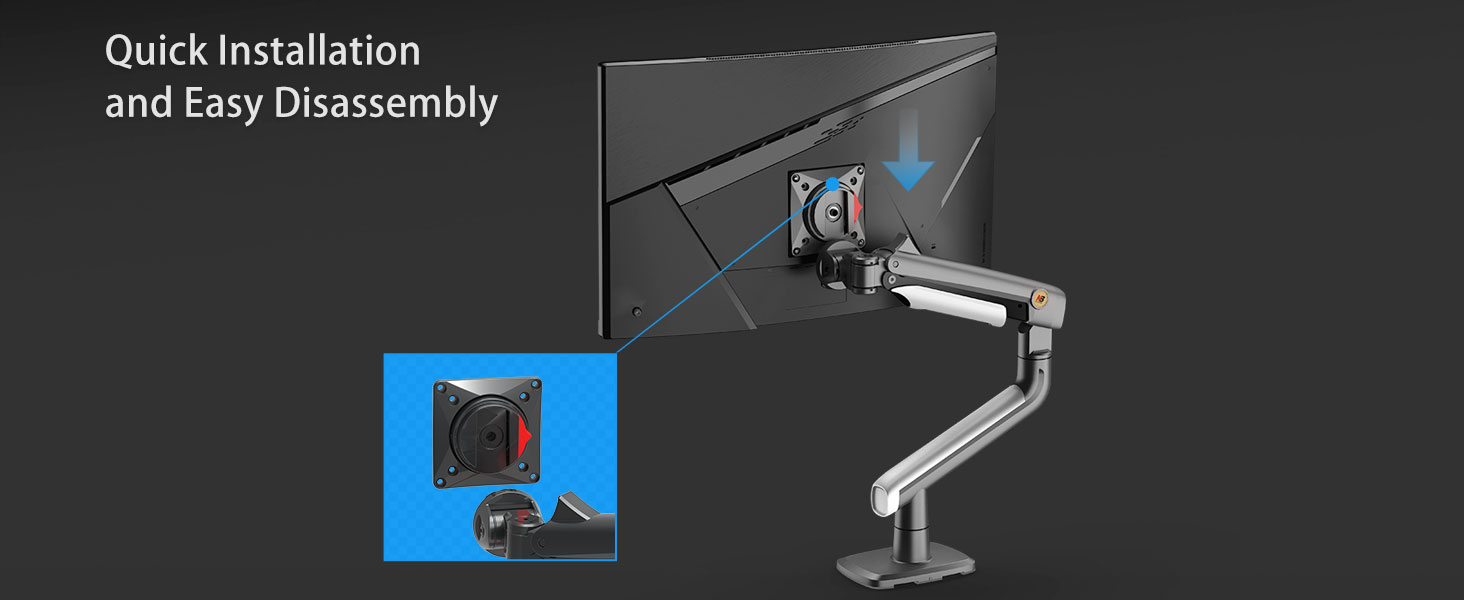
Image: Guide to finding and confirming VESA hole positions on your monitor.
- If your monitor has an embedded hole, the panel can be placed directly.
- If the embedded position is small or the panel cannot be placed inside, use the heightening pads and lengthened screws provided in the screw package.
3. Assemble the Desk Mount
Choose either the C-Clamp or Grommet mount based on your desk and assemble the base according to the instructions provided in the package.
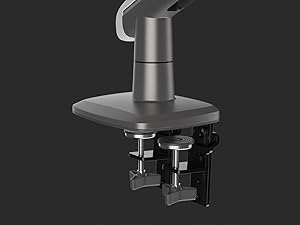
Image: Detail of the C-Clamp د میز نصب کول.
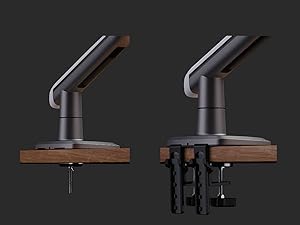
Image: Detail of the Grommet desk mounting.
4. Attach VESA Plate to Monitor
Secure the VESA plate to the back of your monitor using the appropriate screws from the hardware kit. Ensure it is tightly fastened.
5. Mount Monitor to Arm
Slide the VESA plate with the attached monitor onto the arm's mounting head until it clicks securely into place. Ensure the monitor is firmly seated.

Image: Quick installation and easy disassembly of the monitor from the arm.

انځور: تفصیلي view of the VESA plate and arm connection for stable mounting.
عملیاتي لارښوونې
۵.۱. د مانیټر موقعیت تنظیمول
The NB ERGONOMIC J5 monitor arm offers extensive flexibility for optimal viewراحت.
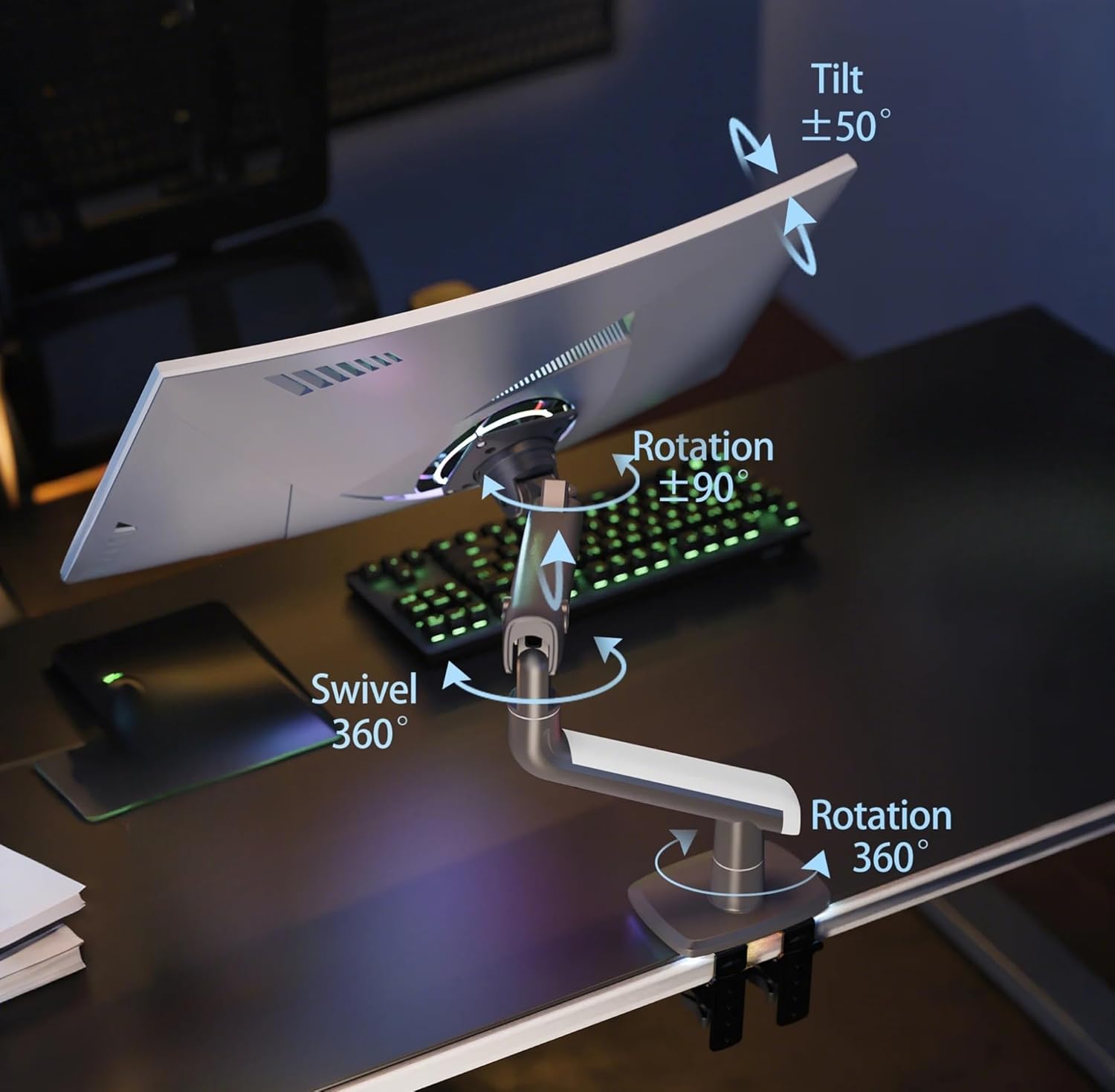
Image: Full range of motion for the monitor arm, including tilt, swivel, and rotation.
- د لوړوالی سمون: The arm allows for a vertical lift of up to 250mm (9.8 inches). Gently push or pull the monitor to the desired height.
- تمدید: The arm can extend up to 630mm (24.8 inches) from the base.
- ټیلټ: Adjust the monitor tilt from -50° to +50° to reduce glare and optimize viewزاویې
- تیر: مانیټر په افقي ډول ±۱۸۰ درجې وګرځوئ.
- گردش: د پورټریټ یا منظره لید لپاره مانیټر ۳۶۰ درجې وګرځوئ.
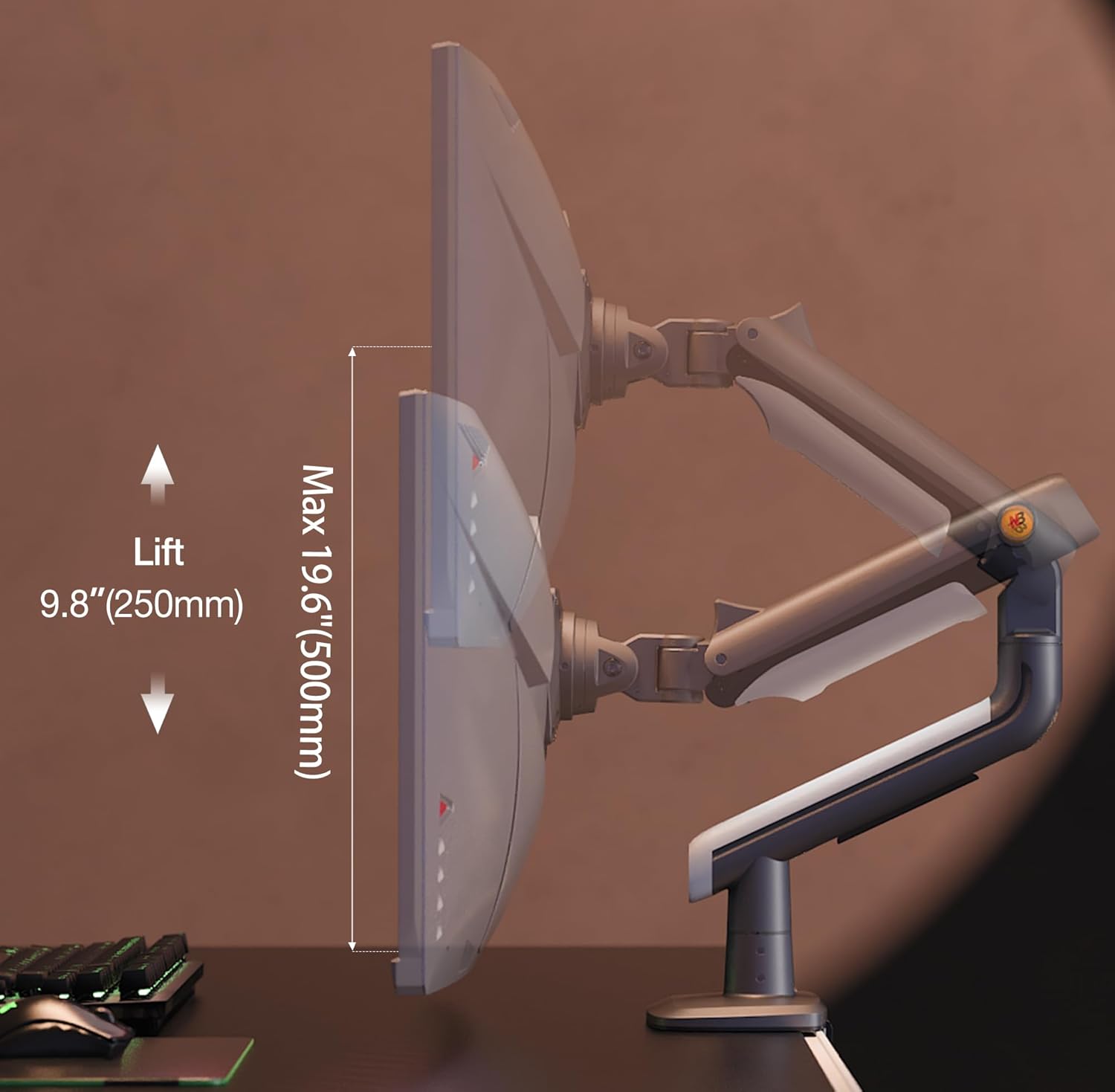
Image: Vertical lift capability of the monitor arm.
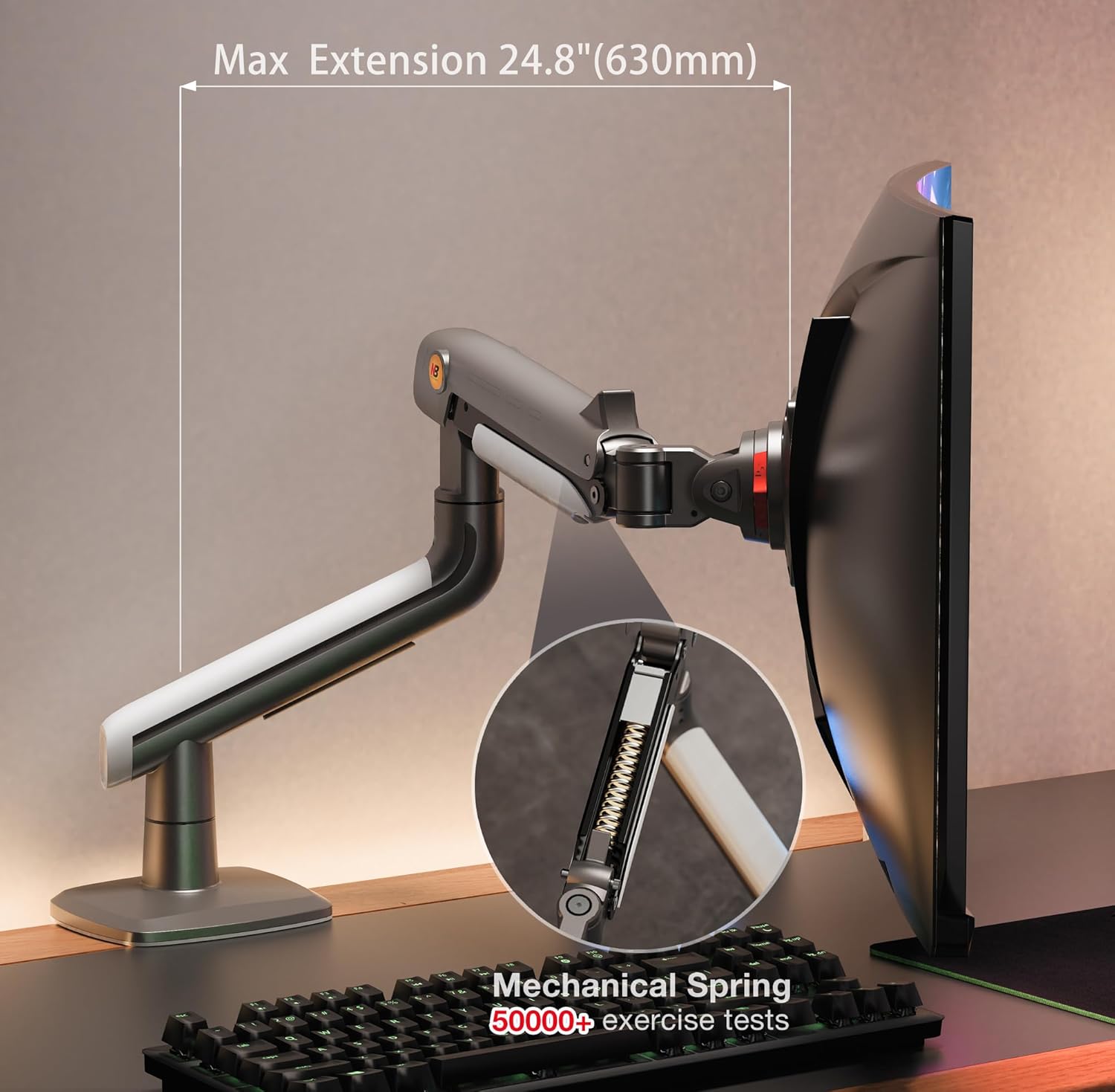
Image: Maximum extension of the monitor arm and its mechanical spring.
۲. د فشار تنظیم کول
The monitor arm features a mechanical spring for smooth adjustments. The tension may need to be adjusted based on your monitor's weight to ensure it holds its position.
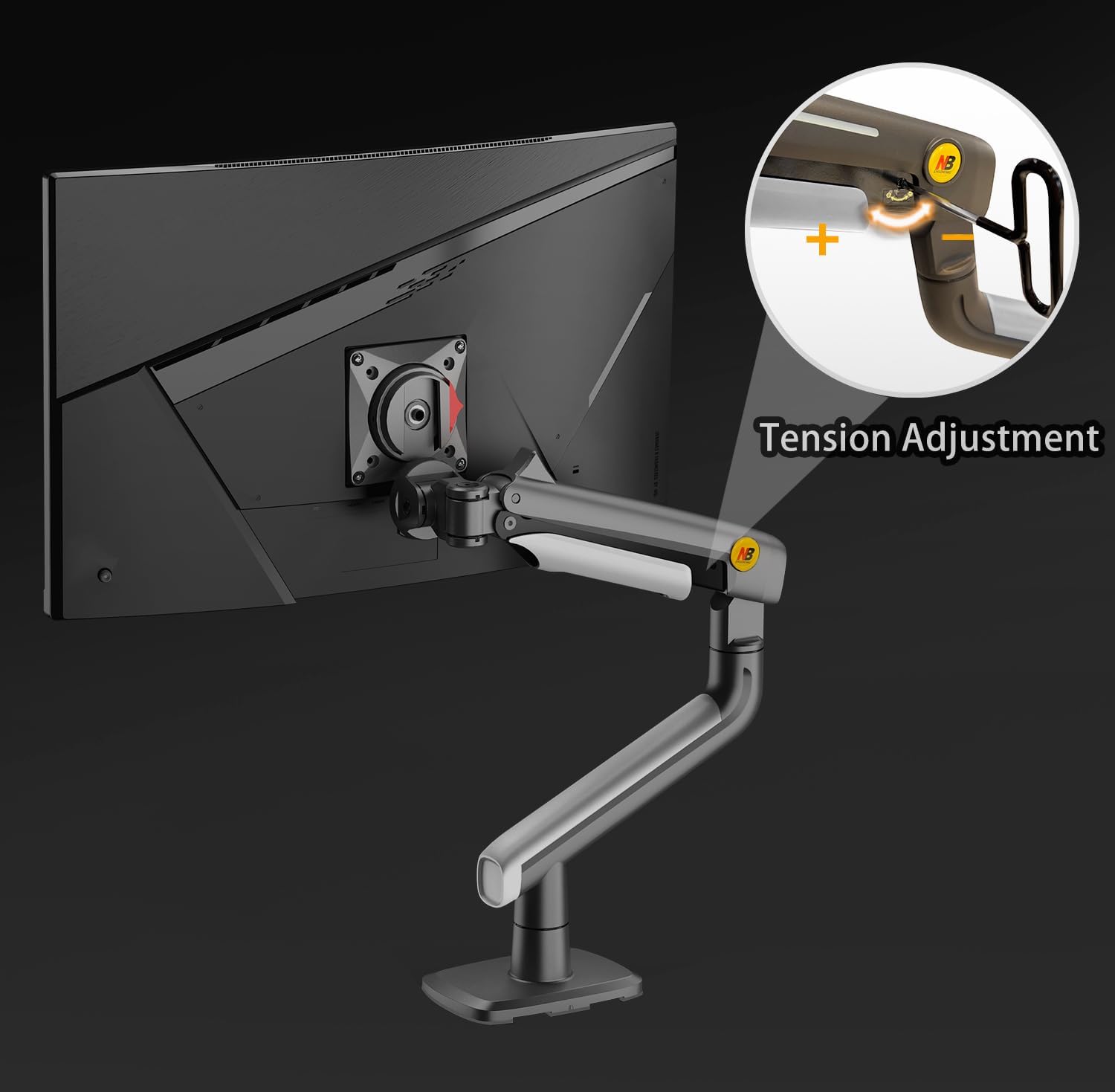
Image: Guide for adjusting the arm's tension.
- مهم: Always attach your monitor to the arm before adjusting the tension.
- که چیرې څارونکی raises up on its own, turn the tension screw in the '–' direction to reduce tension for a lighter monitor.
- که چیرې څارونکی falls down, turn the tension screw in the '+' direction to increase tension for a heavier monitor.
- Use the provided Allen wrench to make small, incremental adjustments until the monitor stays in the desired position.
3. د کیبل مدیریت
The monitor arm includes integrated cable management channels to keep your workspace tidy and organized.

Image: Organized cable management feature of the monitor arm.
- Route your display and power cables through the designated cable slots along the arm.
- This helps protect cables and reduces clutter on your desktop.
ساتنه
- پاکول: د مانیټر لاس په نرم، d سره پاک کړئamp ټوکر. د کثافاتو پاکوونکو یا محلولونو کارولو څخه ډډه وکړئ کوم چې پای ته زیان رسولی شي.
- وختي معاینات: ټول پیچونه او اړیکې په دوره یي ډول وګورئ ترڅو ډاډ ترلاسه شي چې دوی کلک پاتې دي. که اړتیا وي نو بیا یې ټینګ کړئ.
- غوړول: The mechanical spring mechanism is designed for long-term use and generally does not require lubrication. If you notice any stiffness, contact customer support.
د ستونزو حل کول
- Monitor does not stay in position (sags or floats): This indicates incorrect tension adjustment. Refer to the "Tension Adjustment" section and adjust the spring tension using the provided Allen wrench until the monitor holds its position. Remember to adjust with the monitor attached.
- Arm is difficult to move: The tension might be too high for your monitor's weight, or the pivot points might be stiff. Try reducing the tension slightly. If stiffness persists, ensure all assembly bolts are not overtightened.
- Monitor wobbles: Ensure all mounting screws (VESA plate to monitor, arm to base, and base to desk) are securely tightened. Check that your desk is stable.
- ورکې شوې برخې یا زیانمنې برخې: Do not proceed with installation. Contact NB ERGONOMIC customer support immediately for assistance.
تضمین او ملاتړ
For warranty information and customer support, please refer to the documentation included with your purchase or visit the official NB ERGONOMIC website. If you encounter any issues or have questions regarding your J5 monitor arm, our support team is available to assist you.
جوړونکی: KUNSHAN HONGJIE ELECTRONICS CO., LTD


