پیژندنه
This user manual provides detailed instructions for the Reacher R9BT-RA-DE, a versatile 4-in-1 device designed for convenience and functionality. It integrates a 15W magnetic wireless charger, a digital alarm clock with natural sound options, an FM radio with 40 presets, and a 10W Bluetooth 5.3 speaker. Please read this manual thoroughly to ensure proper setup, operation, and maintenance of your device.

Image: The Reacher R9BT-RA-DE highlighting its four core functionalities: wireless charging, Bluetooth speaker, FM radio, and alarm clock, presented as a stylish clock.
محصول پای ته ورسیدview
The Reacher R9BT-RA-DE is engineered to simplify your daily routine by combining multiple essential functions into one elegant unit. Its design features a grey textile body with a wood-look top panel, suitable for various interior styles.
کلیدي ځانګړتیاوې:
- 15W Magnetic Wireless Charging: Fast and secure charging for compatible smartphones, especially iPhone 12-16 series with magnetic alignment.
- ډیجیټل الارم ساعت: Features a dimmable LED display (0-100%), 12/24-hour format, 6 natural alarm sounds (bird, sea, beep, wind chimes, piano, radio), and a 9-minute snooze function.
- ایف ایم راډیو: Stable reception (87.5-108 MHz) with an extendable antenna, supporting up to 40 preset stations and both manual and automatic tuning.
- د بلوتوټ 5.3 سپیکر: 10W stereo speakers deliver 360° sound, offering stable connection up to 10 meters for streaming music and podcasts. Automatic time synchronization upon phone connection.
- د کارونکي دوستانه ډیزاین: Intuitive button layout on the top panel and rotary controls on the back for volume and display brightness.

Image: The Reacher R9BT-RA-DE in operation, showing a smartphone wirelessly charging on its magnetic pad and the digital clock display.
چمتو کول
1. خلاصول او ځای پر ځای کول:
- وسیله په احتیاط سره له بسته بندۍ څخه لرې کړئ.
- Place the device on a stable, flat surface, such as a bedside table or office desk.
- ډاډ ترلاسه کړئ چې د وسیلې شاوخوا کافي هوا ورکول.
2. د بریښنا پیوستون:
- Connect the provided power cable to the DC input port on the back of the device.
- د بریښنا کیبل بله پای په معیاري دیوال آوټ لیټ کې ولګوئ.
- ښودنه به روښانه شي، دا په ګوته کوي چې وسیله فعاله ده.
۲. د لومړني وخت ټاکل:
- Upon initial power-on, the time may need to be set manually or will synchronize automatically when connected via Bluetooth to a smartphone.
- Refer to the "Alarm Clock and Display" section for manual time adjustment instructions.
عملیاتي لارښوونې
1. بې سیم چارج کول:
- Place your Qi-compatible smartphone (e.g., iPhone 12-16 series) on the magnetic charging pad located on the top surface of the device.
- The strong magnet will automatically align your phone for optimal charging.
- Charging will begin automatically. The device supports up to 15W fast charging.
- Ensure your phone case is compatible with MagSafe and is not thicker than 8mm for efficient charging.
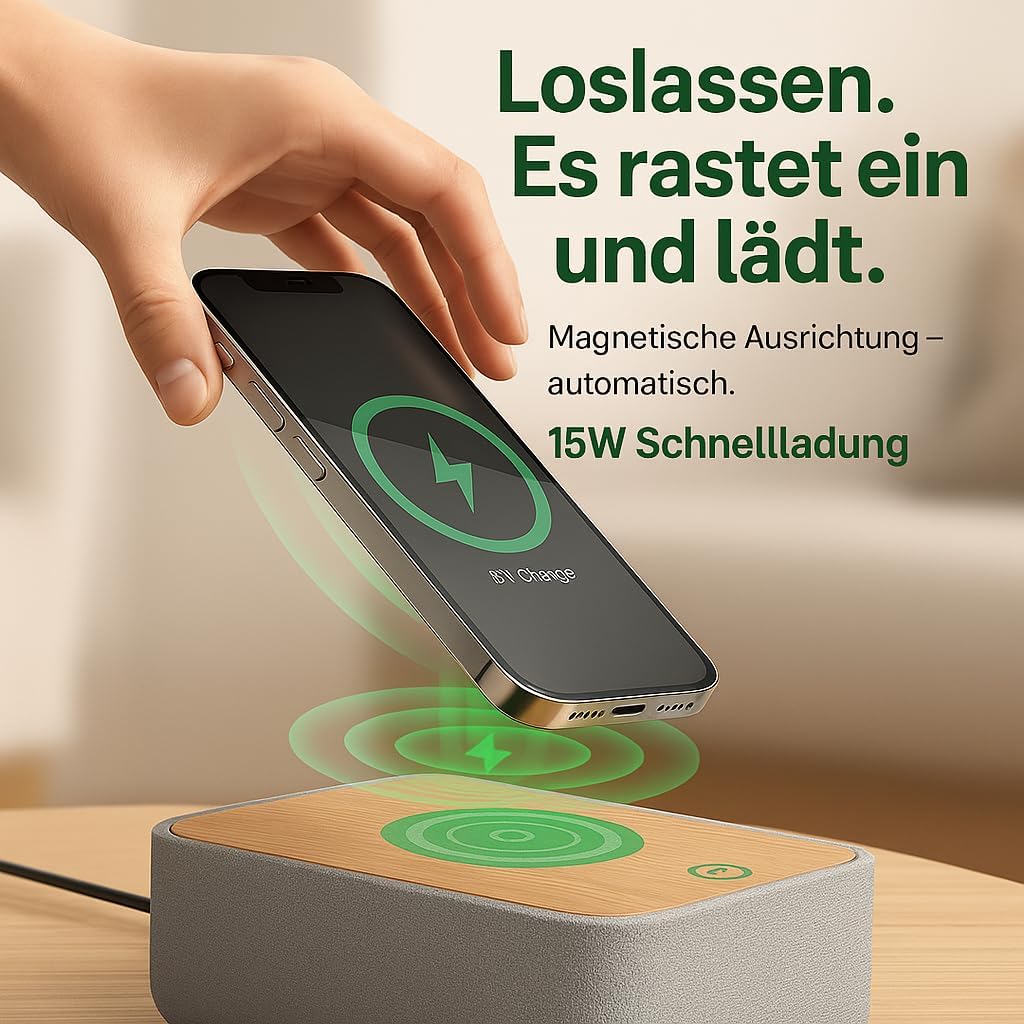
Image: Illustrates the magnetic alignment feature for wireless charging, showing a phone being placed on the charging pad.

Image: Demonstrates the 15W fast wireless charging capability of the device.
2. ایف ایم راډیو:
- Extend the antenna located at the back of the device for optimal reception.
- فشار ورکړئ FM د FM راډیو حالت ته د بدلولو لپاره تڼۍ.
- اتوماتیک ټوننګ: فشار ورکړئ او ونیسئ سکین button (or similar, refer to device buttons) to automatically scan and save available stations (up to 40 presets).
- لاسي لارښود: د کارولو ټون +/- buttons (or rotary knob) to manually adjust the frequency (87.5-108 MHz).
- د پریسیټونو غوره کول: د کارولو مخکې ټاکل شوی +/- د خوندي شوي سټیشنونو له لارې د سایکل چلولو لپاره تڼۍ.
- Adjust the volume using the rotary knob on the back of the device.

Image: Visual guide to the FM radio features, showing options for manual and automatic tuning, and the capacity for 40 preset stations.
۴. بلوتوث سپیکر:
- فشار ورکړئ بلوتوث button to enter Bluetooth pairing mode. The Bluetooth icon on the display will flash.
- On your smartphone or other Bluetooth-enabled device, search for "R9BT-RA-DE" (or similar device name) in the Bluetooth settings.
- Select the device to pair. Once connected, the Bluetooth icon will stop flashing and remain solid.
- You can now stream audio from your connected device.
- The device features 10W stereo speakers for 360° sound and Bluetooth 5.3 for stable connection up to 10 meters.
- When connected, the device may automatically synchronize its time with your phone.
- Adjust the volume using the rotary knob on the back of the device (30 volume levels available).
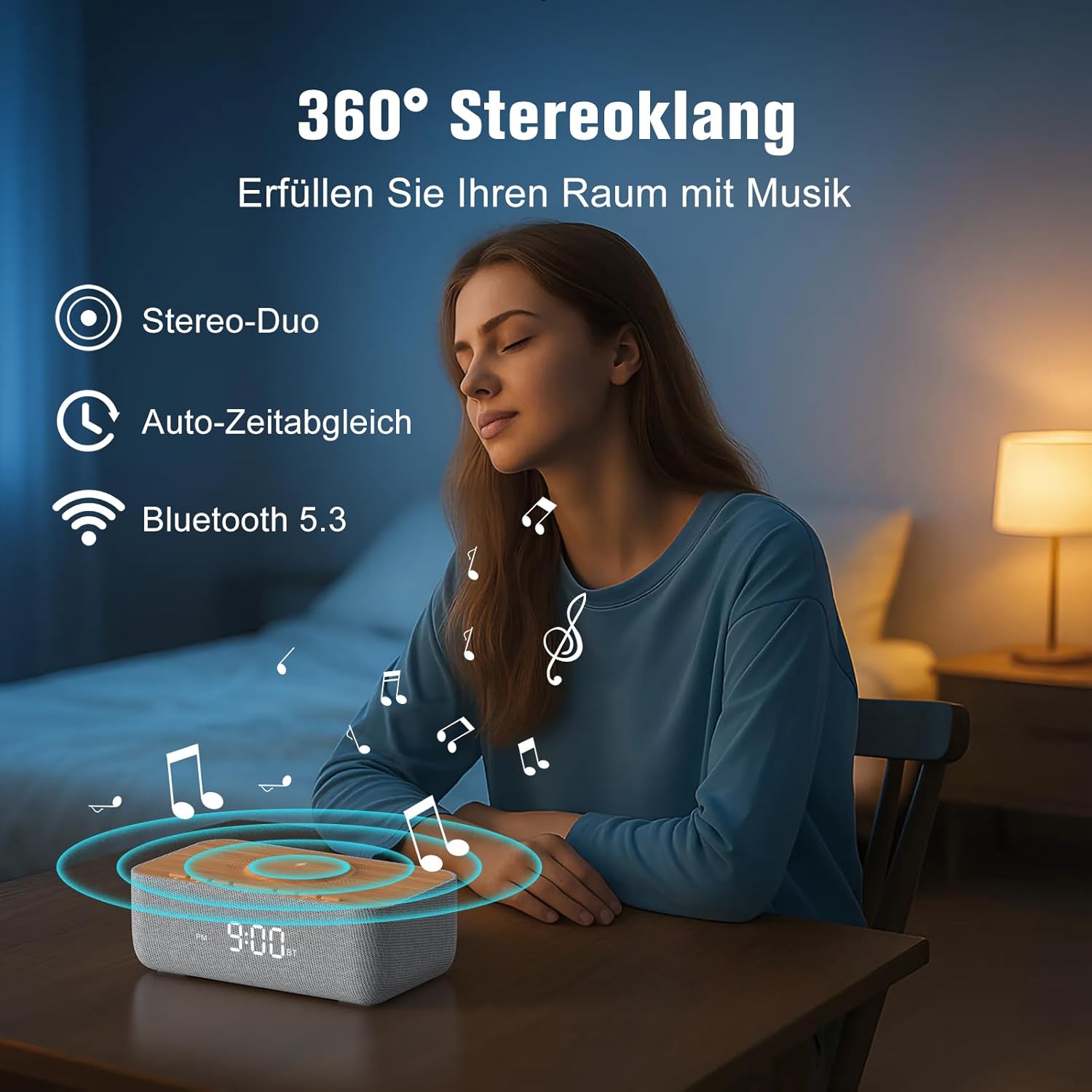
Image: Depicts the device's 360-degree stereo sound capability, Bluetooth 5.3 connectivity, and automatic time synchronization.
4. Alarm Clock and Display:
- د وخت ټاکل: فشار ورکړئ د وخت ټاکل تڼۍ د کارولو +/- د ساعتونو او دقیقو د تنظیمولو لپاره تڼۍ. فشار ورکړئ د وخت ټاکل بیا د تایید لپاره.
- د 12/24 ساعتونو بڼه: فشار ورکړئ 12/24H د ۱۲ ساعتونو (د سهار/ماښام شاخص سره) او ۲۴ ساعتونو بڼو ترمنځ د بدلولو تڼۍ.
- د الارم ترتیب کول: فشار ورکړئ الارم سیټ تڼۍ کارول +/- د الارم وخت تنظیمولو لپاره. فشار ورکړئ الارم سیټ again. Then, use +/- to select one of the 6 alarm tones (bird, sea, beep, wind chimes, piano, or FM radio). Press الارم سیټ تصدیق کول.
- د الارم فعالول/غیر فعالول: فشار ورکړئ الارم آن/آف button to toggle the alarm. An alarm icon will appear on the display when active.
- د سنوش دنده: کله چې د الارم غږ کیږي ، فشار ورکړئ snooze button (usually a large button on top) to temporarily silence it for 9 minutes.
- د بندیدو الارم: To turn off the alarm for the day, press any button other than Snooze.
- روښانه کول: Use the rotary knob on the back of the device to adjust the LED display brightness from 0% (off) to 100%.

Image: Illustrates the 0-100% dimmable LED display, showing how the brightness can be adjusted.
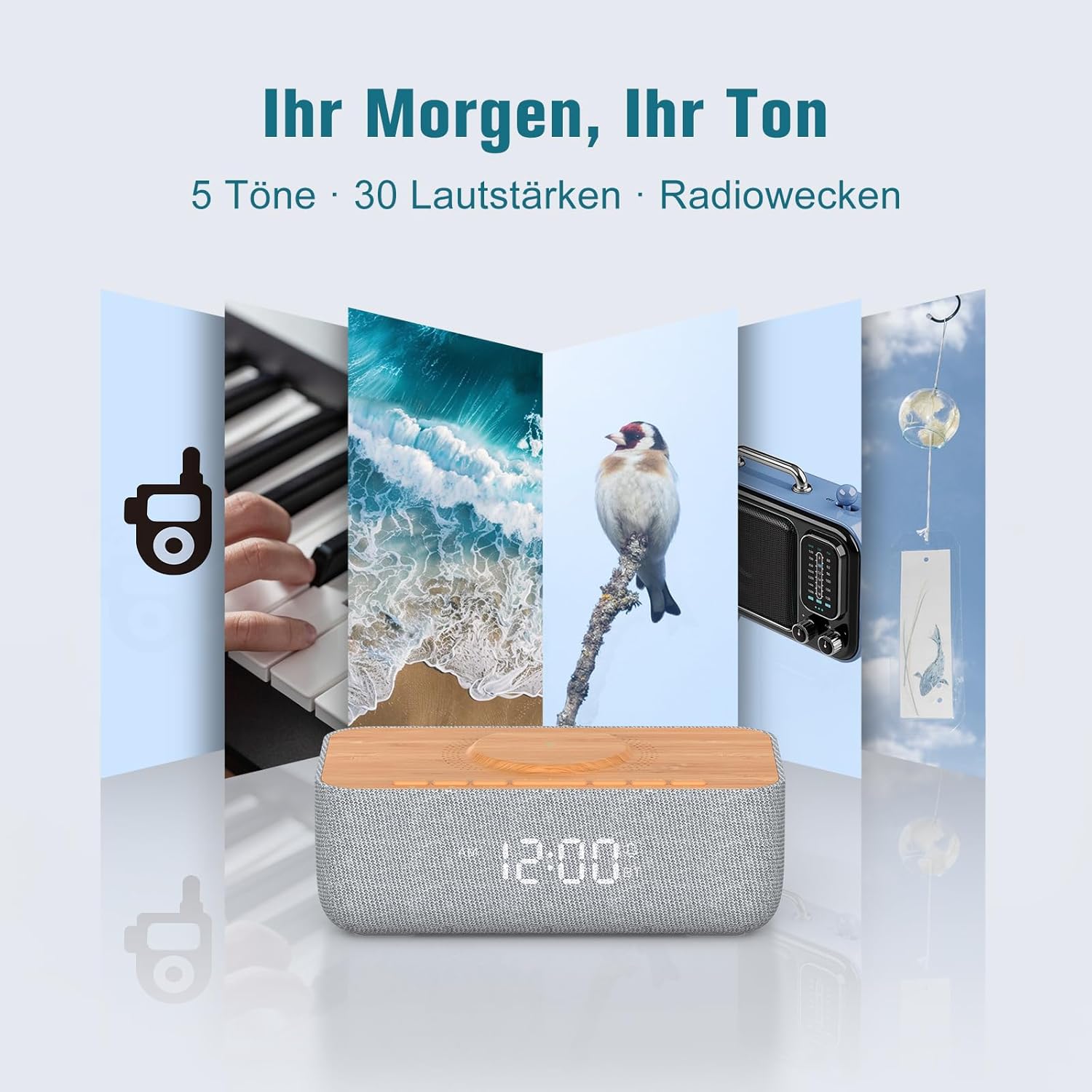
Image: Displays the variety of alarm tones, including natural sounds and FM radio, available on the device.
ساتنه
- پاکول: Use a soft, dry cloth to wipe the device. Do not use liquid cleaners or abrasive materials.
- ذخیره کول: که چیرې وسیله د اوږدې مودې لپاره ذخیره کوئ، نو د بریښنا سرچینې څخه یې وباسئ او په یخ او وچ ځای کې یې وساتئ.
- د اوبو څخه ډډه کول: This device is for indoor use only and is not waterproof. Keep it away from water and high humidity.
- د بریښنا رسول: یوازې چمتو شوی بریښنا اډاپټر یا تصدیق شوی معادل وکاروئ.
د ستونزو حل کول
| ستونزه | احتمالي لامل | د حل لاره |
|---|---|---|
| وسیله فعاله نه ده. | د برېښنا کیبل نه دی وصل شوی یا د برېښنا رسۍ کار نه کوي. | Ensure the power cable is securely connected to both the device and a functional power outlet. |
| بېسیم چارج کار نه کوي. | Phone not Qi-compatible, misaligned, or phone case too thick. | Ensure your phone supports Qi wireless charging. Realign the phone on the charging pad. Remove thick phone cases (over 8mm) or non-MagSafe cases. |
| د ایف ایم راډیو کمزوری استقبال. | انتن نه غځول کیږي او نه د چاپیریال مداخله. | Fully extend the FM antenna. Try repositioning the device or antenna for better signal. |
| بلوتوث نه وصل کېږي. | Device not in pairing mode, out of range, or already connected to another device. | Ensure the device is in Bluetooth pairing mode (flashing icon). Move your phone closer. Disconnect from other Bluetooth devices. |
| Alarm volume too low/high. | Volume not adjusted correctly. | Adjust the volume using the rotary knob on the back of the device. Note that some alarm tones may have a gradual volume increase. |
| ښودنه ډېره روښانه/کمه ده. | د روښانتیا تنظیم تنظیم ته اړتیا لري. | Use the rotary knob on the back of the device to adjust the display brightness. |
مشخصات
| برانډ | رسونکی |
| د ماډل شمیره | R9BT-RA-DE |
| رنګ | خړ / نسواري |
| د محصول ابعاد (L x W x H) | 25 x 12.5 x 8.05 سانتي متره |
| د توکي وزن | 700 ګرامه |
| د بې سیم چارج کولو محصول | تر 15W پورې |
| د بې سیم چارج کولو مطابقت | Qi-compatible smartphones, iPhone 12-16 series (magnetic alignment) |
| د ایف ایم راډیو فریکونسی رینج | ۸۷.۵ - ۱۰۸.۰ میګاهرتز |
| د ایف ایم راډیو وړاندیزونه | تر ۳۰ سټیشنونو پورې |
| بلوتوث نسخه | 5.3 |
| د بلوتوټ رینج | تر 10 مترو پورې |
| د سپیکر محصول | 10W سټیریو |
| د ښودلو ډول | ډیجیټل LED |
| روښانتیا ښکاره کړئ | ۰-۱۰۰٪ کم کیدونکی |
| د الارم ټون | 6 (Bird, Sea, Beep, Wind Chimes, Piano, FM Radio) |
| د سنوز موده | 9 دقيقو |
| د بریښنا سرچینه | برقی کیبل |
| د چوکاټ مواد | Wood (top panel) |
| بیټرۍ پکې شاملې دي | نه |
تضمین او ملاتړ
For warranty information and customer support, please refer to the documentation included with your purchase or visit the official REACHER website. If you encounter any issues not covered in this manual, please contact REACHER customer service for assistance.
Product is certified CE and RoHS compliant, with integrated overcurrent and short-circuit protection.


