معرفي او ختمview
Thank you for choosing the KinetCam Wireless Indoor Security Camera. This 2K HD Wi-Fi camera is designed for real-time monitoring of your indoor spaces, offering features like motion detection, instant notifications, and a long-lasting rechargeable battery. This manual provides essential information for setting up, operating, and maintaining your camera to ensure optimal performance.

Image: The KinetCam Wireless Indoor Security Camera shown next to a smartphone displaying the camera's live feed and app interface.
کلیدي ځانګړتیاوې عبارت دي له:
- 2K HD Video: واضح او مفصل فو نیولtage.
- د وای فای اتصال: Easy connection to 2.4G Wi-Fi networks (5G Wi-Fi not supported).
- ریښتیني وخت څارنه: View live feed from anywhere via the mobile app.
- د حرکت کشف او خبرتیاوې: Receive instant notifications upon detecting movement.
- د چارج وړ بیټرۍ: Up to 100 days standby time (depending on activity).
- د شپې لید: د روښانه لپاره اتوماتیک د شپې لید viewپه کم رڼا شرایطو کې.
- ځایی او کلاوډ ذخیره: Supports TF card up to 256GB (not included) and optional cloud storage.
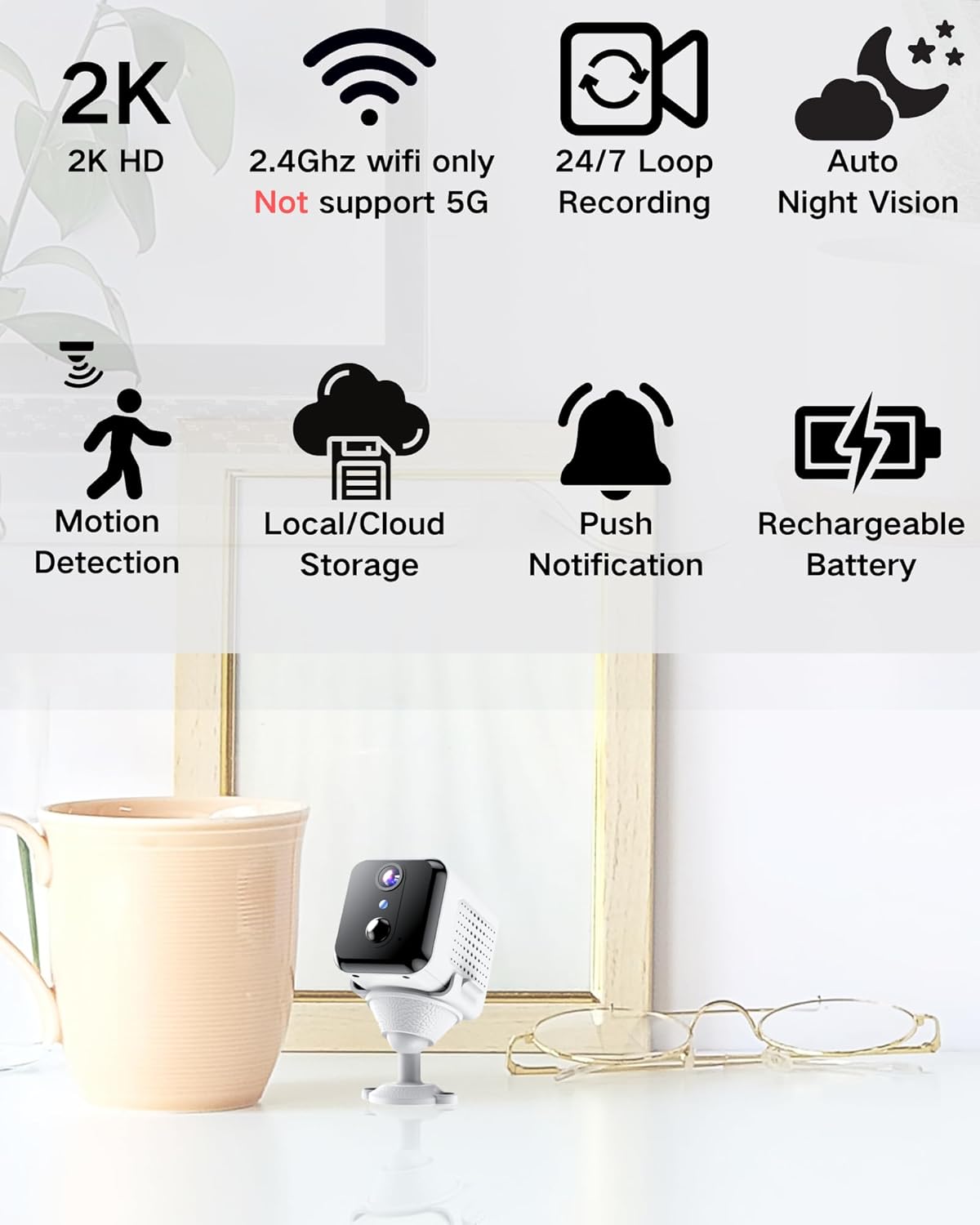
Image: Visual representation of the camera's main features, including 2K HD, 2.4GHz Wi-Fi support, loop recording, night vision, motion detection, storage options, push notifications, and rechargeable battery.
په بکس کې څه دي
مهرباني وکړئ د بکس خلاصولو پر مهال د کڅوړې محتويات وګورئ:
- د کیمرې بدن
- د نصب کولو اساس
- د کارن لارښود
د تنظیم کولو لارښود
1. د کیمرې چارج کول
Before initial use, fully charge the camera using the provided USB cable and a compatible power adapter (not included). The charging indicator light will show the charging status.

Image: An illustration highlighting the internal rechargeable battery of the KinetCam camera, emphasizing its long standby capability.
2. د اپلیکیشن نصب کول
Download the "KinetCam" app from your smartphone's app store (Google Play Store for Android or Apple App Store for iOS). Alternatively, scan the QR code provided in the quick start guide (if applicable) to download the app.
3. د وای فای سره نښلول
- ډاډ ترلاسه کړئ چې ستاسو سمارټ فون د الف سره وصل دی 2.4GHz وائی فای شبکه. The camera does not support 5GHz Wi-Fi.
- Open the KinetCam app and create an account or log in.
- Follow the in-app instructions to add a new device. This typically involves powering on the camera and scanning a QR code displayed on your phone with the camera's lens, or connecting via an access point.
- Once connected, the camera's indicator light will change, and you will see the camera listed in your app.

Image: A user interacting with the KinetCam app on a smartphone, illustrating the ease of connecting the camera to a Wi-Fi network.
4. د کیمرې نصب کول
The camera comes with an installation base for flexible placement. You can place it on a flat surface or mount it to a wall. Ensure the camera has a clear line of sight to the area you wish to monitor.
- Attach the camera body to the installation base.
- For wall mounting, use appropriate screws (not included) to secure the base to the desired location.
عملیاتي لارښوونې
1. ژوندی View
Open the KinetCam app and select your camera from the device list to access the live video feed. You can view the 2K HD video in real-time.

Image: A smartphone screen showing a clear 2K live video feed from the camera, including a demonstration of its night vision capabilities in a dark room.
۳.۳. د حرکت کشف او خبرتیاوې
The camera features PIR (Passive Infrared) motion detection. When motion is detected, the camera will automatically record and send an instant notification to your smartphone. You can adjust motion sensitivity settings within the app.

Image: A smartphone screen showing a motion detection alert from the KinetCam app, demonstrating how the camera sends immediate notifications when activity is detected.
3. ثبتول او ذخیره کول
The camera supports continuous loop recording and event-triggered recording. You have two storage options:
- ځایی ذخیره: Insert a TF (microSD) card (up to 256GB, not included) into the camera's designated slot for local video storage.
- د بادل ذخیره کول: Optional cloud storage services may be available through the app for secure off-site storage of your recordings. Refer to the app for subscription details.

Image: A visual explanation of the camera's storage options, including support for a TF card (up to 256GB) and optional cloud storage.
4. د شپې لید
The camera automatically switches to night vision mode in low-light conditions, providing clear black-and-white video up to 15 feet.
ساتنه
- د بیټرۍ چارج کول: Recharge the camera battery when the app indicates low power to ensure continuous operation.
- پاکول: د کیمرې لینز او بدن په نرمۍ سره د نرم او وچ ټوکر سره پاک کړئ. د سختو کیمیاوي موادو یا کثافاتو موادو کارولو څخه ډډه وکړئ.
- د فرم ویئر تازه معلومات: Periodically check the KinetCam app for available firmware updates to ensure your camera has the latest features and security enhancements.
د ستونزو حل کول
| ستونزه | احتمالي حل |
|---|---|
| کیمره به وای فای سره ونښلول شي. |
|
| ژوندۍ ویډیو نشته. |
|
| د حرکت خبرتیاوې نه دي ترلاسه شوي. |
|
| د ویډیو خراب کیفیت. |
|
مشخصات
| فیچر | تفصیل |
|---|---|
| د ماډل نوم | CAM-A |
| د کور دننه / بهر کارول | دننه |
| مطابقت لرونکې وسیلې | سمارټ فون |
| د بریښنا سرچینه | د بیټرۍ چلول (1 لیتیم پولیمر بیټرۍ شامله ده) |
| د ارتباط پروتوکول | وای فای (یوازې 2.4GHz) |
| د نصب کولو ډول | دیوال غر |
| د ویډیو نیول حل | 2K |
| Viewزاویه | 150 درجې |
| د شپې لید لړۍ | 15 پښه |
| د محصول ابعاد (L x W x H) | 3.19 x 2.1 x 2.1 انچه |
| د توکي وزن | 7 اونس |
| شاملې برخې | Camera Body, Installation Base, User Manual |
تضمین او ملاتړ
For warranty information and customer support, please refer to the documentation included with your purchase or visit the official KinetCam website. If you encounter any issues not covered in this manual, please contact KinetCam customer service for assistance.
You can visit the KinetCam store on Amazon for more information: KinetCam Amazon Store