پیژندنه
This manual provides comprehensive instructions for the safe and efficient operation of your ZGCINE PS-BLK22 Charging Case. Please read this manual thoroughly before using the product and retain it for future reference.
محصول پای ته ورسیدview
کلیدي ځانګړتیاوې
- Supports USB-C Power Delivery (PD) input for fast charging.
- Dual charging slots for Panasonic LUMIX DMW-BLK22 camera batteries.
- Integrated storage slots for 2 SD cards, 2 TF cards, and 1 CFE Type-B card.
- Features a 0.96-inch OLED screen for displaying charging status and battery voltage.
- کمپیکٹ او پورټ ایبل ډیزاین.
د بسته محتويات
- ZGCINE PS-BLK22 Charging Case
- USB-C ته USB-C کیبل (Inferred, typically included with such devices)
- د کارن لارښود (دا سند)
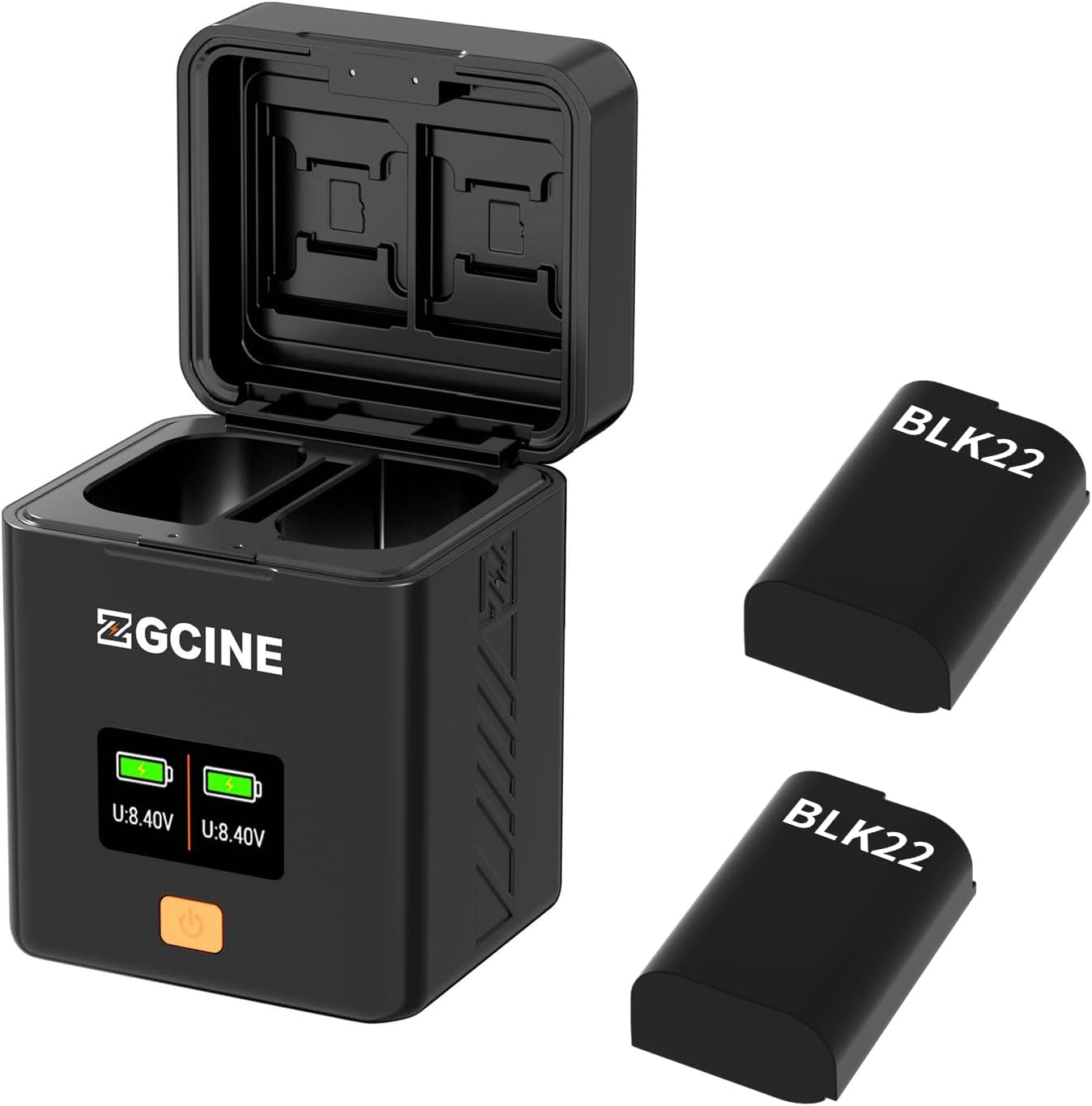
شکل 1: The ZGCINE PS-BLK22 Charging Case shown with its lid open, revealing battery slots and memory card storage. Two DMW-BLK22 batteries are depicted alongside the charger.
چمتو کول
- بریښنا وصل کړئ: Use a USB-C to USB-C cable to connect the charging case's USB-C input port to a compatible USB-C PD power adapter (not included). The OLED screen will illuminate, indicating power is supplied.
- بیټرۍ داخل کړئ: Carefully insert one or two Panasonic DMW-BLK22 batteries into the designated charging slots. Ensure correct orientation.
- د حافظې کارتونه دننه کړئ (اختیاري): Place SD, TF, or CFE Type-B cards into their respective storage slots for secure keeping.
عملیاتي لارښوونې
د بیټرۍ چارج کول
- Once batteries are inserted and power is connected, the charging process begins automatically.
- The OLED screen will display the charging status for each battery, including current voltage (U: 8.40V) and a battery level indicator.
- A full battery icon on the OLED screen indicates that the battery is fully charged. The charging process will automatically stop to prevent overcharging.
- The charging case supports simultaneous charging of two batteries.
Using Memory Card Slots
- The integrated slots are for storage only and do not provide data transfer capabilities.
- Insert memory cards firmly into their corresponding slots (SD, TF, CFE Type-B) for secure transport and organization.
د OLED ښودنه معلومات
The 0.96-inch OLED screen provides real-time information:
- د بیټرۍ Voltage: اوسنی حجم ښکاره کويtage of each inserted battery (e.g., U: 8.40V).
- د چارج وضعیت: A dynamic battery icon indicates ongoing charging. A static, full battery icon indicates charging completion.
ساتنه
- پاکول: Use a soft, dry cloth to clean the exterior of the charging case. Do not use liquid cleaners or solvents.
- ذخیره کول: Store the charging case in a cool, dry place away from direct sunlight and extreme temperatures.
- سمبالول: د وسیلې له مینځه وړلو یا د قوي تاثیراتو تابع کولو څخه ډډه وکړئ.
د ستونزو حل کول
| ستونزه | احتمالي لامل | د حل لاره |
|---|---|---|
| OLED screen does not light up. | د برېښنا رسولو نشتوالی یا غلط کیبل. | Ensure the USB-C cable is securely connected to a working USB-C PD power source. Try a different cable or power adapter. |
| Batteries are not charging. | Incorrect battery insertion or battery fault. | Re-insert batteries, ensuring correct orientation. Test batteries in another charger if available. Ensure the charger has power. |
| ورو چارج کول. | د بریښنا ناکافي داخلول. | Ensure your USB-C PD power adapter provides adequate power (e.g., 9V/3A for optimal speed). |
مشخصات
| فیچر | تفصیل |
|---|---|
| ماډل | PS-BLK22 |
| د USB-C PD داخلول | 5V/3A; 9V/3A |
| د USB-C PD محصول | 8.4V/1A*2 |
| مطابقت لرونکي بیټرۍ | Panasonic LUMIX DMW-BLK22 |
| د حافظې کارت سلاټونه | 2x SD, 2x TF, 1x CFE Type-B |
| ښودل | د 0.96 انچ OLED سکرین |
| خالص وزن | 135 ګرامه (4.8 اونس) |
| ابعاد | 66mm x 62mm x 84mm (2.6 x 2.4 x 3.3 inches approx.) |
| UPC | 715968591148 |
| جوړونکی | ZGCINE |
تضمین او ملاتړ
ZGCINE products are designed and manufactured to the highest quality standards. For warranty information, technical support, or service inquiries, please refer to the warranty card included with your product or visit the official ZGCINE webسایټ. مهرباني وکړئ د تضمین ادعاوو لپاره د پیرود ثبوت وساتئ.
For further assistance, you may contact ZGCINE customer support through their official channels.


