1. پیژندنه
The DigiLand R10 PRO is a 10.1-inch Android 14 tablet designed for versatile use, from entertainment to productivity. It features an MTK Helio G80 Octa-Core processor, 12GB RAM, and 128GB internal storage, expandable via TF card. This manual provides essential information to help you get started and make the most of your tablet.
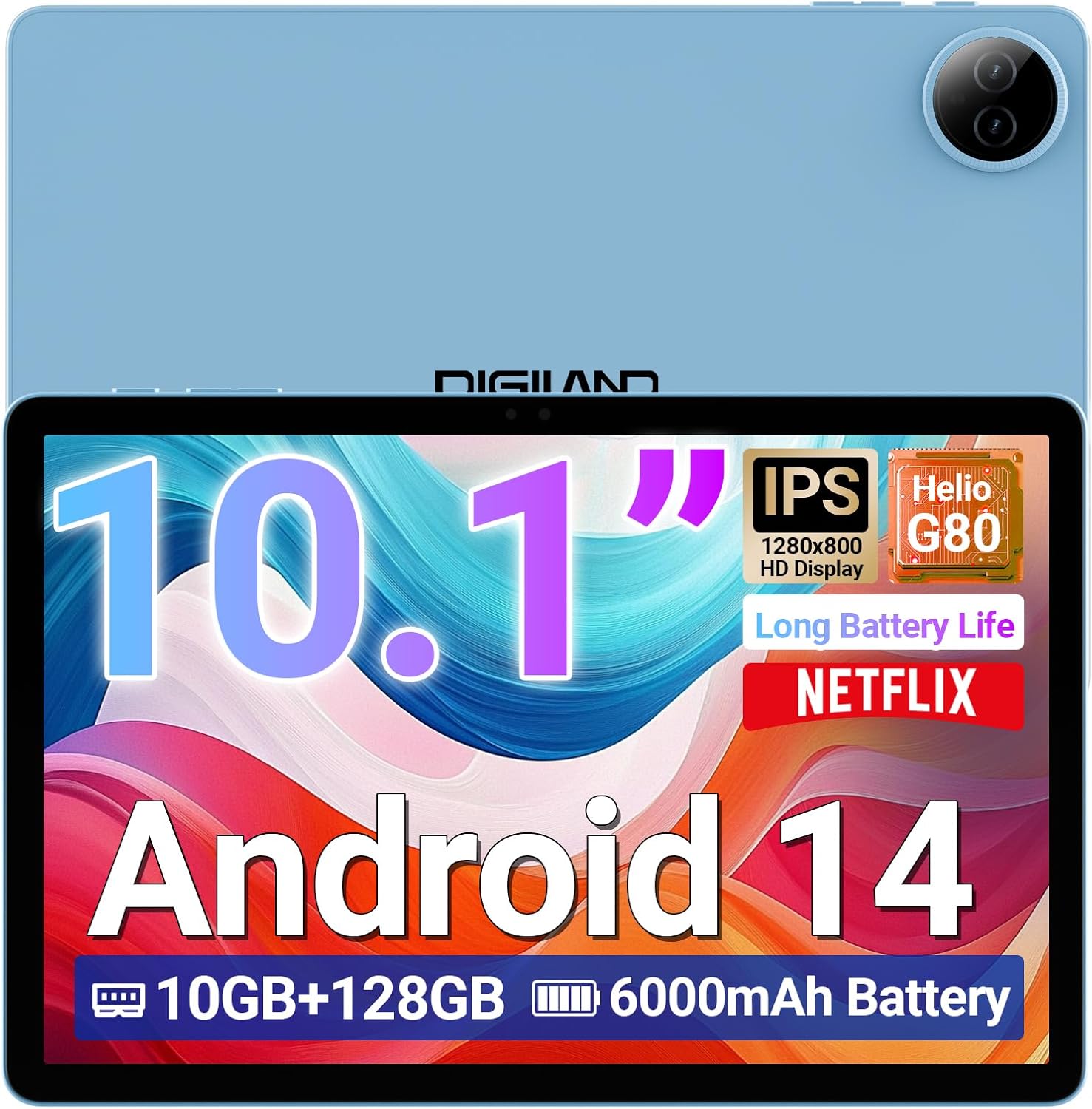
Image 1.1: DigiLand R10 PRO Tablet. This image displays the tablet's front screen, highlighting its 10.1-inch display, Android 14 operating system, 10GB RAM, 128GB ROM, and 6000mAh battery capacity.
۲. په بکس کې څه دي؟
Upon unpacking your DigiLand R10 PRO tablet, please verify that all the following items are included:
- R10 PRO Tablet
- R10 PRO Stand Case
- چارجر
- د چارج کیبل (USB ډول-C)
- د کارونکي لارښود (دا لاسوند)

Image 2.1: Box Contents. This image illustrates the tablet, charger, charging cable, stand case, and user manual included in the product packaging.
3. محصول ختم شوview
Familiarize yourself with the physical components of your DigiLand R10 PRO tablet.
3.1 مخ View
- 10.1-inch HD IPS Touchscreen: د تعامل لپاره اصلي نندارتون.
- مخکینۍ کیمره (۸ میګاپکسله): د سکرین پورته موقعیت لري، د ویډیو زنګونو او سیلفیو لپاره کارول کیږي.
3.2 شاته View
- شاته کیمره (۱۳ میګاپکسله): په شا کې موقعیت لري، د عکسونو او ویډیوګانو د اخیستلو لپاره کارول کیږي.
3.3 اړخ Views (General Layout)
- د بریښنا تڼۍ: Used to turn the tablet on/off or put it to sleep/wake it up.
- د حجم تڼۍ: د غږ حجم تنظیم کړئ.
- د USB ډول-C پورټ: د چارج کولو او ډیټا لیږد لپاره.
- سپیکر ګریلز: د آډیو تولید لپاره.
- د مایکرو ایس ډی کارت سلاټ: For expanding storage (supports up to 256GB).

Image 3.1: Tablet Features Overview. This infographic highlights key specifications including screen size, resolution, RAM, ROM, processor, battery, and camera details.
4. ترتیب کول
4.1 ابتدايي چارج کول
Before first use, fully charge your tablet. Connect the provided USB Type-C cable to the tablet's charging port and the other end to the power adapter. Plug the adapter into a wall outlet. The charging indicator will show the charging status.
۸ پاور آن/بند
- د فعالولو لپاره: Press and hold the Power button until the DigiLand logo appears on the screen.
- د بریښنا بندولو لپاره: د بریښنا تڼۍ فشار ورکړئ او ونیسئ تر هغه چې د بریښنا مینو څرګند شي. "د بریښنا بند" غوره کړئ او تایید یې کړئ.
- د خوب/پاڅېدو لپاره: په لنډه توګه د بریښنا ت buttonۍ فشار کړئ.
۳.۴ د ابتدايي تنظیم وزرډ
The first time you power on the tablet, you will be guided through an initial setup process. Follow the on-screen prompts to:
- خپله ژبه وټاکئ.
- د Wi-Fi شبکې سره وصل شئ.
- Set up your Google account (optional, but recommended for app downloads and services).
- د سکرین لاک (پن، نمونه، یا پټنوم) تنظیم کړئ.
- Review او شرایط او مقررات ومني.
4.4 د وای فای اتصال
د وائی فای شبکې سره د نښلولو لپاره:
- ورتګ ترتیبات > شبکه او انټرنیټ > انټرنیټ.
- وای فای بدل کړئ On.
- له لیست څخه خپل مطلوب شبکه غوره کړئ.
- که غوښتل شي نو پټنوم دننه کړئ او کلیک وکړئ نښلول.
۳. د ټابلیټ چلول
5.1 بنسټیز نیویګیشن
- ټایپ: یو توکي غوره کړئ یا یو اپلیکیشن خلاص کړئ.
- لمس او نیول: د شرایطو مینو ته لاسرسی ومومئ یا توکي حرکت ورکړئ.
- سوائپ: د سکرینونو یا لیستونو له لارې سکرول وکړئ.
- چنه په انځورونو کې زوم ان یا آوټ کړئ او web پاڼې
5.2 کور سکرین
The home screen provides quick access to your favorite apps, widgets, and notifications. You can customize it by adding or removing app icons and widgets.
۳.۳ خبرتیاوې او چټک ترتیبات
Swipe down from the top of the screen to access notifications and quick settings toggles (Wi-Fi, Bluetooth, brightness, etc.).
۴.۴ د کیمرې کارول
The tablet features an 8MP front camera and a 13MP rear camera. To use the camera:
- خلاص کړئ کیمره اپلیکیشن
- د عکس اخیستلو لپاره د شټر تڼۍ کېکاږئ.
- د کیمرې ټګل آیکون په کارولو سره د مخکینۍ او شا کیمرې ترمنځ بدل کړئ.
- د ویډیو ثبتولو لپاره د ویډیو حالت غوره کړئ.

Image 5.1: Camera Functionality. This image highlights the 8MP front and 13MP rear cameras, showing examples of photos taken with the tablet.
5.5 د ذخیرې مدیریت
Your tablet comes with 128GB of internal storage. You can expand this by inserting a MicroSD card (up to 256GB) into the dedicated slot. To manage storage, go to ترتیبات > ذخیره کول.

Image 5.2: Memory and Storage. This image details the 12GB RAM, 128GB ROM, and the option for 256GB expansion via MicroSD card.
5.6 د بلوتوت ارتباط
د بلوتوث وسایلو سره نښلولو لپاره:
- ورتګ ترتیبات > وصل شوي وسایل > د ارتباط غوره توبونه > بلوتوث.
- بلوتوټ بدل کړئ On.
- وټاکئ نوې وسیله جوړه کړئ and choose your device from the list.
- Follow any on-screen pairing instructions.
6. ساتنه
6.1 د بیټرۍ پاملرنه
- د لوړې تودوخې څخه ډډه وکړئ، کوم چې کولی شي د بیټرۍ ژوند خراب کړي.
- ټابلیټ د اوږدې مودې لپاره په بشپړه توګه خارج مه پریږدئ.
- د غوره چارج کولو لپاره چمتو شوي چارجر او کیبل وکاروئ.

Image 6.1: Battery Performance. This image illustrates the 6000mAh battery's estimated usage times for video playback, e-books, music, and gaming.
6.2 پاکول
د ټابلیټ سکرین او بدن پاکولو لپاره له نرم، لینټ څخه پاک ټوکر څخه کار واخلئ. د کثافاتو موادو یا سخت کیمیاوي موادو څخه ډډه وکړئ.
6.3 د سافټویر تازه معلومات
Regularly check for and install software updates to ensure your tablet has the latest features and security patches. Go to ترتیبات > سیسټم > د سیسټم تازه کول.
6.4 د معلوماتو بیک اپ
Periodically back up important data to a cloud service or external storage device to prevent data loss.
7. ستونزه حل کول
۶.۱ ټابلیټ نه چالانېږي
- ډاډ ترلاسه کړئ چې بیټرۍ چارج شوې ده. چارجر وصل کړئ او د چالانولو هڅه کولو دمخه څو دقیقې انتظار وکړئ.
- د جبري بیا پیل کولو لپاره د 10-15 ثانیو لپاره د بریښنا تڼۍ فشار ورکړئ او ونیسئ.
۷.۳ د وای فای اتصال ستونزې
- خپل وای فای روټر او ټابلیټ بیا پیل کړئ.
- ډاډ ترلاسه کړئ چې تاسو د وای فای سیګنال په حد کې یاست.
- تایید کړئ چې د وای فای پټنوم سم دی.
- د وای فای ترتیباتو کې شبکه هیره کړئ او بیا وصل شئ.
۵.۳ ورو فعالیت
- هغه نا کارول شوي غوښتنلیکونه بند کړئ چې په شاليد کې روان دي.
- د ایپسونو لپاره د کیش ډیټا پاک کړئ.
- ډاډ ترلاسه کړئ چې د ذخیره کولو کافي ځای شتون لري.
- ټابلیټ بیا پیل کړئ.
7.4 د فابریکې ری سیٹ
که چیرې دوامداره ستونزې رامنځته شي، د فابریکې بیا تنظیم کول ممکن هغه حل کړي. خبرداری: دا به ستاسو په ټابلیټ کې ټول معلومات له منځه یوسي. د پرمخ تللو دمخه مهم معلومات بیک اپ کړئ.
- ورتګ ترتیبات > سیسټم > اختیارونه بیا تنظیم کړئ.
- وټاکئ ټول معلومات پاک کړئ (د فابریکې بیا تنظیم کول).
- خپله پریکړه تایید کړئ او که غوښتنه وشي نو خپل پن/نمونه/پاسورډ دننه کړئ.
8. مشخصات
Detailed technical specifications for the DigiLand R10 PRO Tablet:
| فیچر | مشخصات |
|---|---|
| د ماډل شمیره | R10 PRO |
| عملیاتي سیسټم | Android 14 |
| پروسیسر | MediaTek Helio G80 Octa-Core (2.0GHz A75 + 1.8GHz A55) |
| RAM | 12 جي بي |
| داخلي ذخیره | 128 جي بي |
| د پراخیدو وړ ذخیره | د مایکرو ایس ډی کارت له لارې تر ۱۰۲۴ جي بي پورې |
| د سکرین اندازه | ۷۸۷ انچه |
| د سکرین ریزولوشن | ۱۲۸۰x۸۰۰ HD IPS |
| شاته کیمره | 13 MP |
| مخکینۍ کیمره | 8 MP |
| د بیټرۍ ظرفیت | 6000mAh (Average 12 hours usage) |
| بې سیم ارتباط | Wi-Fi 5 (802.11a/b/g/n/ac), Bluetooth 5.0 |
| بندرونه | د USB ډول-C |
| ابعاد (LxWxH) | 9.54 x 6.35 x 0.31 انچه |
| د توکي وزن | ۲.۴۵ پونډه |

Image 8.1: Detailed Specifications. This image provides a visual summary of the tablet's core features, including Android 14, RAM, ROM, screen size, resolution, cameras, processor, and battery.
9. تضمین او ملاتړ
DigiLand is committed to providing quality products and customer satisfaction. For any issues or inquiries regarding your R10 PRO tablet, please contact DigiLand customer support.
9.1 د پیرودونکي ملاتړ
If you encounter any problems or have questions not covered in this manual, please reach out to our support team. Contact information can typically be found on the DigiLand official webسایټ یا ستاسو د پیرود پلیټ فارم له لارې.

Image 9.1: After-Sales Support. This image represents DigiLand's commitment to customer service and support.


