1. پیژندنه
This manual provides essential information for the safe and efficient use of your DigiLand 11-inch Android 14 Tablet. Please read this manual thoroughly before operating the device and retain it for future reference.
2. د خوندیتوب معلومات
- ټابلیټ د لوړې تودوخې، مستقیم لمر وړانګو، یا لوړې رطوبت سره مه مخ کوئ.
- د ټابلیټ د غورځولو یا سخت تاثیر څخه ډډه وکړئ.
- Use only the charger and charging cable provided by the manufacturer.
- د ټابلیټ د جلا کولو یا ترمیم کولو هڅه مه کوئ. د وړ خدماتو پرسونل ته مراجعه وکړئ.
- ټابلیټ د اوبو او نورو مایعاتو څخه لرې وساتئ.
3. د بسته محتويات
ډاډ ترلاسه کړئ چې ټول توکي ستاسو په کڅوړه کې شتون لري:
- DigiLand R11 Tablet
- R11 Stand Case
- چارجر (د بریښنا اډاپټر)
- د چارج کیبل
- د کارن لارښود

Image: Contents of the DigiLand R11 Tablet package, showing the tablet, stand case, charger, charging cable, and user manual.
4. د وسیلې ترتیب
Familiarize yourself with the physical components of your DigiLand 11-inch Android Tablet.

انځور: مخ او شا view of the DigiLand 11-inch Android Tablet, showcasing its design and key features like the screen and rear camera module.
مهمې برخې:
- ۱۰.۱ انچه ایچ ډي آی پي ایس ډسپلې: Main screen for interaction and content viewing.
- مخکینۍ کیمره (۸ میګاپکسله): په مخکینۍ بیزل کې موقعیت لري، د ویډیو زنګونو او سیلفیو لپاره کارول کیږي.
- شاته کیمره (۱۳ میګاپکسله): Located on the back of the tablet, for capturing photos and videos.
- د بریښنا تڼۍ: Used to turn the tablet on/off or put it to sleep/wake it up.
- د حجم تڼۍ: د غږ حجم تنظیم کړئ.
- د USB ډول-C پورټ: د چارج کولو او ډیټا لیږد لپاره.
- سپیکر ګریلز: د آډیو تولید لپاره.
- د مایکرو ایس ډی کارت سلاټ: د ذخیره کولو پراخولو لپاره.
5. ترتیب کول
۴.۱ د ټابلیټ چارج کول
Before first use, fully charge your tablet. Connect the provided USB Type-C cable to the tablet's charging port and the other end to the power adapter. Plug the adapter into a wall outlet. The battery indicator on the screen will show charging status.

Image: The DigiLand tablet connected to a charger, showing the battery charging icon and indicating its 7000mAh capacity.
5.2 بریښنا کول / بندول
- د فعالولو لپاره: Press and hold the Power button until the DigiLand logo appears.
- د بریښنا بندولو لپاره: Press and hold the Power button until the power options appear on the screen. Select "Power off."
- د بیا پیلولو لپاره: Press and hold the Power button until the power options appear. Select "Restart."
5.3 ابتدايي ترتیب
د لومړي ځل لپاره د بریښنا په فعالولو سره، ټابلیټ به تاسو ته د لومړني تنظیم کولو پروسې له لارې لارښوونه وکړي:
- د خپلې خوښې ژبه وټاکئ.
- د Wi-Fi شبکې سره وصل شئ.
- د خپل ګوګل حساب سره لاسلیک وکړئ یا یو نوی حساب جوړ کړئ. دا د ګوګل پلی پلورنځي څخه د ایپسونو ډاونلوډ کولو لپاره اړین دی.
- Review او شرایط او مقررات ومنئ.
- Set up screen lock (PIN, pattern, or password) for security.
۵.۲ د مایکرو ایس ډی کارت داخلول
To expand storage, insert a MicroSD card (up to 256GB, not included) into the designated slot. Ensure the tablet is powered off before inserting or removing the card.

Image: A visual representation of the tablet's memory capabilities, including RAM, internal storage, and MicroSD card expansion.
۳. د ټابلیټ چلول
6.1 بنسټیز نیویګیشن
ټابلیټ د نیویګیشن لپاره د لمس اشارې کاروي:
- ټایپ: یو توکي غوره کړئ یا یو اپلیکیشن خلاص کړئ.
- سوائپ: د پاڼو یا مینو له لارې سکرول وکړئ.
- چنه په انځورونو کې زوم ان یا آوټ کړئ او web پاڼې
- اوږد پریس: د شرایطو مینو ته لاسرسی ومومئ یا د اپلیکیشن شبیهونه حرکت وکړئ.
۵.۱ د وای فای اتصال
- ورتګ ترتیبات > شبکه او انټرنیټ > وای فای.
- وای فای بدل کړئ On.
- له لیست څخه خپل مطلوب شبکه غوره کړئ او که غوښتنه وشي نو پټنوم دننه کړئ.
6.3 د بلوتوټ جوړه کول
- ورتګ ترتیبات > وصل شوي وسایل > بلوتوث.
- بلوتوټ بدل کړئ On.
- The tablet will scan for available devices. Select the device you wish to pair with and follow any on-screen prompts.
6.4 د کیمرې کارول
The tablet features an 8MP front camera and a 13MP rear camera.

Image: Demonstrates the tablet's dual camera functionality, with examples of a landscape photo taken by the 13MP rear camera and a video call using the 8MP front camera.
- خلاص کړئ کیمره اپلیکیشن
- د مخکینۍ او شا کیمرې ترمنځ د بدلولو لپاره د کیمرې آیکون باندې کلیک وکړئ.
- د عکس اخیستلو یا د ویډیو ثبت پیل/بندولو لپاره د شټر تڼۍ کلیک وکړئ.
6.5 Split Screen & Screen Mirroring
- تقسیم سکرین: To use two apps simultaneously, open an app, then swipe up from the bottom of the screen and hold to access recent apps. Long-press the app icon at the top of the app window and select "Split screen." Choose a second app to open in the other half of the screen.
- د سکرین عکس العمل: To cast your tablet's screen to a compatible display (e.g., smart TV), go to ترتیبات > وصل شوي وسایل > د ارتباط غوره توبونه > کاسټ. Select your desired display device.
۲.۲ د اپلیکیشن مدیریت
Your tablet comes with Google Mobile Services (GMS) certified, allowing full access to the Google Play Store.
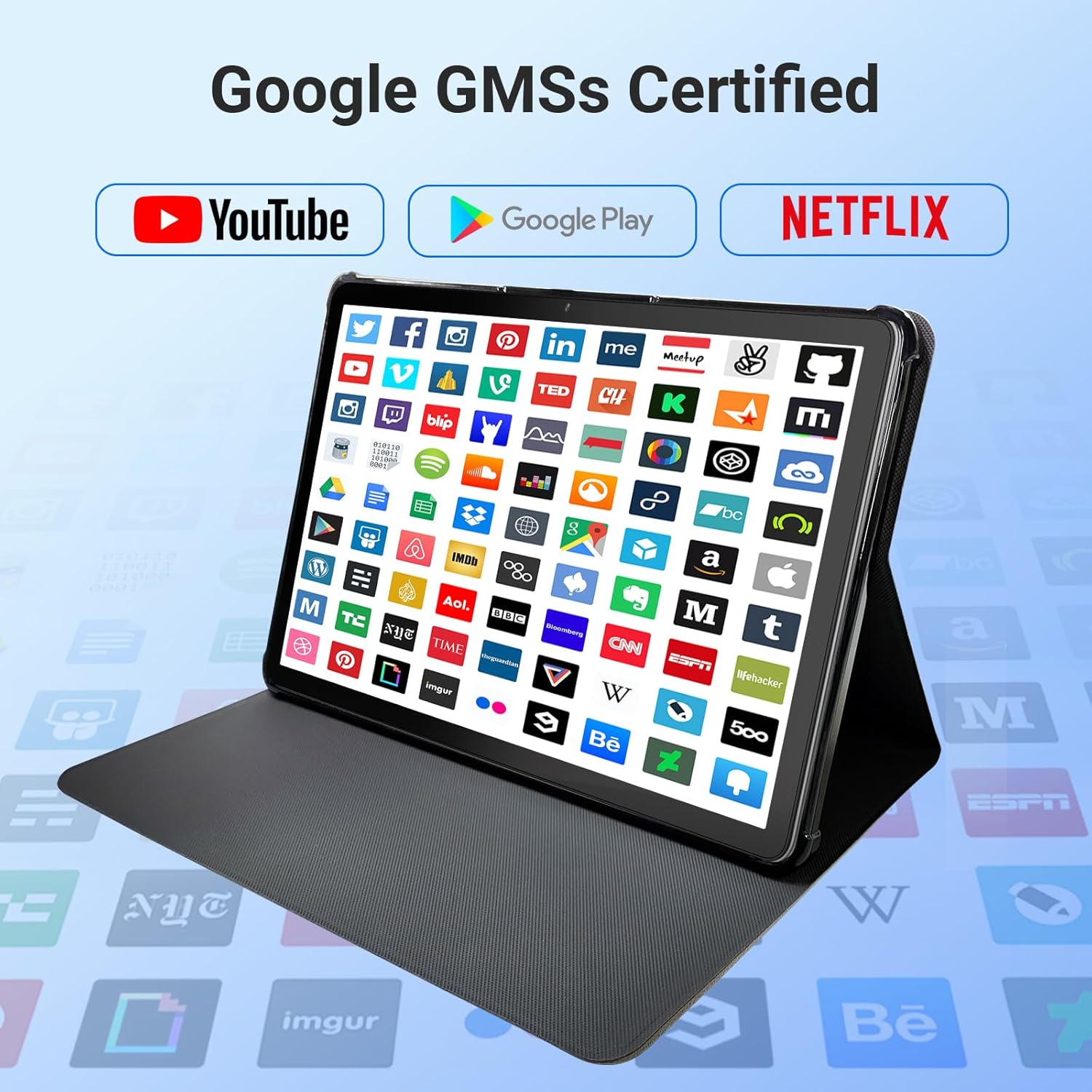
Image: The tablet screen showing numerous app icons, confirming Google GMS certification and access to popular services like YouTube and Netflix.
- ایپس نصب کړئ: خلاص کړئ د ګوګل پلی پلورنځي app, search for your desired app, and tap "Install."
- ایپس غیر نصب کړئ: Long-press the app icon on the home screen or app drawer, then drag it to "Uninstall" or select "App info" and choose "Uninstall."
7. ساتنه
7.1 د وسیلې پاکول
د ټابلیټ سکرین او بدن پاکولو لپاره له نرم، لینټ څخه پاک ټوکر څخه کار واخلئ. د کثافاتو پاکوونکي یا محلولونه مه کاروئ.
7.2 د سافټویر تازه معلومات
Periodically check for system updates to ensure optimal performance and security:
- ورتګ ترتیبات > سیسټم > د سیسټم تازه کول.
- د شته تازه معلوماتو ډاونلوډ او نصبولو لپاره په سکرین کې لارښوونې تعقیب کړئ.
7.3 د ذخیرې مدیریت
د خپل ټابلیټ د ذخیره کولو اداره کولو لپاره:
- ورتګ ترتیبات > ذخیره کول.
- Here you can see storage usage and free up space by uninstalling apps, deleting files, or clearing cache data.
8. ستونزه حل کول
که تاسو د خپل ټابلیټ سره ستونزې سره مخ شئ، لاندې عام حلونو ته مراجعه وکړئ:
| ستونزه | د حل لاره |
|---|---|
| ټابلیټ نه چالانیږي | Ensure the battery is charged. Connect the charger and wait a few minutes before attempting to power on again. If unresponsive, perform a force restart by holding the power button for 10-15 seconds. |
| د وائی فای اتصال مسلې | وګورئ چې ایا وای فای په ترتیباتو کې فعال شوی دی. خپل روټر او ټابلیټ بیا پیل کړئ. شبکه هیر کړئ او بیا وصل شئ. |
| ورو فعالیت | Close unused apps. Clear app caches (Settings > Apps > [App Name] > Storage > Clear cache). Free up storage space. Restart the tablet. |
| د اپلیکیشنونو خرابیدل یا کنګل کیدل | Update the app to the latest version. Clear the app's cache and data (Settings > Apps > [App Name] > Storage). Uninstall and reinstall the app. |
| سکرین بې ځوابه دی | ټابلیټ بیا پیل کړئ. که ستونزه دوام ومومي، د پیرودونکو ملاتړ سره اړیکه ونیسئ. |
9. مشخصات
Detailed technical specifications for the DigiLand 11-inch Android 14 Tablet (Model MID1109-MX):
| فیچر | مشخصات |
|---|---|
| برانډ | DigiLand |
| د ماډل نوم | R11 |
| د توکي ماډل شمیره | MID1109-MX |
| عملیاتي سیسټم | Android 14 |
| د سکرین اندازه | ۷۸۷ انچه |
| د سکرین ریزولوشن | 1280x800 Pixels (HD IPS) |
| پروسیسر | 8-Core, 2 GHz (MediaTek) |
| RAM | 12 GB LPDDR4X |
| داخلي ذخیره (ROM) | 128 جي بي |
| د پراخیدو وړ ذخیره | Up to 256GB via MicroSD (TF Card) |
| د ګرافیک کاپروسیسر | مالي-G52 |
| شاته Webد کیم ریزولوشن | 13 MP |
| مخکی Webد کیم ریزولوشن | 8 MP |
| بې سیم ډول | 802.11a/b/g/n/ac (Dual-band 2.4G/5G Wi-Fi) |
| بلوتوث | بلوتوث 5.0 |
| بیټرۍ | 7000mAh لیتیم پولیمر |
| د اوسط بیټرۍ ژوند | Up to 15 Hours (8 hours HD video playback) |
| د توکي وزن | ۲.۴۵ پونډه |
| د محصول ابعاد | 10.16 x 6.69 x 0.32 انچه |
| رنګ | خړ |
10. تضمین او ملاتړ
Your DigiLand tablet is covered by a manufacturer's warranty. Please refer to the warranty card included in your package for specific terms and conditions. For technical support, product inquiries, or warranty claims, please visit the official DigiLand webسایټ یا د دوی د پیرودونکي خدماتو څانګې سره اړیکه ونیسئ.
DigiLand Official Webسایټ: Visit DigiLand Store on Amazon


