1. پیژندنه
د پیرودلو لپاره مننهasing the ELECOM LBT-ECOWS01MBK Open-Ear Bluetooth 5.4 Wireless Headphones. These headphones are designed to allow you to enjoy audio content while remaining aware of your surroundings. This manual provides essential information for the safe and effective use of your new device.

Image: The ELECOM LBT-ECOWS01MBK open-ear wireless headphones and their transparent charging case.
2. د بسته محتويات
- ELECOM LBT-ECOWS01MBK Open-Ear Wireless Headphones (Left and Right)
- د چارج کولو قضیه
- USB Charging Cable (USB-A to USB Type-C™)
- د چټک پیل لارښود
3. د محصول ب Featuresې
- د خلاص غوږ ډیزاین: Listen to music or videos while simultaneously hearing ambient sounds, ensuring awareness of your surroundings.
- سپک آرام: Each earbud weighs approximately 9.8g, providing a comfortable fit for extended wear without pressure or stuffiness.
- د لوړ کیفیت غږ: Equipped with a large 16mm diameter driver for clear sound and supports AAC codec for high-quality audio on compatible devices like iPhones.
- د غږ حالت: Optimizes audio frequencies to make human voices clearer, ideal for radio, audiobooks, and conversations.
- د ټیټ ځنډ حالت: Reduces audio-visual delay, enhancing the experience for videos and games.
- تمدید شوی پلی بیک: Up to 10 hours of continuous playback on a single charge, and up to 25 hours with the charging case.
- د ټچ سینسر کنټرولونه: Conveniently manage music playback, volume, and calls directly from the earbuds.
- د غږ معاون ملاتړ: Compatible with Siri and Google Assistant for hands-free control.
- د یو غوږ بډ کارول: یا هم ایربډ په خپلواکه توګه کارول کیدی شي.
- USB Type-C™ Charging: The charging case features a USB Type-C™ port for convenient charging.

Image: A man wearing the open-ear headphones, demonstrating the ability to hear ambient sounds while enjoying media.
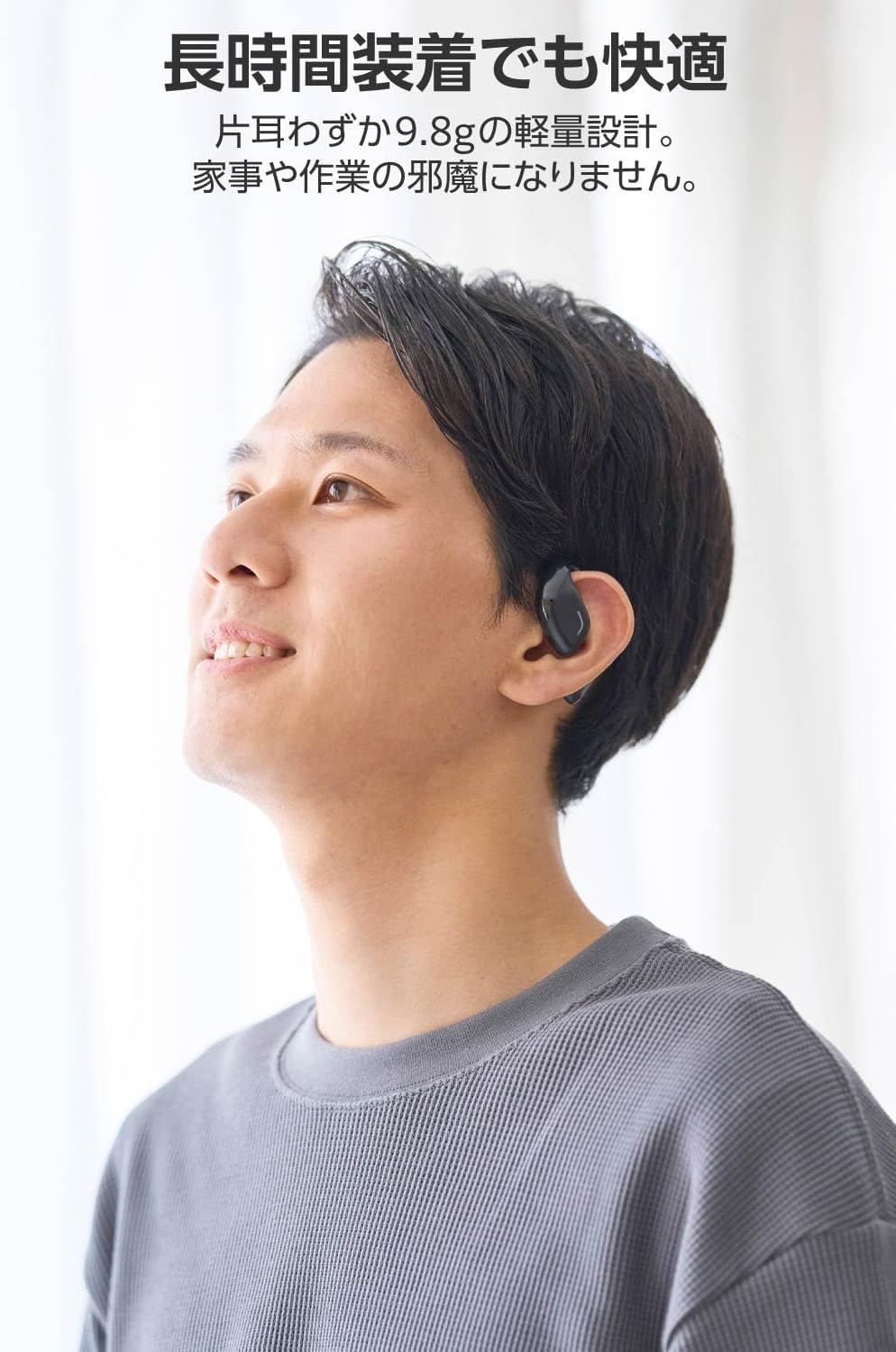
Image: A man wearing the lightweight open-ear headphones, highlighting their comfortable design for long-term use.
4. ترتیب کول
۳.۱. د هیډفونونو او کیس چارج کول
د لومړي ځل کارولو دمخه، هیډفونونه او د چارج کولو قضیه په بشپړه توګه چارج کړئ.
- دواړه اییربډونه د چارج کولو قضیې کې ځای په ځای کړئ.
- Connect the supplied USB Type-C™ cable to the charging port on the case and a USB power adapter (not included).
- د چارج کولو په قضیه کې د LED شاخص به د چارج کولو حالت وښيي.
د چارج کولو وخت:
- Headphones: Approximately 1.5 hours
- د چارج کولو قضیه: نږدې 1.5 ساعته

Image: Illustration of the charging process for the headphones and case, showing the USB-C port and LED indicators.
4.2. د بلوتوت وسیلې سره جوړه کول
- ډاډ ترلاسه کړئ چې هیډفونونه چارج شوي دي.
- Open the charging case. The headphones will automatically enter pairing mode. The LED indicator on the earbuds will flash.
- On your device (smartphone, PC, tablet), enable Bluetooth and search for available devices.
- Select "LBT-ECOWS01MBK" from the list of found devices.
- یوځل چې وصل شي، په غوږونو کې د LED شاخص به چمکۍ ودروي.
- After initial pairing, the headphones will automatically connect to the last paired device when removed from the case.
۳.۳. د هیډفونونو اغوستل
The headphones are designed to hook over your ears.
- د کیڼ (L) او ښي (R) غوږوالۍ وپیژنئ.
- With the LED facing outwards, hook the earbud over the top of your ear.
- Adjust the earbud for a comfortable and secure fit.

Image: Step-by-step guide on correctly wearing the open-ear headphones.
5. عملیاتي لارښوونې
5.1. Touch Sensor Controls
The headphones feature touch sensors on each earbud for various functions.
| فعالیت | عمل | ایربډ |
|---|---|---|
| پلی/ودرول | یو نل | L یا R |
| بله لار | دوه ځله ټپ | R |
| مخکینی ټریک | دوه ځله ټپ | L |
| حجم پورته | اوږد فشار ورکړئ (تقریبا 2 ثانیې) | R |
| حجم ښکته | اوږد فشار ورکړئ (تقریبا 2 ثانیې) | L |
| ځواب / پای کال | یو نل | L یا R |
| زنګ رد کړئ | اوږد فشار | L یا R |
| د غږ معاون فعال کړئ | درې ګونی نل | L یا R |

Image: Visual representation of the touch sensor areas and corresponding music and volume controls.
5.2. Switching Audio Modes
The headphones offer three distinct audio modes:
- نورمال حالت: Standard audio playback.
- د ټیټ ځنډ حالت: Reduces audio-visual delay, suitable for watching videos or playing games.
- د غږ حالت: Enhances human voice frequencies for clearer dialogue, ideal for audiobooks, podcasts, or calls.
To switch between modes, refer to the quick start guide or the official product page for specific touch gestures, as these can sometimes be customized.

انځور: یو اوورview of the three available audio modes and their recommended uses.
۴.۳. د یو ځلي غوږۍ کارول
You can use either the left or right earbud independently. When using only one earbud, ensure the other earbud is powered off or stored in the charging case.
6. ساتنه
ستاسو د هیډفونونو د اوږد عمر او غوره فعالیت ډاډمن کولو لپاره:
- د غوږونو غوږوالۍ او د چارج کولو قضیه په منظم ډول د نرم او وچ ټوکر سره پاک کړئ.
- د کثافاتو پاکوونکي یا محلول مه کاروئ.
- د هیډفونونو د سختې تودوخې، رطوبت یا مستقیم لمر وړانګو ته د افشا کولو څخه ډډه وکړئ.
- د غوږونو په غوږونو او د قضیې دننه د چارج کولو تماسونه پاک او له کثافاتو څخه پاک وساتئ.
- کله چې هیډفونونه نه کارول کیږي نو د دوی د چارج کولو په قضیه کې وساتئ ترڅو دوی خوندي او چارج شي.
7. ستونزه حل کول
که تاسو د خپلو هیډفونونو سره ستونزې سره مخ شئ، لاندې عام حلونو ته مراجعه وکړئ:
- غږ نشته:
- ډاډ ترلاسه کړئ چې هیډفونونه چارج شوي دي.
- وګورئ چې هیډفونونه په سمه توګه جوړ شوي او ستاسو وسیله سره وصل دي.
- په هیډفونونو او ستاسو وصل شوي وسیله دواړو کې حجم تنظیم کړئ.
- جوړه نشي کیدی:
- ډاډ ترلاسه کړئ چې هیډفونونه د جوړه کولو حالت کې دي (د LED فلش کول).
- Turn off Bluetooth on other nearby devices that may have previously connected.
- خپل وسیله بیا پیل کړئ او بیا جوړه کولو هڅه وکړئ.
- موقتي اړیکه:
- ډاډ ترلاسه کړئ چې د هیډفونونو او ستاسو وسیله ترمنځ هیڅ خنډ شتون نلري.
- Move closer to your device (maximum communication distance is approximately 10m).
- د قوي الکترومقناطیسي مداخلې سره چاپیریال څخه ډډه وکړئ.
- د ټچ کنټرولونه ځواب نه ورکوي:
- ډاډ ترلاسه کړئ چې ستاسو ګوتې پاکې او وچې دي.
- Try restarting the headphones by placing them in the case and then taking them out again.
- Low Battery Voice Prompt: If you hear a repeated "Low Battery, please charge" prompt, place the earbuds in the charging case immediately.
If the issue persists, please refer to the official ELECOM support webد نورو مرستو لپاره سایټ.
8. مشخصات
| فیچر | مشخصات |
|---|---|
| د ماډل نوم | LBT-ECOWS01MBK |
| د ارتباط ټیکنالوژي | Wireless (Bluetooth® Version 5.4) |
| بلوتوث پروfiles | A2DP ، AVRCP ، HFP |
| ملاتړ شوی کوډیکس | AAC، SBC |
| Max Communication Distance | تقریبا ۱۰ متره (پرته له خنډونو) |
| Frequency Response (A2DP) | 20-20,000Hz |
| د دوامداره پلی بیک وخت | نږدې ۵.۵ ساعته (د چارج کولو کیس سره نږدې ۲۲ ساعته) |
| د چارج کولو وخت (هیډفونونه) | نږدې 1.5 ساعته |
| د چارج کولو وخت (کیس) | نږدې 1.5 ساعته |
| د مایکروفون ډول | د MEMS ډول |
| د موټر چلوونکي واحد | φ16mm Full Range |
| وزن (په هر غوږۍ کې) | نږدې 9.8 ګرامه |
| وزن (د چارج کولو قضیه) | نږدې 59.0 ګرامه |
| رنګ | مټ تور |
| د اوبو مقاومت | غیر پنروک |
| د عملیاتي حرارت درجه | 5 ℃ تر 35 ℃ |
| عملیاتي رطوبت | له 20٪ څخه تر 80٪ پورې (غیر کنډیشن) |
9. تضمین او ملاتړ
9.1. د تضمین معلومات
دا محصول د الف سره راځي 1 کلن تضمین from the date of purchase. Please retain your proof of purchase for warranty claims. The warranty covers manufacturing defects but does not cover damage caused by misuse, accidents, unauthorized modifications, or normal wear and tear.
9.2. د پیرودونکي ملاتړ
For further assistance, technical support, or detailed product information, please visit the official ELECOM webسایټ:
You may also find additional FAQs and troubleshooting tips on the product support pages.


