1. پیژندنه
Welcome to the user manual for your new Tiqvi 7-inch Digital Photo Frame. This device is designed to help you easily display and share your cherished photos and videos with family and friends, no matter where they are. Featuring a vibrant IPS touch screen, WiFi connectivity, and compatibility with the intuitive Frameo app, your digital photo frame offers a modern way to relive memories. Please read this manual carefully to ensure proper setup, operation, and maintenance of your device.

This image illustrates the Tiqvi digital photo frame in use, showcasing a vibrant family photo on its screen. Next to it, a smartphone displays the Frameo application, highlighting the seamless integration for sharing memories directly to the frame.
۲. په صندوق کې څه دي؟
مهرباني وکړئ د کڅوړې محتويات وګورئ ترڅو ډاډ ترلاسه کړئ چې ټول توکي شتون لري او په ښه حالت کې دي.
- د تقوي ۱۰ انچه ډیجیټل عکس چوکاټ
- د بریښنا اډاپټر
- د جلا کیدو وړ سټینډ
- د کارونکي لارښود (دا لاسوند)

This image displays all items typically found inside the product packaging: the Tiqvi digital photo frame itself, its power adapter, and a detachable stand. Key dimensions of the frame are also provided for reference.
3. د تنظیم کولو لارښود
3.1 Powering On Your Frame
Connect the provided power adapter to the DC port on the back of the digital photo frame. Plug the adapter into a standard electrical outlet. The frame will automatically power on.
3.2 د وای فای سره نښلول
Upon first power-on, the frame will guide you through the initial setup process, including connecting to your Wi-Fi network.
- د خپلې خوښې ژبه وټاکئ.
- خپل وخت زون وټاکئ.
- له لیست څخه خپل وای فای شبکه وټاکئ.
- د سکرین پر کیبورډ په کارولو سره خپل د وای فای پټنوم دننه کړئ او "وصل شئ" کلیک وکړئ.
- Once connected, the frame will display a unique Frameo ID.
۳.۲ د فریمیو اپلیکیشن نصب کول
To send photos and videos to your frame, you need to download the Frameo app on your smartphone or tablet.
- لټون "Frameo" in the Apple App Store (for iOS devices) or Google Play Store (for Android devices).
- اپلیکیشن ډاونلوډ او نصب کړئ.
- اپلیکیشن پرانیزئ او یو حساب جوړ کړئ یا ننوتل وکړئ.
- Add your frame by entering the unique Frameo ID displayed on your digital photo frame.

This image emphasizes the integration with the Frameo app, showing the frame alongside the Google Play and App Store logos, indicating where users can download the necessary application for managing and sharing photos.
۵. ستاسو د ډیجیټل عکس چوکاټ چلول
۳.۳ د عکسونو او ویډیوګانو لیږل
Once your frame is connected to the Frameo app, you can easily send photos and short videos (up to 15 seconds) from your smartphone.
- په خپل سمارټ فون کې د فریمیو ایپ خلاص کړئ.
- هغه عکسونه یا ویډیوګانې غوره کړئ چې تاسو یې لیږل غواړئ.
- Choose your Tiqvi frame as the recipient.
- Add a caption if desired, then tap "Send".
Photos and videos will appear on your frame shortly after being sent, provided the frame is connected to Wi-Fi. You can connect up to 500 users to share memories with your frame.

This image illustrates the ease of sharing photos and videos with the Tiqvi digital photo frame. It shows a photo being sent from a smartphone to the frame, symbolizing the ability to connect and share memories with loved ones anywhere.
۵.۲ د ټچ سکرین نیویګیشن
The Tiqvi digital photo frame features an intuitive touch screen for easy navigation.
- کیڼ/ښي خوا ته سوپ کړئ: Navigate through photos.
- ټایپ: Access settings, view photo details, or pause slideshow.
- د زوم لپاره پینچ: عکسونه زوم ان یا آوټ کړئ.
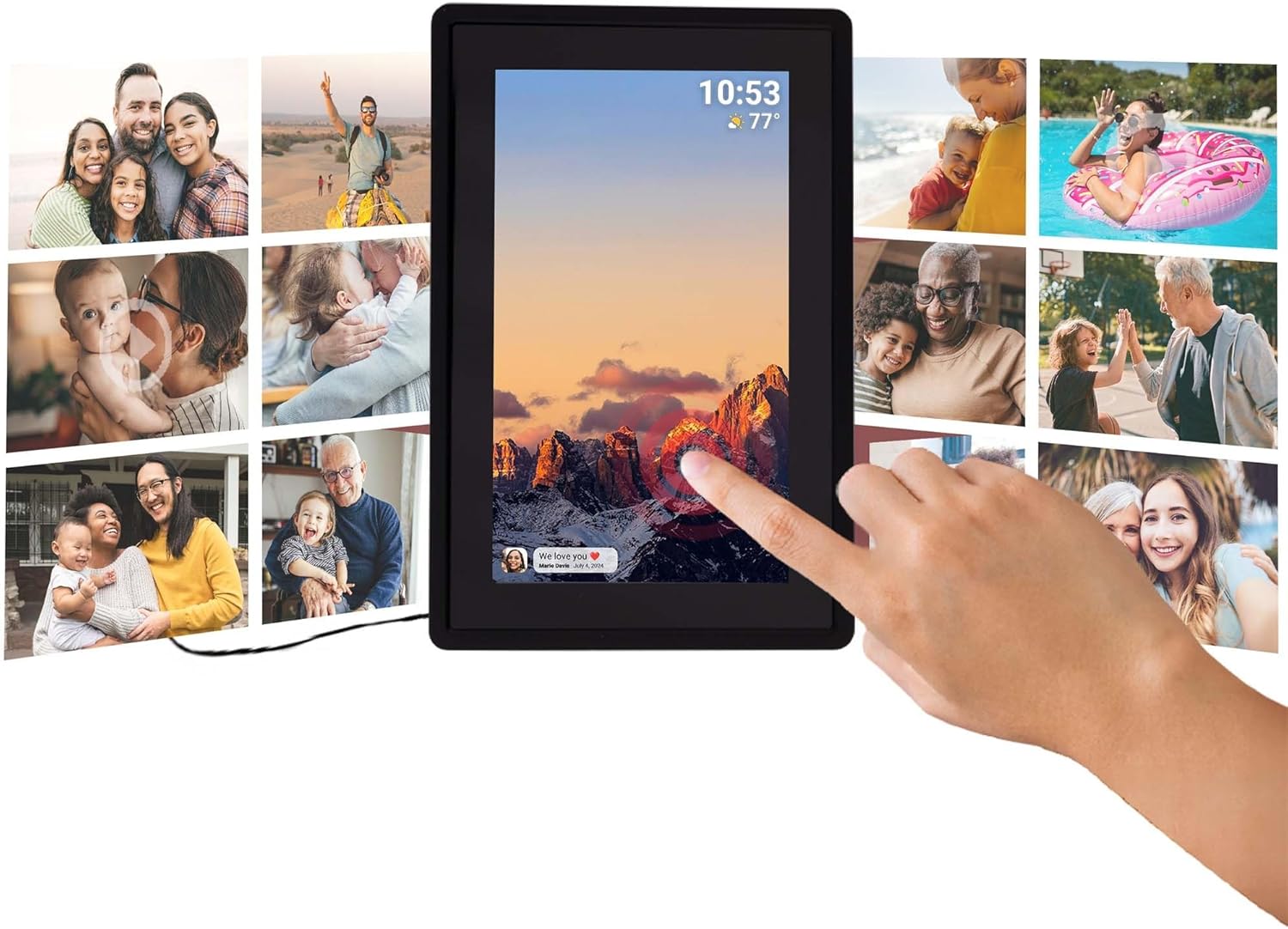
This image illustrates the intuitive touch screen functionality of the digital photo frame, showing a hand interacting directly with the display to navigate through photos and settings.
۴.۴ د اتومات څرخولو فعالیت
The frame automatically detects its orientation (landscape or portrait) and adjusts the display of photos accordingly, ensuring your memories are always shown correctly.

Two Tiqvi digital photo frames are shown, one in landscape and one in portrait orientation, demonstrating how the auto-rotate function automatically adjusts the photo display for perfect viewing.
5. ذخیره کول
Your Tiqvi digital photo frame comes with ۱۶ جي بي داخلي حافظه, capable of storing thousands of photos and short videos.
For additional storage, the frame includes a د مایکرو ایس ډی کارت سلاټ, supporting cards up to 32GB. This allows you to expand the frame's capacity significantly.

دا تفصیلي view of the frame's screen highlights its key technical specifications and features, including WiFi connectivity, 16GB internal storage, the 7-inch IPS display with 1024x600 resolution, support for microSD cards up to 32GB, and compatibility with the Frameo application.

This visual demonstrates the extensive storage capability of the digital photo frame, showing a screen filled with a diverse collage of photos.
6. مشخصات
| فیچر | مشخصات |
|---|---|
| برانډ | تقوي |
| د ماډل شمیره | د TVH10005 معرفي کول |
| د سکرین اندازه | ۷۸۷ انچه |
| د ښودلو ډول | د IPS ټچ سکرین |
| قرارداد | 1024x600 (16:9 aspect ratio) |
| داخلي حافظه | 16 جي بي |
| بهرنۍ ذخیره | MicroSD card slot (max. 32GB) |
| ارتباط | وای فای |
| د اپلیکیشن مطابقت | د فریم اپلیکیشن |
| رنګ | تور |
| د بریښنا سرچینه | Electric (AC Adapter) |
| د محصول ابعاد (L x W x H) | 22 x 15 x 2.51 سانتي متره |
| د محصول وزن | 600 ګرامه |
7. ساتنه
۵.۲ د چوکاټ پاکول
To keep your digital photo frame in optimal condition, follow these cleaning guidelines:
- سکرین: د سکرین د نرمولو لپاره د نرم، لینټ نه پاک ټوکر (د مثال په توګه، مایکرو فایبر ټوکر) څخه کار واخلئ. د سختو داغونو لپاره، یو څه نرم کړئampټوکر د اوبو یا د سکرین پاکولو محلول سره په ځانګړي ډول د برقیاتو لپاره ډیزاین شوی. د سخت کیمیاوي موادو یا خړوبونکي موادو څخه ډډه وکړئ.
- د چوکاټ بدن: Wipe the body of the frame with a dry or slightly damp soft cloth. Do not use excessive moisture.
- بندول: تل د پاکولو دمخه د بریښنا اډاپټر خلاص کړئ.
7.2 عمومي پاملرنه
- Avoid placing the frame in direct sunlight or near heat sources.
- Keep the frame away from water and high humidity.
- Do not drop or subject the frame to strong impacts.
8. ستونزه حل کول
If you encounter any issues with your Tiqvi digital photo frame, please refer to the table below for common problems and their solutions.
| ستونزه | احتمالي لامل | د حل لاره |
|---|---|---|
| چوکاټ نه چالانېږي. | د بریښنا اډاپټر وصل شوی نه دی یا خراب آوټ لیټ دی. | Ensure the power adapter is securely plugged into the frame and a working electrical outlet. Try a different outlet. |
| د وائی فای سره وصل نشو. | غلط پټنوم، کمزوری سیګنال، یا د روټر ستونزه. | Double-check the Wi-Fi password. Move the frame closer to the router. Restart your Wi-Fi router. |
| عکسونه په چوکاټ کې نه ښکاري. | Frame not connected to Wi-Fi, incorrect Frameo ID, or app issue. | Verify Wi-Fi connection on the frame. Ensure the correct Frameo ID is entered in the app. Restart the Frameo app on your phone. |
| سکرین غیر ځواب ورکوونکی دی. | د سافټویر لنډمهاله ستونزه. | Unplug the power adapter, wait 10 seconds, then plug it back in to restart the frame. |
| Photos are blurry or low quality. | Original photo resolution is low. | Ensure you are sending high-resolution photos to the frame for best display quality. |
9. تضمین او ملاتړ
۸.۱ د جوړونکي تضمین
Your Tiqvi digital photo frame is covered by a د جوړونکي دوه کلن تضمین from the date of purchase. This warranty covers defects in materials and workmanship under normal use. It does not cover damage caused by misuse, accidents, unauthorized modifications, or external causes. Please retain your proof of purchase for warranty claims.
9.2 د پیرودونکي ملاتړ
For further assistance, technical support, or warranty inquiries, please refer to the product packaging or the official Tiqvi website for contact information. When contacting support, please have your product model number (TVH10005) and purchase details ready.


